

Every moment you browse the internet, you knock on one of billions of online doors. Each door has a unique address. That’s where the concept of a URL (Uniform Resource Locator), the web’s basic building block, comes in. So what does this short string of letters really mean?
You use this structure hundreds of times daily. It is not just address bar text. Instead, it combines a complex communication protocol, server redirects, and security layers perfectly. Most users just copy and paste it.
However, behind the scenes, DNS queries run, IP packets form, and TLS handshakes happen. Moreover, as of 2026, AI-powered search engines read these addresses in new ways. We now design links for both humans and machines.
In this comprehensive guide, I will explain everything from RFC 3986 standards to IDN homographic attacks. Also, I will share how we manage the parametric chaos on e-commerce sites. I’ll also give GEO optimization tips. Let’s get started!
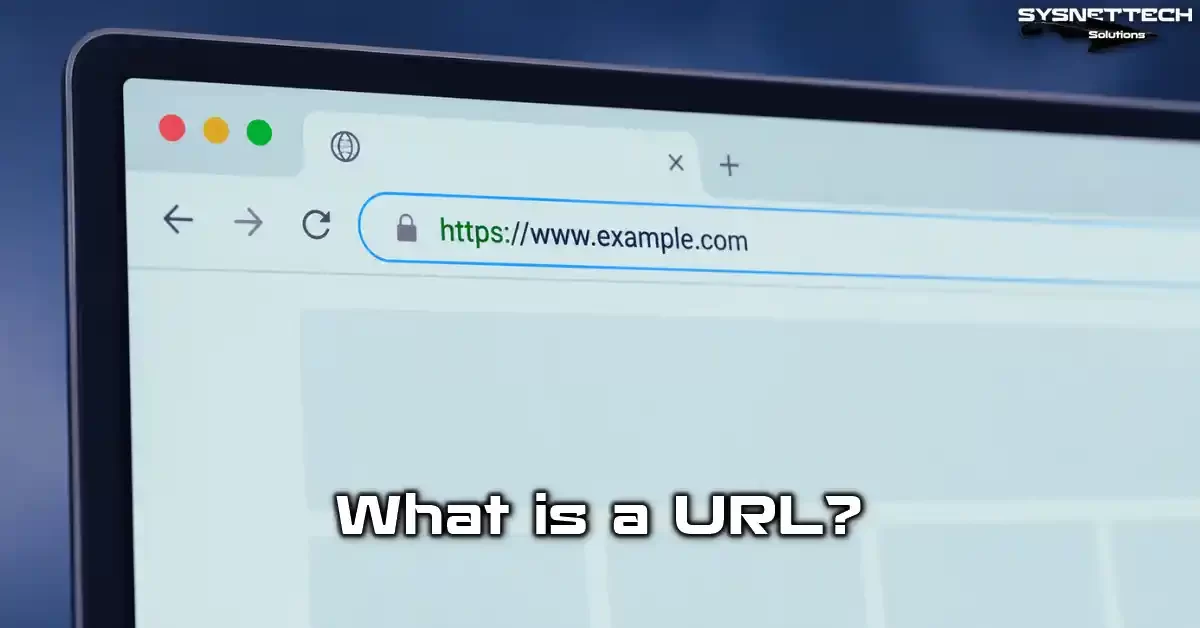
What is a URL? Behind the Scenes of the Internet’s Address Bar (2026 Update)
In its simplest form, a URL acts as a unique identifier. This identifier points to the location of any digital resource. A web page, image, video, or PDF file—no difference. Everything has an internet address.
The moment you type this text into your browser’s address bar, the magic begins. Servers wake up, packets set out, and rich content appears within seconds. However, experts standardize every step of this journey meticulously. Here are the basic stages of this process:
- User Input: You type a link address into the browser or click a link.
- Protocol Detection: The browser determines which protocol to use (usually HTTPS).
- DNS Query: The system converts the domain name into an IP address.
- Server Connection: The system establishes a TCP and TLS connection to the target server.
- Content Delivery: The server processes the request and sends the response.
What Does URL Stand For? What Does Uniform Resource Locator Mean?
The acronym URL stands for Uniform Resource Locator. The word “uniform” is key here because you use the same standard structure to access all resources.
On the other hand, the “Resource” part refers to any digital asset you want to access. It could be an HTML page, a JPEG image, or JSON data. The “Locator” then pinpoints that resource’s exact network location.
Thus, protocol, domain, and path information unite under one roof. Tim Berners-Lee first defined this standard in 1994. It still forms the backbone of the internet today. The basic logic hasn’t changed, despite the modern web’s complexity.
The W3C consortium stands behind these technical documents. It publishes guidelines for the healthy growth of the web. Moreover, it works in harmony with RFCs on topics like URL syntax.
A Brief History of the URL: The Journey from RFC 1738 to HTTP/3 and Web3
It all started in 1994 with RFC 1738. Tim Berners-Lee and his team proposed a common addressing scheme for different protocols. Back then, developers defined FTP, Gopher, and HTTP protocols under the same roof.
Then, in 2005, RFC 3986 brought much clearer syntax rules. This revision forms the foundation of all of today’s standards. HTTPS spread widely, and the security layer became essential. Let’s look at the milestones of this evolution:
| Year | Standard | Innovation Brought |
|---|---|---|
| 1994 | RFC 1738 | First official definition; HTTP, FTP, Gopher support |
| 1998 | RFC 2396 | Clarification of the URI vs. URL distinction |
| 2005 | RFC 3986 | Current syntax rules, IPv6 support |
| 2015 | RFC 7540 | HTTP/2 with multiplexing and header compression |
| 2022 | RFC 9114 | Transition to HTTP/3 and QUIC protocol |
Finally, HTTP/3 and QUIC dramatically boost connection speeds. Now, clicking a web address sets up a UDP-based, zero-latency connection. So, this evolution continues.
How Does a URL Work? The Hidden Journey from DNS to IP Address
As a user, you simply click a few letters. But a remarkably complex ballet begins in the background. This four-stage journey completes in milliseconds.
First, the browser parses the address and determines the protocol. Then it starts a DNS query to turn the domain name into an IP address. Next, it opens a TCP connection to the target server.
The system finally sends the HTTP request. Then you receive the server’s response. At each stage, dozens of checks and verifications occur. Now let’s look at these steps more closely.
DNS Resolution: The Dance of the Browser, Cache, and Root Servers
When you type an address into the browser, your computer is the first stop. The operating system’s network layer checks the local DNS cache first. If a match is there, the process completes instantly.
If it’s not in the cache, the next stop is your ISP’s DNS resolver. It also checks its own cache. If it can’t find it, it heads to the root DNS servers. Here’s the process step by step:
- The browser checks its own DNS cache.
- It checks the operating system cache.
- The system sends a query to the ISP’s DNS resolver.
- The root DNS server gives the TLD server’s address.
- The TLD server gives the authoritative DNS server’s address.
- The authoritative DNS server returns the IP address for the domain.
The root server gives the TLD server addresses for .com, .org, etc. Next, the system contacts the authoritative DNS server. Finally, the authoritative server provides the IP address. Then it sends this info to the browser.
IP Address Matching and Server Request (HTTP Request)
When DNS resolution ends, you have the target server’s IP address. Next comes the TCP three-way handshake (SYN, SYN-ACK, ACK). This process creates a reliable connection channel.
If you use HTTPS, the TLS handshake follows immediately. The system verifies the certificates first. It also exchanges encryption keys. This creates a secure tunnel. At this stage, the system performs these checks:
- First, the system checks the certificate’s validity period.
- It also verifies the trustworthiness of the certificate authority.
- It checks the domain name match between the address and the certificate.
- Finally, both parties agree on encryption algorithms.
Finally, the browser sends an HTTP GET or POST request. The server processes the request and returns a response. So, the whole process completes in 50 to 200 milliseconds on average.
The Anatomy of a URL: What Parts Make Up a Web Address?

Every web address is a modular structure made up of six basic components. Each component serves a different purpose. Let’s go through an example.
Let’s take this address: https://www.example.com:443/blog/technical?page=2#comments. Here, you find the protocol, subdomain, domain, port, path, query, and fragment, respectively. We’ll examine each one. Here’s a visual summary of this structure:
| Component | Example Value | Function |
|---|---|---|
| Protocol | https:// | Defines communication rules |
| Subdomain | www | Separates server service |
| Domain | example.com | Human-readable address |
| Port | :443 | Specifies the service door on the server |
| Path | /blog/technical | The resource’s location on the server |
| Query String | ?page=2 | Sends dynamic parameters |
| Fragment | #comments | Jumps to an in-page location |
Protocol (HTTP, HTTPS, FTP) and SSL Certificate Connection
The protocol is the most critical component. It sets the communication rules between your browser and the server. HTTPS is the most widely used protocol today. The ‘S’ stands for Secure, indicating a secure connection.
HTTPS secures data exchange with TLS encryption. An SSL certificate lets you verify the server’s identity. Without this layer, you stay vulnerable to man-in-the-middle attacks. Here are the key differences between these protocols:
| Protocol | Encryption | Default Port | Use Case |
|---|---|---|---|
| HTTP | None | 80 | Local networks, development |
| HTTPS | TLS 1.3 | 443 | All modern websites |
| FTP | None (exists with FTPS) | 21 | File transfer |
We still use HTTP in some local networks and development environments. FTP is an old but reliable alternative for file transfers. However, HTTPS is the undisputed standard on the modern web.
Domain, Subdomain, and SLD (Second-Level Domain) Relationship
The domain name layer links memorable names to IP addresses. For example, in ‘example.com’, ‘example’ is the second-level domain (SLD), and ‘.com’ is the top-level domain (TLD). Together, they form the full domain.
A subdomain is a prefix added in front of the main domain. Structures like ‘blog.example.com’ or ‘api.example.com’ let you organize different services under the same roof. This way, each service gets its own independent address. Consider these examples:
- blog.site.com: A subdomain reserved for the company blog.
- shop.site.com: A dedicated subdomain for the e-commerce section.
- api.site.com: An API endpoint for developers.
- cdn.site.com: A content delivery network for serving static files.
Google may treat subdomains as separate sites. So, you must consider this distinction when planning your SEO strategy. In particular, incorrect configuration harms authority distribution.
Path, Slug, and Extensions: File Path or Virtual Routing?
The path is the hierarchical directory structure that specifies the resource’s location on the server. In the past, this section mirrored the actual file system. Today, it mostly serves as a virtual routing mechanism.
The slug is the readable text portion at the very end of the path. For example, in ‘/blog/what-is-url’, ‘what-is-url’ is a slug. It is the cornerstone of creating SEO-friendly addresses. Short, meaningful, keyword-rich slugs always perform better. Here are examples of good and bad slugs:
| Bad Slug | Good Slug | Explanation |
|---|---|---|
| /p=12345 | /what-is-url | Meaningful and readable |
| /read_article_2026 | /read-article | No unnecessary year or underscore |
| /Products/Dress | /products/dress | All lowercase |
| /blog/a-very-long-article-title-this | /blog/short-article | No unnecessary words |
File extensions like .html, .php, and .asp are fading away. Modern frameworks and headless CMS platforms provide clean, extension-free link design. This gives a much cleaner look for users.
Query String (?) and Fragment (#): Dynamic Filter and In-Page Target
The query string, starting with a question mark (?), lets you send extra parameters to the server. Its most common use is filtering, sorting, and pagination. For example, ?category=software&sort=price.
The hash sign (#) acts as a fragment, or anchor. It lets you jump directly to a specific section within the page. When you use #comments, the browser automatically scrolls to that section. Here’s a comparison of these two components:
| Feature | Query String (?) | Fragment (#) |
|---|---|---|
| Sends to Server | Yes | No |
| Refreshes Page | Generally yes | No |
| Visible in Analytics | Yes | No by default |
| Purpose | Filter, sort, paginate | In-page navigation |
An important detail: the fragment never goes to the server. It works only on the client side. That’s why analytics tools can’t capture fragment parameters by default.
Types of URLs: Absolute, Relative, Dynamic, Static, and the URI/URN Distinction
Not every web address has the same structure. Different types emerge based on purpose and context. Understanding this variety is the first step in determining the right strategy.
Now let’s tackle the most critical distinctions one by one. This way, you will learn when to use each type.
The Difference Between Absolute and Relative URLs: Which to Use When
An absolute link specifies the full location of the resource, starting with the protocol. For example, https://www.site.com/page.html is a complete address. No matter which page you’re on, it always directs to the same target.
A relative link is calculated based on your current location. It uses expressions like /blog/article or ../images/photo.jpg. It is much more practical for internal linking. Here are comparative examples:
| Context | Absolute URL | Relative URL |
|---|---|---|
| From homepage to blog | https://site.com/blog | /blog |
| From blog to image | https://site.com/images/photo.jpg | ../images/photo.jpg |
| Sitemap | https://site.com/page | Not used |
From an SEO perspective, both have their place. However, you should always use absolute addresses in canonical tags and sitemaps. Otherwise, search engines may receive incorrect signals.
Static, Dynamic, and Clean URLs: Who Does SEO Favor?
A static link points to a fixed file and its content doesn’t change. /about.html always shows the same page. It offers advantages for caching and performance.
A dynamic address contains query parameters. Additionally, the system generates the content on the fly. Structures like /products?id=12345 are common in e-commerce. But they are not SEO-friendly.
A clean link transforms dynamic addresses into a static appearance. /products/12345 is both readable and SEO-compatible. You can easily achieve this conversion with URL rewrite rules.
| Feature | Static URL | Dynamic URL | Clean URL |
|---|---|---|---|
| Readability | High | Low | High |
| SEO Performance | Good | Weak | Best |
| Caching | Easy | Hard | Easy |
| Maintenance | Manual | Automatic | Semi-Automatic |
The URL, URI, and URN Triangle: A Shortcut to the Technical Distinction
Users often confuse these three concepts. URI, or Uniform Resource Identifier, is the broadest umbrella. It covers both locators and name identifiers.
URL is a subset of URI and tells the resource’s location. URN, or Uniform Resource Name, gives the resource a permanent, location-independent name. For example, ISBN numbers are URNs.
| Concept | Expansion | Function | Example |
|---|---|---|---|
| URI | Uniform Resource Identifier | Identifies resource | Both URL and URN |
| URL | Uniform Resource Locator | Specifies location | https://site.com/page |
| URN | Uniform Resource Name | Gives permanent name | urn:isbn:0451450523 |
URL Management: Redirects, Rewriting, and Error Codes
As your website grows, managing addresses becomes complex. Along the way, you move pages, merge content, and sometimes delete them. That’s when professional redirect strategies come into play.
A well-configured redirect chain directly affects both user experience and SEO performance. On the other hand, incorrect implementations quickly consume your crawl budget.
301, 302, 307, and 308 Redirect Codes: SEO Effects and When to Use Them
An HTTP 301 permanent redirect sends the strongest SEO signal. You tell Google, ‘This address has permanently moved; transfer authority to the new target.’ Developers prefer this method for domain changes and permanent structural revisions.
An HTTP 302 temporary redirect means ‘This is only temporary; don’t forget the original address.’ Developers use it during campaign periods or maintenance pages. However, long-term use leads to authority loss.
| Code | Type | SEO Effect | Use Case |
|---|---|---|---|
| 301 | Permanent | Transfers authority | Domain change |
| 302 | Temporary | Authority not preserved | Campaign page |
| 307 | Temporary (HTTP/1.1) | Same as 302 | For POST requests |
| 308 | Permanent (HTTP/1.1) | Same as 301 | For POST requests |
.htaccess and Nginx URL Rewrite Rules
On Apache servers, the .htaccess file and mod_rewrite module are the backbone of this task. They transform complex dynamic addresses into SEO-friendly ones in seconds. Here’s a basic example:
RewriteEngine On
RewriteRule ^product/([0-9]+)$ product.php?id=$1 [L]
On the Nginx side, you use the rewrite directive or try_files. Nginx’s asynchronous architecture offers a significant advantage, especially for high-traffic sites. The configuration looks like this:
location / {
    try_files $uri $uri/ /index.php?$args;
}
You must be careful about infinite loops in both methods. A wrongly written rewrite rule can make your site completely inaccessible. Here’s a checklist for a safe rewrite:
- Always test your rewrite rules in a staging environment.
- Make sure no infinite loops occur.
- Log the addresses before and after the rewrite.
- Write complex rules step by step and add comments.
Broken URL (404) and 410/503 Management: Saving Your Crawl Budget
A broken link, or 404 error, is unavoidable. But each 404 consumes your crawl budget. Googlebot wastes resources and can’t crawl your key pages.
The 410 Gone code sends the signal, ‘This content has been permanently removed.’ Google removes this address from the index much faster. Therefore, using 410 for deleted pages is more efficient.
503 Service Unavailable is ideal for temporary maintenance situations. When your server experiences an overload, returning this code prevents bots from crawling pages unnecessarily.
E-Commerce and Faceted Navigation URL Strategy

E-commerce sites are one of the most complex areas for URL management. Thousands of products, dozens of filters, and pagination options come together. In particular, this creates a massive link network.
If you can’t manage this chaos, you’ll face duplicate content penalties. Moreover, you’ll quickly consume your crawl budget. The system then can’t index your valuable pages.
What Is Faceted Navigation? The Parametric URL Deadlock
Faceted navigation allows users to narrow down products by criteria like color, size, or price. It is excellent for user experience. However, each filter combination creates a new parametric query string.
For example, imagine you select color=red, size=L, and price=100-200 filters on a t-shirt page. These three parameters can combine in six different orders. Each combination shows the same content at a different address. Here’s the anatomy of a typical faceted navigation problem:
- Color filter: ?color=red (5 variations alone)
- Size filter: ?size=l (4 variations alone)
- Price filter: ?price=100-200 (6 variations alone)
- Combination: 5 × 4 × 6 = 120 different parametric links
As a result, thousands of duplicate pages emerge. Google detects this as duplicate content and lowers your site’s quality score. A disciplined strategy is essential to solve this deadlock.
Parametric URL SEO Harms and URL Blocking with robots.txt
Parametric links become a disaster when left unchecked. Search engine bots try to crawl an infinite number of combinations. This reduces crawl efficiency to zero.
Your first line of defense is the robots.txt file. You can block addresses containing query parameters there. For example:
User-agent: *
Disallow: /*?*
Disallow: /*sort=
Disallow: /*filter=
However, this method alone is not enough. In Google Search Console’s parameter management section, you must specify which parameters change content. This way, bots skip unnecessary variations. Here are the steps to follow:
- Log in to Google Search Console.
- From the “Legacy tools and reports” section, select “URL Parameters”.
- Determine which parameter changes content.
- Mark parameters that don’t change content as “No”.
- Save the changes and wait for bots to apply them.
Canonical Tag and Filtering: Consolidating Duplicate Content Under One Roof
The canonical tag is the cleanest way to tell Google, ‘This address is the true owner of all these variations.’ On filtered pages, you point the rel="canonical" tag to the main category page.
Thus, the authority of all filter combinations gathers at a single address. The duplicate content problem disappears. Also, ranking signals don’t scatter, and your target page gains strength. Here are the basic rules of an effective canonicalization strategy:
- Every page should first mark itself as canonical.
- Filtered pages should show the main category page as canonical.
- On paginated pages, each page should self-reference.
- Always make a consistent canonical choice between HTTP and HTTPS versions.
- Make a clear preference between www and non-www versions.
You must be consistent in your canonicalization strategy. Self-referencing canonical tags are the safest approach. So, each page should first reference itself, and then reference the parent category if needed.
URL Security: Phishing, Spoofing, Homographic Attacks, and Typosquatting
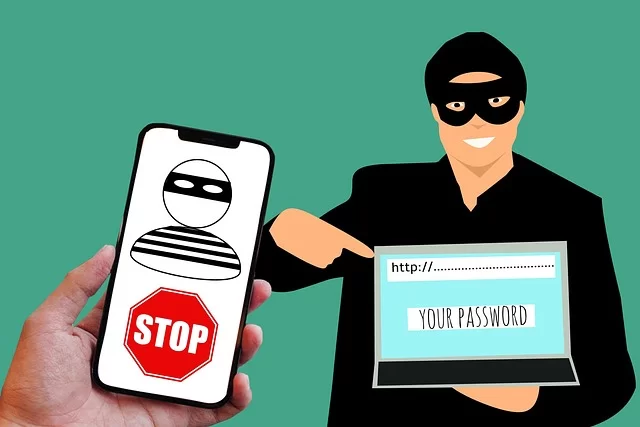
In the digital world, security comes first. Unfortunately, web addresses are one of cyber attackers’ favorite attack vectors. Clicking a fake link can compromise your entire system.
Malicious links are often designed to spread malware. Ransomware and Trojan horses are the most common types. Based on my experience, you should think twice before clicking a suspicious URL.
Now I will detail the most insidious attack types and protection methods. As an aware user, you must learn to recognize these traps.
IDN Homographic Attack and Punycode Conversion: Cyrillic-Alphabet Fake URL
A homographic attack is a technique of creating fake domains using similar-looking characters from different alphabets. For example, the Latin ‘a’ and Cyrillic ‘а’ look visually identical. But to a computer, they are completely different characters.
An attacker registers ‘pаypal.com’ using a Cyrillic ‘а’ instead of ‘paypal.com’. Distinguishing it by eye is nearly impossible. That’s where Punycode comes into play. Follow these steps to protect yourself:
- Enable IDN filtering in your browser.
- On suspicious links, check the Punycode conversion in the address bar.
- Go to financial sites by typing the address directly or using bookmarks.
- Before clicking links from emails or messages, hover over them to view the target address.
The Punycode converter turns international domain names into ASCII format. For instance, a Cyrillic-character domain becomes a code starting with ‘xn--‘. Your browser does this conversion automatically and warns you in suspicious cases.
These attacks often deliver a PC virus in the background. Viruses copy themselves and spread across your system. Even a seemingly safe link can lead to disaster.
Typosquatting (Domain Name Squatting) and the UDRP Complaint Process
Typosquatting is a squatting method that exploits typos of popular sites. Attackers register domain names like ‘gooogle.com’ or ‘gogle.com’ instead of ‘google.com’. Users accidentally land on these addresses.
These fake pages usually contain ads or, worse, malicious software. Major brands constantly fight such domain squatting cases. Fortunately, the UDRP process offers a legal solution to brand owners. Here are the stages of this process:
- The brand owner detects the malicious domain registration.
- They file a complaint with an ICANN-approved arbitration center.
- They prove trademark rights, bad faith, and similarity in the complaint petition.
- They give the domain owner 20 days to defend.
- The arbitration panel announces its decision in about 60 days on average.
- If the decision favors the brand owner, domain transfer takes place.
The UDRP complaint process is an ICANN-approved arbitration mechanism. The brand owner proves the malicious domain registration and requests the domain transfer. This system provides a result in about 60 days. Therefore, the process progresses much faster than the court system.
Data URL, javascript:, and Blob URL Security Risks
A Data URL embeds data directly inside the address in base64 format. It is useful for small images. However, attackers frequently use this method on phishing pages.
The javascript: protocol is much more dangerous. Code typed into the address bar runs instantly and opens the door to XSS attacks. So, modern browsers block such addresses by default.
A Blob link creates temporary files in memory. It remains valid for the browser session. Users rely on this link for file downloads. However, blob addresses with unclear sources carry serious security risks. Here is a comparison of these three risky schemes:
| Scheme | Risk Level | Common Attack Type | Protection Method |
|---|---|---|---|
| data: | Medium | Phishing, content hiding | CSP header restriction |
| javascript: | High | XSS, session hijacking | Browser default block |
| blob: | Medium | Malicious file download | Source verification |
Special URL Schemes: mailto:, tel:, whatsapp://, and Deep Links
Besides HTTP and HTTPS, there are many special protocol schemes. These schemes direct your browser to specific applications. In the mobile age, these special link types are vitally important.
A well-implemented special scheme significantly improves user experience. Conversely, a wrong configuration becomes a nightmare.
mailto: and tel: URLs: Email and Phone Protocols
The mailto: scheme opens the user’s default email client. You can add parameters like mailto:example@site.com?subject=Hello. You can pre-fill the subject, body text, and CC fields. Here are the parameters you can use:
- subject: Pre-fills the email subject.
- body: Pre-writes the email body text.
- cc: Adds an email address to the CC field.
- bcc: Adds an email address to the BCC field.
The tel: scheme initiates a direct call on mobile devices. A link like tel:+12125551234 initiates a phone call with one tap. It significantly increases conversion rates, especially on mobile landing pages.
Creating a WhatsApp Link URL (wa.me) and Instagram Bio Links
WhatsApp offers a special scheme via the wa.me short address. A link like https://wa.me/12125551234?text=Hello takes the user directly to a chat. You can also pre-fill the message content. Here’s how to create a WhatsApp link step by step:
- Write your phone number with the country code, without the ‘+’ sign.
- Add the number to the
https://wa.me/prefix. - Optionally, add a message with the
?text=parameter. - Replace spaces in the message with
%20. - Test the resulting link and share it.
Instagram allows only one clickable link in the bio. To use this space efficiently, you can create link-tree tools or custom landing pages. That’s where short link services also come into play.
The Difference Between Universal Link (iOS) and App Link (Android): The Power of Deep Linking
Universal Link is a mechanism that redirects a web link directly to an app on iOS devices. When a user taps an address in Safari, the device automatically opens the relevant app.
App Link performs the same function in the Android ecosystem. Both are implementations of deep linking technology. The main difference lies in the verification methods. Here’s a comparison between the two platforms:
| Feature | Universal Link (iOS) | App Link (Android) |
|---|---|---|
| Verification File | apple-app-site-association | assetlinks.json |
| File Location | Root directory or .well-known | .well-known directory |
| Fallback Behavior | Redirects to web page | Offers user a choice |
| Minimum OS Version | iOS 9+ | Android 6.0+ |
iOS requires the apple-app-site-association file, and Android needs assetlinks.json. These files must reside in your server’s root directory. When configured correctly, users seamlessly transition between the web and the app.
URL in Modern Web Technologies: Headless CMS, Jamstack, and HTTP/3

Web technologies are evolving rapidly. Traditional monolithic structures are giving way to headless architectures. This transformation fundamentally changes how developers create link structures.
Now, URL management happens not just on the server side but also at edge points and CDN layers.
Dynamic Slug Management in Headless CMS and GraphQL URL Queries
In a headless CMS structure, the content and presentation layers are completely separated. Content writers can freely choose slugs. This flexibility is excellent, but if not managed carefully, it turns into an SEO disaster.
GraphQL queries fetch the content matching a specific slug within milliseconds. Developers on platforms like Strapi or Contentful use unique validators to prevent slug collisions.
Additionally, they maintain redirect tables that point old slugs to new targets. Here’s a typical headless CMS URL management flow:
- The content writer creates a new page and determines the slug.
- The system checks the slug’s uniqueness.
- The content is published via API.
- The frontend makes a GraphQL query based on the slug.
- If the old slug has changed, it creates an automatic 301 redirect.
Headless CMS URL management offers a significant advantage, especially for multilingual sites. You can define a separate slug structure for each language. It makes hreflang implementations much cleaner.
URL Creation and Caching (CDN/Cache) Strategies in Jamstack
The Jamstack architecture builds pages at build time and serves them as static files on a CDN. In this approach, every link corresponds to a physical HTML file. Additionally, frameworks like Gatsby or Next.js automatically manage the slug structure.
URL caching happens at the CDN layer. Providers like Cloudflare or Vercel store content on edge servers around the world.
Users receive a response within milliseconds from the nearest server, no matter where they are. An effective cache strategy should include these elements:
- Long-term (1 year) caching for static pages.
- Short-term (5 minutes) stale-while-revalidate for dynamic content.
- Define cache variations based on query string parameters.
- Instant cache clearing via a purge mechanism.
Query string cache optimization ensures that parametric addresses are cached correctly. You must specify which parameters change content in your CDN configuration.
The Impact of HTTP/3 and QUIC Protocol on URL Performance
HTTP/3 uses the QUIC protocol instead of TCP. This UDP-based structure reduces connection establishment time to nearly zero.
It provides a revolutionary improvement, especially on mobile networks and high-latency connections. Here are the key differences between HTTP/2 and HTTP/3:
| Feature | HTTP/2 | HTTP/3 |
|---|---|---|
| Transport Protocol | TCP | QUIC (UDP-based) |
| Connection Setup | 1-RTT (with TLS 1.3) | 0-RTT (previously known servers) |
| Head-of-Line Blocking | Present at TCP level | None |
| Connection Migration | New connection needed | Seamless with Connection ID |
When you click a web address, QUIC establishes a connection with 0-RTT (zero round-trip time). The system even skips the TLS handshake for previously visited sites. Page load speed visibly increases.
However, HTTP/3 brings no syntactical change to the URL structure. The same RFC 3986 standard applies. Only the transport layer changes. This makes the transition process extremely smooth.
URL Strategies for SEO, Digital Marketing, and Data Privacy (KVKK / GDPR)

In the digital marketing world, tracking and measurement are everything. You add parameters to your links to understand your campaigns’ performance.
But in 2026, data privacy regulations are stricter than ever. KVKK and GDPR compliance is no longer optional; it is essential. So, you must adhere to this framework when managing tracking parameters.
UTM Parameters, fbclid, and gclid: The Anatomy of Campaign Tags
UTM parameters are the standard way to analyze campaign traffic. There are five basic parameters: source, medium, campaign, term, and content. Each defines the traffic source in a different dimension. Here’s a detailed explanation of these parameters:
- utm_source: The source where the traffic comes from (facebook, google, newsletter).
- utm_medium: The marketing medium (cpc, email, social).
- utm_campaign: The campaign name (summer_sale_2026).
- utm_term: The targeted keyword (usually in paid search).
- utm_content: A content variation indicator for A/B tests.
fbclid is Facebook’s click identifier. gclid does the same for Google Ads. The system automatically adds these tracking parameters to your links. Also, they are critical for source detection in Analytics reports.
However, these parameters significantly lengthen addresses. They also cause caching problems and crawl budget waste. Therefore, supporting them with canonical tags is essential.
Managing URL Tracking Parameters Under KVKK and GDPR
KVKK and GDPR require explicit consent for processing personal data. Tracking parameters alone may not count as personal data, but when combined with an IP address, they become identifiable. So, you must manage them carefully. Here are the steps for compliance:
- Mention tracking parameters in your cookie consent banner.
- Set up a mechanism that clears these parameters when the user rejects.
- Anonymize IP and parameter data in server logs.
- List all tracking parameters in your privacy policy.
- Determine data retention periods and perform regular cleanups.
You must clearly state URL tracking parameters in your privacy policy. Detail which parameters are used for what purposes. Transparency is critical for both legal compliance and user trust.
Canonical URL and Hreflang: International SEO and Duplicate Content Solutions
In international SEO strategy, the hreflang tag is indispensable. It tells Google about different language and region versions of the same content. Developers use a separate link address for each variant.
The canonical URL specifies the main copy among these variants. Together, they solve the duplicate content problem at its root. In short, the correct configuration should look like this:
| Language/Region | URL | Canonical | Hreflang |
|---|---|---|---|
| Turkish | /tr/product | /tr/product | tr |
| English | /en/product | /en/product | en |
| German | /de/produkt | /de/produkt | de |
URL Strategy in the Age of AI and Generative Search (SGE / GEO)
The most significant topic of 2026 is AI-powered search engines. Google AI Overviews, Perplexity, and ChatGPT now read the web on our behalf. In this new era, the machine readability of your links is more critical than ever.
Generative Engine Optimization, or GEO, is the evolved form of SEO. Addresses optimized for AI bots especially increase the chance they cite you as a source.
How Google AI Overviews and SGE Tokenize URLs
AI models use NLP tokenization to make sense of links. They analyze each word in the slug one by one.
In this process, you should prefer meaningful URL segmentation over meaningless character strings. Here are the stages of tokenization:
- The link is parsed from the protocol and domain parts.
- Path segments are split by hyphens into words.
- It processes each word as a separate token.
- Stop words (and, with, for) are usually eliminated.
- The remaining tokens generate signals about the page’s topic.
Google’s SGE scanning mechanism rates clean and semantic addresses much higher. Complex parametric query strings are eliminated during tokenization.
That’s why GEO-compatible link design is now essential. Perplexity’s source link criteria are similar. So, prefer short, descriptive, hierarchical addresses. AI bots then quickly grasp the content’s context.
Generative Engine Optimization (GEO): Clean URL Design for AI Bots
The underlying principle of GEO strategy is this: your links must be understandable for both humans and machines. Here are five golden rules for 2026:
- Use the target keyword in the slug and drop unnecessary words.
- Keep it short—the ideal slug length is between 3 and 5 words.
- Use lowercase and hyphens; avoid underscores or spaces.
- Create a logical silo structure—let each directory level be meaningful.
- Remove unnecessary parameters and support with canonical tags.
These rules look simple but require great discipline in practice. On large-scale sites, maintaining these standards for every new page is especially difficult. Yet, in the GEO era, these standards are non-negotiable for success.
The Cool URI Principle: The AI Trustworthiness of Unchanging Addresses
The Cool URI principle is a legendary concept proposed by Tim Berners-Lee in 1998. However, the core idea is this: a good link never changes.
You should be able to reach the same content at the same address even ten years later. Here are the basic principles of this concept:
- Let your links have no technology dependence (avoid extensions like .php, .asp).
- Avoid including changeable information such as author, date, or category.
- Keep the link the same even if the content updates.
- Use the direct target address instead of redirect chains.
In the AI age, this principle has gained even more importance. Models assess the age and consistency of addresses as a reliability signal. Constantly changing links receive a low trust score.
So, think long-term when building your site structure. Aim for a link you create today to still work in 2036. In short, a permanent link structure is the cornerstone of your digital trustworthiness.
Practical URL Management: Copying, Retrieving, Fixing Invalid Errors, and Google API
It’s time to put theoretical knowledge into practice. Let’s tackle the most common tasks you encounter in daily life step by step. These skills will serve you on every device, from your phone to your computer.
How to Copy and Share a URL on Phone and Computer (Android/PC/Mac)
On Android devices, open Chrome and tap the address bar. The system automatically selects the entire link. Then tap the copy icon.
On iPhone, long-press the Safari address bar. Select ‘Copy’ from the menu that appears. You can also send the link directly to apps with the share button. Here are shortcuts for all platforms:
| Platform | Select Address Bar | Copy |
|---|---|---|
| Windows | Ctrl + L | Ctrl + C |
| Mac | Cmd + L | Cmd + C |
| Android | Tap address bar | Copy icon |
| iPhone | Long-press address bar | Copy from menu |
On a computer, click the address bar in Chrome or Firefox. You can also select with Ctrl+L (Cmd+L on Mac). Then copy with Ctrl+C. That’s all it takes.
Why an Invalid URL Error Occurs and How to Fix It
An invalid link error usually stems from typos. Users often write missing or extra characters. In fact, we frequently encounter wrong protocol or special character issues. The browser refuses to load the page in this case. Here are the most common causes and solutions:
- Missing protocol: Write “https://site.com” instead of “site.com”.
- Mistyped protocol: Use “https://” instead of “htps://”.
- Invalid characters: Replace spaces with %20, encode non-ASCII characters.
- Missing domain extension: Check the TLD like “.com” or “.org”.
- Extra dot or hyphen: Remove special characters from the domain name.
The first thing to check is the protocol part. Even writing ‘htps://’ instead of ‘https://’ causes an error. Then fix the typos in the domain name.
Special character conversion is also critical. You must encode spaces as %20 and non-ASCII characters. You can convert all characters to standard format using a URL encoding tool.
Using the Google Search Console URL Inspection API
The URL Inspection API lets you programmatically query Google’s index status. Manual checking is impossible on large sites.
Thanks to this API, you can automatically inspect thousands of links. Here are the setup steps:
- Create a new project in Google Cloud Console.
- Enable the Search Console API.
- Create OAuth 2.0 credentials.
- Grant user permission to the service account in Search Console.
- Send a POST request to the endpoint below.
For usage, first create a project in Google Cloud Console. Enable the Search Console API and perform OAuth 2.0 authentication. Then send a POST request to this endpoint:
POST https://searchconsole.googleapis.com/v1/urlInspection/index:inspect
{
  "inspectionUrl": "https://www.example.com/page",
  "siteUrl": "https://www.example.com"
}
In response, you receive critical data such as index status, mobile usability, and AMP validity. By monitoring this data regularly, you can proactively detect issues.
Further Reading and Authoritative Sources
If you want to dive deeper into the topics we covered in this guide, review the following authoritative sources. Each is a primary reference accepted in its field.
- RFC 3986 – Uniform Resource Identifier (URI): Generic Syntax is the official standard document published by IETF. It defines the syntax rules that all modern link structures must follow. It is a bedside resource for technical teams.
- WHATWG Living Standard reflects the current standard implemented by browser manufacturers. Unlike the RFC, it is continuously updated and closer to real-world practices.
- Google Search Central – Best Practices page summarizes best practices from a search engine perspective. I recommend basing your SEO strategy directly on Google’s recommendations.
Behind the Scenes of Internet Addresses: Candid Answers to the 8 Most Critical Questions
What’s the difference between a URL and a link?
Is there case sensitivity in a URL?
How do you fix a broken URL (404)?
Are URL shortening services (bit.ly) safe?
What should the best URL length be for SEO?
What are the fbclid and gclid parameters in a URL, and are they KVKK-compliant?
What is typosquatting, and how do I protect myself?
What is the URL Inspection API, and what does it do?
Conclusion: Understanding the URL Is the Key to Trust and Success in the Digital World
We’ve reached the end of this long journey. We examined every layer in detail, from DNS resolution to AI optimization. As you’ve seen, a simple web address is actually part of a remarkably complex ecosystem.
Now you know a link’s anatomy, security risks, and SEO potential. Start using this knowledge immediately to strengthen your site’s architecture. Prioritize clean link design and canonicalization.
Remember, a well-designed internet address serves you for years. A poorly designed one constantly causes problems. Create links that comply with RFC standards, are user-friendly, and understandable by AI bots.
Never underestimate this small but powerful structure that is the foundation of your digital presence. Every URL is a door opening to a potential customer, reader, or fan.

Be the first to share your comment