

In the mid-90s, the internet shifted from a research tool to a global force. Of course, a piece of software lit that fire. That software is Netscape Navigator, and I’ll share every detail with you today. Many people dismiss it as just an old browser. Yet it is the true hero that laid modern web foundations. I say this from personal time spent with it. Every tech you use today has its mark at the root.
This guide is no dull history lesson. In my experience, you must look at Netscape Navigator’s past to see why web standards exist. Also, if you really want to grasp how JavaScript was born, you need to study this browser’s technical DNA. You’ll even find the first steps of the SSL protocol, a vital security layer, right here.
So, in this article, you will feel not just a software feature list, but the spirit of an internet revolution. How did people use Netscape Navigator? What did its interface make them feel?
Even today, some people still install and test this nostalgic browser. For them, I made sure to add a download and settings section. In the end, this rich content is both a technical archive and an emotional time trip.
Let us take you to the thrilling tech air of the 90s. Moreover, we’ll serve you a deep dive full of technical detail. We’ll tear apart critical turns like the Microsoft rivalry and the monopoly case. That way, you’ll better grasp today’s market moves. The legacy left by this web tech pioneer runs far deeper than you think, trust me.

What is the Netscape Navigator Browser?
Many sources gloss over Navigator browser with a bland definition. However, that is never enough for those of us who know the craft.
Netscape browser was the first commercial web browser. Plus, it turned internet surfing into a visual time in the mid-90s. What made it special was not just showing pages. It made the internet into a business model. In this sense, it is a true catalyst for web evolution.
Back then, for most users, the internet was just cryptic command lines. There were also early tools like NCSA Mosaic. But Netscape browser tackled the task with a corporate discipline.
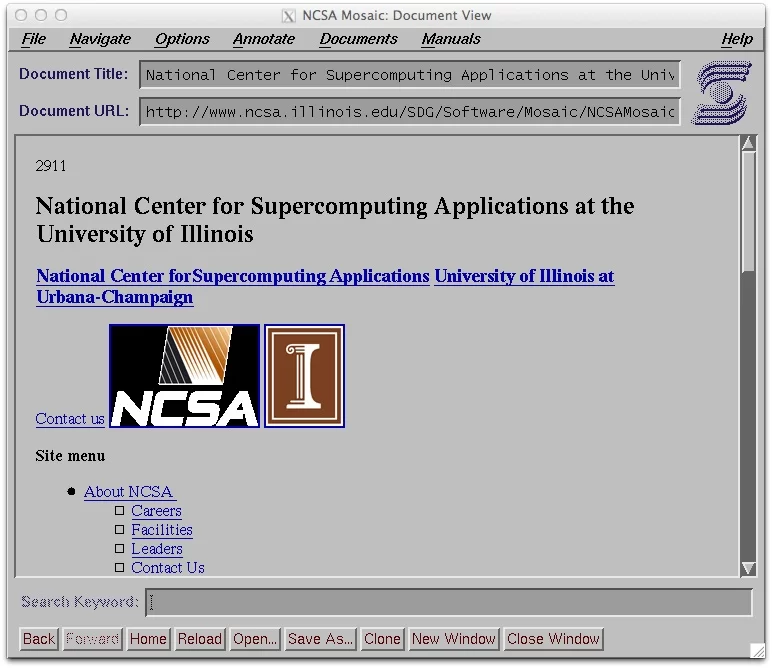
Because the moment it launched, it was not just software. It was a door to the future. This first commercial web browser put forth the dream of an ecosystem where anyone could visit web pages with ease. So, it turned that dream into fact.
The birth of the World Wide Web sped up with Netscape. People browsed visual pages so easily for the first time. It was a thrilling period. To be frank, understanding the web’s roots solidifies its importance.
Definition of Netscape Navigator and Its Place on the Internet
Technically, Netscape browser is a multi-layer client software that managed data traffic on the internet. Yet what truly defined it was how it became a culture icon in the internet’s early years.
For instance, if you walked into an office in 1995, you’d see that famous lighthouse icon spinning on screens. That image burned into minds as the herald of a brand-new age.
On the other hand, this software’s spot in internet infrastructure was beyond dispute. Because most server-side configs were built primarily to match this graphical interface.
Indeed, when webmasters built sites, they always ran the first test in a Netscape Navigator window. Otherwise, they risked losing a huge user base.
Back then, we saw a site working fine in this browser as a sign of true skill. In short, just as testing many browsers is normal today, everything then revolved around this first commercial web browser.
Why Was the First Commercial Web Browser Important?
The answer to this question hides in the roots of modern economy. Netscape browser paved the way for web commerce, giving birth to today’s e-commerce giants.
Moreover, it did not stay just a tool. So, it turned into the product of one of the first big internet firms listed on the stock market. This success proved to investors that the internet held real value.
Also, it played a groundbreaking role in shaping standards. Say you want to build a website, but each browser speaks a different tongue.
To stop that chaos, certain web standards began to settle under this browser’s lead. Thanks to that, user profiles and expectations took clear shape for the first time.
Marc Andreessen and his team showed that the internet was a free info source. Plus, they noted it was also a profitable market. Marc Andreessen and his team gave the software away free, growing the user base to millions.
The firm earned revenue from server software. This tactic is also the ancestor of today’s freemium models. As a result, its importance is not just a nostalgic memory. It is a living business model.
General Architecture of Netscape Navigator
From an architectural view, Netscape browser had a multi-layer, modular design. At its core sat a powerful rendering engine that processed HTML data from the network layer.
When you clicked a link, a DNS lookup started in the back. Also, data packets lined up. These steps seem standard now, but back then they were a shocking optimization marvel.
On top of that, this architecture did not just handle text. With built-in image support, it smoothly blended text and pictures in the same window.
This brought big comfort in terms of user interface (UI). Even more vital, you could start reading the page while data still flowed from the net.
Finally, the network layer, the software’s backbone, supported the era’s fastest protocols. It talked smoothly with HTTP, FTP, Gopher, and NNTP.
This trait turns a browser from a simple web surfer into something more. In addition, it builds a full-fledged integrated internet suite. In short, its architecture was way ahead of its time.
The Birth and History of Netscape Navigator
Like every great story, Navigator’s history starts with a revolt. In truth, we can easily say it rose from the ashes of the NCSA Mosaic project.
Because the founding team grew tired of the limits of a school setting. They set out for a faster, more commercial, and more new solution. And what emerged was not just a product, but a whole ecosystem.
Each time I study this process, I see again how brave vision fuels tech leaps. For example, everyone today finds free browsers normal.
But when Mosaic Netscape hit the market, people saw this tactic as madness. Yet they knew that investing in the user would pay off on the server side in the long run. This foresight rewrote the books of web browser history.
Mosaic’s Legacy: From NCSA to Netscape
NCSA Mosaic, one of the first graphical browsers, had shown the net’s potential but was clunky. Developed within a university, it lacked corporate speed.
Geniuses like Marc Andreessen believed this potential, in the right hands, would spark a revolution. As a result, the team left NCSA together and laid the base of a fresh startup.
At this point, Netscape browser took all of its predecessor’s good sides and erased the bad. For instance, rendering speed jumped dramatically.
Furthermore, the new extensions it brought to the HTML language gave web designers a freedom they never dreamed of. So, the borders between desktop publishing and the web blurred for the first time.
On the other hand, this shift was not just a tech upgrade. It was a mindset revolution. Because the software stopped being a school test and gained the identity of a consumer product. That was a critical threshold for the internet revolution.
Marc Andreessen and the Founding Story of Netscape
Marc Andreessen went down in history as one of Silicon Valley’s most colorful figures. He earned fame as the lead architect of Mosaic at just 22.
Later, teaming up with Jim Clark changed the course of the software sector. The duo founded Mosaic Communications Corporation and rapidly began product work.
But NCSA objected to the name rights, so the company switched its name to Netscape Communications. This change did not hurt the brand’s fate; instead, the Netscape name gained a stronger identity.
Because in a short time, this name turned into the symbol of new thinking and young startups. Truly, in those years, everyone who shaped tech tracked Andreessen’s moves closely.
In my view, Andreessen’s greatest success was his bold growth plan. He firmly believed in first grabbing the user base and then making it pay.
With this plan, Andreessen markets Netscape not just as a browser, but as a way of life. In other words, they were not selling software; they were selling a future vision.
Netscape Navigator 1.0 and the Initial Public Offering
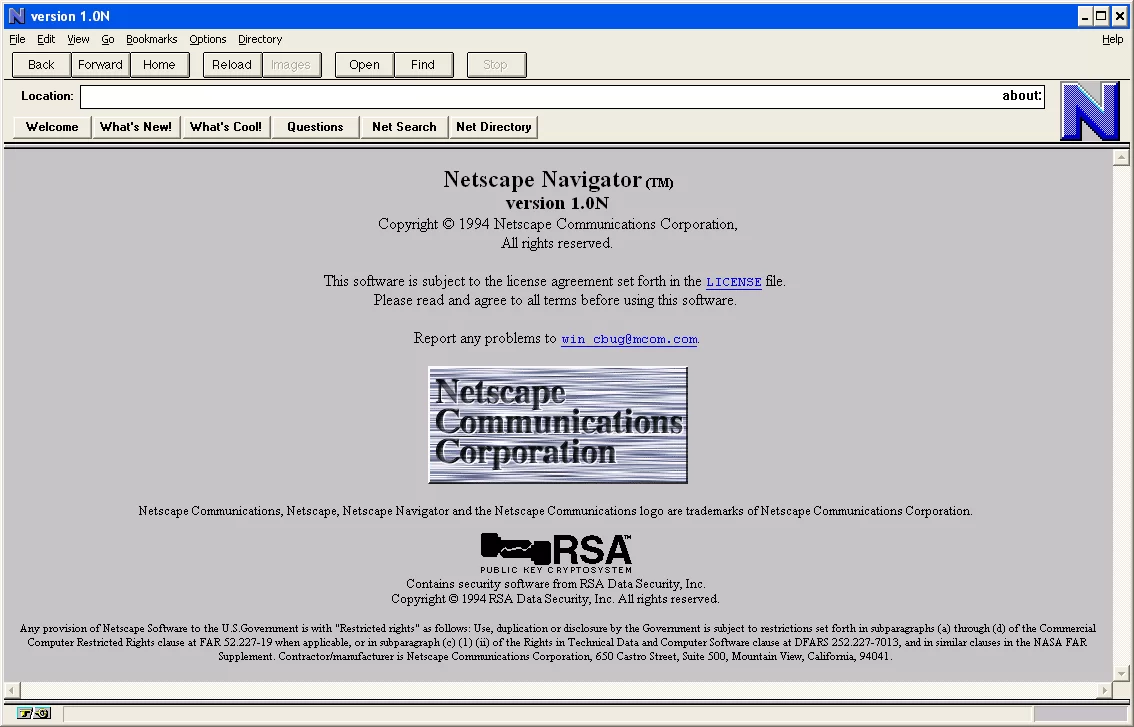
When Netscape Navigator 1.0 launched in late 1994, all hell broke loose. Its file size looks tiny by today’s norms, but its features crushed rivals.
The IPO took place in 1995. Plus, it set the stage for one of the wildest moves I have ever seen on Wall Street. The share price soared from $28 to $75 on the first day.
This event marks a turning point in the tech world. A firm, not yet making a profit, hit such a high valuation, causing investors to panic.
Investors began to trust the future potential of internet firms. They had never seen such madness before.
At the same time, this IPO also shifted the way people used Netscape Navigator. Because the millions of dollars flowing into the firm’s vault doubled the speed of product work.
The firm hired more engineers. In addition, developers kept adding new features to the browser. So, version 1.0 was not just a technical item; it was a financial manifesto.
Netscape Navigator User Interface & Usage Experience
When we talk about user experience, Netscape browser was a true pioneer. Many interface elements we take as normal today first came to life in this software. It turned the gray and complex web world into a colorful and intuitive space.
Just think, until that period, everyone did everything with a command prompt. But Netscape was a magic box that got you to info with one click.
The buttons on its interface are the direct base of what you see in Chrome or Firefox today. So, we all use its design legacy without even knowing it.
On the other hand, users’ adaption to this new world was an event in itself. People first tasted the joy of jumping between pages by clicking links.
This simple act sparked a revolution in access to info. Also, watching the loading animations on the status bar gave you a huge thrill back then.
Visuals and Interface Design
Netscape web browser visuals offer the finest samples of that era’s pixel art. The gray-toned interface fit perfectly with the OS style of those years.
The toolbar held huge Back, Forward, and Home buttons. These buttons were loyal helpers that never left the user alone.
In addition, the logo placed right next to the address bar was always in motion. While a page loaded, the lighthouse in the logo shone light into the night sky, telling you the load was still on.
Frankly, this tiny animation was a handy way to tell a frozen computer from a working one back then. The spinning wheel animations of today trace straight back to this.
On the flip side, the most iconic among the original dot-com browser visuals is surely the starry night sky with shooting stars. Once the site loaded, the logo locked still and turned into a peace symbol.
This detail serves as a masterclass in how much they cared for user psychology. Indeed, such fine touches lie at the base of great UX.
The Navigation Bar, Status Bar, and Personal Tools
The navigation bar was the backbone of Netscape Navigator. In short, the area where you typed an address also let you search with a keyword.
So, you can think of it as a rough version of today’s combined address and search bar. Right below this section stretched the personalized bookmarks bar.
The status bar sat at the very bottom and fed you a constant info stream. For instance, when you hovered your mouse over a link, the target URL would show up in this area.
This security-minded approach was far more open than many modern browsers. Also, you tracked the page load percentage right here.
The personal tools section made things even simpler. You could add your own buttons and reach your most-used web services with one click.
The idea of a customizable interface found life in this software far earlier than you think. Thanks to that, each user had the chance to build their own browser profile.
Using Netscape Navigator: First Experience and Habits
Using Netscape browser feels quite curious when compared to today’s habits. First, the concept of search was not as central as it is now.
People mostly typed known URLs straight into the address bar. Besides that, Netscape’s own home page served as a simple portal.
Also, surfing the web back then was a test of patience. Waiting minutes for a full page to load was totally normal.
But that wait multiplied the joy when the content finally arrived. People watched in awe as a picture appeared line by line on the screen.
Speaking for myself, my biggest headache was the dial-up network constantly dropping. When the connection broke, the browser would warn you but not reconnect on its own.
So, your hand kept going to the modem sound and connection settings. Still, despite all these hurdles, each session felt like a new quest.
The Browser Wars and Internet Explorer Rivalry
The Browser Wars were one of the cruelest fights the software world has seen. While Netscape Navigator was the clear market king, Microsoft woke up from the edge of a giant cliff.
Bill Gates spotted the internet’s weight a bit late. Yet once he did, he began a fight with no way back. A ruthless clash in the market had started.
This process was really a clash of two separate business models. Netscape sold the browser and standards, while Microsoft used its operating system monopoly.
The true breaking point was bundling Internet Explorer with Windows 95. From that moment, things stopped going well for Netscape.
Still, the loser of this war was not just one firm. In fact, the biggest blow hit the pace of new ideas and open standards. Because Microsoft’s bold tactics froze the tech variety in the market for a while. Over time, the open-source movement balanced this out.
Microsoft’s Market Strategy and the Rise of Internet Explorer
For the Internet Explorer rivalry, Microsoft first fired up its resources. Then it launched its most debated tactic. It buried the browser into the Windows OS as a free and unremovable part. This move cut the motivation for users to bother downloading another piece of software at the root.
Moreover, Microsoft made bold deals with PC makers. If a maker offered Navigator pre-loaded with Windows, they faced penalties on license fees.
As a result, under cost pressure, hardware makers had to set Internet Explorer as the default browser. This caused the market share to melt fast.
What’s more, Microsoft wasted no time pushing its own spin on web standards. With tech like JScript and ActiveX, it dragged the web into a broken scene.
As a web developer, I recall those days very well. Back then, coding the same site for two separate browsers was a true nightmare. These tactics turned the Browser Wars into a dirty fight.
Netscape’s Market Share Loss and the Monopoly Case
Netscape’s market share went into free fall toward the late 90s. Its once 90% share shrank below 10% in just a few years.
As a direct result, the firm launched a huge legal war at the US Department of Justice. The monopoly case that followed entered the books as one of the most crucial legal processes in tech history.
During the trial, proof showed Microsoft used bold and illegal methods. But sadly, the law cannot keep pace with the speed of tech.
By the time the case ended, market moves had already shifted. So, user habits had slid irreversibly toward Internet Explorer. In a sense, one side won the battle, but the army was long gone.
At this point, the true legacy of the monopoly case is different. Even though no heavy sanctions hit Microsoft, this case proved that software giants are not untouchable before the law.
Bill Gates was the key name in this rivalry. He carried Microsoft’s vision into the internet age. To be clear, Gates’s choices shaped the market.
This case became a crucial step against Google. Moreover, it set a sample for similar cases we would file in the future. In a way, Netscape taught the sector a lesson by sacrificing itself.
The AOL Netscape Acquisition and Strategy Shift
The AOL Netscape acquisition took place in 1999 for a record sum of $4.2 billion. This buyout caused a huge stir in the media and tech world.
AOL’s goal was to use Netscape’s tech backbone to boost its own online services. But what played out on the field did not match the plan on paper.
Because AOL was a media firm and totally foreign to the software development culture. Netscape’s nimble and rebel spirit drowned in corporate red tape.
Skilled engineers started to leave one by one. This brain drain caused the software to bleed technically and damaged its market image.
Despite this, the AOL period was not a total loss for Netscape Navigator. Actually, we cannot see this time as a waste.
Because this buyout gave the Mozilla project money and legal power. Moreover, they laid the project’s foundations with it. The firm, when it knew it could no longer stand, made the code open source. That, in turn, sparked a great birth that I will tell about later.
Notable Technical Features of Netscape
Now let’s dive into details beyond dull encyclopedia info. Netscape web browser features include deep technical solutions we still admire even in 2026.
Especially around security and dynamic content, the internet would be a vastly different place without this browser. For cybersecurity pros, the birth of SSL is this software’s most precious gift.
Yet the true genius of this tool was reinventing data exchange between server and client. For instance, live data fetch powers or advanced cookie management were certainly not found in rivals of that era.
That’s why knowing the technical traits is so critical for experts. Naturally, both developers and SEO pros must focus on this topic.
The SSL Protocol and the Secure Communication Revolution

The SSL protocol is Navigator’s greatest tech gift to the world. Developed in 1994, this layer turned the internet from an unsafe net into a market where you could trade.
You could now send your credit card info to a server by encrypting it. That meant the birth of e-commerce.
SSL’s basic logic is to open an encrypted tunnel between client and server. When you connect to a site, the browser first checks the server’s certificate.
This check makes it impossible for third parties to read the data. In later years, this protocol took the name TLS, but the core idea stayed the same.
If we all turn up our noses at sites without HTTPS today, we owe that to Netscape Navigator’s secure communication vision.
But back then, the internet was unencrypted and that was a huge blind spot. Netscape boldly filled that gap. So, it is the inventor of the secure online transaction concept.
The History of JavaScript and Dynamic Web Pages
The history of JavaScript is an inseparable whole with Netscape Navigator. Written by Brendan Eich in just 10 days, this language was first called LiveScript.
The Netscape team changed the name to JavaScript for marketing reasons. Also, with this move, they wanted to ride the wind of the Java language, which was very hot at the time. Even though people looked down on it at first, it turned the web from a static paper into a live app space.
This language’s greatest strength was that it could run without reloading the page. For example, before sending a form, we began to check right away if the user made a wrong entry.
That was a breakthrough that cut server load and boosted user experience. Until that day, we could only do such tasks on the server side.
In time, Microsoft put out its own version, JScript, but the standard JavaScript won. That first scripting language lies at the base of the massive ecosystems we use today like React, Angular, or Node.js.
Frankly, without Brendan Eich’s ten-day effort, modern web apps would not exist. So, The vintage web browsing software left us not just a browser, but a programming culture.
Frames, Cookies, and Plugin Support
Even though we rarely use them now, frames were once a web design revolution. They let you load separate parts of a page as separate HTML files.
Menus could stay fixed while only the content part refreshed. This feature was a lifesaver in those days of limited hardware and bandwidth.
Cookies were the web’s memory. When you logged into a site, a small text file saved to the browser. Thanks to this file, the site remembered you on your next visit.
That was a groundbreaking leap. Of course, today cookies sit at the center of privacy debates, but the basic function is still the same.
The plugin architecture stretched the browser’s powers to infinity. You could play games with Shockwave and Flash plugins. Besides that, you could easily watch animations in the browser.
In addition, you could listen to the radio with the RealPlayer plugin. This expandable structure forms the base of the extension systems in modern browsers.
Netscape Communicator: The Integrated Internet Suite
Netscape Navigator was a great browser on its own, but the vision was bigger. The firm launched the Netscape Communicator package to give users a full internet solution.
This was not just a web browser, but an internet suite. That means tools like email, newsgroups, a web editor, and a calendar came under one roof.
If you ask me, this smart move was somewhat a reply to Microsoft’s Office suite. Against Microsoft’s desktop monopoly, they aimed to offer a complete solution on the internet.
On top of that, thanks to cross-platform support, this suite ran without a hitch on Windows, Macintosh, and Unix systems. That made it very tempting for business clients.
Netscape Communicator 4 Features and Interface
Netscape Communicator 4, launched in 1997, was a groundbreaking package. Its interface had become far more pro and modular compared to earlier versions.
Now, a component bar at the bottom let you switch between apps. Thanks to this, you could jump from the browser to your mailbox with one click.
Technically, this version brought support for HTML 3.2 and partly HTML 4. In addition, big steps were taken on CSS (Cascading Style Sheets).
CSS support was not great yet. But because of it, designers gained new powers. This version also supported dynamic fonts.
However, Communicator 4’s biggest trouble was the bloated codebase. Because they had kept moving forward by piling patches on top of patches.
That caused the software to become unstable over time and crash often. This shaky structure was one of the biggest reasons for the shift to open-source code, to fix it from scratch.
Netscape Email Client and Newsgroup Management

The Netscape email client, called Messenger, was a core part of the suite. It fully supported POP3 and IMAP protocols.
For its time, it offered a very advanced address book and folder system. It even let you craft rich-text emails in HTML format.
On the Netscape newsgroup side, the Collabra discussion tool came into play. Tracking USENET discussion groups and viewing messages in threads was very easy.
Software developers, especially, talked with open-source communities through this tool. While doing so, they used this software’s unmatched filtering powers.
Today, email management has largely shifted to web-based apps. But back then, seeing such an integrated solution on the desktop was a big luxury.
Connecting to all services with the same password and profile felt like magic to users. This blend is the pioneer of today’s all-in-one app logic.
Netscape Composer: The Built-in HTML Editor
The Netscape Composer HTML editor was a pioneer of the WYSIWYG (What You See Is What You Get) mindset.
Regular users who didn’t know code could build a web page just like using a word processor. When you selected text and made it bold, it added the <b> tag in the back. That was a huge breakthrough that made the internet open to all.
For pros, Composer was a rapid prototyping tool. You could draw complex tables by eye without messing with code and then fine-tune them.
In addition, you had the chance to instantly preview the page you built in the browser. This fast feedback loop sped up the dev process like crazy.
Looking back now, I see how many people started their careers thanks to this built-in HTML editor. In fact, I built my own first web page with this tool.
I had a site live within a few hours without any code knowledge. At the end of the day, such tools showed the whole world that the web didn’t belong only to engineers.
Netscape Plugins and Theme Support
Navigator browser plugins were parts that made the browser’s powers endless.
With them, you could blend everything from download managers to media players. Below you can find the most popular plugin types and what they did:
- Multimedia Plugins: Macromedia Shockwave and Flash players, RealAudio stream provider, and QuickTime video support. Thanks to these tools, web pages turned into interactive stages.
- File and Security Plugins: PDF viewing with Adobe Acrobat Reader, various anti-virus scan plugins, and encryption tools. This way, users could open files safely.
- 3D and Virtual Reality: VRML (Virtual Reality Modeling Language) plugins let you roam 3D spaces.
- Localization and Language Packs: Ready language packs for using the interface in different tongues and regional settings.
Netscape theme support, on the other hand, let users make the browser their own. Those bored with the dull gray interface could load colorful and futuristic themes.
Space and nature-themed looks were quite hot. This feature built a loyal fan base and boosted user engagement.
Security, Personalization, and Parental Controls in Navigator Browser
Netscape Navigator was designed not just for browsing, but to keep control in your hands. The detailed settings it offered, especially for families and system admins, were missing in rivals.
Netscape security features gave a layered shield that we still admire today. When I study these traits, I see the seeds of the modern zero-trust architecture.
On the other hand, the personalization choices formed the base of your online identity. You could build separate worlds for family members sharing the same computer. Moreover, everyone could carve their own private space.
Back then, users shared a single computer at home. So, this feature was massive for that era. Because everyone had their own secrets and likes.
Master Password Protection and User Profiles

The Netscape master password was the guard of all your encrypted data. As you logged into websites, the browser saved this info in an encrypted database.
But you had to set a single master password to access this treasure. Thanks to this, even if someone else used your computer, they couldn’t see your saved passwords.
User profiles were a whole other level. When you logged in with the admin account, you could create many profiles. Each profile had its own bookmarks, cookies, and email accounts.
This setup worked just like today’s Chrome profiles. What’s more, these profiles were secured with master password protection.
Even though we use similar structures with ease today, back then this was a luxury. Because splitting accounts at the OS level was hard and a hassle.
Netscape web navigator solved this issue at the app level. As a result, the user profiles feature was an early lesson stressing the weight of privacy.
Parental Controls, Proxy Settings, and Kiosk Mode

Netscape parental controls offered advanced filters for child safety. Lists blocking sites with violence and adult content were on hand.
These lists were built according to global standards. Parents also had the chance to add sites to the block list by hand.
Netscape proxy settings were a lifeline for network admins. Firms would control the internet exit in their networks. They did this by setting detailed proxy rules. You could set SOCKS and HTTP proxy types separately.
Moreover, you could pick different servers for different protocols. Along with that, you could keep FTP or SSL settings apart.
In addition, Netscape Kiosk Mode worked wonders on public terminals. When you turned this mode on, the user couldn’t see the address bar or menus.
Users could only surf the pages you picked. It was a perfect fit for museums, libraries, and fairgrounds. In fact, this mode is the idea father of today’s cinema and airport kiosks.
Smart Browsing, Bookmarks, and Tab Feature
Netscape Smart Browsing made exploring the internet very simple. When you typed a keyword in the address bar, it sent you straight to search results.
Also, with a system called Internet Keywords, you could set up custom shortcuts. This is one of the inspirations for modern search engine optimization.
Netscape bookmark management worked with the care of a librarian. You could sort your bookmarks into folders, add notes, and even export them.
These files, exported in HTML format, could move between different browsers. Thanks to this open standard, your data never got locked into one piece of software.
Many people get this wrong, but the Netscape tab feature only became popular in later years. In the first versions, you had to open a new window for each page.
That filled the taskbar fast and caused confusion. Luckily, they brought in the tab logic over time. As a result, the browsing experience changed fully. Truly, thinking of a web without tabs is scary.
Pop-up Blocker and Advanced Form Capabilities

The Netscape pop-up blocker was the first shield against the net’s most annoying invention. In the early 2000s, ad windows swarmed the screen.
Netscape had a built-in system that caught and blocked these windows on its own. Thanks to that, users escaped the useless ad storm.
Another key breakthrough was the advanced form powers. The browser was quite good at auto-filling forms.
It could safely save your name, address, and credit card info and plug them into forms on its own. This gave users a big speed boost in terms of web form support. Of course, this data was also guarded by the master password.
Furthermore, it worked hand in hand with JavaScript on form checks. When you left a field blank or typed data in the wrong format, it would warn you right away.
All these traits made data entry both fast and error-free. Today we see these as basic, but back then they felt like magic.
How to Download and Install Netscape Navigator?
For some nostalgia fans or software diggers, the Netscape Navigator download process is still a curious topic. Trust me, running this old software on a modern machine opens a door to the past.
But we must be real here: modern websites will not display well in this browser. Still, trying it is a great way to grasp the web’s growth.
I also run old Netscape versions in my archive just for fun. If you set up a good virtual machine, you can surf as if it were 1998.
My advice is to do this install in an isolated space, not on your main OS. Because these old programs are wide open to modern security holes.
Netscape Communicator Download Links and Trusted Sources
The official Navigator browser website no longer exists. However, internet archives, mainly Internet Archive and OldApps, keep this historic software safe.
These sites serve as trusted libraries for old software. Still, I strongly advise you to run an antivirus scan on the file before you install it.
Usually, searching for versions like Navigator 9 or Netscape Communicator 4 is enough. The archives hold English and multi-language packs of these versions.
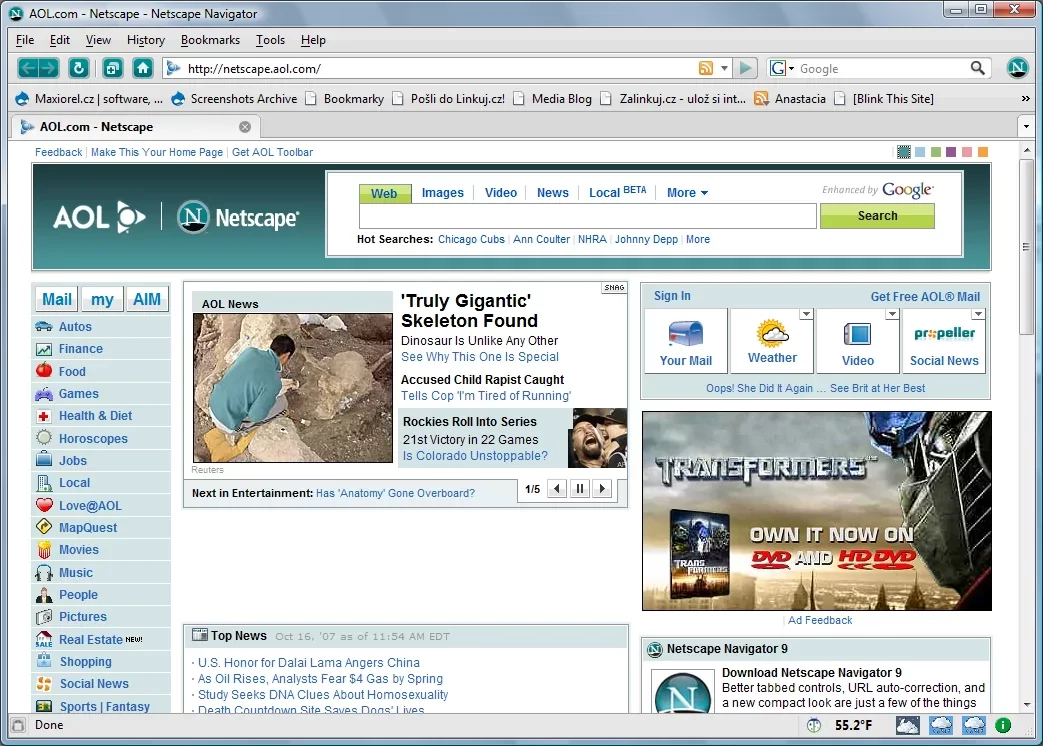
Especially the last version, 9.0.0.6, is the most stable choice for a test. But even this version no longer reads modern SSL certificates.
The firm usually offered files packed as .exe or .dmg. The download sizes are shockingly small by the standards of that era.
Today we grab 20-30 MB files in seconds. Yet back then, this task took hours. This alone is a stark sample of how far tech has come.
Step-by-Step Netscape Navigator Installation Guide
You can run this legendary software on your own machine by following the steps below. I suggest you install it on an old virtual machine like Windows XP or Windows 98. But you can also run it on Windows 10 in compatibility mode.
- Get the Setup File: Save a file like ‘NS9.exe’ or ‘cc32d475.exe’ that you download to the desktop.
- Set Compatibility Mode: Right-click the file, go to Properties > Compatibility tab. Here, pick Windows XP (Service Pack 2) mode.
- Run as Admin: Double-click the setup launcher and give admin permission.
- Folder Choice: The setup wizard will suggest ‘C:Program FilesNetscape’ as the default path. Keep it as is.
- Components: On the screen that appears, you can pick extra parts like the Netscape Composer HTML editor or the email client.
- Desktop Shortcut: In the next step, check the option to create a shortcut on the desktop.
- Install and Finish: Click the install button and wait for it to finish. Then, it will ask you to restart the computer.
After these steps, that iconic lighthouse logo will greet you. Enjoy it before you touch the settings.
Netscape Navigator Settings and First Usage Tips
The Netscape settings menu is quite simple compared to today’s complex ones, but it works well. First, go into the Preferences section under the Edit menu.
Here, changing the start page to ‘about:blank’ or ‘google.com’ is good for speed. Because the default Netscape home page now throws an error since the servers are off.
Next, it pays to peek at the advanced Netscape proxy settings. If you are not on a business network, tick the Direct Connection to the Internet option.
To speed up the interface, you can also turn off image loading. With this trick we used a lot back then, pages opened at lightning speed.
Finally, from the security tab, make sure SSL 2.0 and SSL 3.0 protocols are on. Also, on the cookie front, turn on ‘Accept cookies only from the site I visit’.
Even today, this setting is the right move for privacy. As you can see, the best Netscape browser usage partly comes from knowing these fine settings.
The Fall of Netscape Navigator and the Birth of Mozilla Firefox
When the end of the road loomed for Netscape Navigator, the team made a very critical call. Competing in the market had turned impossible, but the code could not just vanish.
So, the Netscape collapse is really not an end, but a rebirth story. The firm opened up its most precious asset — the source code — to the public.
Frankly, this was a show of courage unheard of at the time. A firm shared all the secrets of a commercial piece of software. Naturally, they gave these to developers under the Mozilla Organization.
At first, things moved very slowly because the code had turned into soup. This sacrifice would give birth to Mozilla Firefox. In turn, it would free the internet once more.
Netscape Navigator 9 and the Last Official Versions
Navigator 9 was the brand’s final revival try. Actually, this version was technically a rebranded Firefox.
Even though it didn’t hold classic tools like the Composer HTML editor, it brought back the classic green theme. You can see this version as a farewell kiss to the loyal fan base.
But this final version landed in a time when the browser wars had long ended. Everyone was using Internet Explorer by then, and Firefox was just starting to gain steam.
So, Navigator 9 did not grab any commercial win. AOL pulled the plug on it a short while later.
Yet this version shows us one very crucial thing. That is, thanks to Firefox’s Gecko engine, it was still a contender in speed and security.
In fact, it proved once more that the true value lay in the codebase and open standards. Today, business memberships or software left from that time still sit in archives.
Transition to Open Source: Gecko Engine & Mozilla Foundation
The Gecko engine came to life after tossing out the old, slow Netscape code and writing it from zero. This job was a true engineering marvel.
The new engine sparked a revolution in obeying web standards. Now pages loaded faster, and full compliance with CSS and HTML standards was reached.
Founding the Mozilla Foundation formed the corporate leg of this process. This non-profit structure kept the browser independent.
Now, no internet doors would shut just because a firm went under. Because the software turned into the shared property of volunteer developers worldwide.
To tell the truth, this open-source code movement lasted far longer than Netscape’s commercial flop.
Because dozens of tools we use today exist thanks to Mozilla’s brave step. This event is the biggest proof of how a firm, even while sinking, can still help mankind.
Mozilla Firefox and Netscape’s Legacy
Mozilla Firefox caused a true stir when it launched in 2004. It was fast, safe, and most of all, open source.
Users were sick and tired of Internet Explorer’s security holes. Firefox embraced this crowd and kicked off a second browser war. As a result, this time open standards won.
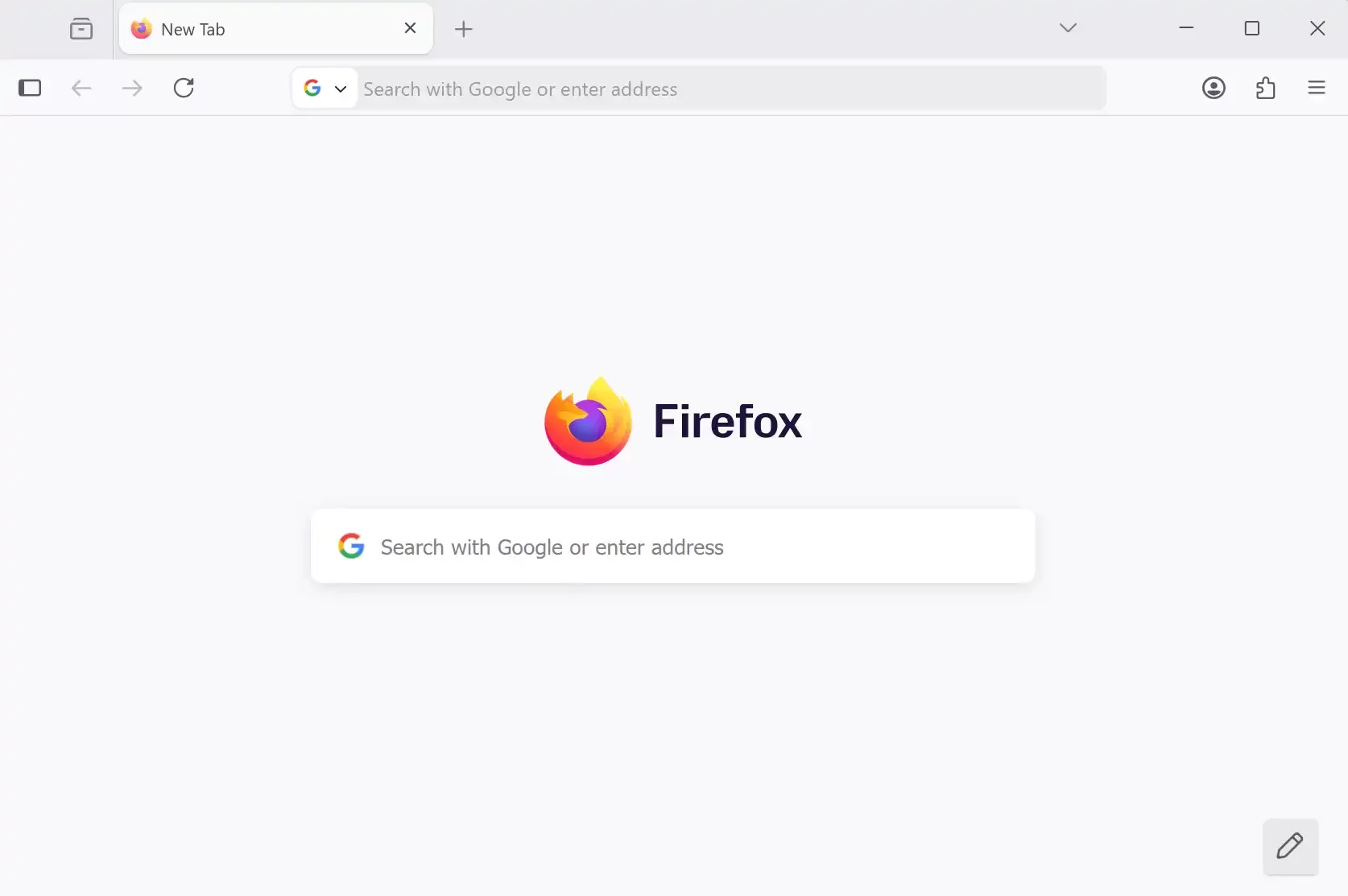
Looking for traces of Netscape in Firefox’s interface is not very hard. Concepts like tabbed browsing and the smart search bar were carried over as a legacy.
But the biggest gift was the idea of an independent internet. Netscape couldn’t break Microsoft’s monopoly, but Firefox pulled that off.
Today everyone uses Google Chrome, but the very presence of a different browser comes from this gift.
If Netscape had taken its code to the grave without open-sourcing it, the internet could be a fully closed box today. So, I can easily say this valuable browser legacy lives on in every link we click each day.
The Impact of Netscape Navigator on Internet Culture and the Tech World
Navigator browser was not just a tool, but also a powerful culture icon. Its fame in the early internet years turned it into a lifestyle brand.
People weren’t just using a browser; they were becoming part of a tech wave. In fact, with t-shirts, mugs, and logo gear, it was almost a rock star.
This cultural force set the base of today’s startup world. Ideas like fast growth, bold marketing, and user focus all gained meaning with Netscape.
Now, software firms believed they could start in a garage and change the world. Because Netscape had done it.
On the flip side, the tech gifts are endless. This web tech pioneer defined many habits for the first time. Moreover, we see these rules in browsers today.
This team wrote many basic rules. They mainly set how pages load and how protocols shake hands. For this reason, every web developer today works in its shadow, even without knowing it.
The Netscape Brand and Its Popularity in the Early Internet
The Netscape brand was the hottest name in the computer world in the mid-90s. According to news after the IPO, the firm’s value hit billions of dollars.
This lifted software engineering from a dull job and turned it into a dream career. Now, every young person wanted to found a startup in Silicon Valley.
Back then, people scanned tech mags for info about Netscape Navigator. The firm would boast its user count in the millions. The fame of a piece of software embraced by such a huge crowd naturally brought a quality expectation.
Also, this fame brings a trust expectation with it. People saw using this browser as a perk.
Sadly, fame also brought envy. It was bound to become a target for giants like Microsoft. Yet in that short peak time, Netscape showed the world how fun the internet could be.
On top of that, Netscape proved the internet could be profitable. That alone is a culture revolution.
Contribution to Open Standards and the Web’s Evolution
Netscape, even for its own gain, was the top backer of open standards. The firm handed JavaScript over to ECMA International.
Thanks to that, the ECMAScript standard was born and the language moved to a neutral ground. This event is one of the best samples of how a firm matures its own creation in the tech world.
In a similar way, the SSL protocol entered the standardization process. Thus, this process keeps security from relying on just one firm’s mercy.
This mindset later sank into the DNA of the Mozilla Foundation. Even today, this foundation holds one of the biggest shares in guarding open web standards.
The cornerstones of today’s neutral and reachable internet were laid in this tough period. If Microsoft’s closed ActiveX tech had won at that time, the internet could have turned into a platform that only ran on Windows.
But Netscape slammed into that wall and made a crack. That crack, over time, widened and paved the path to today’s mobile revolution and cross-platform harmony.
Netscape Navigator as a Nostalgic Browser Today
Today, for old internet lovers, Netscape software is a time-travel machine. In retro computer groups, running this browser is a huge hobby.
People fix old hardware and bring those days back with the original OS. In this process, this nostalgic browser plays the most critical role.
It serves as inspiration for modern software developers. Seeing what they pulled off with limited gear is a lesson against today’s bloated software waste.
Honestly, I sometimes open this browser in a virtual machine and admire its simplicity. This plainness hits me in the face with how complex today’s interfaces have become.
Navigator visuals also pop up often in pop culture. We run into that iconic logo on t-shirts, posters, and art pieces.
The feeling this logo stirs up stands for the purity and discovery thrill of the old internet. In short, Netscape software is far more than a piece of software — it is a shared memory.
Further Reading Resources for the Netscape Browser
I suggest resources directly tied to Netscape Navigator’s technical legacy, corporate history, and place in internet culture. Also, you can check the primary sources below; they are all current and reachable.
- For the official bio of Netscape co-founder Marc Andreessen, you can visit the Internet Hall of Fame page.
- You can read the official history of the shift from Netscape to Mozilla in the “History of the Mozilla Project” paper from the Mozilla Wiki archive.
- You can examine the technical standard of the SSL 3.0 protocol, built by Netscape, in depth via IETF RFC 6101.
- The “Command Line Heroes: JavaScript” article, where JavaScript creator Brendan Eich tells how he wrote the language in just 10 days at Netscape, is a primary account.
- You can reach the details of the Microsoft monopoly case, the most critical legal paper of the Browser Wars, from the related news in the Los Angeles Times archive.
The 10 Most Asked Questions About Netscape Communicator
What Is Netscape Navigator?
Can You Still Download Netscape Browser?
What Happened to Netscape Navigator and What Do We Use Now?
Why Did It Lose the Browser Wars?
How Was It Different From Internet Explorer?
What Techs Did It Leave as a Legacy?
Is It Safe to Download and Install Today?
Is Navigator 9 the Base of Firefox?
What Tools Did Netscape Communicator Offer?
Who Founded It and How Did the Firm Go Public?
Conclusion: Netscape Navigator’s Place in Internet History
As we reach the story’s end, we see more clearly the mark the Netscape mosaic-based browser left. Beyond the rise and fall of a firm, it stands for the soul of the internet.
With its bold and rebellious spirit, it proved giants are not untouchable but ideas are eternal. Personally, I think this fight spirit should fire up today’s startups.
In a technical sense, Netscape wrote the grammar of the language the modern web speaks. From safe shopping to dynamic content, from page layout to browser plugins, every step it took stuck.
Without this piece of software, the internet we use today would be far less colorful, less safe, and dull. Turning a blind eye to this fact would be a huge slight to tech history.
Netscape Navigator left the stage a few decades ago. Yet we can see its legacy everywhere. People call it a nostalgic browser. But in truth, it is a living legacy.
Even the DNA of the browser you read this article in holds its trace. So, the next time you click the Back button, recall the golden age that made that move possible.
Lessons Learned From Navigator
The biggest lesson we must pull from this story is that top tech does not always win. We saw that distribution channels and market moves hold as much weight as technical edge.
Microsoft’s distribution net crushed Netscape even though it had a better product. This is a lesson that still holds true for today’s app stores and platform wars.
The second key lesson is the long-run win of community force. A piece of software that faced a commercial flop can go open source. What’s more, with that move it can create a new heir that beats its rival.
Mozilla Firefox’s success proves how spot-on this smart move was. For this reason, sharing your code is not a loss; sometimes it is the only way to win.
At the end of the day, user focus is everything. The secret of Netscape’s early win was that it grasped what the user wanted. Speed, simplicity, and safety. These three core needs have not changed today. So, there is much to learn from this giant of the past.
The Legacy Left by Netscape Navigator for Future Generations
Navigator’s legacy is not just lines of code and software archives. The real gift is the open web ideal etched into the minds of developers worldwide.
This ideal is the base of the fight to keep the internet free of censorship and equal for all. The Mozilla Foundation and similar bodies still carry this flag with pride.
In addition, it left the courage to not fear failure as a legacy. Netscape fell in a grand way, but that fall was not ruin — it became the start of a new life.
In the tech world, failure is often the fuel for the next big find. Today’s ‘fail fast’ motto in the tech crowd holds a story at its roots. As a result, this story shows a fall and a rebirth.
As a final word, I want to remind you of this. While you surf the net, you see a small lock icon or get an instant reply when you click a button. So, that reply whispers Netscape to you.
It is in the shadows of the past, but it is a constant guide for tomorrow’s techs. Trust me, anyone who wants to grasp the roots of the digital world must surely know this legend.

Be the first to share your comment