

As of 2026, the heart of cybersecurity beats on an unseen battlefield. Millions of new strains emerge every day. Attackers work nonstop to break into victim systems. We call the base structure of this chaos malware. Today we no longer talk about a single type. We talk about a whole ecosystem and industry.
The only way to survive in this world is to stay informed. Every business owner and every single user must understand the malware concept deeply.
After all, attackers can encrypt all your data in the blink of an eye. They can even make you part of a botnet before you notice. Indeed, modern malware is the biggest scourge of the digital age.
In my fifteen-plus years of field work, I have seen this. No firewall is flawless. No single piece of software can save you.
Because the core problem is that these threats constantly change form. That’s why you must keep evolving your own defense plan. I prepared this huge guide for exactly that purpose!
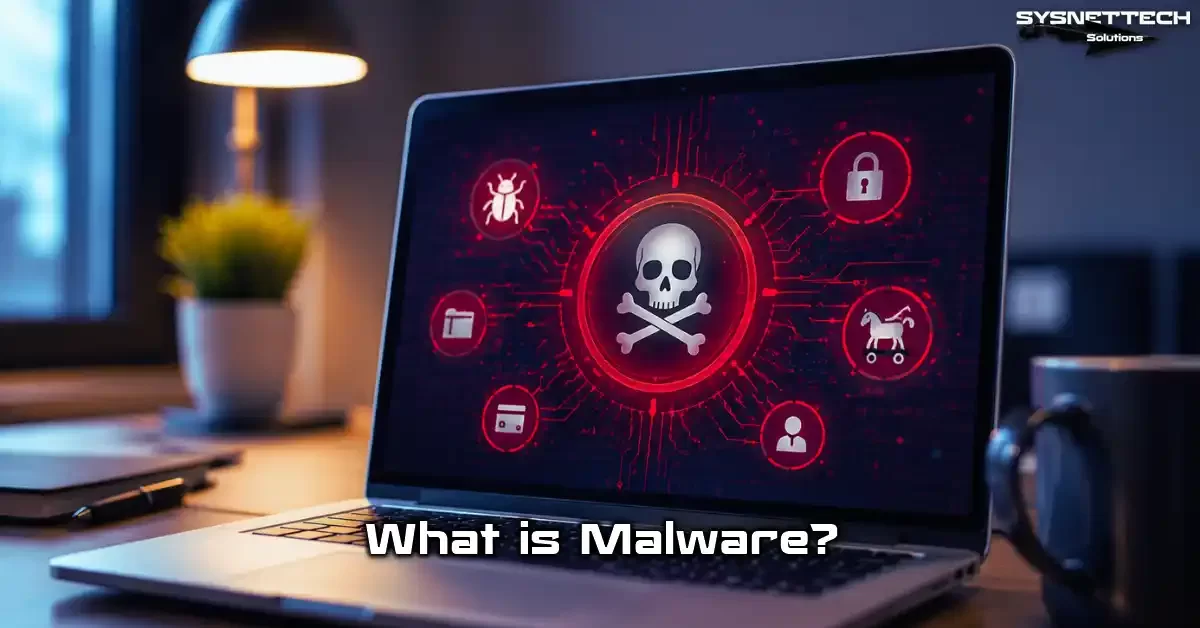
What is Malware (Malicious Software)?
The info security world uses a shared term for software that sneaks in without your consent. Frankly, experts use a broad umbrella term for these harmful programs.
We call that umbrella term malware. In other words, it covers all code built to harm your device’s physical parts. Its scope is incredibly wide.
There is a key split between the virus concept and this cyber threat. Self-copying viruses form just one subtype that spreads.
However, the malware family covers dozens of types like ransomware, spyware, and backdoors. What’s more, fileless types that run in memory now easily bypass old signature-based detection systems.
The topic of malware is not just about code structure either. Behind the scenes, dark web markets and a crime-as-a-service ecosystem thrive.
In fact, attackers with zero tech skills can now run big campaigns using rental services. In short, this digital pathology has become the biggest security gap of the modern world.
A Short History of Malware: From 1971 to 2026
It all started in 1971 with Bob Thomas’s test program called Creeper. This code did no real harm; it just hopped across the network.
In response, coders built Reaper the same year, seen as the first anti-malware tool. The immune system metaphor for digital pathology took shape right at this point. These two programs signaled the big war to come.
In the 1980s, DOS viruses struck the personal computer age. The Brain boot sector virus ran wild everywhere. Back then, the goal was usually fame or fun.
But the Melissa macro virus of 1999 showed the raw force of email-based spread. This event lit the fuse of the modern malware economy.
The 2000s brought botnet empires and a phishing plague. WannaCry in 2017 pushed the ransomware concept into headlines.
The post-2023 era officially kicked off AI-powered attacks. As a result, fileless and polymorphic malware strains quickly take over unguarded networks in 2026. Systems without a zero trust design crash within minutes.
Current threat intel reports prove attackers no longer just leave a ransom note. They encrypt data, steal it, and threaten to leak it. We call this new tactic triple extortion. Sadly, small and mid-size firms stay defenseless against such crushing malware.
Malware Types: A Full List of Digital Threats
In this section, I will bring each type to life with real incident examples, not just dry terms. Theory-only knowledge fails you during an actual cyber attack. Come on, let’s explore the many malware types together.
The modern cyber threat ecosystem consists of hybrid structures that blend into each other. Moreover, attackers rarely stick to just one malware type.
Code that slips in first via a trojan can later download ransomware. For this reason, knowing the types helps you make the right call.
We basically track this evolution across three main layers: classic, modern, and next-gen. Honestly, we base this grouping on how the threats work.
Naturally, each layer carries its own attack vectors. The table below gives you a clear view of this broad malware range.
| Type | Primary Goal | Spread Method | Risk Level |
|---|---|---|---|
| Virus | Self-copy and file infection | Infected file sharing | Medium-High |
| Worm | Self-spread across networks | Network gaps and email | High |
| Trojan Horse | Pose as real software, open a backdoor | Social engineering tricks | Critical |
| Ransomware | Lock data and demand ransom | Phishing and exploits | Very Critical |
| Spyware | Watch user acts without consent | Bundled with other software | High |
| Botnet | Use captured devices for group attacks | IoT gaps and trojans | Very Critical |
Classic Threats: Virus, Worm, Trojan Horse

Many people still call everything a virus. Yet these classic types form only one part of the modern malware family.
Even so, the virus remains the most well-known type. It turns active when you run the infected file. It cannot move on its own.
A worm, on the other hand, needs no user action at all. It spreads to hundreds of devices in seconds through one network gap. This trait makes it an extremely dangerous malware type. Once it enters a network, stopping it is very hard.
A trojan horse plays a whole different mind game. It masks itself as a handy tool or a game. Once inside, it quietly opens a backdoor.
A friend of mine once lost his whole database over a fake free PDF converter app. That program turned out to be a full malware dump.
Modern Threats: Ransomware, Spyware, Adware, Botnet, Rootkit
Now things get a bit darker. Ransomware is the most feared malware type today. According to 2025, a ransomware attack on a small firm cost over $180,000.
System owners halt all ops due to encryption. What’s more, attackers leak data online via triple extortion.
Spyware is another malware beast that works in total silence. The keylogger type records your keystrokes and grabs your passwords at once.
On the flip side, adware invades your browser and steers you toward harmful ad networks. Both fall into the potentially unwanted program class.
A rootkit is a much deeper malware menace. It hides by burying itself in the OS kernel. Plus, a botnet builds a huge army from thousands of zombie devices. Cyber attackers use this army for everything from DDoS attacks to crypto mining.
Next-Gen Threats: Fileless and Polymorphic Malware

This is the part that excites me most and worries me most. Fileless malware writes nothing to the hard drive. It runs fully in system memory.
The PowerShell threat is the best-known case of this technique. It uses the operating system’s own real tools. That way, classic antivirus programs never see it.
Polymorphic malware is a master of shape-shifting. It rebuilds its code structure at each infection via a mutation engine. In the end, signature-based detection fails fully. This stealthy malware type now needs a hybrid detection system.
The answer to how you spot a fileless malware lies in layered security. Memory scanning tools can catch odd PowerShell commands.
Also, XDR platforms link these anomalies within endpoint security scope. Frankly, you cannot survive these crises without a detailed incident review.
Advanced Persistent Threats (APT) and Targeted Attacks
Cybersecurity pros call malware strikes run by state-backed groups APTs.
These groups hide inside networks for weeks. Their goal is not fast damage but lasting access. So they steal your most prized IP this way.
An APT scenario usually kicks off with a phishing email. Next, they plant a trojan. Then they link to a C2 command and control server. From this link, lateral movement begins. Basically, this malware attack spreads until it hits the domain controller.
Groups like MuddyWater and APT28 target many nations, including the United States. Cyber criminals sell the exploit kits and zero-day vulnerabilities used in these attacks for millions of dollars. To fight back against such crushing malware strikes, threat intel is a must.
How Does Malware Spread? Current Infection Vectors (2026)
Knowing infection paths is half the shield. Yet most users only watch out for sketchy emails.
However, one of the biggest dangers is the drive-by download method. In this technique, the system triggers an out-of-date browser exploit at once. As a result, you catch malware without knowing.
In 2026, the supply chain breach became the most dangerous spread vector. A real software update can download a crypto mining threat in the background.
For this reason, patch management and signature checks are a must at the business level. Below, I dig deep into the four most critical infection paths.
Email and Phishing Attacks
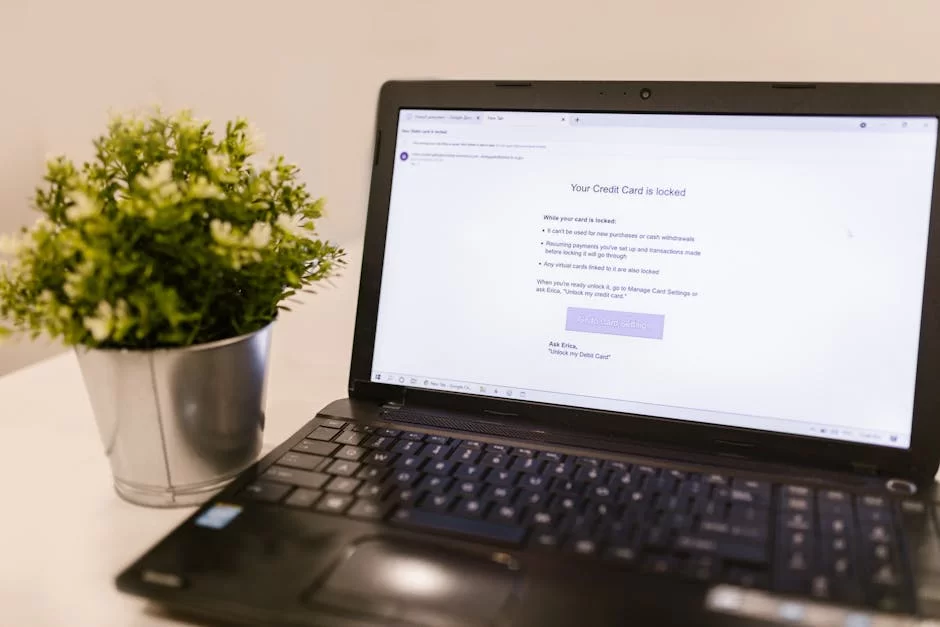
Email remains the number one malware delivery vector. Attackers craft unbelievably personal messages.
People can no longer spot AI-made phishing attacks through grammar slips. Generative AI copies the tone of business emails perfectly.
- They send PDFs with fake invoices or wire receipts.
- They steer you to a fake login page with an urgent password reset prompt.
- They attach files with harmful links or macro viruses.
- They use deepfake voice scams to copy the CEO’s voice and give wire orders.
Smishing via SMS also spreads fast. Messages posing as shipment or bank alerts pull the user to harmful ads or fake sites.
Also, calls that exploit trust in authority work quite well. They craft all these methods just to infect you with malware.
Drive-by Download and Malvertising
Getting malware on your device while visiting a harmless website is a scary scenario. But this is exactly a drive-by download attack.
Attackers target browser gaps through harmful code placed in ad networks. We call this method malvertising, meaning harmful ads.
Even if you do not click an ad banner on a major news site, an exploit kit runs in the background. This kit slips in through a security gap in your browser.
In the end, just loading the page is enough to hit you with ransomware. Sadly, the way to stop these malware attacks is through updates.
Another common trick is the fake antivirus alert. A pop-up on your screen pushes you to download a fake cleaning tool. However, that tool itself is a trojan. That’s why you must check the source of such alerts right away.
Supply Chain Attacks
In this attack model, the main target is the weak link in a software or hardware supply chain. The attacker breaches a maker you trust.
That way, a backdoor placed on the update server hits thousands of clients in one move. For this reason, a supply chain attack is one of the most stealthy malware spread models.
In the 2020 SolarWinds breach, attackers placed harmful code inside the Orion platform update package.
Over 18,000 firms that downloaded this package took instant damage. Even years later, this malware model stays the biggest business nightmare in 2026.
What’s more, smart home devices join botnets this way too. A cheap IP camera can ship from the factory with a built-in malware agent. The user never spots it. Yet the device becomes part of a rented attack army via the dark web.
Social Engineering and Other Methods
No matter how strong tech measures are, the human factor is the weakest link. Social engineering games rest on emotional tricks.
They trigger feelings like fear, curiosity, or greed. This way, the victim disables security rules with their own hands and invites malware in.
- A threat of legal action if you do not pay at once.
- A promise to see a star’s private video to make you click a fake link.
- Plugging a found USB drive into a PC out of curiosity.
- A spy program attached to a fake job application CV.
Other methods include man-in-the-middle attacks on wireless networks. In this attack, you think you connect to a free Wi-Fi network. Yet all your traffic flows through the attacker’s device.
Attackers grab your passwords one by one this way. Plus, they plant harmful software on your device on the spot.
How Do You Know If Your PC Has Malware?
Spotting signs early is the most critical step to limit harm. Your CPU staying at 100% use all the time is the most common clue.
Odd network traffic or random pop-up windows also need your full focus. Yet fileless malware may show no clear signs at all. In this case, a deep scan with digital pathology diagnosis methods is a must.
Let me give you a checklist based on my own field time. If your computer suffers sudden and extreme slowdowns, open the task manager at once.
If you see unknown process names or tasks eating too many resources, get suspicious. Also, changed file extensions signal a ransomware malware attack.
If your browser keeps sending you to strange sites, you may have caught a browser hijacker. On top of that, if your security tool suddenly turns off, it points to deep breaches like a rootkit. Advanced malware always silences defense systems first.
The First 5-Minute Protocol: Instant Response
What you do the moment you spot a suspect sign is vital. Panic blocks good choices. So follow the steps below with a cool head and in order. In a malware crisis, those first minutes are worth gold.
- Cut the Network: Turn off Wi-Fi or pull the Ethernet cord. This move breaks the C2 server link and halts malware spread.
- Take a Screenshot: If you see a ransom note or odd error message, snap a photo. This is key proof for forensics.
- Do Not Shut Down: Turning off the PC wipes malware traces in volatile memory. A memory dump is vital to spot a fileless attack.
- Tell the IT Team: If you are on a business network, alert the CSIRT team now. If you are a single user, ask an expert for help.
- Check Backups: If external drives are linked, unplug them fast. Otherwise, the malware will encrypt them too.
How to Remove Malware? A Strong Cleanup Guide (Windows, macOS, Android, iOS)
The cleanup process shifts based on how complex the malware type is. You can wipe a simple adware with a few clicks.
But if a rootkit is in play, a full format is the safest route. In this guide, I will lay out different tactics for each platform.
First, let’s make one thing clear. Antivirus tools cannot clean every malware type. No signature-based tool spots a breach that uses a zero-day vulnerability. That’s why I suggest you lean toward tools that run behavioral analysis.
Step-by-Step Windows Malware Removal
The Windows ecosystem has the widest malware attack surface of any platform. That’s why you must start in safe mode. Harmful code running in normal mode will block your cleaning tools.
- Restart your PC and enter Safe Mode with Networking via the
F8key. - First, clear the temp files in the
%temp%andprefetchfolders. Attackers often use these spots to drop malware. - Next, run special scanners like Malwarebytes or HitmanPro as part of an updated cleanup guide.
- In the second phase, fix system files by running the
sfc /scannowandDISMcommands. - Finally, turn off suspicious malware services that run at startup via
msconfig.
The most skipped step on Windows is checking hidden triggers in Task Scheduler. A trojan may have placed a malware task there to re-download itself.
After cleanup, when the system reboots, it fires that task. So you think you are clean while you get infected again.
Malware Removal on Mobile Devices (Android/iOS)
Mobile platforms are now among the top targets for malware attackers too.
Specifically, harmful non-APK app threats on Android spread through stores outside the Play Store. These apps trick you by asking for SMS access and the accessibility service right at install.

For Android cleanup, first boot the device in safe mode. Then go to Settings > Apps and remove the last suspicious apps you installed.
Pay extra heed to malware apps that grabbed admin rights. A banking trojan uses this right to block you from deleting it.
On the iOS side, the tech world debated for years whether an iPhone can catch a virus. Yes, targeted strikes do expose iOS to malware too.
To wipe a harmful iOS profile, head to Settings > General > VPN & Device Management. If you spot a strange mobile config profile there, delete it at once.
Malware Protection Methods: Digital Hygiene and Advanced Defense
Cyber threats are multi-layered, so you must build your shield plans the same way. Just installing one antivirus and walking away is not okay in 2026.
Patch management and network isolation now count as much as anti-malware tools. Below I list all the steps you must take at personal and business levels.
Above all, backup hygiene is the cheapest and most solid insurance against ransomware. Stick to the 3-2-1 rule without fail. Keep three copies of your data on two different media and one copy fully off the network.
Also, you need a proactive plan for zero-day vulnerabilities. Without one, you may face a huge mess at any moment.
Business-Level Protection: EDR, XDR, NGAV, and Zero Trust
The classic antivirus era is now over. The gap between EDR and antivirus is key to grasping the spirit of our age. Antivirus uses signature-based detection, meaning it catches only known malware types.
By contrast, EDR keeps a constant log of all device actions. If something looks off, it analyzes those logs backward.
XDR takes EDR a step further. It links data across network, email, cloud, and identity systems. NGAV uses machine learning to sense unknown malware threats in advance.
Does the zero trust security model shield against malware? I say yes with full ease. This model trusts no user by default.
Using these four tech tools together even shields you against APT groups. Still, setting them up needs real expertise.
Plus, false positive alerts cause alarm fatigue in security teams. So you must place human smarts and AI side by side.
| Feature | Classic Antivirus | EDR | XDR |
|---|---|---|---|
| Detection Method | Signature-based | Behavioral analysis | Cross-layer linking |
| Visibility | Endpoint | Endpoint | Network, cloud, email, endpoint |
| Incident Response | Limited | Advanced forensics | Automated hybrid detection |
| Zero Trust Fit | None | Partial | Full integration |
Security Checklist for Personal Users
Single users often think they are not targets. This is a huge mistake. Auto malware scanning tools hit every IP at random. What counts is whether you are an easy victim.
- Never put off auto updates for your OS and browsers.
- Always use a VPN when you join networks you do not know.
- Before opening email attachments, check the sender’s address each time.
- Store your passwords in a password manager and enforce two-factor authentication (2FA).
- Install apps on your phone only from official stores.
- Check regularly for any unknown mobile config profiles.
Best Free Antivirus Programs (2026 Test Results)
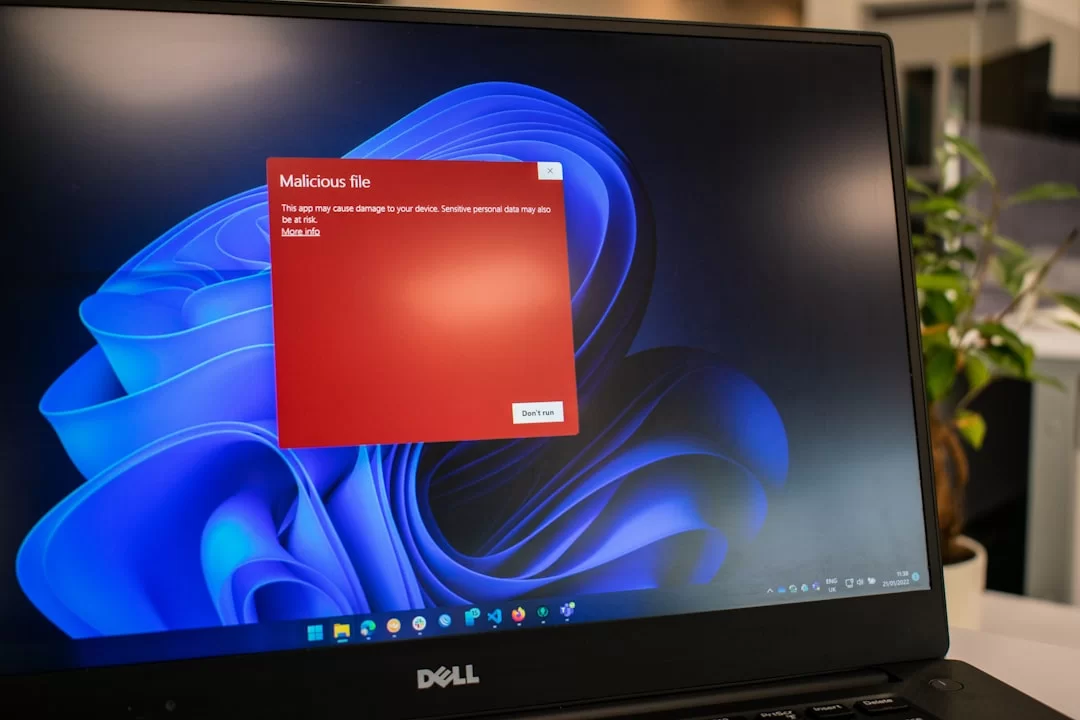
Free tools build the first defense line for users on a tight budget. AV-TEST data from the first quarter of 2026 shows a striking fact. Some free tools provide better malware shields than their paid rivals.
| Software | Protection Score | Performance | Key Feature |
|---|---|---|---|
| Bitdefender Antivirus Free | 6.0/6.0 | 5.5/6.0 | Advanced heuristic scan |
| Kaspersky Security Cloud Free | 6.0/6.0 | 5.5/6.0 | Cloud-based threat intel |
| Avast One Essential | 5.5/6.0 | 6.0/6.0 | Behavioral sandbox analysis |
| Microsoft Defender | 6.0/6.0 | 5.5/6.0 | Deep Windows integration |
Malware Analysis Methods: How We Study Threats
A deep review after an attack is the key to stopping future strikes. We call this process malware analysis, or studying harmful software through a digital pathology lens. Just as a doctor diagnoses an illness, we reveal the code’s actions and intent.
What Are Static and Dynamic Analysis?
Static analysis is the art of studying a suspect file without running it. We decode the inner makeup of malware code via reverse engineering.
At this stage, we look at strings, the PE header, and the import table. We also spot which API calls the harmful code uses.
Right at this point, dynamic analysis steps in. We run the suspect file in a controlled setting and watch the malware acts.
Which registry keys does the file change? Which IPs does it connect to? Dynamic analysis gives the answers to all these questions.
In my field time, the most common slip analysts make is trusting only static analysis. Frankly, you can only catch a fileless malware type via dynamic memory review.
Also, attackers now write code that knows it runs in a virtual machine. What’s more, if the code spots analysis, it wipes itself.
What Is Sandbox Analysis?
Sandbox tech turns dynamic analysis into a self-run and isolated task. The system tosses the suspect file into a fully sealed sandbox. Here you log all the harmful software’s acts. When the job ends, the system cleans itself on its own.
Firms embed sandbox setups into email security gates at the business level. The system detonates each incoming attachment in a virtual space before it reaches the user.
If the file shows suspect malware moves, the system locks it in quarantine at once. Luckily, this whole process now takes just a few seconds.
But attackers use time-delay tricks to slip past sandbox setups. They build the code to turn active 30 minutes after the infection.
A basic sandbox review does not wait that long, so it may tag the malware file as clean.
YARA Rules and Signature-Based Detection
YARA rules are the Swiss army knife of threat hunters. Researchers use these rules to define text or binary patterns unique to a certain malware family. That way, analysts quickly spot new strains from the same family.
Still, signature-based detection methods have limits. Polymorphic malware shifts its signature at each infection, so writing a YARA rule is very tough.
For this reason, you must always pair YARA with behavioral analysis. Also, keep tracking open-source rule sets shared by the community.
Mobile Malware: Android and iOS Threats
The computers in our pockets now hold our most private data. The mobile malware ecosystem is booming in 2026.
Mobile banking and crypto wallets now sit at the core of our lives. Attackers have fully turned their focus to this space.
Android Malware: Common Threats and Protection
Android’s open-source makeup gives attackers huge room to move. A trojan-infected app can misuse Accessibility Services to read every keystroke you make.
The answer to how to clean Android malware usually lies in a full scan inside Safe Mode.
- Joker Malware: Quietly adds premium SMS subs to your bill.
- FluBot: A banking trojan that spreads via fake shipment SMS.
- Xenomorph: Lays fake login screens over banking apps.
- Non-APK Threat: Sends harmful updates onto apps on Google Play.
iOS Malware: Can It Get a Virus? Myths & Facts

For years, myths have spread about whether a Mac can get a virus. The same myth is common for the iPhone.
Yes, the layered security design of iOS makes it safer. But it is not flawless. Notably, spy tools like NSO Group’s Pegasus seize the device with zero clicks.
Wiping a harmful iOS profile is the most vital step users must know. Attackers steer the victim to a fake website and get them to install a config profile.
This profile routes all network traffic through the attacker’s proxy server. As a result, even SSL encryption does not shield you from this malware type.
Mobile Banking Trojans and SMS Phishing (Smishing)
The mobile banking trojan is the most profitable cyber crime model today. This malware hides as simple apps like a flashlight or QR reader.
It kicks in the moment you open your banking app. It places an exact copy screen over the real app.
Smishing is the starting step of this process. You get an SMS that looks like it comes from your bank.
The message says a suspect charge hit your card. If you panic and click the link, you land on a fake site built to infect you with malware.
IoT Malware: Smart Devices and Botnet Attacks
Every device in our homes, from smart bulbs to fridges, now links to the net. Yet firms ship most IoT devices with awful security.
Default passwords and unpatched firmware turn these devices into easy prey. These gaps form the base of IoT malware attacks.
Mirai Botnet and Its Offshoots: The 2026 Threat Map
The world first met the Mirai botnet in 2016. Mirai scanned devices like IP cameras and routers and seized them with default passwords. A decade has passed since that event.
Mirai’s source code still floats around dark web malware markets. Even worse, new and stronger offshoots keep spawning.
In 2026, IoT botnet attacks are not just about DDoS. Attackers use captured smart home devices as proxies.
They also use these devices as a springboard to slip into business networks. This scenario is a true malware nightmare.
How to Protect Your Smart Home Devices
For home users, the case is a bit simpler but just as critical. Here is what you must do to shield your smart home from malware threats.
- When you buy a new IoT device, always change the default admin password.
- Turn on the auto-update feature. If the maker stops support, stop using that device.
- Create a guest Wi-Fi network for your smart home gear. Isolate this network from your main one.
- Disable unneeded remote access and UPnP features.
- List the devices on your network on a set schedule. If you spot a strange MAC address, dig into it fast.
Malware Threats and Statistics in the United States
The United States faces heavy cyber attacks due to its tech hub status and digital economy.
Current AV-TEST data paints a scary picture. New malware counts in the US grow by double digits each year.
The finance sector and small businesses stand as the top targets. Malware strikes seen in the US usually center on ransomware and banking trojans.
Attacks Targeting American Banks
The finance sector has always been a top prize for cyber criminals. We see attacks aimed at US banks surge in recent years.
Attackers no longer just try to drain single accounts. They target the SWIFT network between banks or ATM control systems head on.
Mobile banking trojans lead the threats aimed at the banking field. This malware type slips into the user’s phone and grabs incoming SMS codes. It then steals the two-factor code and empties the account fully.
The Federal Reserve and OCC push banks to take strict security steps nonstop. Banks now pour heavy funds into tech like EDR, XDR, and zero trust design. Even so, the human factor stays the biggest malware risk.
APT Groups Targeting the US (APT28, SideWinder, MuddyWater)
State-backed attack groups target critical US sites and defense firms.
APT28 (Fancy Bear) has links to Russia and often launches crushing malware strikes. SideWinder stems from South Asia and targets diplomatic offices.
MuddyWater is an Iran-linked cyber threat group. The group made its name with malware strikes on US telecom and energy sectors. These groups usually use fileless methods to hide in networks for a long time unseen.
US Legal Rules (CFAA, CISA, State Breach Laws)
The United States holds a broad legal frame to fight cyber crime. The Computer Fraud and Abuse Act (CFAA) covers malware crimes. This law sets the jail terms for breaking into systems without consent.
As a result, the law also punishes system-blocking crimes head on. Placing a virus on a website draws heavy legal fines under this scope.
State data breach laws kick in when breaches occur. Cyber attackers can steal client data through a ransomware strike. This counts as a data breach by law. In short, the firm must report this breach, often within tight deadlines.
The Economic Side and Cost Analysis of Malware
The cost of cyber attacks goes far beyond the ransom paid. You must also count downtime, lost trust, legal fines, and tech repair costs. So the answer to how big the economic harm of malware is only shows the tip of the iceberg.
Global Cyber Crime Cost: 2026 Current Estimates
Per Cybersecurity Ventures 2026 forecasts, the global cyber crime cost will top $10.5 trillion a year. This number rivals the GDP of the world’s biggest nations.
Ransomware alone forms the largest slice of this pie. A firm falls victim to a malware attack every 11 seconds.
What Is the Cost of a Malware Attack on a Small Business?
Small and mid-size firms are often the true victims of malware strikes. They lack the security funds of large firms.
2025 reports break down ransomware costs in detail. In the end, the average bill for an attack on a small firm consists of these parts.
- System Downtime: An average 21-day ops halt. The daily loss hovers around $8,500.
- Ransom Payment: An average of $170,000. But even if you do not pay, you have not truly saved that cash.
- Forensics and Recovery: Outside expert teams charge an average of $40,000 for incident review and data recovery.
- Reputation and Client Loss: After an attack, 60% of clients think about switching vendors.
- Legal and Breach Fines: State and federal breach notice rules can trigger fines that start in the tens of thousands.
Should You Pay the Ransom? A Full Analysis
This is the most hotly debated question in the field. My stance on whether to pay ransomware or not is crystal clear. DO NOT PAY.
But is this an unbreakable rule for every case? This is where things get tricky. If attackers lock all firm backups and halt key ops, the risk grows. So the board may vote to pay.
Yet there is a harsh truth you must know. The 2026 ransomware cost analysis data shows a stark fact.
On top of that, victims who pay face a second malware strike. Attackers tag you as a paying target. Also, there is zero promise of a working decoder.
Attacker Motivations and the Cyber Crime Economy

Grasping the mind games and cash flow behind this work makes your defense plan stronger. Attackers are not one single group.
Some are political hacktivists, others are state-backed spies. In other words, some just want to make money. Their drive may differ, but all of them are here to infect you with malware.
Dark Web Malware Markets
The dark web is the supermarket of cyber crime. Here you can buy a zero-day vulnerability or rent a botnet service. You can even grab ready-made phishing kits.
The dark web malware market runs with a fully pro e-commerce mindset. Products have client reviews and even money-back promises.
The hottest items in these markets are exploit kits and banking trojan strains. A zero-day vulnerability finds buyers from $100,000 up to the millions. Ransomware kits cost less. Some groups even work on a ransomware-as-a-service (RaaS) model.
Malware-as-a-Service (MaaS) and Ransomware-as-a-Service (RaaS)

MaaS and RaaS mark the peak of cyber crime going industrial. In this model, cyber criminals sell the attack system as a service. The maker keeps the malware code up and provides a control panel.
The affiliate (business partner) uses this setup to launch the attacks. So, the sides split the profit, often at ratios like 20% to 80%.
This model lets attackers split up based on their skill zones. One group just sells access, another uses that access for data theft. Yet another only runs the ransom talks. This is a malware structure built just like a real company.
Digital Forensics and Incident Response
When an attack hits, you must take the right steps within hours. A forensic review uncovers how the strike happened and which data got stolen.
This process is also key for keeping legal proof safe. A wrong move can destroy malware evidence.
What Is a CSIRT Incident Response Team?
CSIRT is the special team that jumps in during a cyber attack. This team analyzes the event, stops the spread, and brings systems back up.
At the business level, the CSIRT role is clear. They run the whole process from the first moment of attack to the final clean step.
A good CSIRT must not only have tech skills. The team also needs strong talk and crisis management chops.
During an attack, chats with the board and the press are vital. Frankly, the biggest mess I have seen in the field comes from a lack of talk.
Malware Incident Scene Review Steps
Incident scene review is the heart of forensics. Applying these steps in order and with great care is the key to finding the criminal. Here is the malware protocol I use myself and have tested over and over.
- Prep and Approval: Make sure you have the legal go-ahead for the review. Log the chain of proof.
- Collect Volatile Data: If the system is on, first take a memory dump. Then log data like network links and running tasks.
- Hard Disk Image: Grab a forensic copy of the disk with a write-block tool. Never change a thing on the source disk.
- Timeline Analysis: Study file system meta data to pinpoint the exact start time of the attack.
- Harmful Code Hunt: Scan suspect files with YARA rules. Run found files through dynamic analysis using sandbox tech.
- Reporting: Write a full report with all finds and the steps to take next.
Malware and the Human Factor: Mental Effects and Awareness
Falling victim to a cyber attack opens deep mental wounds, not just cash losses. Victims battle shame, rage, and a sense of no control.
This process is rough for IT leads who lose their jobs as a result. The mind side of security awareness is not just a tech topic for this reason.
What Cyber Attack Victims Go Through
Think of a small business owner hit by a ransomware strike. Client records and invoices built over years turn out of reach in a flash.
Meanwhile, attackers call and hurl threats. Sleepless nights and high stress are certain during this time. Simply put, victims often blame themselves.
On the business side, a blame-shift culture kicks in. Tension spikes between the security team and the bosses.
Yet you must act as one crew in such times. Anyone can fall for social engineering tricks. No one is immune to malware traps.
How to Boost Security Awareness in Firms
Dull talks held once a year raise no one’s alertness. Awareness training must be ongoing and able to be measured. Here are the malware awareness methods I have used for years with strong results.
- Send fake phishing emails and gauge how staff react. Give extra training, not fines, to those who slip.
- Tell security topics through real-life tales, not dry tech jargon.
- Reward staff when they flag a suspect email to IT.
- Broaden tabletop drills to cover all departments.
- Include top execs in these drills. A security mindset starts at the top.
Future Trends: Malware in 2027 and Beyond
Tech marches on without pause. Sadly, attackers track this march just as closely. The battlefield of the future will form around game-changing tools like AI and quantum computing.
For firms that are not set, these shifts pose a life-or-death malware threat.
The Evolution of AI-Powered Malware (PromptLock, WormGPT 4, and Beyond)
By the end of 2023, the rise of tools like WormGPT shook the globe. These tools could craft real-looking phishing emails via harmful use of generative AI.
By 2026, this threat has grown far more polished. AI-powered malware is no longer sci-fi. It is a fact of daily life.
PromptLock is a method built to crack the safety bars of large language models. Attackers jailbreak the model, turn off the moral filters, and make it write complex exploit code.
You may ask about the true risk of the WormGPT 4 model. Frankly, these tools can now pick targets and strike fully on their own.
The question of whether ChatGPT writes harmful code also stays fresh in this frame. With open-source models that lack filter limits, this is fully possible.
What’s more, the answer to how AI runs a phishing strike is quite scary. AI can scan your social media and craft a message just for you.
Quantum Computers and Malware: Threats of the Future
Quantum computers are still in their early days. Yet a fully working quantum machine can crack all current encryption standards in seconds.

This means a doomsday scenario for cybersecurity. Bank deals and state secrets could lay bare all at once.
A quantum-age malware could encrypt itself based on quantum key distribution rules. That way, spotting it may become out of reach.
On top of that, a ransomware tool with quantum compute power could hit all your backup systems at the same time.
Luckily, we are still at least 5 to 10 years away from these threats turning real. Yet keep in mind that attackers now collect and store data. They use a “grab now, crack later” plan. So you must plan a switch to quantum-safe methods for your long-term secrets.
Further Reading and Trusted Sources
The topics we covered in this guide form just one slice of cybersecurity. For pros who want to dig even deeper, I have gathered the trusted and advanced sources below. Each links straight to the official page of the group named and gets fresh updates on a set basis.
- NIST Computer Security Resource Center (CSRC): One of the world’s most trusted bodies for cyber safety norms, guides, and best tips. Notably, the SP 800 series publications are priceless for malware shield plans and incident response.
- MITRE ATT&CK: An unmatched frame for grasping attacker moves and methods. The Enterprise matrix breaks down the malware ways used by APT groups in great depth. Plus, it lets you shape your own defense plan around this data.
- SANS Internet Storm Center (ISC): This platform is a great guide for daily cyber threat intel. What’s more, it leads the world in incident response and harmful software analysis. The daily logs and tools from ISC are a must for security pros in the field.
FAQ About Malware
What is malware?
What is the gap between a computer virus and malware?
What are the malware types?
How does malware spread?
How can I shield myself from malware?
Are AI-powered antivirus tools truly better?
What is fileless malware, and how do you spot it?
Is it safe to run more than one antivirus at the same time?
Do mobile devices (iOS/Android) catch malware more easily than PCs?
Can I get malware just by clicking on a website?
Conclusion: Proactive Security and Ongoing Awareness
At the end of this long road, my key point is crystal clear. The rules of the field shift each and every day. Static defense no longer exists in the realm of digital pathology.
The secret to halting a malware threat is staying one step ahead of it. This is only doable through nonstop learning and a proactive security mindset.
My tip is to keep this guide as a desk book. Flip back to the first response protocol steps when you need them. Also, boost your base shield by picking a strong antivirus solution.
Last of all, go back over the key gaps versus a computer virus. Keep in mind that the best digital hygiene starts with awareness.

Be the first to share your comment