

You want to grasp the cornerstone of the digital age. This is no ordinary communication tool. I have poured over a decade of system admin skill into this guide. I have dissected every protocol and every security layer for you. Let’s dive into the depths of this device. Almost every industry depends on it.
Most people think they press a key and send their message. But an amazing orchestra plays behind the scenes. This article covers everything from the SMTP server concept to DKIM signature checks. I will also touch on legal frameworks like KVKK and GDPR. My goal is to arm you with facts that truly work in the field.
Email, the digital letter, forms the backbone of our work lives. Above all, marketing basics and commercial electronic message rules now carry strategic weight. So let’s start this deep journey right away. Trust me, your point of view will shift completely as you read on.
What Is Email? Definition, History, and Core Concepts
What Does Email Mean? The Meaning of Electronic Mail
At its core, an mail is a letter written in a digital space. This communication tool is far faster than physical mail. Plus, it lets you send file attachments beyond just text. Its basic building blocks include a username and a domain name.
The @ symbol we all know links these two parts. The message travels toward the recipient through an SMTP server. On the receiving side, a POP3 or IMAP server takes over. In short, this system mirrors a global postal network in digital form.
Today, an email address acts like your digital ID. You use it everywhere, from banking to social media. For this reason, its security and management are vital. It goes far beyond a simple message. It also serves as legal proof.
Email History: From ARPANET to Today
Ray Tomlinson sent the first email in 1971. He also placed the @ symbol into the address format. Back then, this system ran on ARPANET and was quite crude. In fact, the number of users on the network was tiny.
Over time, this message protocol moved beyond military and academic circles. It exploded in the 1990s as the WWW spread. Services like Hotmail, with a webmail interface, sparked a revolution. Now anyone could reach a mailbox for free through a browser.
Today, email history forms the base of modern businesses. We now carry rich content thanks to the MIME type, not just text.
Meanwhile, the spam problem and security threats also became part of this journey. Luckily, tech keeps reinventing itself against these threats.
Address Format, Rules, and Correct Examples
An email address follows a standard structure. A wrong format means your message will never arrive. So you must know the rules by heart. Let’s examine the correct format together.
- Local Part (Username): This is the section before the @ symbol. Case sensitivity exists in theory, but servers rarely care in practice. In short, it can include dots, underscores, and hyphens.
- @ Symbol: This is the separator. It links the local part and the domain name. The system deems an address invalid without this symbol.
- Domain Name: This is the part after the @ symbol. It often carries the name of a company or a free mail service, such as
gmail.comorsysnettechsolutions.com. - Correct Examples:
example.person@domain.comandinfo@sysnettechsolutions.comare valid formats. - Wrong Examples:
example..person@domain.com(double dot) andexample@domain(missing extension) are invalid.
Correct email address examples form your first impression in professional life. You will find the answer here for what to watch when picking a business email. A complex address can create distrust in the other party. Always settle on a simple and clear format.
How Email Works: Protocols, Servers, and the Delivery Process
What Are Email Protocols? A General Overview
Specific protocols form the backbone of the system. Without this set of rules, no email reaches its destination. Each one has a sharply defined task. They manage sending, receiving, and authorization. Now let’s quickly list these core building blocks.
- SMTP (Simple Mail Transfer Protocol): The system uses this protocol to send messages and transfer them between servers. In fact, it acts like a digital postal courier.
- POP3 (Post Office Protocol 3): It downloads messages from the server to your device. Typically, it deletes the server copy after downloading.
- IMAP (Internet Message Access Protocol): It keeps messages on the server. It provides sync across all your devices.
- MIME (Multipurpose Internet Mail Extensions): It lets you send not just text but also attachments like images and video.
In truth, the answer to what mail protocols are runs much deeper. Extra concepts like SMTP relay, greylisting, and whitelist also come into play. Yet at its heart, these three main protocols manage the traffic. Proper setup is also the most critical answer to what email deliverability is.
What Is SMTP? The Anatomy of the Email Sending Protocol
SMTP is the absolute ruler of the email sending process. A message leaving your client first shakes hands with an SMTP server. This server queries the recipient’s domain name via DNS. Then it forwards the message to the target server or uses an SMTP relay.
During this process, SSL/TLS connection encryption becomes active. Otherwise, your message roams the network as plain text. Almost every modern client software (Outlook, Thunderbird, Apple Mail) now uses the STARTTLS command. This way, the system protects your data packets by encrypting them.
Here’s the secret: SMTP alone is not enough. Spam filters and blacklist checks constantly audit it. If your server has a low reputation, your messages land right in the spam folder. For this reason, we need proof methods like SPF records and DKIM signatures.
Remember, when asking what email protocols are, SMTP always comes first. On the other hand, it does not work alone for modern needs. You must also add POP3 or IMAP beside it. Now let’s take a closer look at the clash between these two protocols.
POP3 vs. IMAP: Which Protocol Should You Use and When?
The POP3 and IMAP difference confuses most users. One works on a download-and-delete logic. The other stays in a constant sync state. So which one is right for you? Let’s compare these two giants ruthlessly.
| Feature | POP3 | IMAP |
|---|---|---|
| Working Logic | Downloads from server to device, usually deletes from server. | Keeps on server, syncs across all devices. |
| Storage | Depends on local storage. Quota and storage limits do not affect you. | Depends on server storage. The question of email quota becomes critical here. |
| Offline Access | You always access downloaded mail. | You cannot reach old mail offline unless cached. |
| Speed | Fast at connection, batch downloads. | Needs constant connection, pulls headers first. |
Looking at the table, my choice for email management is clear. I always side with IMAP.
Because today we use one desktop, one tablet, and one mobile email app. Chaos erupts between devices when you use POP3. Moreover, you cannot read a message on one device that you read on another.
However, POP3 still has a use case. It is perfect for those who ask how to do an email backup. You can pull all mail into a local PST or mbox file and empty the server.
This way, you finish the data backup and archive task perfectly. Additionally, email archiving (PST, mbox) formats help you meet legal compliance too.
What Are DKIM, SPF, and DMARC? Boosting Email Deliverability
The question of what email deliverability is stands as the biggest problem of the modern age. You prepare great content, but the message lands in spam. Luckily, we have three superheroes to prevent this disaster. Let’s learn what DKIM, SPF, and DMARC are step by step.
- Create an SPF Record: Add a TXT record to your DNS settings. This record declares which IPs can send email on your behalf. If an unauthorized server sends a message in your name, the receiving server spots it at once.
- Add a DKIM Signature: The system signs each digital letter you send with a unique key. It embeds this signature inside the email header. Later, the receiving server checks this signature against the public key in DNS. Thus, we ensure the content did not change in transit.
- Set a DMARC Policy: It tells what to do if SPF and DKIM checks fail. You can quarantine the message, reject it, or do nothing. In other words, reporting lets you see instantly who is spoofing you.
When you set up this trio correctly, your email delivery rate rises sharply. Return-Path alignment also works at this point.
Honestly, asking what a corporate email is makes no sense without these settings. We have now started adding the BIMI (Brand Indicators) standard for full protection.
How to Get an Email Address? Free Services and Account Setup Steps
Best Free Email Services and Comparison
There are dozens of free email services in the market. But not all offer the same quality. Some shine in security, while others stand out in storage. Here are the best options I have filtered through over the years.
| Service | Storage | Standout Feature | Security |
|---|---|---|---|
| Gmail | 15 GB (Shared) | Best spam filter and search | 2FA, Advanced Protection |
| Outlook.com | 15 GB | Calendar integration and Office link | 2FA, Phishing Protection |
| Proton Mail | 5 GB | End-to-end encryption | Zero Access Architecture |
| Yahoo Mail | 15 GB | Huge storage space | Standard 2FA |
Gmail is my clear favorite. Its search algorithm and auto filter and rule system are unmatched. Outlook shines mainly in the corporate world with Microsoft integration. Meanwhile, Proton Mail is a perfect fit for those who worry deeply about how to ensure email security.
Define your need clearly when choosing among free email services. If privacy is your obsession, stick with Proton. Gmail is an mail service for general use and ecosystem unity.
Therefore, Gmail gives an indirect answer to the best email client question. Now let’s open an account on Gmail together.
But, to use Gmail without issues, a modern browser like Chrome is always the best pick. It gets updates on its own and keeps you safe. Plus, its password manager integration is a lifesaver.
How to Open a Gmail Account Step by Step?
How to open a Gmail account is actually very simple. Yet small details can cause headaches later. For this reason, I will not leave you alone during the email setup steps. Let’s create an account from scratch together.
- Open Your Browser: Type
mail.google.cominto the address bar. A sign-in screen will appear. Click the “Create Account” button. - Fill in the Details: Enter your first and last name. Then choose a unique username. The system also offers you auto options.
- Password and Recovery: Create a strong password. Be sure to add a recovery mail address or phone number. This is a must so you don’t panic later asking what to do if I forgot my mail password.
- Verification: Enter the SMS code sent to your phone. This step is required to block bot accounts.
- Basic Settings: Review the privacy and personalization options. Then add a profile photo after logging into your account.
Your account is now ready. You can freely use the inbox, sent items, and drafts folders. Remember, if you wonder what an email quota is, you have a 15 GB limit on the free plan. You share this space with Google’s infrastructure, Drive, and Photos.
What Is an Email Quota? Storage Limits, Archiving, and Backup
What is an email quota? This question is a nightmare for heavy users. Each mail service gives you a set amount of storage space. When this limit fills, you can neither get new mail nor send any. Therefore, space management is a must for efficient work.
Two main ways exist to solve the quota and storage limit problem. The first is to delete junk mail and messages with large file attachments. The second is to learn how to do an email backup and move data to a local disk. You can even automate this process with an mail trigger.
On the corporate side, things get even more serious. Here we have email archiving (PST, mbox) files. Data backup and archiving are vital, mainly for legal audits. Also, do not forget to back up your contacts (address book) and calendar integration data. This way, you avoid data loss after an mail address closure or deletion.
Email Advantages and Disadvantages: A Holistic Assessment
Key Advantages Email Provides
Living without an email account is nearly impossible in the digital age. The benefits this system offers make it vital. Above all, the speed and formality it brings to business is unmatched. Let’s look at these advantages together.
- Speed and Access: Physical mail takes days. But a digital letter reaches the other side of the world in seconds.
- Cost: Thanks to free email services, communication cost is almost zero. You only need an internet link.
- File Attachment Support: You can easily carry contracts, images, and slide decks as file attachments.
- Legal Validity: Courts accept an email used in formal talk as evidence.
- Marketing Power: With email marketing basics, you reach large crowds on a low budget.
Also, when sending formal files as email attachments, the portable document format is the best choice. It looks the same on every device and operating system.
As a result, email is a magic tool that optimizes work flow. Specifically, the auto-responder and newsletter features lighten your workload. But every good thing has a dark side too. Now let’s bravely look at the disadvantages.
Disadvantages and Limits of Using Email
Although email saves lives, it also creates serious problems. Info pollution and security gaps are mainly annoying. Also, when mismanaged, it turns into a monster that kills productivity. You must balance the email advantages and disadvantages well.
- Spam Problem: Half your inbox is the kind that makes you ask what spam email is and why it comes. In other words, junk messages steal your time.
- Security Threats: It is the number one target for phishing and social engineering attacks. Email attachments are the most common infection path for malware. An innocent-looking invoice file can seize your system.
- File Limit: The email file sending limit is usually 25 MB. However, external links are a must for large files.
- Addiction: Constant alerts lead to focus issues and stress. For this reason, you sink without mail management tips.
In short, email is a double-edged sword. If you don’t use the right filter and rule, it brings chaos instead of efficiency. Luckily, in the next section we will talk deeply about how to eliminate these threats. Because you can never neglect security.
Security: Threats, Encryption, and Best Practices
How to Ensure Email Security? Basic and Advanced Measures
A large part of cyber attacks start through email. An up-to-date antivirus program catches these threats before they reach you. For this reason, security is not a luxury but a must. A simple slip can crash your whole company network. So how do you ensure email security? Let’s list it together.
- Strong Password and 2FA: Use a complex password. Then add a layer with two-factor authentication (2FA).
- Mandatory SSL/TLS Connection: Always pick the encrypted link in your client settings. However, avoid plain text connections.
- Email Header Analysis: Examine the headers when you get a suspect message. Here, the Return-Path may be fake.
- Watch the Links: Never click on links you don’t know. First, hover over them to see the address.
- Client Updates: Keep your client software (Outlook, Thunderbird, Apple Mail) version current.
At the advanced level, public key infrastructure (PKI) comes into play. This system provides digital signing and encryption in corporate settings. Additionally, spam filters and greylisting methods protect you on the server side. Remember, security is a layered structure.
What Is Spam Email and Why Does It Come? Spam Filter, Blacklist, and Greylisting
As you know, what spam email is and why it comes is a shared pain for all of us. At its core, spam is an unwanted and often bulk-sent commercial message. If your address somehow fell into databases, it is hard to escape. At this point, the spam filter comes to your rescue.
Modern email services use AI-powered filters. These scan content, headers, and sender reputation in real time.
If your server lands on a list called a blacklist, you are in deep trouble. On the flip side, you can guarantee trusted addresses by adding them to a whitelist.
Greylisting is a slightly different technique. This method temporarily rejects the first message from an unknown SMTP server.
A real server tries to resend the message a few minutes later. But spam bots usually don’t try again. This way, the inbox stays much cleaner.
Protection from Mail Phishing Attacks and Spotting Fake Emails
Phishing is the most cunning trap of the modern age. Attackers send a fake email that looks like it comes from your bank or your boss.
Their goal is to steal your password or credit card details. So what are the ways to protect against email phishing attacks? Let’s learn step by step.
- Check the Sender Address: Look at the full mail address, not just the display name. Stay alert for domain names spoofed by a single letter difference.
- Spot Panic Language: Phrases like “Your account will be closed” or “Click now” should raise suspicion. Institutions never threaten you with such a rushed tone.
- Preview Links: Hover your mouse over the link. You will see the real URL in the bottom left corner of the browser. If the address points to a nonsense location, do not click.
- Be Suspicious of Attachments: Office files with macros or .exe files are mainly dangerous. Never open an invoice attachment from someone you don’t know. Specifically, these can be virus-laden attachment files and pose a big threat.
Social engineering attacks are becoming more personal. Now hackers research you on LinkedIn and set a custom trap. For this reason, the answer to how to ensure email security is not just technical but also behavioral. Stopping to think for a moment is always the best defense.
End-to-End Encryption Methods: PGP and S/MIME
Standard email communication is not encrypted by nature. Just like a postcard, anyone on the path can read it. At this point, end-to-end encryption comes into play. Among mail encryption methods, the most popular are the PGP and S/MIME protocols.
PGP (Pretty Good Privacy) uses public key infrastructure (PKI). You create a key pair. You give your public key to everyone, but your private key stays only with you. The person sending you a message encrypts it with your public key. Only your private key can decrypt this cipher.
S/MIME is more common in the corporate world. This system bases trust on a central authority. Through digital certificates, it offers both encryption and a DKIM-like proof check.
It works flawlessly with Outlook, mainly in the Microsoft ecosystem. If you ask my personal view, PGP is more flexible and free for individual users.
Corporate Email Solutions, Legal Compliance, and Data Breach Process

What Is Corporate Email? The Foundations of Professional Communication
The question of what corporate email is explains the huge gap from personal accounts. This is your professional identity in the first.last@company.com format. It boosts brand awareness and builds trust. It also offers central management and audit options.
Control in internal email traffic is fully in your hands. You manage, back up, and delete employee accounts as needed.
This is a power you can never get with free email services. Moreover, it makes fulfilling your legal duties for commercial electronic message sending easier.
Here’s the secret: a corporate account gives you data sovereignty. With solutions like Google Workspace or Microsoft 365, you set up an advanced firewall.
DLP (Data Loss Prevention) policies stop sensitive data from leaking outside. This way, you minimize your risk in the mail data breach notification process.
What to Watch When Picking a Business Email? (Google Workspace, Microsoft 365, etc.)
What you need to watch when choosing a business email is a strategic call. Thinking only about price will mislead you. Compliance, storage, and ecosystem integration are far more key. Let’s compare the two giant platforms with a technical lens.
| Criterion | Google Workspace (Gmail) | Microsoft 365 (Outlook) |
|---|---|---|
| Storage | 30 GB to Unlimited (by plan) | 50 GB to 100 GB |
| Security | Advanced phishing protection, BIMI support | ATP (Advanced Threat Protection), Purview |
| Collaboration | Google Meet, Docs, and Drive integration | Teams, SharePoint, and Office desktop apps |
| Backup | Google Vault (Archiving and e-Discovery) | Online Archive and PST export |
My personal pick for companies with a startup spirit is Google Workspace. No one can debate the platform’s collaboration tools and search ability.
However, if you are a bank under heavy rules, Microsoft 365’s compliance tools stand out. Above all, the email archiving (PST, mbox) and legal hold features are unmatched.
While choosing, be sure to also ask how to do an email backup. Because most platforms do not offer a real backup by default.
You must close this gap with third-party tools. Also, you should clarify the mobile email app usage policy for employees.
Email Data Breach Notification Process and KVKK/GDPR Obligations
Today, an email data breach can cost companies millions of dollars in fines. Rules like KVKK and GDPR are very strict.
If a breach occurs, you must manage the process correctly. The mail data breach notification process consists of clear steps you must take without panic.
First, you have 72 hours from the moment you detect the breach. Initially, you must determine the affected database and user count.
Then you must promptly file a written notice with the Personal Data Protection Authority (KVKK). This notice must fully include the scope of the breach, the steps taken, and your contact details.
You must also notify the affected people at the same time. Transparency saves your reputation at this point. Frankly, my advice is to create a strict email security policy before a breach happens.
Because once you leak data, winning back customer trust takes years. Running opt-in and opt-out mechanisms properly is also the base of this trust.
Email Management, Clients, and Productivity Tips
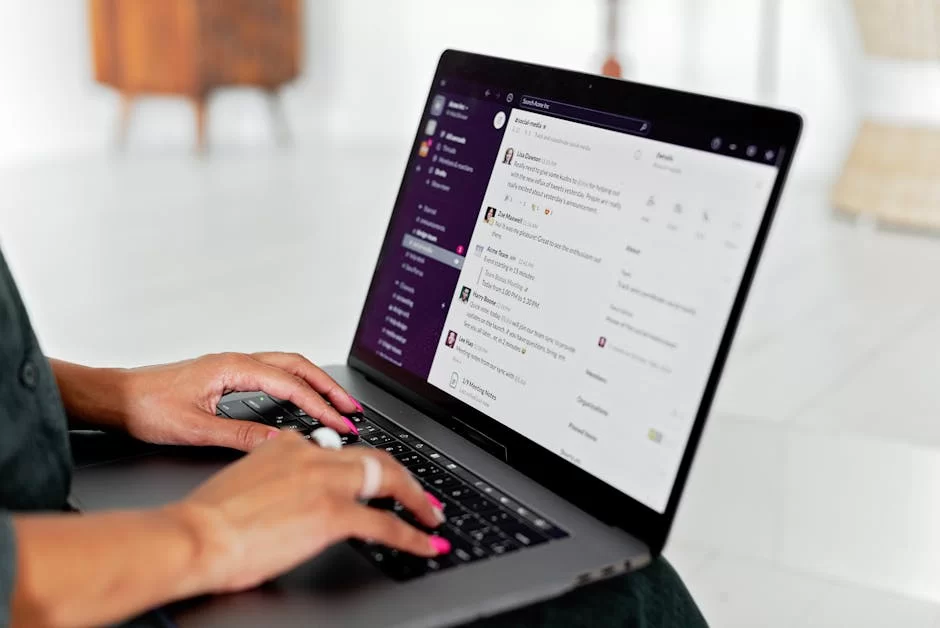
Webmail vs. Email Client: The Difference and Which Is Better?
People often overlook the webmail and email client difference. A webmail interface is the Gmail or Outlook.com page you access through a browser. A client is software you install on your computer. So which one suits you better? Let’s honestly compare these two methods now.
| Feature | Webmail Interface | Desktop Client |
|---|---|---|
| Access | Internet and a browser are a must. | Works offline, accesses local data. |
| Speed | Server-based, can slow with large accounts. | Uses local hardware, usually faster. |
| Security | Depends on session time and browser security. | Offers local encryption and extra security layers. |
| Backup | Needs manual export. | Automates mail archiving (PST, mbox). |
Frankly, as a heavy email user, I use client software (Outlook, Thunderbird, Apple Mail). Because I manage many accounts at once in a single window.
Also, I handle large attachments beyond the mail file sending limit more easily in a client. However, if you travel nonstop, a webmail interface is more practical for you.
Which Is the Best Client? Outlook, Thunderbird, and Apple Mail Comparison
Which is the best email client? This question sparks heated debates. Some pay for Outlook, others stay loyal to the free software Thunderbird.
Apple Mail does its job quietly in the Mac ecosystem. Here is my brutal comparison, crafted with years of skill.
| Feature | Outlook | Thunderbird | Apple Mail |
|---|---|---|---|
| Price | Paid with Microsoft 365 | Completely free | Free (comes with macOS) |
| Calendar | Advanced calendar integration | Via Lightning add-on | Built-in macOS calendar |
| Security | S/MIME and encryption support | Strong encryption with OpenPGP | Standard SSL/TLS connection |
| Add-ons | Broad but closed ecosystem | Very broad open-source add-ons | Limited add-on support |
The lion that lies in my heart is Thunderbird. Because being open-source means freedom. Moreover, it is unmatched on filters and rules.
Outlook is the corporate world standard, merging naturally with Exchange. Apple Mail is ideal for those who seek simplicity and live only in the Apple ecosystem.
Email Management Tips: Filters, Rules, CC/BCC Use, and Time Saving
Don’t let your inbox drown you. You can boost your quality of life with the right email management tips. I am sharing the tactics I have used and tested for years. These methods will save you at least one hour each day.
- Create Auto Filters and Rules: Move incoming mail to folders on its own. For example, mail containing “Invoice” goes straight to the accounting folder.
- Inbox Zero Technique: After reading each email, you must either archive or delete it. See your inbox as a task list, not a waiting room.
- Know the CC and BCC Difference: CC (carbon copy) is where everyone sees each other. BCC (blind carbon copy) protects privacy in bulk mail. In short, do not accidentally put hundreds of people in CC and breach KVKK.
- Write Short and Clear: No one reads long emails. Give the point in the first two lines. In other words, leave a clear action item for the other side.
Also, keep your contacts (address book) management clean. Delete old and unused addresses. This way, the auto-complete feature does not steer you to wrong addresses. Finally, regularly unsubscribe from junk newsletter subscriptions.
Marketing Basics and Commercial Communication
Intro to Email Marketing: Newsletter, Autoresponder, and Segmentation
Email marketing basics are one of the most profitable bets in the digital world. Building an email list gives you the power to reach customers directly.
But success lies in correct segmentation and personalization. The era of sending the same message to everyone is over.
The first step is to set up an autoresponder sequence. A user should get a welcome message when they sign up on your site. Then a series of trigger emails follows them based on their interest.
At this point, the email trigger logic comes into play. You can send a cart reminder or a discount code based on behavior.
A newsletter is a loyalty tool. But balance is very key here. If you constantly send sales-focused messages, your opt-out rate soars.
You should position your brand as a communication tool by offering valuable content. Remember, the question of what email deliverability is stands as the key to your marketing success.
Commercial Electronic Message Consent (Opt-in) and Right to Reject (Opt-out) Rules
Sending commercial messages is a legal minefield. Per KVKK and Trade Ministry rules, clear consent is a must. Thus, you must set up the opt-in mechanism flawlessly. Double opt-in is the safest method.
After signing up for the list, the user gets a confirmation message. If the user does not click this message, the system does not add them to the list.
This way, you clean out fake or mistyped addresses. Also, you hold strong proof in case of future legal disputes.
Every marketing message must have an opt-out link at the bottom. This link must let the user unsubscribe with a single click.
Making the process complex breaks the law and harms brand image. Hence, commercial electronic message management is no joke.
Authoritative Sources About Email
This guide covers the protocol base, security frame, and deliverability standards. Also, if you want to review from more qualified sources, the three documents below are exactly for you.
All of them are authoritative texts I use directly in the field. On top of that, these texts stay current. Therefore, they point straight to technical content rather than a home page.
- IETF RFC 5321 – Simple Mail Transfer Protocol: This is the core spec for SMTP servers and electronic mail transfer. From here, you can learn the finest details of the sending process, command structures, and extension mechanisms.
- NIST SP 800‑45 Version 2 – Guidelines on Electronic Mail Security: This is the email security guide from the US National Institute of Standards and Technology. This guide covers the security of mail servers and clients. Besides that, it offers the most thorough best practices on encryption standards and message protection.
- Google Email Sender Guidelines: This official guide, effective as of 2024, lists SPF, DKIM, and DMARC. It also includes basic needs like TLS connection. The guide explains the current rules, mainly to ensure email deliverability. It also shows the steps you must follow to avoid the spam folder.
Email Questions on Beginners’ Minds
How Do I Get an Email Address?
Which Is the Most Secure Email Provider?
What Are SMTP, POP3, and IMAP?
How Do I Block Spam (Junk) Emails?
What Should I Do If My Email Account Is Stolen?
How Do I Manage My Inbox Effectively?
What Is a Temp Email and What Is It For?
What Are the Email Sending and Receiving Limits?
Email or Instant Messaging? Which Is Better?
Conclusion: The Present and Future of Email
A Quick Summary of What We Learned
In this huge guide, we scanned the email universe from start to finish. We covered everything from its basic definition to complex protocols.
Now you know this device is not just a message box. Let’s briefly recall the key points of our journey.
- Definition and History: The digital letter has evolved amazingly from ARPANET to today.
- Protocols: You can now easily explain what SMTP is and the POP3 and IMAP difference.
- Security: You gained awareness on spam filters, phishing, and end-to-end encryption.
- Management: Thanks to the webmail and email client difference and filter use, your output rose.
- Legal Compliance: You grasped vital topics like KVKK, opt-in, and the email data breach notification process.
In light of all this knowledge, email management is no longer a burden for you. With the right strategies, you can turn it into your strongest weapon.
Above all, grasping the core principles will make your job much easier. Because knowledge is the key to surviving in the digital world.
Email Toward 2030: Artificial Intelligence, BIMI, and Digital Identity
When I look to the future, I see an exciting picture for email. AI-powered smart responders will become routine. They will not just write text but also set up meetings for you. Human input in message management will shrink to a minimum.
The BIMI (Brand Indicators) standard will fully change the trust game. You will see verified brand logos in your inbox.
This will make spotting fake mail much easier. Just like the evolution of technology, this system keeps evolving nonstop.
Digital identity management will merge with decentralized structures. Maybe your email address will turn into an ID card secured on a blockchain.
I can easily say this: this communication tool will never die. It will just change shape and become more secure and smart. To keep up with this shift, grasping the logic of integration is a must.

Be the first to share your comment