

You see the same acronym everywhere in digital video. File extensions, player settings, camera specs—those four letters always show up. Most people think MPEG is just an old video format. The truth runs far deeper and is much more exciting.
Let me tell you straight: MPEG is not a file type. This acronym stands for a group of experts who have shaped digital media since 1988. It also points to the huge family of standards they produce. Without these standards, modern video would never exist as we know it.
You watch 4K films on Netflix or send voice notes on WhatsApp. All of this actually rests on the group’s work. Their standards now appear everywhere.
By 2026, their reach extends from genomics to the metaverse. As a computer expert of many years, I can say this clearly: people mix up container and codec concepts.
They convert files without knowing the difference between MPEG and MP4. They do not grasp why license issues block videos on their phones.
Our guide starts from zero and goes all the way to VVC H.266 and AI-powered encoding. In the troubleshooting section, we will eliminate those frustrating green screen errors for good.
What is MPEG? Core Definition and Modern Relevance in 2026
This body takes its initials from Moving Picture Experts Group. It operates under a joint effort by ISO and IEC. The industry knows it by the formal name ISO/IEC JTC 1/SC 29/WG 11 working group. Hundreds of engineers from across the globe contribute to MPEG as volunteers.
Meetings take place four times a year in different countries. Engineers fiercely debate compression algorithms in every session. Ultimately, MPEG standards become the common language for billions of devices.
The goal at the first meeting in 1988 was simple: fit a movie on a CD. Back then, nobody talked about 8K broadcasts or spatial audio. However, the core principle of MPEG never changed: strip out needless data the human eye and ear cannot perceive.
Today, dozens of different standards come to mind when you hear MPEG. This family spans MPEG-1 to MPEG-5 VVC and MPEG-DASH to MPEG-G. It forms the invisible backbone of digital life.
Each one answers a different need. For this reason, MPEG truly is a one-of-a-kind ecosystem.
From MPEG to Architects of the Digital Universe
This working group is, in truth, a standardization factory. What began under Leonardo Chiariglione’s leadership has now grown into a massive ecosystem.
Just think: a technology built for VCD in 1988 now has descendants running on Netflix servers. MPEG sparked a full digital revolution.
The group’s work method is highly democratic. Each member company proposes its own technology at MPEG meetings. Then they run fierce tests with reference software. This way, the most efficient solution becomes the standard.
The most critical stage is the Call for Proposals. At this stage, giants like Apple, Microsoft, Samsung, and Huawei race their compression algorithms. MPEG distributes the winning technology as a standard to billions of devices.
Publishing the standard does not end the work. The patent pool formation process begins. Organizations like Via Licensing or MPEG LA handle the licensing work. The MPEG license model sometimes becomes tangled and crises erupt.
Over the years, this group produced MP3, AAC, H.264, H.265, and dozens more groundbreaking standards. Each one radically changed the industry.
Today, AI-powered video coding sits at the top of MPEG’s agenda.
Why MPEG Is a Standard, Not Just a File Extension
Users usually see files with .mpg or .mpeg extensions and think they are formats. Yet those extensions are merely the tiny visible tip of the iceberg.
The real action lies in the massive technical specs behind the scenes. People often misunderstand the MPEG format at this point.
Every MPEG standard consists of thousands of pages of documents. These documents cover every detail from bitstream structure to profile and level definitions.
Manufacturers follow these rules to the letter to build devices that work with each other. They achieve MPEG compatibility this way.
The standardization process rests on consensus. Samsung’s proposed motion estimation method and Apple’s color processing algorithm meet in the same spec. Ultimately, a common MPEG language emerges that the whole industry can use.
File extensions, meanwhile, help operating systems understand how to open the content. The .mp4 extension is a container format. It can hold videos compressed with MPEG codecs inside. Thus, judging by the extension alone will mislead you.
Understanding this distinction became more vital than ever in 2026. A single file now holds video, audio, and subtitles. Additionally, you can add metadata and 3D position data to it. MPEG standards manage all this complexity.
The MPEG Standard Family: Full List from MPEG-1 to MPEG-5 VVC
This standard family masterfully blends temporal and spatial compression methods. MPEG eliminates redundant parts of the image with the Discrete Cosine Transform, or DCT. Using motion estimation, it then evaluates similarities between consecutive frames.
There is another dimension to this: the DCT is also the heart of the JPEG format. The same mathematical principle works in image compression. JPEG compression helps your photos take up far less space.
What we call temporal redundancy is actually quite simple. The background in a talking-head video usually stays fixed. Only the lips and expressions change. Therefore, the MPEG encoder records just the change instead of storing that fixed part over and over.
Spatial redundancy deals with similar pixels within a single frame. Storing every pixel one by one in a scene with blue sky is inefficient. The MPEG encoder marks that region as a single color block.
The GOP structure—Group of Pictures—is the heart of this whole process. An I-frame is a full stand-alone frame. A P-frame forms by referencing the previous frame. A B-frame references both the previous and the next frame. Thanks to this clever setup, MPEG achieves incredible compression ratios.
The MPEG Generation Timeline: From VCD to 16K
Now let us meet each member of this family up close. Let us take a timeline tour and explore the journey from VCD to 8K broadcast. Every MPEG generation is more efficient than the last.
| Standard | Year | Resolution | Use Case |
|---|---|---|---|
| MPEG-1 | 1993 | 352×240 | VCD, MP3 |
| MPEG-2 | 1995 | 720×576 | DVD, DVB |
| MPEG-4 Part 2 | 1999 | Various | DivX, XviD |
| MPEG-4 Part 10 (H.264) | 2003 | Up to 8K | Blu-ray, YouTube |
| MPEG-H Part 2 (H.265) | 2013 | Up to 8K | 4K TV, Netflix |
| MPEG-5 Part 1 (VVC/H.266) | 2020 | Up to 16K | 8K broadcast, ATSC 3.0 |
The table above shows the backbone of the standard family. Yet the story does not end here. MPEG-7, MPEG-21, and other letters of the alphabet serve entirely different goals. I will cover them in detail in later sections.
Each new generation is roughly 50% more efficient than the one before. You can store the same quality video at half the size. This efficiency gain is vital in the mobile age. So, the MPEG evolution is truly fascinating.
The Legendary MP3 and Audio Layers: The Story of MPEG-1 Audio Layer 3
The MP3 format is actually the audio layer of the MPEG-1 standard. Its full name is MPEG-1 Audio Layer 3. This technology, built in the early 1990s, shook the music industry to its core. MPEG made history with this move.
Engineers at the Fraunhofer Institute mapped the psychoacoustic model of the human ear. They found that our ear does not hear a soft sound next to a loud one. Using this auditory masking principle, MPEG managed to compress CD-quality audio by a factor of 12.
An MP3 audio file at 128 kbps bit rate is about one-tenth of its original size. Most listeners cannot even tell the difference. Conversely, the Napster and iPod revolution became possible entirely thanks to MPEG.
People still choose the MP3 format today. However, it has largely given way to AAC. AAC is also a member of the MPEG family and part of the MPEG-4 standard. At the same bit rate, it sounds noticeably better than MP3.
MPEG-1 Audio Layer 1 and Layer 2 also exist but never caught on. Radio broadcasters used Layer 2 for a while in DAB digital radio.
Layer 3, on the other hand, became a full-blown phenomenon. It sparked the first cultural revolution of the internet age. In short, MPEG broke new ground with this success.
The Missing Link of MPEG: Why MPEG-3 Never Existed
Many people look for a standard called MPEG-3 but never find it. The reason is quite interesting. Developers planned the MPEG-3 standard for HDTV in the early 1990s. Their aim was to compress high-definition broadcasts.
However, during the development process, engineers noticed that MPEG-2 already had the capacity to do this job. The profile and level structure of MPEG-2 was flexible enough to cover HDTV as well. Therefore, there was no need for a separate MPEG standard.
They officially canceled the project and started working on MPEG-4. Thus, the MPEG-3 number remained an empty slot in the dusty pages of history. This shows just how pragmatic the MPEG standardization process is.
People who know about this gap sometimes confuse MP3 with MPEG-3. Yet MP3 is entirely different and is the audio layer of MPEG-1. MPEG-3 is a video standard that was never born.
This confusion still lingers in the industry. In fact, I have even read conspiracy theories on some old forums. They claim MPEG-3 was a secret project. The truth is much simpler: the team proceeded directly to the next MPEG generation to avoid wasting resources.
The Standard of the Future: MPEG-5 VVC (H.266) and 8K Broadcast & Beyond
VVC—Versatile Video Coding—is the newest video coding member of the MPEG family. We also know this standard, developed jointly with ITU-T, as H.266.
MPEG finalized this standard in 2020. Moreover, the technology started gaining real traction as of 2026. The group pushed boundaries yet again with this standard.
VVC is about 50% more efficient than HEVC. It offers the same quality at half the file size. Broadcasting 8K HDR video at reasonable bit rates is now possible. The ATSC 3.0 digital television system also adopted VVC as its core codec.
The biggest innovation of VVC lies in its coding block structure. It uses a variable-size Quad-Tree structure instead of fixed macroblocks. This way, it applies the best compression method to each part of the image.
Affine motion estimation and 360-degree video support are bonus features. They optimized VVC not just for flat screens but also for VR video formats. This feature will be invaluable in the metaverse era.
Hardware Support, Licensing Process, and Performance Testing
On the hardware support side, progress is accelerating. For instance, Qualcomm’s Snapdragon 8 Gen 4 chipset offers hardware VVC decoding support.
Apple’s M4 chip also supports the same technology. We will start seeing this support in mid-range phones in the second half of 2026.
File size tests are truly striking. The same 8K video occupies 40 GB with H.264, 20 GB with HEVC, and just 10 GB with VVC.
Additionally, the VMAF score stays above 95. With these numbers, MPEG cuts storage and bandwidth costs in half.
The MPEG vs. MP4 Confusion: Container vs. Codec
One of the questions I hear most is whether MPEG and MP4 are the same thing. Let me answer clearly: no, they are absolutely not the same. Understanding the difference between them changes your entire digital media perspective.
MPEG is a family of standards. MP4, on the other hand, is a media container format. A container is a digital box where you place video and audio streams. A codec is the mathematical algorithm that compresses those streams.
The MP4 container goes by the formal name MPEG-4 Part 14. Thus, it is ultimately an MPEG standard. Yet it is a container, not a codec. It can hold videos compressed with H.264, H.265, or AV1 inside.
This confusion has persisted in the industry for years. When users see a file with the .mp4 extension, they assume it has an MPEG-4 codec. However, an MP4 container can also carry VP9-encoded video.
Codec choice and container difference really matter. Misunderstanding them leads to quality loss during conversion. You also face compatibility issues. MPEG sits at the very center of this distinction. Let us now explore this topic in depth.
Does Converting a Video from MPEG to MP4 Cause Quality Loss?
The answer to this question depends on the conversion method. If you only change the container—that is, do a remux—the quality loss is zero. As a result, you move the video stream into the new box as is.
However, the situation changes if you re-encode. Every encoding process involves lossy compression.
For this reason, you must analyze the visual quality loss. Moreover, generational quality loss accumulates over time. MPEG conversion tasks are critical because of this.
ffmpeg -i video.mpg -c copy video.mp4If re-encoding is necessary, set the bit rate correctly. Entering a value lower than the original file’s bit rate will visibly reduce the quality. Using the same or slightly higher bit rate provides relative protection.
The CRF—Constant Rate Factor—method is the most effective choice. It targets constant quality and prevents needless high bit rate usage. A CRF value of 18 in the x264 encoder is very close to visually lossless.
If you are converting old MPEG videos to play on new phones, the H.264 baseline profile is a reliable choice.
Nearly every device opens this profile with hardware acceleration. Additionally, you will experience no stuttering at all during playback.
Technical Differences Between .mpeg, .mpg, and .mp4 Extensions
There is serious misinformation in the market about file extensions. Each extension points to a different purpose and historical context. Let us lay out these differences with a clear table.
| Extension | Type | Typical Content | Prevalence (2026) |
|---|---|---|---|
| .mpeg | MPEG-1/2 System Stream | VCD, old camera recordings | Very low, nostalgic |
| .mpg | MPEG-1/2 Program Stream | DVD rips, old videos | Low, in archives |
| .mp4 | MPEG-4 Part 14 Container | H.264/H.265/AV1 video + AAC audio | Very high, standard |
| .m4v | Apple MP4 variant | iTunes videos, DRM content | Low, Apple ecosystem |
| .ts | MPEG Transport Stream | Live TV broadcast, recordings | Medium, in broadcasting |
As you can see from the table, .mp4 is the undisputed standard today. The .mpg and .mpeg extensions are now essentially historical artifacts. Yet plenty of MPEG files still exist in archives.
You may need an extra codec to open .mpg files on Windows 11. Microsoft does not include the MPEG-2 codec in the operating system environment due to license fees. I will detail the solution for this in the troubleshooting section.
Another critical point is security. Some people ask whether an MPEG file is safe. The extension itself does not contain a virus. However, watch out for double-extension files like .mpg.exe. Always download from a trusted source.
NOTE: What most people overlook is that DVDs are encoded with the NTSC standard. This analog television legacy affects video playback compatibility.
The Most Popular MPEG Codecs: H.264 (AVC), H.265 (HEVC), and Alternatives
Codec choice directly impacts video quality and compatibility. If you pick the wrong codec, you cannot play your video on some devices.
You also waste storage space for no reason. The MPEG codec family offers rich options for this choice.
H.264, or AVC, remains the most widespread codec in the world. It is YouTube’s default format and the common language of all devices. Staying relevant since its launch in 2003 is a huge success. MPEG cemented its dominance with this codec.
H.265, or HEVC, is now challenging H.264’s dominance. It promises half the file size at the same quality. Yet license chaos hindered its spread. I will go into this in detail shortly.
The AV1 open-source codec is also a serious alternative in the market now. Developed by the Alliance for Open Media, this codec is royalty-free. Giants like Google, Netflix, and Amazon are switching to AV1 quickly.
My field observation is this: H.264 is the safest choice for web streaming. HEVC is ideal for archiving. If you are investing in the future, start learning AV1 or VVC. MPEG offers a codec for every scenario. Now let us make the most critical comparisons.
H.264 (AVC) vs. H.265 (HEVC): How Is Half the Size Possible at the Same Quality?
HEVC’s advantage lies in its coding block structure. H.264 works with fixed 16×16 macroblocks. HEVC, on the other hand, uses variable Coding Tree Units up to 64×64. Large blocks are more efficient in large flat areas.
HEVC is also ahead in chroma subsampling. It natively supports 4:2:2 and 4:4:4 color subsampling. This way, color accuracy is not lost in professional video work.
On the motion estimation front, HEVC is far more precise. It can predict with half-pixel and quarter-pixel accuracy. It also offers 35 different intra-frame prediction modes.
| Feature | H.264 (AVC) | H.265 (HEVC) |
|---|---|---|
| Maximum Block Size | 16×16 | 64×64 |
| Prediction Mode Count | 9 | 35 |
| 4K File Size (2 hours) | ~40 GB | ~20 GB |
| Encoding Time (relative) | 1x | 3-5x longer |
| Hardware Support (2026) | 100% | 95% |
This efficiency gap is not free. HEVC encoding demands 3 to 5 times more processing power than H.264. Using it in large projects without setting up a professional encoding pipeline can become a real challenge.
My advice is this: H.264 is still the best choice for end-user distribution. On the archive and broadcast server side, use HEVC. Old devices without hardware-accelerated decoding support already struggle with HEVC anyway.
Which MPEG Codec Setting Gives the Least Quality Loss When Editing Video?
Codec choice in the video editing workflow is vital. Wrong settings can make you wait hours for a render and then give you a blurry video. Drawing on years of experience, I list the best MPEG settings below.
- Use Apple ProRes or Avid DNxHD as your intermediate editing format. These are visually lossless and work perfectly with editing software.
- For final output, choose H.264 High Profile, Level 4.1. Keep the CRF value in the 16-18 range. This setting gives visually transparent quality.
- Adjust the bit rate based on content. For fast-action videos, 20-25 Mbps is sufficient. For talking-head videos, 8-12 Mbps works well.
- Choose AAC 256 kbps as your audio codec. It sounds better than MP3 320 kbps and occupies less space.
- Keep the frame rate the same as the source material. Converting a 24 fps film to 30 fps adds interpolated frames and disrupts the motion.
- Always choose the High profile and the level that fits your resolution. Main or Baseline profile reduces the quality.
If you have the time, definitely use two-pass encoding. Compared to single-pass, it creates a clear quality difference, especially at low bit rates. The first pass runs the analysis, and the second pass distributes the bits optimally.
MPEG vs. AV1 and VP9: The Open-Source Codec Wars and the License Crisis
Codec wars have been intensifying over the past five years. The open-source front answered MPEG’s patent pool model with AV1. This rivalry directly affects the end user.
Google started this war with the VP9 codec. VP9 is royalty-free and serves as YouTube’s secondary codec. However, it did not gain wide industry acceptance because it was not as efficient as HEVC.
The Alliance for Open Media launched AV1 in 2018. Amazon, Apple, Google, Meta, Microsoft, and Netflix are the founding members of this alliance. AV1 claims to be 30% more efficient than HEVC and is royalty-free.
The MPEG front, meanwhile, hit back with VVC. It is technically superior to AV1, but the license cost is a topic of debate. Two separate patent pools and numerous independent patent holders complicate the situation.
This war continues in 2026. Netflix has accelerated its shift to AV1. YouTube has started VVC tests. The user is caught in the middle. Let us dive into the MPEG details to help you decide.
The HEVC (H.265) License Crisis: Why Won’t Videos Open on Your Phone?
The HEVC license dispute is the industry’s most significant conflict. MPEG LA initially ran a single pool. Then a second pool called HEVC Advance emerged. After that, third parties like Technicolor and Velos Media also claimed rights.
This situation concerned device makers. Samsung, LG, and Sony added HEVC hardware support to phones.
Yet they hesitated to license the software decoder. As a result, on some devices, HEVC videos play via hardware decoding but not via software decoding.
The Microsoft Store sells the HEVC codec to users on Windows 11 for a fee. Users do not download this add-on because it requires payment.
Consequently, the system cannot play the video. Apple, meanwhile, includes the license fee in the device price, so this problem does not occur on iPhones.
If you ask how license policies affect the end user, the answer is straightforward. Naturally, you cannot open the video on your phone or play it in the browser.
Some social media apps even reject HEVC uploads. For this reason, I can still say H.264 is the best for sharing.
The rise of VP9 and AV1 is fueled by this license crisis. Why did the open-source movement choose AV1? Because this choice offers an escape from copyright restrictions. Tech giants grew tired of paying per-device license fees.
AV1, VP9, and H.266 (VVC) Comparison: Which Codec Should You Choose in 2026?
The codec selection guide in 2026 takes shape around the quality-size-compatibility triangle. Every codec has strengths and weaknesses. Let us compare them with objective data.
| Metric | VP9 | AV1 | HEVC (H.265) | VVC (H.266) |
|---|---|---|---|---|
| Compression Efficiency | Medium | High | High | Very High |
| Encoding Speed | Fast | Slow | Medium | Very Slow |
| Hardware Support | Widespread | Growing | Very Widespread | Just Starting |
| License Fee | Royalty-Free | Royalty-Free | Patented, Complex | Patented, Very Complex |
| 8K Readiness | Weak | Good | Good | Excellent |
| Broadcaster Support | YouTube | Netflix, YouTube | Netflix, Apple TV+ | ATSC 3.0, NHK |
I draw these conclusions from the table. For web streaming today, use H.264. For tomorrow, learn AV1. But, for archiving and professional work, HEVC is ideal. If you invest in the future, follow VVC.
I give a clear answer to the question of whether AV1 or HEVC is better. They are very close in quality, and AV1 stands out for being royalty-free. However, its encoding speed is 3 times slower than HEVC. This gap significantly raises costs in large projects.
Those looking for royalty-free video formats should turn to AV1 and VP9. These codecs, free of patent restrictions, are invaluable, especially for open-source projects and startups. Large companies already buy the HEVC license in bulk anyway.
Common MPEG Video Problems and Step-by-Step Solutions
Theory is useful, but the real task is solving problems. I have examined error reports from thousands of users over the years. I gathered the most common issues and their practical solutions in this section.
Most of these problems stem from missing codecs, incompatible players, or corrupt files. The good news is that nearly all have a simple solution. All you need is the right tool and a bit of patience.
I will guide you step by step. I will clearly explain what you need to do in each scenario. Let us solve those frustrating errors together.
Why MPEG-2 Videos Won’t Open in Windows 11? (Free Alternatives)
Windows 11 does not include the MPEG-2 codec in a clean install. Microsoft made this codec optional to avoid paying the license fee.
Because of this, you get an error when you try to watch a DVD or open old camera recordings.
The official MPEG-2 Video Extension in the Microsoft Store costs money. Fortunately, free and fully legal alternatives exist. Here are the step-by-step solutions.
- Install VLC Media Player. VLC includes all its codecs internally and works fully with Windows 11. The greatest advantage is that it is completely free.
- Install the K-Lite Codec Pack Basic version. This pack adds MPEG-2 support to Windows Media Player. I suggest you install the Basic version rather than the Full one, though.
- Convert with FFmpeg. Converting your old MPEG-2 files to H.264 MP4 is beneficial for both compatibility and storage.
- Try the MPC-HC player. Media Player Classic is lightweight and natively supports almost every format. It works flawlessly on Windows 11 for this reason.
- Consider the PotPlayer alternative. This South Korean player is unmatched when it comes to hardware-accelerated playback.
The most radical solution for the MPEG codec error is to remove all codec packs and install only VLC. Codec packs sometimes conflict with each other and cause greater problems. A clean start is always better.
Phone Won’t Open MPEG, Green Screen, or Video Pixelation Problem
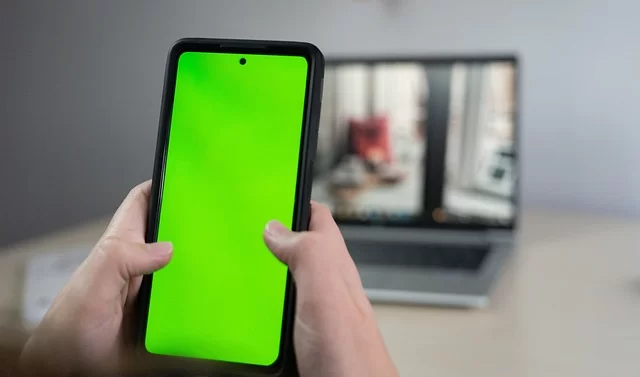
The question “my phone won’t open MPEG, what should I do?” is one of the most common. Android users especially suffer from this issue. For iPhone users, HEVC-related issues are more common.
Follow these steps in order for the solution. First, try a different player. The mobile version of VLC opens almost any MPEG format, just like the desktop version.
In the second step, make sure the file is not corrupt. Transfer the file to a computer and try opening it with VLC. If it does not open on the computer either, the problem is with the video file.
As a third issue, you may face a green screen error while playing video. This means you have a problem with the hardware decoding system. Turn off hardware acceleration in the player settings and switch to software decoding.
Check the bit rate to solve the video pixelation problem. Very low bit rate videos look pixelated on a large screen.
Moreover, this situation creates a blurriness problem on the screen. Unfortunately, there is no going back from this—you need to re-encode.
Convert the file as a last resort. Use HandBrake or mobile FFmpeg to convert the video to an H.264 profile suitable for your phone. The Baseline profile runs smoothly on all devices.
Browser Video Won’t Open, Muddy Video, and Audio Drift Problem
Video playback issues in web browsers are a separate challenge. Chrome, Firefox, Safari, and Edge support different codecs.
A video that runs smoothly in one browser may not open in another.
| Problem | Likely Cause | Solution |
|---|---|---|
| Why video won’t open in browser | Missing codec or MIME type error | Add the correct MIME type to the server, such as video/webm or video/mp4. |
| Muddy video problem | Low bit rate or heavy compression | Re-encode from the original source at a higher bit rate |
| Audio drift (lip sync issue) | Variable frame rate or corrupt timestamp | Convert to constant frame rate with FFmpeg: -vsync cfr |
| Why video stutters | Packet loss or insufficient bandwidth | Switch to adaptive bit rate streaming (DASH or HLS) |
| Green screen or black screen | GPU driver error or decoder mismatch | Turn off browser hardware acceleration |
Most of these problems come from an error in the encoding chain. When encoding video, you must use a constant frame rate, correct GOP structure, and compatible profile. Otherwise, cross-browser inconsistency is certain.
If you do professional web streaming, use MPEG-DASH or HLS. Both technologies offer adaptive bit rate and automatically adjust to different devices. I will explain the details in the next section.
MPEG and Streaming Technologies: DASH, HLS, and the Future of Live Broadcast
Streaming protocols form the backbone of the modern internet. MPEG also sets the relevant protocols in this area. Technologies like MPEG-DASH and MPEG-TS are extremely common. In fact, we see these systems everywhere from Netflix to live TV broadcasts.
The team developed the DASH technology entirely on its own. That is, this team built the Dynamic Adaptive Streaming over HTTP system. It is an international ISO standard and is codec-agnostic. It works regardless of whether you use H.264, H.265, AV1, or VVC.
HLS, on the other hand, is Apple’s HTTP Live Streaming protocol. Initially, it only worked on Apple devices. Today, nearly all platforms support this protocol.
The rivalry between these two technologies shapes the industry. Both offer adaptive bit rate. Yet their philosophies and technical details differ. To make the right choice, you must understand the ISO/IEC standard coding differences.
MPEG-DASH vs. HLS: Which Is Better, and When Should You Choose Each?
I have been answering this question for years. The answer changes based on your use case. There is no universal “best one.” Here is the objective comparison table.
| Feature | MPEG-DASH | HLS |
|---|---|---|
| Standard Type | International ISO standard | Apple proprietary, later became RFC |
| Codec Support | Codec-agnostic, all | H.264, H.265, limited AV1 |
| Live Stream Latency | 2-5 seconds (low-latency mode) | 2-8 seconds (2-3 with LL-HLS) |
| DRM Integration | PlayReady, Widevine, FairPlay | FairPlay (native), others via plugin |
| iOS Support | Not native, needs plugin | Full native support |
| Segment Format | MP4 or TS | TS or fMP4 |
If your target audience is mainly iOS users, HLS is essential. Apple does not natively support DASH. You need special JavaScript libraries to play DASH in Safari.
If you reach a global audience, DASH is better. Switching to VVC or another codec in the future is easy thanks to its codec-agnostic nature. It is also cleaner from a licensing standpoint.
My advice is to package and serve both. Modern encoding pipelines can produce both DASH and HLS manifests from a single source. This way, you reach all devices with the most suitable protocol.
The Difference Between MPEG-TS and MPEG-DASH in Live Streaming and Latency Optimization
Two different philosophies clash in the live streaming world. MPEG-TS, or Transport Stream, is the standard for traditional broadcasting. MPEG-DASH, meanwhile, is the modern HTTP-based approach.
MPEG-TS works at a constant bit rate and flows over UDP. It withstands packet loss but uses bandwidth inefficiently. On the other hand, TV studios and satellite broadcasts still use MPEG-TS.
DASH, on the other hand, works over HTTP with TCP. The system downloads this data in segments and plays it. TCP resends data if packets are dropped. This ensures reliability but adds latency.
| Feature | MPEG-TS | MPEG-DASH |
|---|---|---|
| Transport Protocol | UDP (usually) | HTTP/TCP |
| Latency | Under 1 second | 2-5 seconds |
| Bandwidth Efficiency | Low (constant bit rate) | High (adaptive) |
| CDN Support | Needs a special server | Standard CDN is sufficient |
| Current Usage | TV studios, satellite | Web, mobile, OTT |
For low-latency streaming, look at the CMAF (Common Media Application Format) standard. It produces low-latency segments compatible with both DASH and HLS. It is especially ideal for sports events and interactive broadcasts.
On the encoding latency side, using a hardware encoder is essential. Software encoding creates unacceptable delays in live streaming. Hardware solutions like NVIDIA NVENC or Intel QuickSync deliver encoding times under 1 second.
Surprising Standards: From Genome to Metaverse
When people hear MPEG, only video comes to mind. Yet this working group does far more than that. The standards they have developed in recent years resemble science fiction films.
A spectrum stretches from the human genome to 3D audio, from augmented reality to machine learning. These standards usually do not get media coverage but quietly change our lives.
What excites me the most is the MPEG-I immersive media standard. It will form the basis for metaverse and mixed reality applications. Let us become familiar with these unusual standards up close.
MPEG-G: Compressing the Human Genome Like MP3 Compression

MPEG-G, the Genomic Information Representation standard, will amaze you. Engineers built a special standard to compress genome data. The human genome has about 3 billion base pairs, and its raw form exceeds 200 GB.
MPEG-G shrinks this massive data to under 1 GB. It also uses lossless compression. That means no genetic data is lost. This feat is groundbreaking in the world of medicine.
Developers optimized this standard not just for storage but also for querying. Researchers can search directly on the compressed genome. Thus, they can access specific gene regions without unpacking the data.
This standard shows how flexible MPEG’s thinking can be. The principles between video and data compression algorithms are universal. For this reason, they adapted the same mathematical foundations to genome data.
MPEG-I and the Metaverse: 6DoF Immersive Media and Virtual Worlds

Developers designed the MPEG-I immersive media standard as the ISO/IEC 23090 series. Its goal is to deliver a fully immersive experience. It goes beyond 360-degree video and creates spaces where you can move with 6 degrees of freedom.
A 6DoF immersive experience means this: you do not just turn your head. You can walk inside the virtual space. You can lean closer to or farther from an object. This technology forms the infrastructure for metaverse applications.
The most critical piece of MPEG-I is Part 3 VVC. VVC is essential for compressing 8K and higher resolutions. Additionally, immersive media demands incredibly high bandwidth.
MPEG-I Immersive Audio, the spatial audio standard, is also part of this package. Developers number this standard as ISO/IEC 23090-34. It also offers object-based audio and ambisonics support.
Here lies the answer to the question of what MPEG standards exist for the metaverse. MPEG-I and MPEG-V are the two cornerstones of this space. MPEG-AR, meanwhile, manages the augmented reality layer.
MPEG-H 3D Audio and Dolby Atmos: The Encoding War for Spatial Sound
Spatial audio technology is the most prominent topic of recent years. Dolby Atmos moved from cinemas into homes. MPEG-H 3D Audio, meanwhile, fights back in the broadcasting world.
The MPEG-H audio system became a standard as ISO/IEC 23008-3. It merges object-based audio, channel-based audio, and ambisonics into a single framework. It gives the listener the freedom to move sounds in space.
South Korea chose MPEG-H 3D Audio for the ATSC 3.0 digital television system. Trials also continue in Brazil and Europe. This choice marks a significant step toward becoming the broadcast industry standard.
| Feature | MPEG-H 3D Audio | Dolby Atmos |
|---|---|---|
| Standard Type | Open ISO standard | Proprietary |
| Channel Support | Up to 64 speakers | Up to 34 speakers (home) |
| Interactivity | User volume control | Limited personalization |
| Broadcasting | ATSC 3.0, DVB | Streaming, cinema |
| License Cost | Standard license, reasonable | Dolby license fee, high |
My answer to the Dolby Atmos vs. MPEG-H 3D Audio question is this. Dolby Atmos leads for home cinema and movie theaters. MPEG-H, on the other hand, suits broadcasting and interactive applications better.
Netflix uses Dolby Atmos on the audio quality side. Apple TV Plus, meanwhile, offers its own spatial audio technology alongside Dolby. Ultimately, this rivalry yields great results for consumers.
The Invisible Standards: Decoding the A, B, C, D, E, M, U, V Alphabet
The MPEG family does not consist only of numbered standards. A series of alphabetically classified standard groups also exists. Each letter stands for a different system level or application area.
The most basic standards are MPEG-A application formats and MPEG-B system standards. MPEG-C video standards and MPEG-D audio standards also stand out alongside these. Finally, the MPEG-E multimedia terminal standard covers the device side.
Developers produced MPEG-M technology for packaging, MPEG-U for user interfaces, and MPEG-V for virtual world integration. This collection of standards looks complex at first glance, but each one answers a specific need.
Now let us put the most critical of these invisible standards under the microscope. MPEG-7, MPEG-21, and MPEG-V are cornerstones of modern digital life in particular.
MPEG-7 and MPEG-21: Multimedia Content Metadata & Digital Rights Management
But, MPEG-7 is not a compression standard. It is a multimedia content description standard. It helps identify what the content is in the image processing pipeline. Specifically, it defines features like color, texture, shape, and motion.
Thanks to this standard, you can automatically find scenes with cars inside a video. Or you can match tracks with similar rhythms in your music archive. As a metadata standard, it enables searching across massive databases.
MPEG-21, meanwhile, is the digital rights management and content distribution framework. It manages the lifecycle of digital items from start to finish. It covers every stage from creation to consumption, licensing to payment.
These two standards work together to create a smart content ecosystem. MPEG-7 identifies the content, and MPEG-21 defines how to use that content. Neither standard performs video compression, but both are vital as digital media standards.
MPEG-V: The Standard That Merges the Real World with the Virtual World
They designed the MPEG-V format as a standard for real and virtual worlds. They published it as the ISO/IEC 23005 series. Moreover, it enables events in the virtual space to trigger devices in the real world.
Imagine it is raining in the virtual world. Thanks to MPEG-V, the haptic vest in your room makes you feel it. Or when a virtual blast happens, the system shakes your seat. Sensory effects and haptic feedback fall within this standard’s domain.
Mixed reality applications and 360-degree video experiences grow richer with MPEG-V. Additionally, the interaction of virtual objects with physical sensors becomes possible through it.
MPEG-V also standardizes the animation data of virtual characters. It stores avatar movements and facial expressions in this format. This way, character transfer between different platforms becomes possible.
As an industry standard, MPEG-V is still in its infancy. Yet its importance will multiply as metaverse investments rise. I suggest you familiarize yourself with this standard now.
The Future of MPEG: AI (NNVC) and ATSC 3.0 Open New Horizons
So, the future of MPEG takes shape under two major headings. The first is AI-powered video coding. Plus, the second is the next-generation digital television system ATSC 3.0.
NNVC, or Neural Network Video Coding, is not yet an official standard. Yet the working group devotes intense effort to this area. Neural network-based video coding could radically change traditional methods.
ATSC 3.0, meanwhile, has already entered use in the United States and South Korea. This system builds on VVC and MPEG-H 3D Audio. It thus merges the internet and broadcasting into a single protocol.
These two developments will define MPEG’s next decade. Let us now examine each one in detail.
AI-Powered Video Coding (NNVC): MPEG’s Groundbreaking Step
AI is opening a whole new page in the world of video coding. Traditional DCT and motion estimation methods are giving way to neural networks. On top of that, this shift could double the compression efficiency.
The NNVC neural network-based video coding project is still in the research phase. Early results show it could be 30% more efficient than VVC. Yet the encoding time is far too long for practical use right now.
MPEG-ACoM, or Audio Coding for Machines, is also part of the AI ecosystem. They optimized this standard not for the human ear but for machine listening. Consequently, smart assistants and sensor networks use this codec.
Neural network compression methods do not yet have hardware support. You can use current GPUs for encoding, but decoding requires a special chip. This is the biggest hurdle standing in the way of NNVC adoption.
The team set up a special subgroup for NNVC within the standardization process. The team aims to publish the first draft specification in 2027. Commercial products, however, will likely arrive in the 2030s.
MPEG’s Role in ATSC 3.0 and the Future of Digital Television
MPEG standards are also central to the ATSC 3.0 digital television system. It uses VVC (H.266) for video and MPEG-H 3D Audio for sound. This combination makes 4K HDR quality possible over terrestrial broadcast.
South Korea started ATSC 3.0 broadcasts in 2017. More than 100 cities in the United States switched to this system. Brazil and India also decided to adopt ATSC 3.0. Europe, meanwhile, develops its own version under the name DVB-I.
The biggest innovation of this system is that it merges the internet and broadcast. The signal from the antenna and data from the internet combine on the same screen. Additionally, the viewer does not even notice it.
The 4K HDR broadcast profile is a standard feature of ATSC 3.0. It optionally supports 8K video coding standards. The future of MPEG largely depends on the global success of ATSC 3.0.
Digital television broadcast is no longer one-way. ATSC 3.0 enables targeted ads and tailored content for the viewer. All of this becomes possible thanks to the metadata capabilities that MPEG standards provide.
Further Reading Resources on Digital Video Standard
I covered the MPEG ecosystem as comprehensively as possible in this guide. Yet the topic is so deep that each heading is a book topic on its own. I suggest you check out the authoritative sources below for more advanced knowledge.
The working group’s official page lets you follow the current status of all standards. The team also publishes meeting minutes and draft specifications there.
- MPEG Official Website — The working group’s current meeting schedule, press releases, and standard references are available at this address. It is vital for those who want to follow the standardization process firsthand.
- ISO/IEC JTC 1/SC 29 Page — This is the official page of the ISO committee that includes MPEG. You can also access all published standards and purchase options from here.
- ITU-T SG16 Working Group — This is the group where ITU-T joint standards like H.264, H.265, and H.266 are developed. Developers list the most current versions of technical specifications on this page.
These resources offer knowledge at an academic and professional level. They may feel too technical for daily use. Yet if you are an industry professional, you must definitely follow them.
Most Asked FAQs About the MPEG and Standards Family
Is MPEG a virus, and is this file safe?
Is MPEG still used, or has it become outdated?
Is the MPEG audio format the same thing as MP3?
Which MPEG standard do YouTube and Netflix use?
What does codec mean, and is MPEG a codec?
Who pays the license fee, and do these fees reach the end user?
What is Spatial Audio, and what is its connection to MPEG?
Should I use an MPEG file or MP4? Which one gives better quality?
Conclusion: MPEG’s Quiet Dominance in the Digital World & Its Vision for the Future
We have reached the end of this long journey. You have seen just how wide and deep an ecosystem MPEG is. Additionally, this journey from VCD technology to the metaverse is truly fascinating.
This standards family, the invisible architect of digital life, keeps working quietly. You watch Netflix, send voice notes on WhatsApp, or scroll through TikTok. In this process, you always use the products of digital media standards.
At the point we have reached in 2026, license crises, codec wars, and the AI revolution drive the agenda. Tracking these developments as a conscious user provides a competitive advantage.
What We Learned: 5 Golden Rules for Being a Conscious User
I shared countless technical details throughout this guide. Yet I want to summarize five core rules that will serve you in daily life. If you keep these rules in mind, you will solve most codec problems on your own.
- Always make the container vs. codec distinction. .mp4 is a container. Do not convert without knowing which codec compressed the video inside.
- Use H.264 for sharing. Since it is still the most compatible codec, you can open it on all devices. Additionally, there are no license issues.
- Install VLC Media Player on every device you own. It single-handedly solves 90% of codec problems.
- When converting, remux if possible—do not re-encode. Remember: this is the golden rule if you want to avoid quality loss.
- Follow AV1 and VVC for future investment. These two codecs will define the next decade.
2026 and Beyond: The Future MPEG Is Preparing Us For
MPEG’s future vision is exciting. AI-powered coding, immersive media, genome compression, and spatial audio technology are only just getting started. The real revolution will unfold in the years ahead.
VVC hardware support is spreading right now. AV1 keeps rising as an open-source codec. ATSC 3.0 expands country by country. All these developments show that MPEG’s quiet dominance will continue.
This journey that started with the MP3 format eventually reached MPEG-ACoM technology. Additionally, this process extended all the way to the audio compression standard built for machine learning.
In the IoT age, billions of sensors and smart devices will communicate with this codec. Audio formats optimized for machines, not human ears, will soon enter every area of our lives.
My final advice to you is this: do not see digital media standards as dull technical details. They are the constitution of the digital world. MPEG is the chief architect of that constitution. Those who understand it will stand more ready for the future.

Be the first to share your comment