

You are curious about a key building block of the digital age. You look at your screen. Text, sound, video, and interactive graphics surround you all at once. In fact, that’s multimedia. It’s a strong idea that seeps into every part of our lives.
You find it everywhere — from websites to car systems. However, most people miss its true depth. I have worked as a content architect for years. From that experience, I’ve seen how crucial it is to blend theory with practice.
Now, let’s go from the most basic definition to the newest formats of 2026. We’ll talk about data compression’s inner workings. We’ll question the ethical limits of AI-generated content. I’ll also share the power of non-linear content. In addition, I’ll add vital optimization tips for web performance.
It’s normal to feel lost in this huge ecosystem. In fact, codecs, container formats, and bit rates can tire you out.
I’ll explain everything simply and clearly. Moreover, we’ll meet Google’s E-E-A-T standards while doing that. We’ll also consider the latest SEO needs.
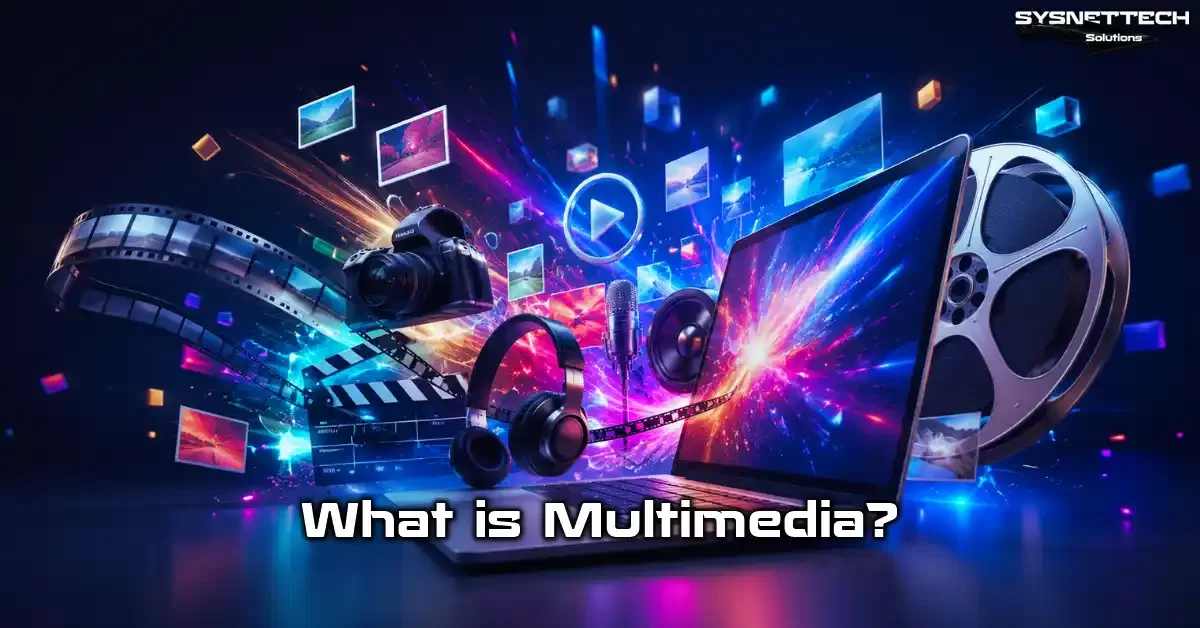
What is Multimedia? The Most Current & Comprehensive Definition
At its simplest, it blends many communication channels into one medium. Think of a page that goes beyond plain text. You watch an explainer video right next to the writing.
Right below it sits an interactive graphic. That perfect mix created a revolution in digital content use. This structure turns a passive reader into an active participant.
Today, we are all content consumers. We face this technology nonstop while scrolling through social feeds. We also use it while studying on e-learning platforms.
Yet we rarely notice it. A well-designed interface hides the complex structure behind the scenes. The goal is to give you a seamless, natural feel.
For e-commerce, this is a key factor that lifts conversion rates. Seeing a product photo versus rotating it 360 degrees to check details makes a world of difference.
Because of this, interactive media elements form the backbone of modern marketing. This unified approach lets brands tell their stories much more effectively.
The Origin of the Word Multimedia and Its Turkish Equivalent
Our word comes from Latin “multus” (many) and “medium” (tool, medium). The pairing of these two roots captures the meaning perfectly.
It expresses the art of using more than one tool at the same time. The Turkish Language Association proposed a very fitting equivalent: “çoklu ortam.”
Its dictionary defines “çoklu ortam” as follows. With computer technology, we present text, graphics, and sound together. This definition clearly shows the core of the concept.
However, with technological advances, this definition no longer limits itself to computers. Today, smartphones, game consoles, and even refrigerators have become multimedia centers.
Those of us working in the IT sector usually proceed with the term “multimedia.” We favor this original pronunciation among colleagues.
Nevertheless, you should use the term “çoklu ortam” in academic texts. Choose that word in official correspondence as well. This care is vital to protect the language.
When we trace the word’s roots, we actually see an ancient dream of human history. Since ancient times, storytellers have felt the need to enrich their tales with pictures and music.
Therefore, this modern term is the digital evolution of a storytelling tradition that spans thousands of years. In essence, it rests on the human urge to express oneself.
Multimedia in the Digital Age: The Integrated Power of Text, Sound, Image, and Interaction

Digital transformation turned this concept from a static tool into a dynamic ecosystem. Now, we don’t just watch a video. We can click on products inside it and buy them right away.
This integrated power creates unique chances for businesses. Mixing these elements correctly is essential, especially in user experience design.
Today, a website’s success depends on its ability to offer a multi-sensory feel. Visitors don’t want only information. Instead, they want to have fun, explore, and form a bond.
Audio-visual media elements come into play at this point. When used well, they boost brand loyalty incredibly.
But like every powerful tool, it can do harm when used without care. Large video files you add unchecked kill page load speed. This drives users away and drops your SEO rankings.
In short, to succeed in the digital age, you must adopt a performance-focused mindset. Always balance speed and quality.
Multimedia Types: Linear & Non-Linear Content

When we classify multimedia technology, we look at the user’s control level. Not all content offers the same level of interaction.
Two main types stand before us. The first one relies on passive use. The other needs active input. Understanding this split is vital, especially for those who create educational content.
What is Linear Multimedia? Passive Consumption Examples
The linear structure is the type with a clear start and end. The user cannot interfere with the flow. Content moves straight ahead like a train on a track.
You just watch, listen, and consume. The classic example is a movie at the cinema. Sitting in your seat, you have no chance to change the plot.
Another common example is traditional TV broadcasts. The anchor speaks, images appear on the screen. You follow what is happening. In this passive use case, interaction is zero.
Despite this, it is still one of the most widespread uses. Sometimes the director must hold full control in storytelling.
A podcast recording published on online platforms also falls into this category. So does a live radio stream.
You start, pause, or turn up the volume. Yet you cannot change the order of the content. So, we call this type linear. Although it is passive, we still often prefer it in educational videos because it makes focusing easier.
Non-Linear Multimedia: The Power of Interaction
The non-linear structure, on the other hand, is a land of total freedom. The user charts the content’s course like a captain.
They decide where to click and which link to follow. Thus, the experience becomes fully personal. Interactive media forms the basis of the modern web.
The best example of non-linear multimedia is browsing a website. For instance, on an encyclopedia site, you jump from one topic to another via hyperlinks. No linear order restricts you.
What’s more, video games represent the extreme end of this type. You control the character’s moves. So, you also shape the flow of the story.
Interactive quizzes on e-learning platforms are exactly this. You answer a question and move to the next step based on the correct answer.
If you get it wrong, the system sends you back to the topic. These adaptive systems multiply learning efficiency. You are no longer just a viewer; you are now part of the process.
Differences Between Linear and Non-Linear Multimedia (Comparison Table)
The choice between these two structures depends directly on your project’s goals. Both are extremely valuable in the right context. The table below clearly highlights the key differences.
| Feature | Linear | Non-Linear |
|---|---|---|
| Control Holder | Content creator or system | User |
| Navigation | Fixed, only forward-backward. | Free, branches out. |
| Interaction Level | Low, passive consumption | High, active participation |
| Structural Flow | Beginning, middle, end | Circular or network-like |
| Examples | Movie, podcast, TV show | Video games, websites, kiosks |
This distinction should act as your compass when forming your content strategy. If you want to tell a strong story, the linear structure works wonders.
But if you aim to offer a discovery and learning feel, you must choose the non-linear path. After all, rich content always demands the right flow.
Multimedia Components: 5 Core Elements & Their Functions
Five core pillars hold this ecosystem upright. Each one is strong on its own. Yet they create a magical whole when put together. Let’s examine these elements one by one.
1. Text: The Foundation Stone of Information
Even though we live in a visual age, text remains the king among media elements. It is the simplest, most direct way to share information.
It acts as the glue that connects all other elements. You find it everywhere, from button labels to video subtitles. Honestly, fixing meaning is almost impossible without text.
In the digital world, it is not just novels. Headings and menus on web pages also belong to this group.
So do the vital focus keywords for SEO. Search engines scan text first to understand your content. Frankly, structured, semantically rich text is the key to success.
In my professional projects, I have seen that users turn to text instantly if they cannot decode an image. Also, text is the lightest element in terms of file size.
It has almost no negative effect on page speed. However, if you ignore readability and typography rules, you lose the user instantly. That is why even font choice is a science.
2. Sound: Emotional Depth and Atmosphere (MP3, WAV, FLAC, AAC, Opus)
When we talk about audio-visual communication, sound is one of the first things that come to mind. It is the fastest and most direct route to convey feeling.
Background music can completely shift the tone of a story. You must be careful when switching between audio file formats. Each format serves a different goal.
MP3 (MPEG-1 Audio Layer III) created a revolution years ago thanks to lossy compression. It is still the most common format. If you do professional sound design, you should turn to lossless formats like WAV or FLAC.
AAC is indispensable for the Apple ecosystem. In recent years, the Opus codec has stepped forward. Moreover, it offers amazing quality even at low bit rates.
Choosing the right audio format when creating a podcast RSS feed is critical. Using needlessly large files consumes bandwidth.
On the other hand, too much compression ruins the listening pleasure. In short, 64kbps mono MP3 is enough for speech-heavy content. However, for music streams, you should prefer at least 128kbps stereo.
3. Graphics: The Language of Visual Communication (Raster vs Vector, JPEG, PNG, WebP, AVIF, SVG)

Graphics are the visual representation of information and split into two main branches. These are vector graphics and raster image types. Comparing them, we see the key difference: math formulas.
Vector files (like SVG) keep their sharpness while growing endlessly. Raster images like JPEG (Joint Photographic Experts Group) and PNG (Portable Network Graphics) consist of pixels. However, their quality degrades as they enlarge.
In the digital image world, JPEG is still the most popular format for photos. Yet WebP has gained a large market share in recent years with its advantages.
PNG is the clearest answer for a transparent background. It remains essential for logos and UI elements. But as of 2026, the AVIF format has also become quite popular.
The difference between JPEG and PNG is crystal clear. JPEG applies lossy compression, while PNG is lossless. For this reason, you should never use JPEG for graphics that contain text.
JPEG compression creates unwanted blur around text. Animated PNG (APNG) usage is challenging the dominance of GIF (Graphics Interchange Format). It offers much higher color depth and quality.
4. Animation: The Power That Moves (Motion Graphics, GIF, APNG)

Animation brings static graphics to life. It is the most effective way to grab the user’s attention. When we hear motion graphics, dancing logos or bouncing icons usually come to mind.
Yet animation is a priceless tool for simplifying complex processes. A short clip that shows how a product works outperforms pages of text.
In the web world, the GIF format was the king of this domain for a long time. But these files are very heavy and have a limited color palette. So we started searching for lighter options.
Vector-based solutions like APNG and Lottie took animation technology to a whole new level. Now we can fit flawless animations that last seconds into just a few kilobytes.
You should not overdo motion graphics. A constantly spinning icon annoys the user. It also creates issues for accessibility.
A stop button is essential, especially for users with vestibular disorders. So every animation needs to have a purpose.
5. Video: The Most Powerful Storytelling Tool (MP4, MKV, WebM)

A video media file is the peak of all other elements. It houses text, sound, and moving images at the same time. That is why video is the first thing that comes to mind for digital storytelling.
MP4 (MPEG-4 Part 14) is compatible with almost all devices. Moreover, it is the most widespread standard on the internet. On the other hand, MKV stands out more as a flexible container format.
On the web, the WebM video format plays an important role. This format, developed by Google, offers royalty-free high quality.
The best video format changes depending on your project. For archiving, pick MKV. For the web, choose MP4 or WebM. However, mobile compatibility should always be your priority.
The video production process is not just about shooting. Video editing, color grading, and sound mixing are just as critical as the shoot itself.
Also, if you don’t optimize the video size, you ruin your site speed. One minute of unoptimized video can negate all your hard work.
Multimedia File Formats, Codecs & Container Structures in Depth
The biggest confusion in this field is mixing up file extensions with codecs. Clarifying this split is essential for technical mastery. Otherwise, you will constantly face errors in your projects.
The Codec vs. Container Difference: Solving the MP4, H.264, and MKV Confusion
Knowing the difference between these two is the ABC of this work. A codec (Encoder-Decoder) is the software that compresses and decompresses data. The container is the box that holds this compressed data, subtitles, and metadata. For example, MP4 is a container. We compress the video inside it with the H.264 codec and the audio with AAC.
MKV is a much more flexible container format. It can hold almost any type of codec. Therefore, it is ideal for archiving. But it is not as compatible as MP4 when it comes to browser compatibility.
As a matter of fact, we prefer the MP4 container as much as possible on websites. We put codecs inside it that browsers can read.
If you attempt a project without understanding this split, the file won’t work. This is the most common issue we face in our projects. Users decide based on the file extension. However, what truly matters is the video codec inside.
Popular Video Codec Comparison: H.264 vs H.265 (HEVC) vs AV1
H.264 has dominated the market for about 20 years. It offers great hardware support and compatibility.
However, this format has aged a bit in the 4K and 8K era. Because of this, H.265 (HEVC) entered the scene. When we compare H.264 and H.265, we see this: HEVC offers the same quality at half the file size.
But HEVC has a major drawback: complex and costly license fees. That is why Google, Mozilla, and other giants joined forces and developed the AV1 codec.
The advantages of AV1 include being royalty-free and offering even better compression than HEVC. As a result, the royalty-free codec revolution has begun. By 2026, hardware support for AV1 has also become quite widespread.
| Criteria | H.264 (AVC) | H.265 (HEVC) | AV1 |
|---|---|---|---|
| License Status | Paid (MPEG-LA) | Complex and expensive | Fully Royalty-Free |
| Compression Efficiency | Medium (baseline) | 50% better | 30% better (compared to HEVC) |
| Browser Support | 100% | Limited | Growing fast |
| Hardware Support | Everywhere | Modern devices | Next-generation devices |
As you can see from the table, the future belongs to AV1. Yet, today, H.264 is still the safest choice. Still, you should start preparing your servers for AV1 support.
Comprehensive Multimedia Format and Extension Guide (Table)
Saving in the right format decides the fate of the project. The table below summarizes the most common multimedia file formats.
| Type | Format | Feature | Use Case |
|---|---|---|---|
| Image | JPEG | Lossy, 16 million colors | Web photos |
| Image | PNG | Lossless, transparency support | Logos, screenshots |
| Image | WebP | Lossy/Lossless, animation | Modern websites |
| Image | AVIF | Next-generation, HDR support | High-quality web |
| Audio | MP3 | Lossy, universal fit | Music, podcast |
| Audio | FLAC | Lossless, high quality | Archive, audiophile use |
| Video | MP4 | Universal container | All video types |
| Video | WebM | Web-optimized | HTML5 players |
Multimedia Data Compression: The Logic Behind Lossy and Lossless Methods

Raw files are huge in size. We use compression algorithms to store and move this data. These clever math processes make files usable. They fall into two main camps: lossy and lossless.
Lossy Compression: The Quality-File Size Balance in JPEG, MP3, and MP4
Lossy compression deletes details the human eye and ear cannot notice. This way, file size shrinks dramatically. JPEG is the most well-known example of this method. When you save a photo as JPEG, the algorithm merges pixels of similar color.
MP3 works on the same principle. It removes frequencies the human ear cannot hear. We call this process psychoacoustic modeling.
As a result, a CD-quality audio file shrinks to nearly one-tenth its size. That is why this type is the backbone of streaming technology. Adaptive bit rate optimizes quality based on your connection speed.
However, as the compression ratio rises, quality loss becomes obvious. We call these compression artifacts. Mosaic patterns appear in images, and a metallic tone arises in sound.
Because of this, finding the right ratio is a great art. Always store the source in a lossless format. Then compress the outputs based on need. This is truly the best approach.
Lossless Compression: Data Integrity with PNG, FLAC, and ZIP
Lossless compression works just like a zipper. It compresses data, but the moment you open it, you get the original perfectly intact.
The PNG format is one of the best examples in this regard. For screenshots and graphics with text, we use PNG instead of JPEG. We do not want even one pixel to be lost.
FLAC is a great asset for audio enthusiasts. Unlike MP3, it compresses studio-quality sound but throws away no data.
Of course, its size advantage is not as high as MP3. Still, you should stick with FLAC for archiving and professional audio design projects.
These methods are ideal for storing software files and text-based data. In such data, a one-bit loss can cause disaster.
This is why we always prefer lossless formats in backup and archiving systems. We also use lossless compression algorithms.
Multimedia Systems, Streaming Protocols, and Content Delivery Network (CDN)
Playing a single file even triggers a complex ecosystem in the background. Knowing how these systems work multiplies your problem-solving skills.
Multimedia System Architecture and Hardware Requirements
A multimedia system is a perfect harmony of software and hardware. Strong hardware is essential, especially for video rendering tasks.
Multimedia system hardware needs focus on these parts:
- A Powerful Processor (CPU): It is the center of encoding and decoding tasks. More cores mean better performance.
- High-Capacity RAM: We keep large files here temporarily. 32 GB has become the norm for 4K video editing.
- Dedicated Graphics Card (GPU): Modern software offloads rendering to the GPU. CUDA or OpenCL support is essential.
- Fast Storage (NVMe SSD): Use fast disks to read high-bitrate videos smoothly.
- Quality Sound Card: An external sound card is essential, especially for audio production.
If you will only use it as a media player, the needs are much lower. Yet content creation is a whole different level.
You should invest accordingly. Remember, even the best software struggles with bad hardware.
Adaptive Bit Rate and Streaming Protocols (HLS, DASH)
Internet speeds are not constant everywhere. One user might be on fiber, while another uses a 3G connection.
This is where adaptive streaming comes into play. This technology adjusts video quality on the fly based on connection speed. That way, the video never freezes.
We commonly use two multimedia streaming protocols. These are HLS, developed by Apple, and the industry-standard MPEG-DASH.
Both slice the video into small chunks. The client downloads these chunks in order. Meanwhile, it also measures the speed. If the speed drops, it requests a lower-quality chunk.
These systems sparked a revolution in the streaming world. Large live streaming platforms reach millions smoothly thanks to these protocols. Combined with a Content Delivery Network (CDN), performance peaks.
What is a Content Delivery Network (CDN)? Its Impact on Multimedia Performance
When a user connects to your site from New York, your server could be in Chicago. This physical distance causes delays.
A CDN exists exactly to solve this problem. It copies your static content to servers all around the world. The user receives data from the closest server.
CDN multimedia performance is vital, especially for heavy video files. If you have an e-commerce site and offer product videos, you must use a CDN.
This way, you can boost your web performance significantly. Plus, this stands out as an important page experience signal in Google rankings.
Services like Cloudflare, Akamai, or AWS CloudFront are tailor-made for this. Setup is now very simple. They also offer extra services like image optimization. With them, you can convert your images to next-generation formats on the fly.
Multimedia Metadata and Digital Asset Management (DAM, MPEG-7, EXIF)

We must tag our data so we don’t get lost among millions of files. This is where media metadata comes in.
In short, metadata defines the summary information of a piece of data. It tells you where a photo was taken or who the artist of a song is.
Metadata Standards: EXIF, XMP, Dublin Core, and MPEG-7
Digital cameras use the EXIF standard. This data stores critical information like aperture, shutter speed, and GPS coordinates.
Graphic design tools embed more complex copyright and license data into the file with XMP. In librarianship, the Dublin Core standard is common.
However, the most important one for our topic is MPEG-7. It is not a compression standard; it is a content description standard. It offers detailed data for image recognition and sound analysis. This way, an AI can understand what is inside a video.
Digital Asset Management (DAM) systems use all these standards. A large media company can search through millions of images in its archive in seconds thanks to this. Without these technologies, the digital world would be total chaos.
Digital Asset Management (DAM) and Multimedia Archiving Strategies
For a professional business, digital content is the most valuable asset. DAM strategies are essential to protect and manage these assets. A good system auto-tags files and tracks their versions. It also manages access permissions.
We make the biggest mistake in format selection when archiving. Always store the raw versions of your project in lossless formats. Also, always have a backup on optical storage or the cloud. Formats become outdated over time. Yet raw data is always valuable.
A DAM system is not just storage. It also boosts teamwork and efficiency. Teams can work on the same files without conflicts. This is the backbone of large projects.
The Multimedia Revolution in 2026: Artificial Intelligence & Next-Generation Formats

The future has already arrived, and AI is rewriting the rules. This groundbreaking technology is changing content creation from its roots. Now, the gap between dreaming and creating has shrunk to just a few words.
AI-Powered Multimedia Content Creation: From Text to Image, Sound to Video
You can now create professional visuals by typing just a few words. Tools like prompt-to-video and Midjourney are democratizing creativity.
AI tools help people who don’t know graphic design. Thanks to this, everyone designs striking visuals. This has boosted content creation speed significantly.
We clearly observe a similar revolution in the sound domain these days. AI voice cloning technology can perfectly mimic an artist’s voice.
Automatic Speech Recognition (ASR) systems have turned adding subtitles to videos into a simple task. Because of this, adding auto captions ranks first among video SEO tips.
However, I don’t think these tools will fully replace professionals. AI is a valuable tool.
Still, a human adds that final touch and sense of aesthetics. A human also sets the strategic vision. So, learning these tools is better than fearing them.
Synthetic Media and the Ethics of Deepfakes: Opportunities and Threats
This dark side of AI deeply concerns us all. Deepfakes and AI ethics is one of the most critical topics of 2026.
It is now very easy to make a politician appear to say words they never spoke. This pushes governments to pass new laws on synthetic media.
How do you spot a deepfake? Inconsistencies in the blink rate give a clue. So does an artificial smoothness in skin texture.
But the technology gets more perfect every day. Therefore, the only solution is digital watermarking and blockchain-based verification systems.
AI copyright uncertainty is another big problem. Who owns the copyright of a work an AI creates? These questions keep straining legal systems. As content creators, we must tread carefully.
Next-Generation Multimedia Formats: AVIF, WebP, JPEG XL, and AV1 Codec
The file format war never ends. Let’s examine the newest weapons standing out by 2026.
The AVIF vs. WebP comparison is one of web developers’ favorite debates. AVIF generally offers better compression and has HDR support. On the other hand, WebP has wider browser support.
JPEG XL is a candidate to take JPEG’s throne. Experts define this option, which offers both lossy and lossless modes, as the format of the future.
It promises a great leap among image compression standards. The HEIC format also remains popular, especially on Apple devices.
On the video side, the AV1 codec is clearly winning. Not having a copyright issue is a significant advantage.
Big streaming platforms are slowly switching to this codec. We should also get ready for this new format for our projects.
Sustainable Multimedia: The Carbon Footprint of Digital Content
The internet consumes far more energy than we realize. Those massive data centers and constantly running servers cause a huge carbon emission.
This is where sustainable web design and digital content carbon footprint gain importance. Smaller files mean less energy.
As developers, we should set a web performance budget. Limiting a page’s size is a direct contribution to the environment.
Compressing images and using lazy loading add to this budget. Not auto-playing videos is important, too. Digital carbon emissions are even becoming a part of SEO.
Multimedia Use Cases: From Education to E-Commerce, Automotive to Art
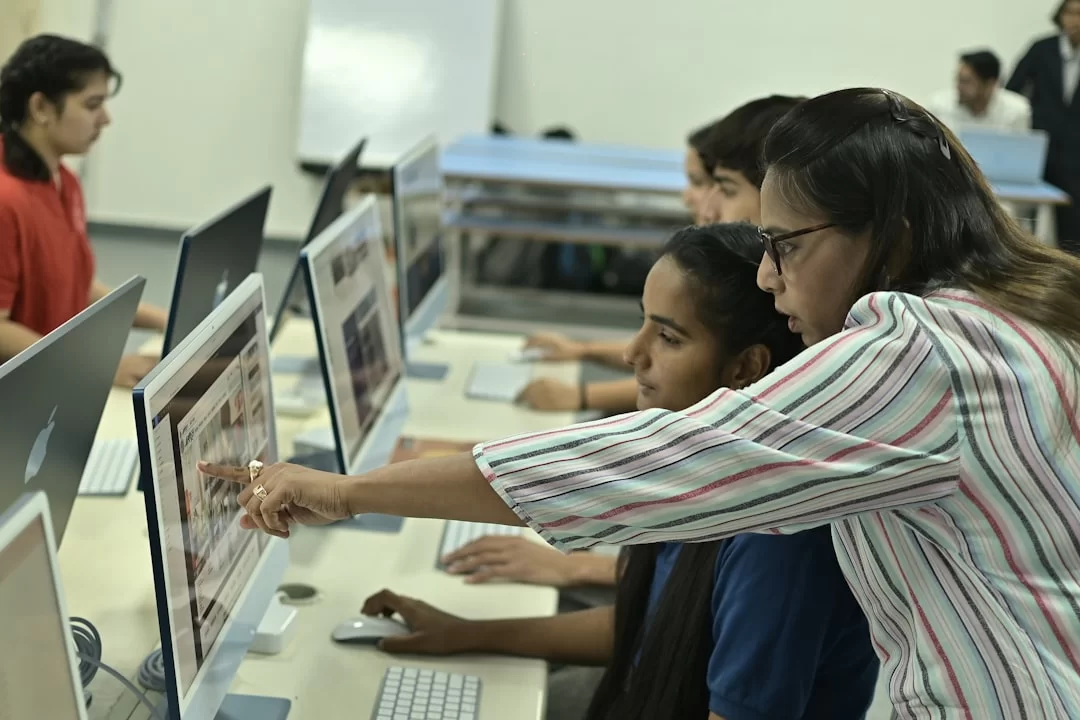
The use cases of this technology are limited only by our imagination. It touches almost every area of life. Let’s take a closer look at a few sectors where it excels.
Multimedia in Education: Effective Learning with Mayer’s Cognitive Theory
The world of education is one of the top beneficiaries of these tools. It turns dull textbooks into interactive moments. Yet randomly added images do more harm than good.
Mayer’s multimedia learning theory steps in right here. Richard Mayer says the human brain processes visual and auditory information in two separate channels.
Mayer’s principles form the basis of an effective e-learning strategy. For example, removing needless visuals (Coherence Principle) speeds up learning.
Placing related text and image close together (Contiguity Principle) makes understanding easier. Applying these principles lowers cognitive load and boosts recall.
How do you use multimedia in education? The best answer is this: break free from rote learning and offer a multi-sensory moment.
Animations that make abstract concepts concrete are invaluable at this point. This is how computer-aided education is becoming the future standard.
Multimedia Strategies That Boost E-Commerce Conversion
The biggest problem in online shopping is the lack of touch. The only way to overcome this is to use the best audio-visual strategies. Here are the most effective methods:
- 360-Degree Product Views: They let the customer inspect the product from every angle. Tests show they lift conversion rates by up to 15%.
- Usage Videos: Showing how the product looks in real life builds trust significantly.
- Augmented Reality (AR): Seeing how a piece of furniture will look in your room greatly reduces return rates.
- Zoom Feature: It is essential to show details like fabric texture or material quality.
- Interactive Size Charts: They solve the size confusion at its root in the clothing sector.
Remember that e-commerce product image dimensions are also very critical. Fast-loading but detailed images are always most effective.
Automotive and Multimedia: Redefining the In-Car Experience

Modern cars have almost turned into wheeled computers. The in-car multimedia system is now a purchase criterion.
We are not just talking about listening to music. Navigation, weather, and in-car cameras are part of this system. Internet-connected services are, too.
There is a topic often confused in the market. People often wonder about the difference between these systems and original factory multimedia systems. Factory-installed systems work fully integrated with the car’s computer system.
Aftermarket multimedia screens generally work independently. They focus only on media playback. The depth of integration between these two completely changes the user experience.
Audio and video synchronization is vital here. Rear-seat entertainment systems are now becoming standard.
Because of this, automotive giants need software developers more than ever. This sector is a valuable opportunity for engineers with media architecture knowledge.
Multimedia in Art, Entertainment, and Media Production
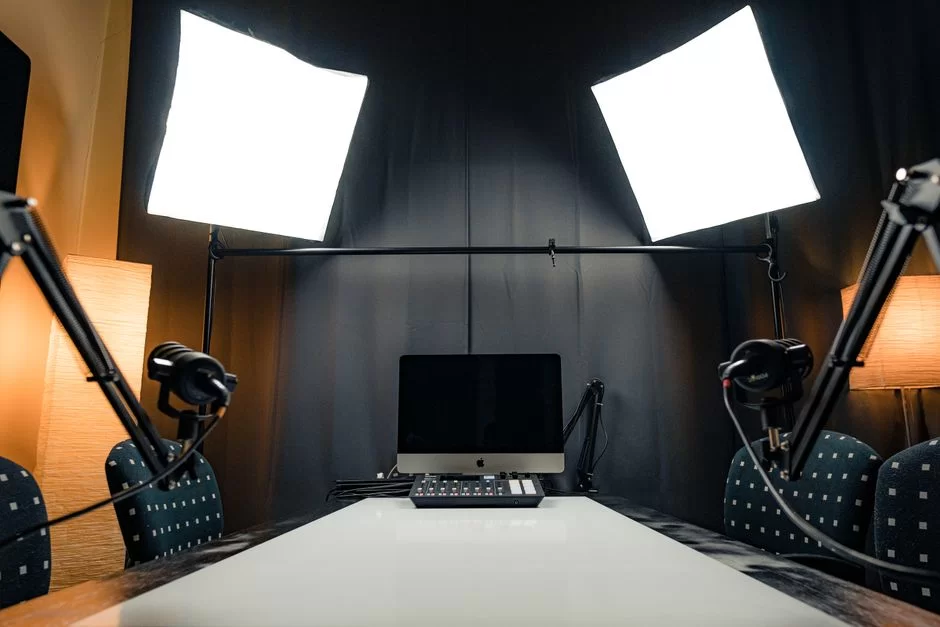
Digital art knows no bounds thanks to these tools. Artists turn buildings into canvases with projection mapping. Musicians make concerts unforgettable with visual shows.
Transmedia storytelling pulls the audience into a film’s universe. Now, the story does not stay only in the cinema. It continues on social media and in games.
The workflow for media production studios is fully digital. They shoot with high-resolution cameras. They process raw data on massive servers.
Every stage in this process requires complex media integration. Technical details like audio normalization and color grading are the unsung heroes.
Multimedia Optimization on the Web: Performance, SEO, and Accessibility (WCAG 2.1/2.2)
Creating great content is not enough. Everyone must also be able to reach this content. This is where multimedia optimization for websites comes in. It is vital for both search engines and users with disabilities.
Boosting SEO Rankings with Image Optimization (Google Images Factors)
Google prioritizes fast and accessible sites. That is why the question of how to do image optimization is critical. Let me explain the correct optimization step by step:
- Pick the Right Format: Use WebP or AVIF for photos, SVG for logos. These are among the top SEO-friendly image formats.
- Resize Them: Do not keep the image larger than the maximum size it will display on the site. Showing a 2000px image at 200px is a big mistake.
- Apply Compression: Shrink the image to the lowest possible size without degrading quality. The link between page speed and image size is direct.
- Add Alt Text: The guide for writing alt text is simple: describe the image briefly and meaningfully. This is the primary factor among Google Images ranking signals.
- Use Responsive Images: Use
srcsetandresponsive imagesto send small images to mobile devices and large ones to desktop.
Video SEO: Stand Out in Search Engines with Structured Data and Auto Captions
If you want your videos to appear as rich snippets in search results, structured data is essential.
The process of adding video structured data tells search engines what the video is about. You can detail your content using the video object schema.
Also, add auto captions to videos to boost accessibility. These captions are text Google can crawl.
They also add to your keyword density. Adding a transcript page, not just captions, works well for SEO. This way, your video content reaches much wider audiences.
Multimedia and Accessibility: A Full Compliance Guide for WCAG 2.1/2.2 Criteria
Digital accessibility (A11Y) is an ethical duty beyond a legal requirement. The WCAG 2.1 multimedia accessibility criteria make your content usable for everyone. Here are the key items you must follow:
- Alt Text (Level A): Add a descriptive alternative text to all meaningful images.
- Video Captions (Level A): You must add captions to all pre-recorded videos for the hearing impaired.
- Audio Description (Level AA): You should voice the visual information in the video following audio description standards.
- Sign Language (Level AAA): Ideally, you should add sign language interpretation to videos.
- Motion Control: You must be able to pause auto-playing animations and videos.
Complying with these criteria boosts your brand’s reputation. It also protects you from possible legal issues. Remember, accessibility is not a luxury; it is essential.
Multimedia and Interaction Design: Augmented Reality (AR), Virtual Reality (VR), and Beyond

Boundary-pushing technologies redefine our sense of reality. These immersive moments represent the final point of interaction design.
Is Augmented Reality (AR) a Multimedia Technology?
Absolutely. Augmented reality apps overlay digital graphics and sounds onto the physical world. In this sense, it is one of the most advanced interactive media types. A furniture app placing a virtual sofa in your room is the best example of this.
Virtual Reality (VR) content transports you to a completely different world. Interaction is at its highest level here. Both use text, sound, and 3D graphics at the same time. They also offer haptic feedback. Therefore, augmented reality media is one of the peak points of this field.
Interactive Video and 360-Degree Multimedia Experience
Interactive video completely breaks linear storytelling. The user changes the story’s outcome by making choices for the character. This is a method that significantly increases user engagement metrics. Similarly, the 360-degree video format makes the viewer feel inside the scene.
These types of content are unique marketing tools for brands. These technologies are indispensable for touring a home remotely in the real estate sector. They are also ideal for seeing a hotel before booking. Giving control to the user is the fastest way to build trust.
Multimedia Advantages & Disadvantages: A Balanced View
Like everything, this powerful tool has its pros and cons. You must see both sides for a successful strategy.
The Power of Multi-Sensory Experience: Advantages
- High Engagement: Rich media keeps the user on the site longer.
- Memorability: People recall 20% of what they hear and 30% of what they see. But they remember 70% of what they both see and hear.
- Simplifies Complex Topics: One animation explains in seconds what pages of text cannot.
- Strengthens Brand Image: Professionally prepared content builds trust.
- Accessibility: It offers the chance to provide alternatives for different disability groups.
Performance, Cost, and Cognitive Load: Disadvantages
- Page Slowness: Unoptimized files kill site speed and drive users away.
- High Production Cost: Commissioning a professional video or animation can be expensive.
- Cognitive Overload: Too much stimulus causes distraction and fatigue in the user.
- Compatibility Issues: Different codec support across various browsers and devices can be problematic.
- Update Difficulty: Updating a static text is easy. Yet updating a video means reshooting it.
Multimedia Tools, Software, and Players: A Complete List
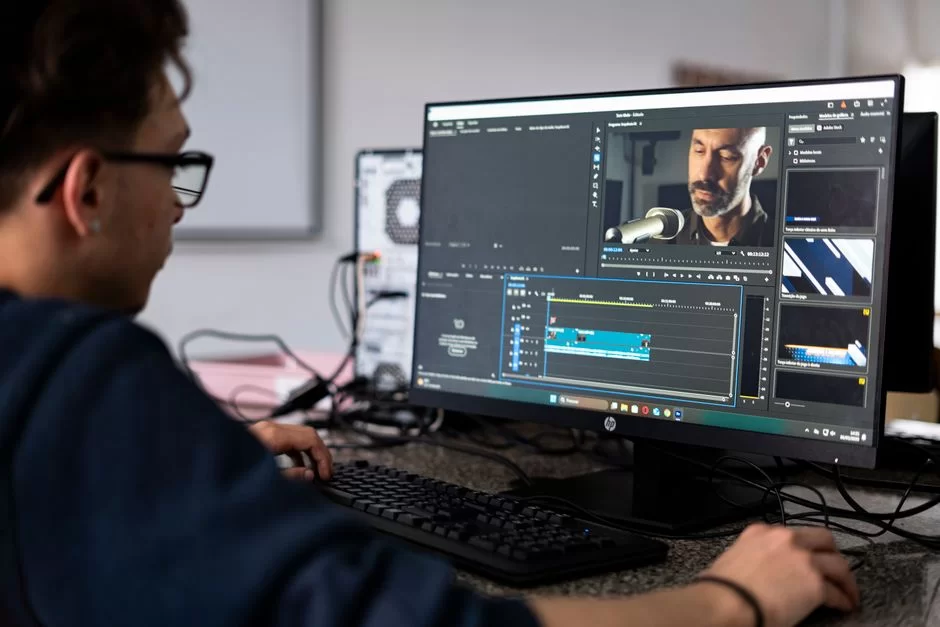
Choosing the right tool is a significant part of the task. The ecosystem has grown so much that a special tool set exists for every job.
Professional Multimedia Content Creation and Editing Software
- Graphic and Vector: Adobe Photoshop, Adobe Illustrator, Affinity Designer, Figma, Sketch.
- Video Editing and Motion Graphics: Adobe Premiere Pro, DaVinci Resolve, Final Cut Pro, Adobe After Effects, Blender.
- Audio Production: Adobe Audition, Logic Pro, Ableton Live, Audacity (free), Pro Tools.
- 3D Modeling and Animation: Autodesk Maya, Cinema 4D, Blender (powerful and free), Unreal Engine.
Multimedia Players, Codec Packs, and Format Conversion Tools
If a file won’t open, the problem is likely a missing codec. Among popular media player software, VLC Media Player remains dominant. This Swiss army knife that opens nearly every format should be on every computer.
For format conversion, the best answer is HandBrake and FFmpeg. HandBrake is user-friendly with a GUI.
FFmpeg offers great power from the command line. With these tools, you can shrink a video without losing quality. Doing audio normalization is also very easy.
Multimedia Copyrights, Ethics, and Digital Rights Management (DRM)
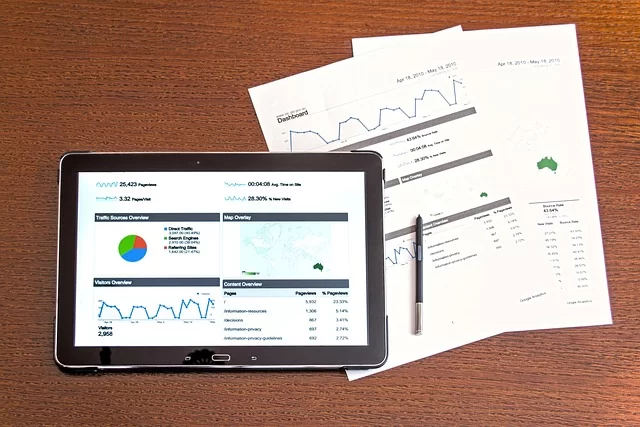
Laws protect creative work. In a world where you can easily copy digital content, this protection is even more crucial.
Copyright and Licensing Models in Multimedia Content
You cannot use every image you see on the internet as you wish. Starting a project without checking image copyright is a big mistake.
Creative Commons licenses are the most popular flexible solutions here. Some allow commercial use. Others set a condition that you must not alter the work.
In professional work, copyright infringement can bring heavy fines. Therefore, you must either produce your own content or buy from licensed stock sites.
Platforms like Shutterstock and Envato Elements are the ideal solution. Also, the copyright status of AI-generated images is still unclear. So be cautious in commercial projects.
DRM (Digital Rights Management) and Multimedia Security
Digital Rights Management (DRM) locks your content against piracy. Platforms like Netflix use this technology to prevent their content from being copied. These systems allow you to play the video only on authorized devices and apps.
However, DRM sometimes puts legitimate users in a difficult situation. For instance, you might not be able to open an e-book on a different device.
This reveals the tension between user experience and security. Still, if you are a commercial content creator, DRM protection is a necessity.
Platform-Specific Multimedia Guide: The Best Formats for Social Media, Email & Projects
Every platform has its own unique needs. Choosing the wrong format ruins your content’s quality.
Optimized Multimedia Formats for Social Media Platforms
- Instagram: 1080x1080px JPEG for square posts. 1080x1920px MP4 (H.264) for Stories and Reels.
- Facebook: We recommend MP4 or MOV for video. PNG or JPEG is ideal for cover images.
- Twitter (X): Use JPEG or PNG for images. MP4 for videos, with a max size of 2.2 GB.
- LinkedIn: PDF is the leading format for document sharing. On the other hand, MP4 is the safest route for video posts.
- TikTok: Use MP4 with H.264 codec for vertical videos. Sound and effects are just as crucial as the visuals on this platform.
Multimedia Decision Table for Email Newsletters and Web Projects
| Use Case | Recommended Format | Reason |
|---|---|---|
| Email Newsletter Image | JPEG, PNG | Avoid animated GIFs. These have the best email client support. |
| Website Background Video | MP4 (WebM fallback) | Must be short, silent, and compressed. Website background video optimization is vital. |
| Transparent Background Logo | PNG or SVG | Offers lossless quality and transparency support. |
| High-Resolution Archive | TIFF format or RAW | Provides maximum flexibility for future edits. |
| Animated Icon | Lottie (JSON) or SVG | Much lighter than GIF and resolution-independent. |
Further Reading on Multimedia Content
We prepared this guide as comprehensively as possible. Yet learning never stops in the technical world. Below, I list the most reliable sources for those who want to dive deeper.
- WHATWG HTML Living Standard: The official and living standard of HTML, the core building block of the web. All technical details of the
<video>and<audio>elements, media playback controls, and APIs are defined here. - W3C WebCodecs API: This is a revolutionary specification. Moreover, it allows web applications to access audio, video, and image codecs directly.
- W3C Media Source Extensions (MSE): The technology that forms the basis of dynamic and seamless online video streaming. It lets you create media streams with JavaScript and feed them to the
<video>element. It has grown even stronger with 2026 updates (Managed Media Source, Worker support). - MDN Web Docs – Web Media Technologies: One of the most comprehensive and clear guides for developers. It offers up-to-date documentation on everything from audio and video streaming to file formats, codecs, and performance optimization.
- ISO/IEC Media Coding Standards (MPEG): International standards developed by MPEG form the basis of video and audio compression (codecs). Current standards include advanced coding technologies such as MPEG-H (H.266/VVC) and MPEG-5 (EVC/LCEVC).
The 9 Most Asked Questions About Multimedia
What is the difference between multimedia and media?
What is the difference between multimedia and hypermedia?
WebP vs AVIF? Which is better?
How can I shrink a video without losing quality?
How do I start with multimedia content creation?
Which image formats are SEO-friendly?
Which format should I use for a transparent background?
What does a multimedia technologies department do?
What is the origin of the word multimedia?
Conclusion: A Holistic Look at the Future of Multimedia
Multimedia Trends for 2026 and Beyond: AI, Sustainability, and Accessibility
We have come to the end of this comprehensive multimedia journey. As we have seen, this field is not just a technical discipline but also a communication art.
When I look at the future, I clearly see three core ideas shaping the sector. These will be AI, sustainability, and accessibility.
AI will keep democratizing content creation. Anyone who knows how to write a prompt will be able to craft high-quality content in seconds.
Yet this will make issues of originality and ethics even more pressing. As content creators, we must see AI as a helper. Also, we must never leave our creative vision at its mercy.
The digital carbon footprint is a reality we can no longer ignore. We must see reducing file sizes as a duty for a greener internet.
Finally, accessibility must move from being a luxury to a basic human right. Content we produce by sticking to these principles will perform flawlessly on a technical level. Moreover, we also protect human values with this approach.

Be the first to share your comment