

You’ve likely studied a phone, monitor, or LED billboard up close. Every image you see consists of millions of tiny lights—pixels. Each of these points is the atom of the digital multimedia world. We call this atom an image element for short.
So why are these tiny dots so important? Because you build everything from your camera to marketing on this basic unit. Moreover, all processes from games to web design rely on this foundation.
In 2026, AI is reinventing these units. DLSS technology predicts missing points. It’s the most striking proof.
I’ll tell you everything in a coffee-chat style, without boring you. You’ll learn the dead pixel test and the PPI formula. Additionally, you’ll discover how tracking pixels work and the truth about megapixels. Let’s jump in!
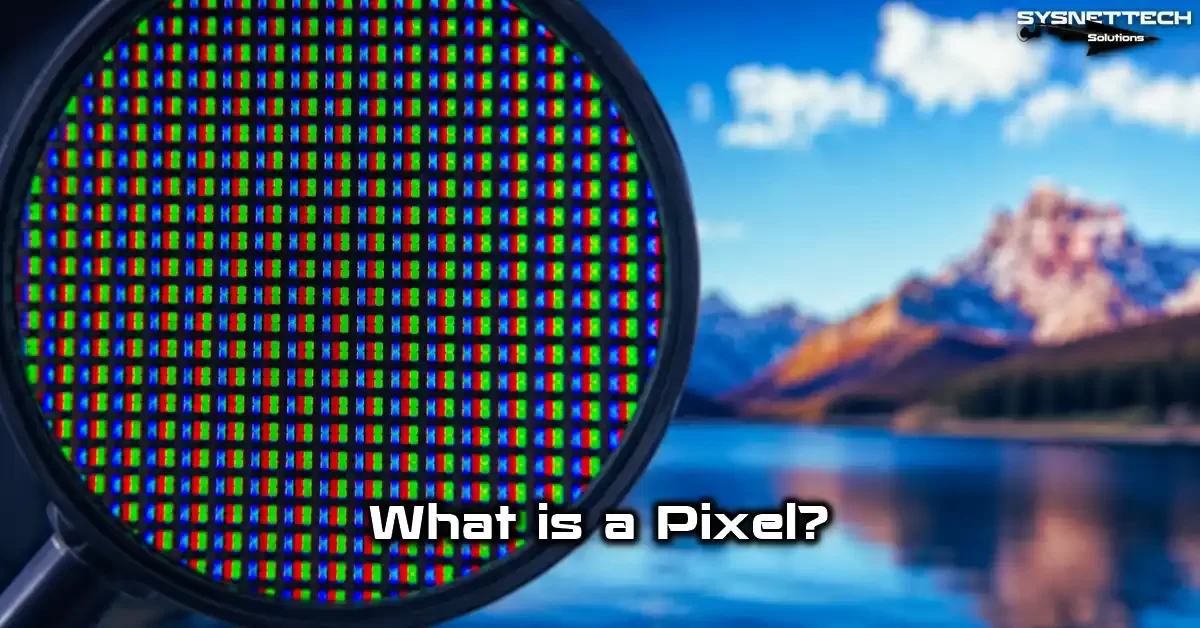
What Is a Pixel? An Introduction to the Atom of the Digital World
In the digital imaging world, it’s the smallest unit you can address. Think of a giant mosaic painting. From far away, you see a stunning view.
But if you get really close, you’ll see tiny single-color squares. Each one of these squares is a pixel.
Digital photos, screenshots, and game graphics all work on this principle. Each pixel carries specific color and brightness data.
When millions come together, you see that landscape, that movie scene, or read this text.
What Does Pixel Mean? Word Origin & Technical Definition
The word comes from combining “picture” and “element.” The syllables “pix” (for pictures) and “el” (element) merge. In short, the result is “picture element,” or an image element.
Frederic C. Billingsley first used the term pixel in the 1960s. He was part of the Jet Propulsion Laboratory team.
German-speaking engineers called it “Bildpunkt,” meaning “picture point.” In both languages, it means the same: the smallest piece of a digital image.
Technically, this concept is the smallest data point in a two-dimensional grid. Naturally, that point has a coordinate.
How Is a Pixel Formed? The RGB Trio and Color Depth
Each pixel actually consists of three sub-components: red, green, and blue. We call this trio the RGB color model.
If you magnify the screen, you’ll see three tiny lights inside each square. These are the sub-pixels.
- Red + Green = Yellow: When blue is off, red and green sub-pixels light up.
- Red + Blue = Magenta: When green is off, red and blue become active.
- Green + Blue = Cyan: When red is off, green and blue mix.
- All three max = White: All sub-pixels work at full power.
- All three off = Black: No sub-pixel produces light.
Color depth comes into play right here. An 8-bit panel offers 256 brightness levels per sub-pixel. A 10-bit panel offers 1024 levels.
The difference shows itself, especially in HDR content and smooth gradients like skies. We also call this bpp (bits per pixel).
History of the Pixel: Digital Image Evolution from Russell Kirsch to Today
Now I want to take you to 1957, to the National Bureau of Standards in Maryland, USA.
There, a young engineer named Russell Kirsch asked a question that would change our lives forever. Moreover, the question was about how to transfer a photo into a computer. This question sparked the digital imaging era.
Kirsch and his team scanned a standard photo by dividing it into small squares. They assigned a numerical value to each square. Thus, the world’s first digital image was born.
That step they took that day forms the basis of every photo you share on Instagram today. Plus, every video you watch rests on it too.
| Year | Milestone | Resolution | Total Pixels |
|---|---|---|---|
| 1957 | First digital photo (Russell Kirsch) | 176 x 176 | ~31,000 |
| 1975 | First digital camera (Kodak, Steven Sasson) | 100 x 100 | 10,000 |
| 1990 | Digital photography goes mainstream | 640 x 480 | ~300,000 |
| 2000s | Megapixel race begins | 1600 x 1200 | ~2 million |
| 2026 | 200 MP sensors in phones | 16384 x 12288 | ~200 million |
Who Invented the Pixel? Russell Kirsch & the First Digital Image
We regard Russell Kirsch as the father of digital imaging. In 1957, he used the SEAC computer to scan a photo of his three-month-old son Walden. This became the first digital photo in history. Of course, the image was only black-and-white and had a 176 x 176 resolution.
We still use the scanning method Kirsch developed as a core principle. You divide the image into a grid of equal cells, a matrix.
You express each cell’s brightness as a number. Plus, you can process, store, and convert those numbers back into an image.
What Is Bildpunkt? The German Origin and First Use of the Pixel
German engineers used the term “Bildpunkt” in their digital imaging work. This word comes from “Bild” (image) and “Punkt” (point). German scientists working on TV tech in the 1930s often used this term.
Interestingly, the Bildpunkt concept appeared much earlier than the English term “pixel.” In 1884, Paul Nipkow received a patent for mechanical television.
Moreover, that patent included the idea of dividing an image into points. But the idea of expressing and storing those points digitally came to life with Kirsch.
Pixel Size, Calculations & the Megapixel Truth

When you hear “size,” one question pops up: “How many mm are in a pixel?” Actually, there is no single answer.
This unit is not a fixed physical size. It changes based on the screen size and resolution. A giant billboard’s LED cell and your smartwatch dot are not the same size.
For example, let’s compare a 6.1-inch iPhone and a 27-inch monitor. Both could have the same resolution.
But each unit on the iPhone is much smaller. They pack the same number of points into a far smaller area. That’s where pixel density—PPI—comes in.
- PPI (Pixels Per Inch): It’s the number of units per inch. So, as the value rises, sharpness increases.
- Visual perception threshold: Above 300 PPI, the human eye can’t tell the individual dots apart.
- Retina display: Apple’s marketing term relies on the principle that at a certain viewing distance, you can’t distinguish the units.
How Big Is a Pixel? How Many mm, How Many cm?
Let’s answer this step by step: You have a screen—say, a 24-inch Full HD (1920×1080) monitor.
You need the physical width first. Use the 16:9 aspect ratio. A 24-inch 16:9 screen is about 53.1 cm wide.
- Step 1 – Find the width: Convert the screen size (inches) to cm by multiplying by 2.54. Then apply the aspect ratio width formula. In short, for 24 inches: Width = 53.1 cm.
- Step 2 – Divide width by horizontal resolution: 53.1 cm / 1920 pixels = 0.0277 cm. This is a pixel’s size in cm.
- Step 3 – Convert to mm: 0.0277 cm × 10 = 0.277 mm. Each unit on this monitor is about 0.28 mm.
Let’s do the same for a 55-inch 4K TV: 121 cm / 3840 = 0.0315 cm, or 0.315 mm. As you can see, pixel values differ on every screen.
What Is a Megapixel? How Many Pixels Equal a Megapixel, and Is More Always Better?
MP (megapixel) means exactly 1 million image units. A 12 MP camera sensor contains 12 million light-sensing cells. That sensor produces photos at 4000 x 3000 resolution. Multiply: 4000 x 3000 = 12,000,000, so 12 megapixels.
So is megapixel count everything? Absolutely not. What matters more is sensor size and each cell’s light-gathering area.
A small 200 MP sensor can take much worse photos than a large 12 MP sensor. Cells packed into a small sensor can’t gather enough light.
| Feature | High Megapixel (Small Sensor) | Low Megapixel (Large Sensor) |
|---|---|---|
| Light gathering | Weak (small cells) | Strong (large cells) |
| Low-light performance | Grainy and noisy | Clean and detailed |
| Dynamic range | Limited | Wide |
| File size | Very large | Manageable |
| Crop flexibility | High | Low |
PPI Calculation Formula and How to Increase Pixel Density
To calculate PPI, you first need the diagonal resolution. You use the Pythagorean theorem.
Square the width resolution, add the square of the height. Then take the square root. That gives you the diagonal pixel count.
- Formula: PPI = √(width² + height²) / screen size (inches).
- Example (27-inch 4K): √(3840² + 2160²) = √19,411,200 = 4406. Then 4406 / 27 = 163 PPI.
- Example (27-inch Full HD): √(1920² + 1080²) = √4,852,800 = 2203. Then: 2203 / 27 = 82 PPI.
How can you increase pixel density? You have two ways: increase resolution or shrink screen size.
A smaller screen with the same resolution always gives higher PPI. On a 15.6-inch laptop, a 4K screen gives 282 PPI, while a 27-inch drops to 163. That’s where usage differences come in.
| Screen Type | Resolution | Size | PPI Value |
|---|---|---|---|
| iPhone 15 Pro | 2556×1179 | 6.1 inch | 460 |
| MacBook Pro 16 | 3456×2234 | 16.2 inch | 254 |
| 27-inch 4K Monitor | 3840×2160 | 27 inch | 163 |
| 27-inch Full HD | 1920×1080 | 27 inch | 82 |
| 55-inch 4K TV | 3840×2160 | 55 inch | 80 |
| Samsung S24 Ultra | 3120×1440 | 6.8 inch | 505 |
Pixel, Resolution & PPI/DPI: Commonly Confused Concepts
Mixing up these three concepts is a very common mistake. Let me sum up: Pixel is count, resolution is the arrangement of that count, and PPI is density.
In short, they’re all connected but not the same. Let me explain with a simple example.
| Concept | Definition | Example |
|---|---|---|
| Pixel | Smallest image unit | An LED point, a sensor cell |
| Resolution | Horizontal and vertical arrangement of units | 1920×1080, 3840×2160 |
| PPI | Unit density per inch | 163 PPI (27″ 4K), 460 PPI (iPhone) |
| DPI | Ink dots per inch (print) | 300 DPI, 1200 DPI |
To calculate screen resolution, you multiply the unit count in width and height. 1920 x 1080 = 2,073,600 units, about 2 megapixels.
How many pixels does 4K have? 3840 x 2160 = 8,294,400. Meanwhile, 2K contains 2560 x 1440 = 3,686,400. Finally, Full HD has exactly 2,073,600.
What Is the Difference Between Pixel and Resolution?
A pixel is the smallest physical or digital unit forming an image. Resolution expresses how these units are arranged horizontally and vertically.
So one is the building block, the other is the plan. 1920×1080 resolution means there are 1920 pixels horizontally and 1080 vertically.
- Pixel: It’s the raw material. Countable, measurable. It physically exists on a screen or sensor.
- Resolution: It’s the processed product. It shows how the raw material is arranged. You can arrange 8 million units as 3840×2160 or 2880×1800.
- PPI/DPI: It’s a density measure. The same resolution gives different PPI at different sizes.
You can arrange the same number of units in different resolutions. For example, 8 million units can be 3840×2160 (4K) or 2880×1800.
The resolution changes, but the total count doesn’t. So when buying, you must look at both separately.
What’s the Difference Between DPI and PPI? When to Use Which?
DPI (Dots Per Inch) is the number of ink dots per inch. It belongs to the printer world.
PPI is the number of image units per inch and belongs to the screen world. People often use them interchangeably, but that’s technically wrong.
| Feature | PPI (Pixels Per Inch) | DPI (Dots Per Inch) |
|---|---|---|
| Field | Digital screens | Print and printers |
| Unit | Full-color image point | Single-color ink dot |
| Example | iPhone 460 PPI | Printer 1200 DPI |
| Usage | Screen sharpness | Print quality |
In practice, just know this: use PPI for digital screens, DPI for print. If you print a 300 PPI image at 300 DPI, you get exact dimensions.
This is where the DPI-PPI difference is critical, especially in printing and graphic design. Wrong usage can ruin print quality.
What Does the ‘p’ in 1080p Mean? Progressive Scan vs. Interlaced
The ‘p’ in 1080p means “progressive,” a scanning technique. It draws all lines in order each frame. Line 1, line 2, line 3… up to line 1080. As a result, you get a full, complete image every frame.
Its opposite is 1080i. The ‘i’ stands for “interlaced.” It scans odd-numbered lines first (1,3,5…), then even ones (2,4,6…). Two half-frames combine to form the full frame. Old tube TVs used this method, by the way.
Pixels in Display Tech: LCD, OLED & Subpixel Arrangements
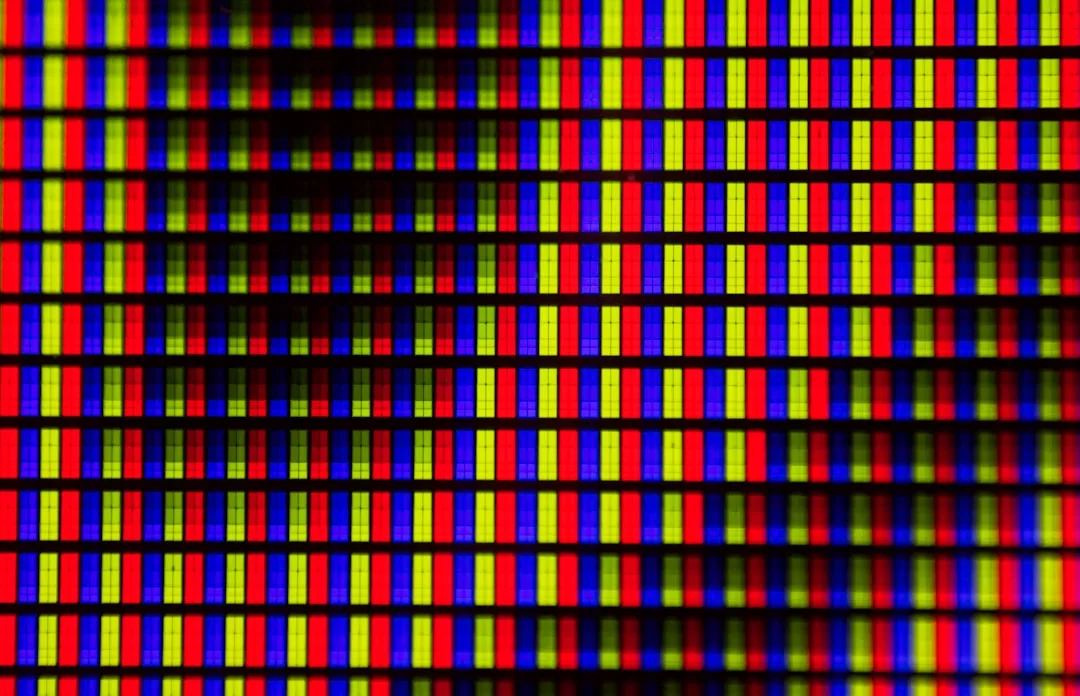
Display panel makers have competed fiercely for years to deliver the best image. At the heart of this competition lies the subpixel arrangement.
Each panel type arranges sub-pixels differently. This layout affects everything from text sharpness to color accuracy.
- LCD panels: Usually use the classic RGB stripe subpixel layout. Each unit consists of three vertical rectangles side by side. Microsoft optimized Windows’ ClearType technology for this layout.
- OLED panels are more flexible. Samsung’s AMOLED panels use a PenTile matrix. Also, red and blue sub-pixels are larger than green.
RGB Stripe vs. PenTile: Which Screen Layout Is Better?
| Feature | RGB Stripe | PenTile (AMOLED) |
|---|---|---|
| Sub-pixel count | Equal (R, G, B same number) | Green 2x, Red and Blue 1x |
| Total sub-pixels | More (sharper text) | 33% fewer |
| Text sharpness | Perfect | Slightly softer |
| Power consumption | Higher | Lower |
| Burn-in resistance | Lower | Higher |
| Ideal use | Office, web, text | Video, gaming, multimedia |
For text-heavy use, RGB Stripe is better; for video and gaming, PenTile is. PenTile consumes less power and resists screen burn-in better.
In short, the PenTile vs. AMOLED difference becomes very clear in VR headsets. There, each unit looks huge, so you clearly feel PenTile’s downside.
What Is Subpixel Rendering? ClearType and Subpixel Text Sharpening
Subpixel rendering is the technique of independently controlling a pixel’s sub-components.
Microsoft’s ClearType is the best-known example. It smooths font edges by targeting individual sub-pixels. The result is incredibly sharp text.
However, this tech works perfectly only on RGB Stripe layouts. Due to OLED-LCD subpixel differences, ClearType becomes ineffective on PenTile screens.
Even if applied incorrectly, color fringing appears at text edges. That’s why Windows uses a different text rendering algorithm for OLED screens.
OLED vs. LCD Subpixel Difference: Impact on Color Depth & Contrast
| Feature | LCD Panel | OLED Panel |
|---|---|---|
| Light source | Backlight (filtering) | Self-emissive (each unit) |
| Black level | Gray (light leaks) | True black (completely off) |
| Contrast ratio | Limited (~1000:1) | Infinite |
| Color vibrancy | Good | Excellent |
| Burn-in risk | Almost none | Exists (static images) |
In OLED, each sub-pixel produces its own light. When black is needed, it completely turns off. The result is an infinite contrast ratio.
Also, OLED’s subpixel structure delivers more vivid and saturated colors. Plus, it’s far ahead in color depth and dynamic range.
Pixel Defect Guide: Dead, Stuck & Hot Pixel Fixes
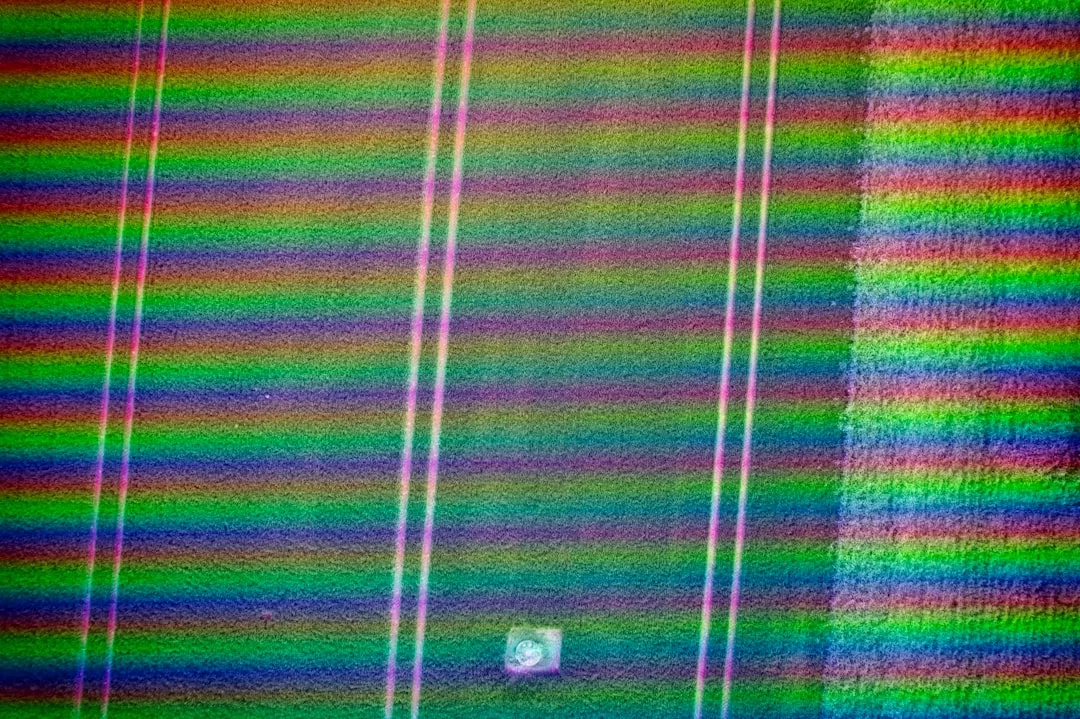
You bought a new monitor, unboxed it, and set it up. Just as you’re about to enjoy it, you spot a tiny bright dot on a black screen, or a pitch-black dot on a white screen.
That moment feels like a punch in the gut. You’ve met a pixel defect. Don’t worry, in most cases, there’s a fix.
Display panel production is an extremely delicate process. It’s almost impossible for millions of transistors to all work perfectly.
That’s why the ISO 9241-302 standard defines a certain number of defective units as acceptable. Manufacturers also set their warranty policies based on this standard.
| Defect Type | Appearance | Cause | Chance of Fix |
|---|---|---|---|
| Dead Pixel | Always black | Transistor failure | Very low |
| Stuck Pixel | Solid color or bright | Signal processing error | High |
| Hot Pixel | Bright only in dark | Excessive current leakage | Medium |
What Is a Dead Pixel, and How to Spot One?
A dead pixel is a unit whose transistor has completely failed. It can’t receive a signal and can’t produce light. As a result, you always see it as black.
No matter what color you display, that spot stays pitch black. Even on a white screen, it shows as a jet-black dot.
How can you spot a dead pixel? The easiest way is to use solid-color test patterns. Open full-screen images of red, green, blue, white, and black in order.
A dot that stays black on every color is dead. The difference between dead and stuck pixels becomes clear here. A stuck one works on some colors; a dead one never does.
What Is a Stuck Pixel? Bright & Dark Pixel Difference and Repair
A stuck pixel is a point where one or more sub-pixels stay constantly on or off. Its transistor works but can’t process the signal correctly.
A bright pixel usually appears as a constant white or colored dot. A dark pixel, on the other hand, gets stuck as a dark color, not black.
How can you fix a stuck pixel? Your chances are much higher than with a dead one. Here are the step-by-step methods:
- Software method: Tools like JScreenFix or UDPixel stimulate the stuck unit with rapid color cycling. So run the program over the problem area for 30 minutes.
- Manual massage: Turn off the screen and gently press the problem spot with a damp, soft cloth. Turn the screen on and release the pressure. But only try this on LCD panels.
- Heat method: Hold a hairdryer on low, 30 cm from the problem area, for 2–3 minutes. Here, the heat increases the fluidity of the liquid crystals.
Are Dead Pixels Covered Under Warranty? Consumer Rights and Brand Policies in the US
Is a dead pixel covered under warranty? That’s one of the most-asked questions. Answer: it depends.
The ISO 9241-302 standard divides screens into pixel defect classes. The standard allows zero defects for a Class 0 panel. Meanwhile, Class 1 tolerates 1 dead unit, and Class 2 tolerates up to 5.
- US Consumer Law: For a product to be considered defective, the flaw must be “material.” A bright dot in the center of the monitor matters. Makers usually exclude a barely visible one in the corner.
- Brand Policies: Dell and HP offer zero-dead-pixel guarantees on premium lines. ASUS and Samsung consider anything below a certain number as normal.
Before buying, definitely read the brand’s dead pixel policy.
Pixels in Cameras and Photography: Sensor, Light, and Night Shots
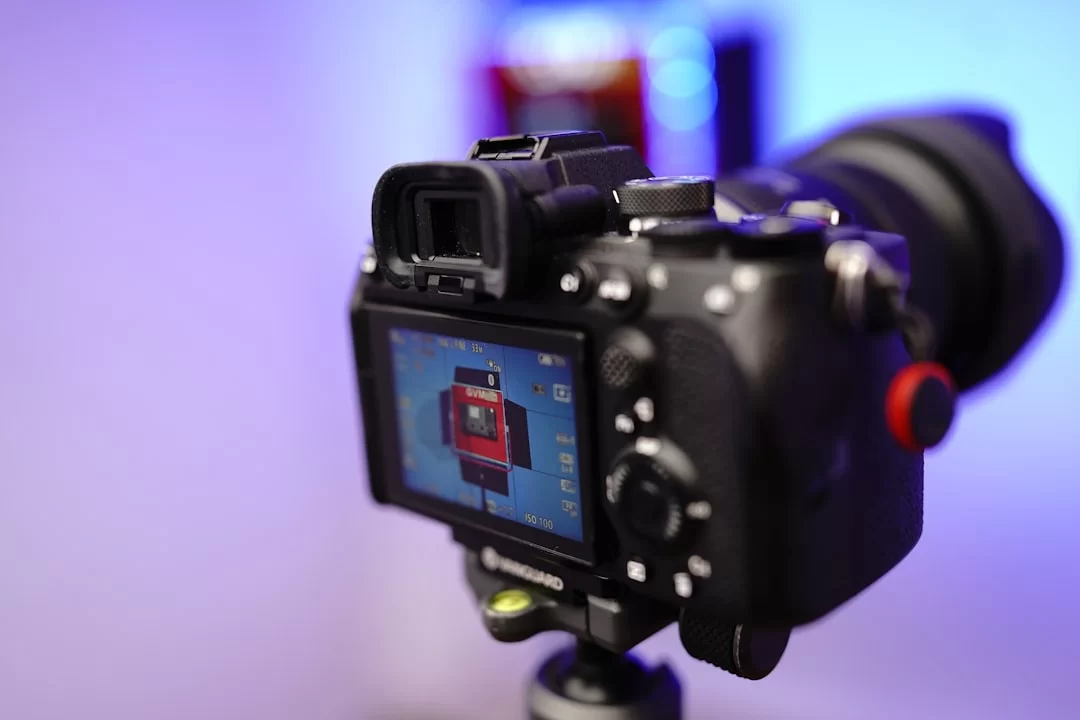
A camera sensor consists of millions of tiny photodiodes that convert light into an electrical signal. Each photodiode is a sensor cell.
Light photons strike these cells and release electrons. The more photons captured, the stronger the signal.
What really matters in photography is how much light each cell can gather. A big bucket collects more rainwater than a small one.
By the same logic, a big photodiode catches more photons. So, as the light-gathering area grows, the signal-to-noise ratio improves.
What Does a Pixel Do on a Camera Sensor? Pitch & Light Gathering
A camera pixel is a light counter that measures incoming light. Each unit counts the photons that fall on it and converts them to a digital value.
The image processor processes this value and creates the final photo. Moreover, the process happens in a tiny fraction of a second.
| Parameter | Description | Example Values |
|---|---|---|
| Pixel Pitch | Distance between two neighboring cell centers | 0.8µm (phone), 8.4µm (full-frame) |
| Pixel Size | Each cell’s light-gathering area | 1.22µm (iPhone), 2.44µm (binned) |
| Dynamic Range | Difference between brightest and darkest | Large cell = wide range |
Camera sensor pixel size directly affects photo cleanliness. Large cells produce less pixel noise. Dynamic range widens. The tone curve becomes smoother. The difference is obvious in smooth transition areas like skies.
Pixel Importance in Night Shots: Sensor Size or Megapixels?
Night photography is the toughest test for sensor tech. There is very little light around. Small cells drown in this low light.
The signal is weak, the noise high. As a result, you get grainy, detail-less, washed-out photos. Large cells, however, gather even that weak light efficiently.
| Device | Sensor Size | Resolution | Pixel Size | Low-Light Success |
|---|---|---|---|---|
| iPhone 15 Pro | 1/1.28 inch | 48 MP | 1.22µm (2.44µm binned) | ★★★★☆ |
| Samsung S24 Ultra | 1/1.3 inch | 200 MP | 0.6µm (2.4µm binned) | ★★★★☆ |
| Sony A7S III | Full-Frame | 12.1 MP | 8.4µm | ★★★★★ |
| Canon R6 | Full-Frame | 20.1 MP | 6.5µm | ★★★★★ |
Pixel size is the most critical parameter for low-light performance. In 2026, phone makers try to close this gap with pixel binning.
Additionally, they combine 4 or 9 neighboring cells to virtually create a large cell. A 200 MP sensor shoots in 12.5 MP mode.
It’s a clever solution, but like the optical vs. digital zoom difference, it doesn’t replace a truly large sensor.
Pixel, Vector & Raster Graphics: Cornerstones of Design

The digital design world revolves around two main graphic types: raster and vector. A raster graphic is a grid of pixels.
Each unit carries independent color info. Photos, web images, and digital art are in raster format. In short, JPEG, PNG, GIF, and BMP are the most common raster formats.
Vector graphics, on the other hand, are defined by math formulas. A circle is expressed by its center point and radius value.
Enlarge as much as you want, the formula stays the same. Edges never get jagged. That scalability is vector’s biggest advantage. Additionally, SVG, EPS, and AI files are in vector format.
| Use Case | Recommended Format | Reason |
|---|---|---|
| Logos and icons | Vector (SVG, EPS) | Infinitely scalable, sharp at any size |
| Photos | Raster (JPEG, PNG) | Ideal for complex tone transitions and textures |
| Print work | Vector or 300 PPI raster | High resolution is a must |
| Web and social media | PNG or WebP | Fast loading and transparency support |
What’s the Difference Between Pixel & Vector? Bitmap vs. Vector Comparison
The pixel vs. vector difference stems from how data is stored. A bitmap image stores a color code for each unit.
A 1000×1000 image contains exactly 1 million data points. When you enlarge it, those squares become visible. That’s called pixelation.
- Raster (Bitmap): Pixel-based. It blurs when enlarged, and file size is large. Moreover, it’s the only option for photos and complex images.
- Vector: Math-based. You can enlarge infinitely, but file size is small. Additionally, it’s ideal for logos, icons, and typography.
What Is Pixelation? The Problem of Blocky Appearance in Games and Images
Pixelation is when image units become distinguishable to the naked eye. It happens when you scale an image far beyond its original size.
The software interpolates to fill in missing data. But this artificial filling causes loss of sharpness and a blocky look.
In games, pixelation stems from a different mechanism. If your graphics card isn’t powerful enough, the game engine lowers the resolution.
It processes fewer units and scales them to fit the screen. Result: a blurry, blocky image. Developers created tech like DLSS and FSR exactly to solve this.
You can reduce pixelation with image interpolation. Photoshop’s “Preserve Details 2.0” algorithm and AI tools predict missing pixels. Also, software like Topaz Gigapixel handles this effectively. Image scaling is now much more successful thanks to AI. Still, don’t expect magic; you can’t fully create detail that isn’t there.
What Is Pixel Art, and How Is It Made? A Modern Take on 8-Bit Graphics
Pixel art is a digital art form where each pixel is placed deliberately. It was born during the 8-bit game graphics era.
Developers designed iconic games like Super Mario and Pac-Man with this technique. Today, it’s popular again thanks to modern games seeking retro aesthetics and NFT projects.
How can you make pixel art? With tools like Aseprite, Pyxel Edit, or Photoshop, you start by painting dots one by one. You decide each pixel’s color and position.
You don’t use anti-aliasing; instead, you prefer sharp, clean transitions. In short, working with limited color palettes is the soul of this art.
‘Pixel’ for Different Professionals: Web, Design & Marketing Perspective
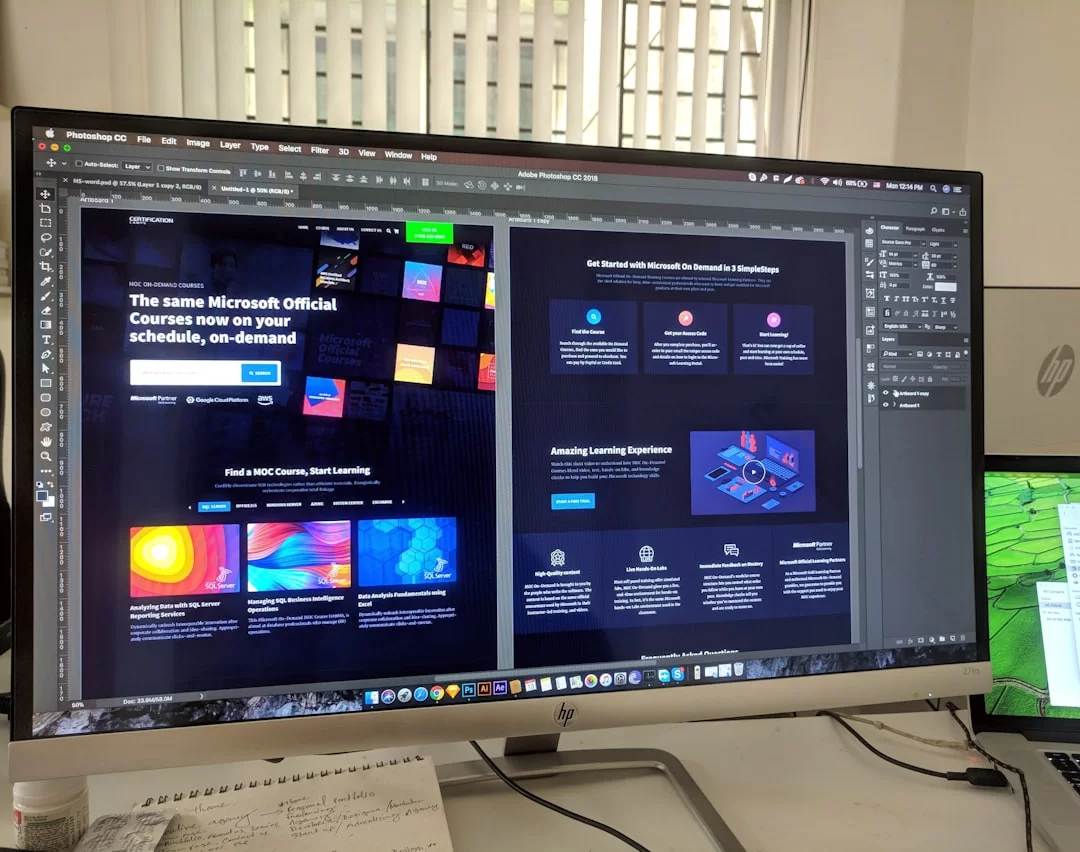
Every profession looks at this concept from a different window. For a web developer, a CSS pixel is one thing; for a graphic designer, pixel perfection is another.
For a marketer, a tracking pixel is a whole different world. The same word carries three different meanings for three different professionals.
| Profession | Pixel Meaning | Related Concepts |
|---|---|---|
| Web Developer | CSS pixel, logical unit | DPR, viewport, srcset, canvas |
| Graphic Designer | Atom of the canvas | Pixel perfection, geometry, anti-aliasing |
| Digital Marketer | Tracking code, data collection tool | Meta Pixel, Google Tag, conversion tracking |
This section will be especially valuable for those starting their careers because most sources skip this perspective difference. For instance, in a job interview, you get asked “What is a pixel?” Answering specific to your field sets you apart.
Pixel for a Web Developer: CSS Pixel, Device Pixel Ratio (DPR)
What is a CSS pixel? In the browser world, a pixel is not a physical unit. It’s a logical measurement unit.
W3C standards define 1 CSS pixel as 1/96 inch at 96 DPI. But on modern phones, that definition is long gone. Now, the device-independent pixel concept applies.
Last month, I was optimizing the mobile performance of an e-commerce site. Product images were 800px wide for desktop. The same images loaded on mobile. So we added srcset and sizes attributes and started serving different images based on DPR. Mobile page load time dropped by 40%. Small touch, big difference.
- Device Pixel Ratio (DPR) tells how many physical pixels one CSS pixel equals. On iPhone 15 Pro, DPR is 3. 1 CSS pixel = 9 physical pixels.
- srcset lets you serve different images for different pixel densities. That’s why you prepare @2x and @3x images.
- Canvas with JavaScript pixel manipulation lets you create games and interactive graphics.
Pixel for a Graphic Designer: Pixel Perfection and Geometry
In graphic design, a pixel is the atom of your canvas. Especially in UI design, there’s a concept called pixel perfection.
Every line must sit exactly on a unit boundary. Lines that fall on half a pixel look blurry. That’s why it’s called pixel snapping.
- Pixel Grid: In tools like Figma and Sketch, you align the design to the grid. It’s a must for sharp lines.
- Anti-aliasing: It smooths curves. As a designer, you decide where each pixel will land.
- PPI Awareness: Different settings are needed for digital (72 PPI), retina (144/216 PPI), and print (300 PPI).
Tracking Pixel in Digital Marketing: Meta Pixel, Google Ads & Conversion Tracking
Now we’re moving to a completely different world. In marketing tech, “pixel” brings data to mind, not an image.
A tracking pixel is a transparent 1×1 image code placed on a web page. The user never sees it, but a lot happens in the background.
This tiny code snippet tracks the visitor’s behavior. Which page did they visit? Which product did they add to the cart? Did they complete the purchase? The system sends all this data to ad platforms. That way, you can show your ads to the right people at the right time.
What Is a Tracking Pixel and How Does It Work?
A tracking pixel is a small <img> tag embedded in HTML code. Its src attribute points to the ad platform’s server.
When the page loads, the browser requests this image from the server. Along with the request, data like IP address, browser info, and visit time goes to the server.
How does a tracking pixel work? Let’s explain step by step: A user arrives on your site. The tracking code snippet on the page fires.
The browser sends an invisible request to Meta or Google’s server. Then, the server checks the user’s cookie. If the user logged into Facebook before, it knows who they are.
Now you can show that user your product’s ad on Facebook. We call this a remarketing tag.
Or if the user makes a purchase, it logs that as a conversion. That’s how you measure your ads’ real performance. Pixel-based conversion tracking is the backbone of modern marketing.
How to Create Meta (Facebook) Pixel and Google Ads Pixel Code?
Let’s go through the steps to create a Meta pixel code in order:
- Go to Meta Events Manager. Click the “Add Data Source” button.
- Choose the “Web” option. Select “Meta Pixel.”
- Give your pixel a name. Enter your site’s URL.
- The system will give you a code block. Paste this code into the <head> section of your site.
- Select the events you want to track: Page view, Add to cart, Purchase, etc.
- Test your setup with the Meta Pixel Helper extension.
If you ask what the Google Ads pixel code is, we actually call it Google Tag. From your Google Ads account, go to the “Tools > Conversions” menu. Create a new conversion action. Select website conversion.
At this point, Google will give you a GTAG code. Add this code to all pages. Then place the event snippet on the conversion page.
Is Pixel-Based Tracking Safe? Email Tracking Pixel Blocking & Server-Side Tracking
People increasingly question whether pixel-based tracking is safe. Browsers now restrict tracking pixels with measures like ITP and ETP.
Browsers use ITP (Intelligent Tracking Prevention) and ETP (Enhanced Tracking Protection). Naturally, these measures limit tracking pixels.
Safari and Firefox block third-party cookies by default. Moreover, Chrome joined the party in 2025.
| Tracking Method | Advantages | Disadvantages |
|---|---|---|
| Client-Side (Browser) | Easy setup, low cost | Cookie blocking, ITP restrictions |
| Server-Side (Server) | Bypasses blocks, data control | Complex setup, costly |
| Hybrid | Highest accuracy, flexibility | Need to manage both systems |
Server-side tracking was born as a solution to these problems. It sends data directly from your server to the ad platform. This way, you bypass browser restrictions.
Also, you gain more control over user data. Facebook CAPI (Conversions API) and Google Enhanced Conversions are server-side tracking examples. In 2026, client-side tracking alone is no longer enough; a hybrid approach is a must.
Image Processing and Pixel Manipulation: From Filters to Segmentation

Image processing is the art of mathematically changing each pixel’s value.
It appears everywhere from Instagram filters to medical imaging, from autonomous cars to face recognition. The basic principle is simple: take a pixel matrix, run each unit through a formula, and produce a new matrix.
- Convolution: A pixel’s new value is the weighted average of itself and its neighbors.
- Segmentation: The process of dividing an image into meaningful regions. You assign each pixel to a class.
- Normalization: Scales values to a 0-1 range. It’s also preprocessing for AI models.
What Is a Convolution Matrix? Image Sharpening and Blurring with Pixel Neighborhoods
A convolution matrix is the core tool of image processing. It’s a small number table (usually 3×3 or 5×5). You slide this table over the image.
At each position, you multiply the matrix values by the pixel values below and sum them. The result becomes the new pixel’s value.
- Blurring: All matrix values are 1/9. It softens details by averaging.
- Sharpening: Center has +5, edges -1. It increases contrast.
- Edge Detection: Uses Sobel or Canny filters to highlight edges.
Let’s give a step-by-step example: Consider a 3×3 region. The center pixel’s value is 100. Its neighbors have values like 80, 90, 110, 120.
When you multiply with a sharpening matrix, the center may become 150. Contrast at edges increases, and the image looks sharper. The system repeats this process for millions of pixels.
Pixel-Based Image Segmentation and Normalization
Pixel-based image segmentation is the process of dividing an image into meaningful regions. You assign each pixel to a specific class: “this is a car,” “this is a road,” “this is the sky.”
This process is critical for autonomous cars to understand their surroundings. Moreover, it classifies millions of pixels each frame.
Among image processing matrix examples, the most striking is medical imaging. In MRI or CT scans, each pixel represents tissue density.
You can perform pixel-based measurements on these values to detect tumors or calculate organ volume.
The Future of the Pixel: AI, DLSS, and the Depixelating World
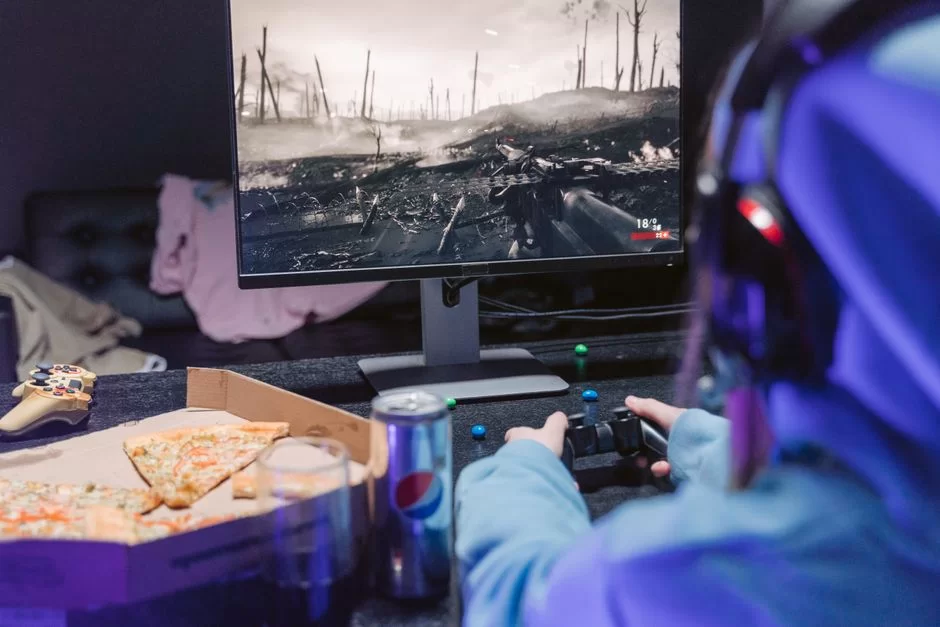
In 2026, we no longer just process existing units. AI also predicts the missing ones. DLSS (Deep Learning Super Sampling) is a revolutionary tech from Nvidia.
It renders at low resolution, and then AI upscales it to high resolution. As a result, it gives us higher FPS and sharper images.
AMD FSR (FidelityFX Super Resolution) offers a similar approach. It’s open-source and has broader hardware support.
Both technologies work via AI pixel upscaling. The GPU renders at 1080p, and you see it as 4K. Image processing tech predicts millions of non-existent pixels in real time.
DLSS and FSR: How Does AI Predict Pixels That Don’t Exist?
Nvidia DLSS uses a deep learning model. Nvidia trained the model with millions of high-resolution game images.
It takes a low-resolution frame and predicts the missing details. The result looks like it was rendered natively. In some cases, it even delivers better edge smoothing than native 4K.
- Render at low resolution: The game engine creates the frame at 1080p or 1440p.
- Extra data: It produces helper data like motion vectors and depth info.
- AI prediction: The DLSS model predicts the missing pixels using this data.
- Temporal stability: Info from previous frames prevents flickering.
Image enhancement no longer depends solely on hardware. Software and AI let you exceed hardware limits. Even with the same GPU, you get higher frame rates thanks to DLSS. This is revolutionary for gamers and content creators.
From Pixel to Voxel: Volumetric Image Unit in 3D Graphics and Gaussian Splatting
Voxel means volumetric pixel. It’s the 3D counterpart of 2D squares. The game Minecraft is the most famous example of voxel-based graphics.
Each cube is a volumetric pixel. In medical imaging, CT scans produce voxel data. As a 3D image unit, it enables modeling of tissues and organs.
| Feature | Pixel (2D) | Voxel (3D) | Vector | Gaussian Splat |
|---|---|---|---|---|
| Dimension | 2D (X, Y) | 3D (X, Y, Z) | Formula-based | 3D + light |
| Data type | Color value | Density/color | Mathematical | Position + Gaussian |
| Usage | Screen, photo | Medicine, gaming | Logo, icon | Film, VR |
| Scalability | Limited | Limited | Infinite | Very high |
Gaussian splatting imaging tech was introduced in 2023 and quickly spread. It represents the scene as point cloud data. Each point emits light in a Gaussian distribution shape. There’s no traditional pixel grid.
Ray tracing scans these points and creates highly realistic images. Moreover, render time has dropped from minutes to seconds.
Further Reading Resources About Pixels
If you want to dive deeper into the topics we’ve covered, I recommend the following authoritative resources. All are published by the most respected institutions in their field and are actively accessible:
- W3C CSS Values and Units— W3C sets web standards. This institution gives us the reference pixel definition. Moreover, this is the most up-to-date technical source on CSS pixel, DPR, and screen scaling topics.
- Wikipedia— The article explains the pixel concept, its history, and its place in display tech in plain language. Additionally, it covers core topics like physical pixel, logical pixel, and color components with examples.
- Web.dev — Responsive Images and Density — This guide on Google’s official platform Web.dev covers screen resolution and DPR concepts with practical examples. Plus, this work shows how to use pixels in today’s web design. As a result, readers at any level can easily benefit from this source.
Top 10 Most Asked Questions About Pixels
What is the difference between pixel and resolution?
What’s the difference between DPI and PPI, and when do you use each?
What is the difference between a dead pixel and a stuck pixel, and how do you fix them?
Is a dead pixel covered under warranty?
Which is more important, megapixels or sensor size?
Is 1080p on a 27-inch monitor acceptable?
Are screen pixels and marketing tracking pixels the same thing?
What does Retina display mean, and is the 300 PPI claim true?
How many mm or cm is a pixel?
How many pixels are in 4K resolution?
Conclusion: Understanding the Pixel Means Mastering the Digital World
We examined this tiny unit—the pixel, the atom of the digital world—from every angle. We talked about everything from the physical dot to the tracking code. Plus, we touched on details from the light counter to AI-generated units.
- Megapixels aren’t everything. What matters is the light-gathering area and sensor size.
- Resolution and density are different things. 4K doesn’t always mean sharp; screen size is also critical.
- Dead and stuck pixels are different problems. You can fix one at home; the other is usually a warranty defect.
- A CSS pixel is not a physical pixel. Web developers must understand DPR.
After reading this guide, you’ll make more informed choices. For example, when buying a monitor, choosing a phone, or setting up an ad campaign, your decisions will be healthier. Remember: understanding the pixel means seeing behind the curtain when you look at a screen.

1 Reader Comment
Hi, Can it be said that a pixel is 99% empty space, seeing as it only uses color to create a part of a picture? I’m looking to compare it with the 99% empty space in an atom, and therefore use it as a tiny bit of evidence that we are living in a simulation. One pixel is made up of a percentage of 3 colors: one atom is made up of a percentage of 3 particles. Please email me with your views on this. Thanks