

Today, almost everyone holds a strong pocket PC in their hand—a smartphone. We snap photos, make payments, and play games on these advanced mobile tools. We even run our work from them. In short, they have become a key part of modern life.
So, how does the gear and code that gives us all these tools work? We start with the basic idea and reach the newest mobile tech trends. Best of all, we keep everything plain and clear.
Based on my years in the field, I can say one thing for sure. Users often think only about the brand name and the price. Yet, details like chip speed, RAM use, and safety rules matter far more. In this guide, I lay those details on the table.
Maybe you plan to buy a new device, or you want to know your current one better. This guide will help you. We will skip no tech point, but we won’t bore you either.
What Is a Smartphone? Basic Definition and Core Ideas
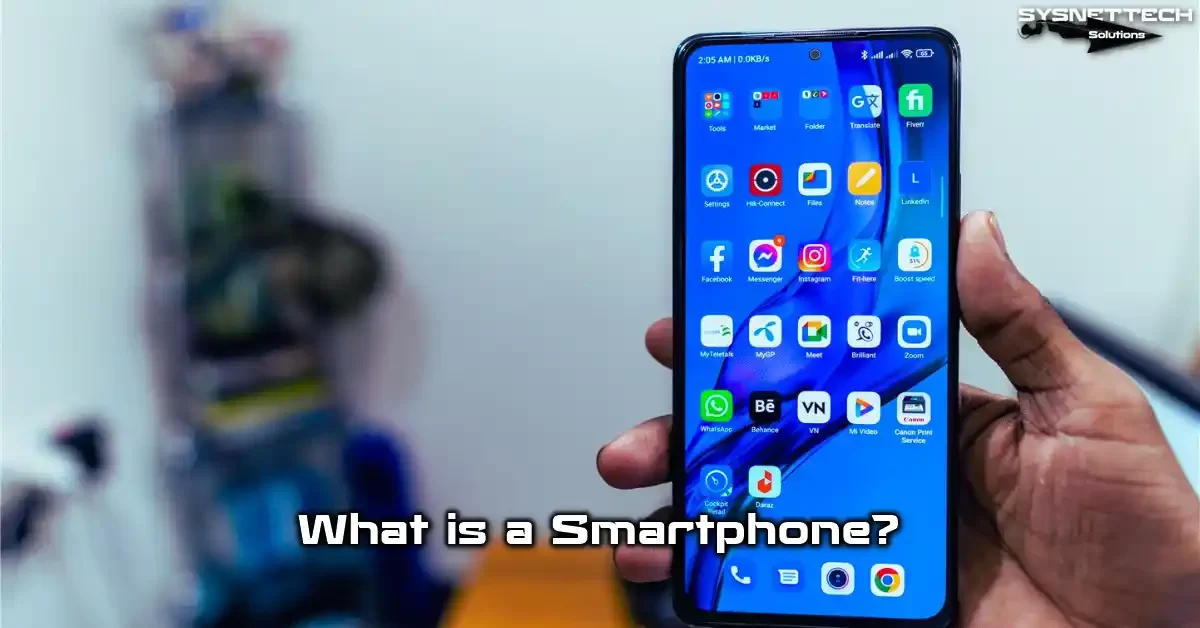
In the simplest terms, we define a smartphone as an advanced mobile talk tool. Yet, this definition falls far too short. That’s because the same device also works as a strong, portable PC.
It carries a mobile operating system. Thanks to this system, you can run thousands of app store programs. Controlled by a touch screen, this clever mobile device touches every part of daily life. Indeed, it is no longer just a phone but a full-fledged helper.
The Parts That Make a Phone Smart
There are key parts that turn a device into a smartphone. First, a strong chip and enough RAM are a must. Next, a well-made mobile operating system steps in. What’s more, this system must offer third-party mobile app support.
On top of that, a touch screen is a core need for a smartphone. We said goodbye to physical keypads long ago. Today, screen sharpness and refresh speed also directly shape the user’s feel. Furthermore, the ways it connects play a key role.
For instance, we cannot picture a modern mobile gadget without Wi-Fi, Bluetooth, and GPS. Also, biometric safety, AI help, and high battery life are now the norm. In short, a smartphone keeps changing all the time.
Gaps Between a Cell Phone and a Smartphone
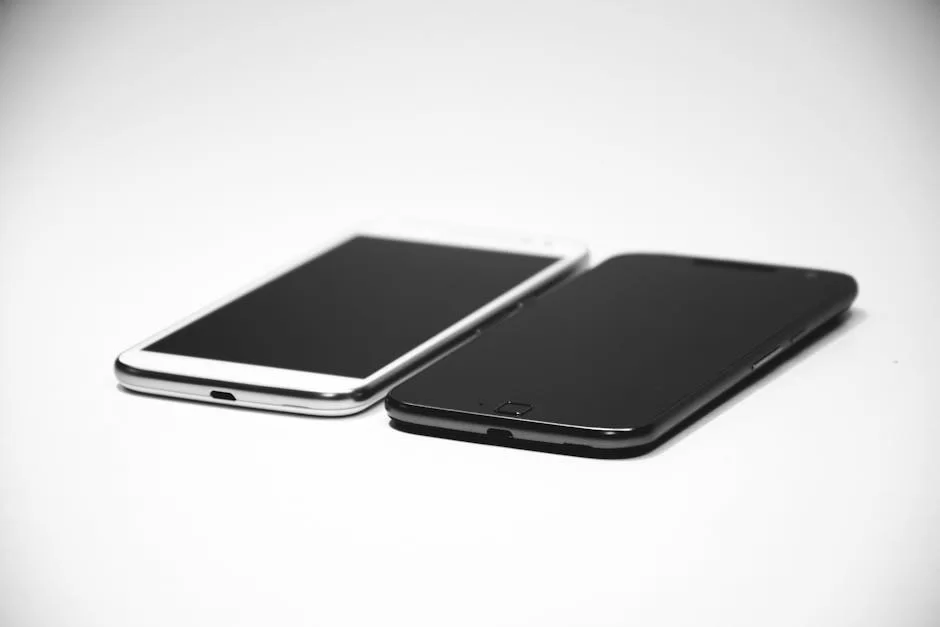
People often mix up these two ideas. However, the gap between them is huge. Simply put, a cell phone was built just for calls and SMS. In contrast, a smartphone came to life as a pocket PC.
| Feature | Cell Phone | Smartphone |
|---|---|---|
| Operating System | None or very limited | Advanced mobile OS like Android, iOS |
| App Support | Only built-in tools | Millions of mobile apps |
| Touch Interface | Mostly none | Advanced touch screen |
| Connectivity | 2G, basic Bluetooth | 5G, Wi-Fi 6E, Bluetooth 5.3, GPS |
| Security | PIN code | Face scan, fingerprint reader |
As you can see, there is a vast gap in gear and code. Today’s smartphone models almost rival laptop PCs.
Meanwhile, old-school phones served a single goal. For this reason, you must be clear about your needs when you decide to buy.
History of the Smartphone: From IBM Simon to Today
We can trace the roots of our current strong devices back to the early 1990s. Nobody saw such a big change coming back then. Still, a few visionaries reshaped the concept of a mobile talk device.
Many famous brands took the stage on this trip. Some got buried in dusty pages of history, while others kept their throne. Now, let’s look at this thrilling timeline as a team.
The First Smartphone: IBM Simon (1994) and Its Specs
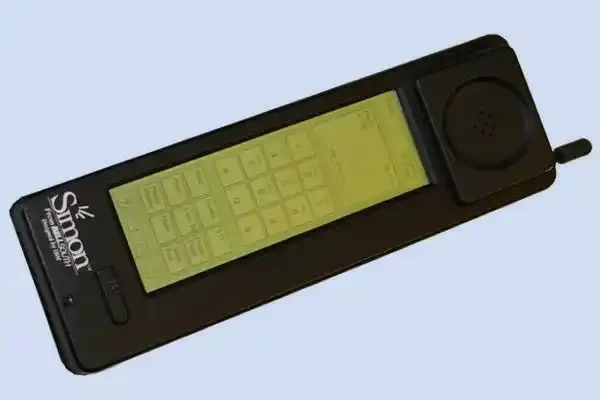
The official title of the first smartphone goes to the IBM Simon. This device, which hit the market in 1994, was way ahead of its time. It had a touch screen, e-mail support, and even a fax feature.
For that era, these traits seemed like pure sci-fi. After all, the IBM Simon was not just a phone. It also worked as a personal digital helper. The device had a schedule, contact book, and note-taking apps. Plus, it even let third-party tools run on it.
The catch was its battery life of just one hour. Its price was also around $1,500 in today’s cash. For this reason, it could not reach the masses. Even so, it laid a solid base for what was to come.
Symbian, BlackBerry, and Other Early Shifts
- Nokia Communicator Line: This line, which started in 1996, turned heads with its foldable shape and full QWERTY keys. It was a true trailblazer for the mobile office idea.
- Symbian OS: Giants like Nokia, Sony Ericsson, and Samsung chose this in the early 2000s. For many years, it gave power to the Nokia ecosystem.
- BlackBerry: It took the work world by storm in 2002. Its iconic real keys and BlackBerry Messenger (BBM) reshaped work talk. You can find more in our BlackBerry phone write-up.
- Windows Mobile: This was Microsoft’s early touch OS. Users worked with Windows Mobile using a stylus pen, though it wasn’t very user-friendly. Still, it played a big role in work setups.
The iPhone Shake-Up and the Rise of Android
In 2007, Steve Jobs walked on stage and everything flipped. The first iPhone gave us a capacitive touch screen and a game-changing user look. Physical keypads were thrown into the dustbin of history.
Apple also built a new economy with the App Store. Creators could now offer their apps to millions of users. This move shook the whole field’s core. Right after, Google unveiled its Android OS.
Android’s open code gave makers a lot of freedom. Brands like Samsung, HTC, and LG quickly pumped out Android-based models. It soon grew into the biggest player in the global market. Today, the fight between these two giants rolls on.
Smartphone Specs: A Deep Gear and Tech Guide
A modern smartphone holds an incredible amount of complex hardware. In this part, we will put each part under the lens. Our aim is not just to share tech facts. We also want to show how these parts shape your daily life.
Whether you play games or shoot pro-level videos, knowing the right gear gives you a huge edge. So, let’s now dig into all the details, from the chip to the screen and links.
CPU and GPU Architecture: The Base of Speed
The chip acts as the brain for it all. Inside a modern smartphone, a CPU and GPU sit side by side. We call this merged unit a SoC (System on Chip). Snapdragon, A-series, and Exynos are the top names.
The CPU runs the broad tasks like opening apps or surfing. The GPU, on the other hand, jumps in as a graphics chip for games. So, the chip’s clock speed and core layout shape its real-time power. Big cores handle heavy lifts, while small ones help save the battery.
In their 2026 models, makers now embed AI motors right into the SoC unit. This speeds up photo fixes and voice matching by a huge amount. So, don’t just focus on the GHz number when picking a chip. In short, the chip design and how well it works mean everything.
RAM and Storage Tech (LPDDR, UFS, NVMe)
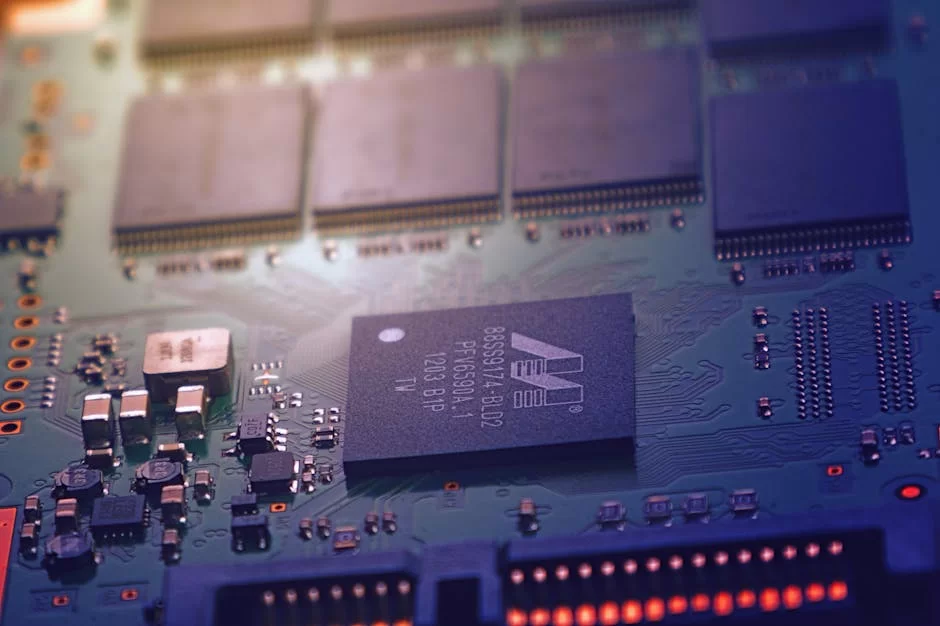
RAM is the short-term pool where apps run. A modern mobile phone often carries 8GB to 16GB of LPDDR5X memory. This tech is both swift and good at saving power.
Storage, on the flip side, is a must for your long-term files. The UFS 4.0 rule is now common in top-tier flagships. You can see read speeds reach up to 4,200 MB/s. This lets you move huge files in just a few seconds.
We also see NVMe storage in some high-end tablets. But in phones, UFS is still the best way to go. A lot of space, backed by cloud storage, will save you in the long run. I suggest at least a 256GB size.
Screen Tech: AMOLED, LCD, LTPO and Touch Screens
| Technology | Pros | Cons |
|---|---|---|
| AMOLED | True blacks, high contrast, thin panel, saves power | Burn-in risk, usually costs more |
| LCD (IPS) | Natural tones, lower cost, no burn-in risk | Blacks look gray, thicker panel, uses more power |
| LTPO AMOLED | Dynamic 1Hz-120Hz refresh, great battery life | Only found in top-end devices |
| Mini-LED | High brightness, good contrast, no burn-in | Rare in phones, mostly in tablets and laptops |
Among screen types, AMOLED is the clear boss. What’s more, the LTPO type is a marvel for dynamic refresh.
Touch screen sharpness has also hit a 240Hz sampling rate. This is a gold-mine trait, mainly for mobile game fans.
Screen sharpness varies between Full HD+ and Quad HD+. If the pixel count per inch is above 400 PPI, your eye can’t see a difference. So, pay more mind to the panel grade than the pixel count.
Camera Systems: From Sensor Size to AI Help
Mobile photography now stares down pro gear. The megapixel count alone means nothing, but the sensor size means all. 1-inch sensors are now the norm in flagship models.
With AI help, scene spotting happens in real time. Night mode, portrait looks, and star shots are now routine. Plus, the video side now widely offers 8K at 60fps. You can even use pro film modes on these phones.
Optical image fixing (OIS) plays a key role when light is low. A multi-camera setup gives you room to play. Ultra-wide, zoom, and macro lenses will spark your creative side. In my own view, one good main sensor beats four so-so ones.
Ways to Connect: 5G, Wi-Fi 6E, Bluetooth 5.3, GPS and UWB
- 5G: The new-age mobile network serves up gigabit speeds for downloads. Lag times have dropped to tiny bits, which is just right for cloud games and live streams.
- Wi-Fi 6E: The 6 GHz band opens up a super clean path. So, you face no cuts even in packed spots.
- Bluetooth 5.3: It uses less juice, and the link range and sound have clearly improved. Mainly, it sparked a big change in cordless earbuds with LE Audio help.
- GPS: Thanks to multi-band GPS help, spot-on accuracy is now near the inch. So, guiding your way is now far more exact.
- UWB (Ultra Wideband): It does exact near-field spot checks. You can use this tech in cases like a digital car key or finding lost things.
- NFC: This is the base of mobile pay and touch-free sales. It is now in almost every model you find.
What Does a Smartphone Do? From Daily Life to Pro Use
This question spreads out just as wide as the device itself. Let’s start with the core act of talking and reach all the way to work use. There is a lot to tell, so hold on tight.
Chat, Talk, and Social Media Links
Video calling is now a core part of life. WhatsApp, FaceTime, and Zoom serve billions of folks. Thanks to a tight link with social sites, quick shares spread in seconds.
It is so easy to go live or share a story with this advanced mobile tool. On top of that, AR filters push the fun to the top. It is a great way to stay in constant touch with your friends.
Rich text messages, file sharing, and group chats are the icing on the cake. In short, the heart of modern talk beats inside this palm-sized device. I, for one, run even my work calls first through my phone.
Mobile Banking, NFC Pay, and Digital Wallets
The era of lugging a real wallet is now closing. You can see all your accounts on one screen through mobile banking apps. What’s more, you can send money or pay bills in just a few seconds.
NFC pay tech has also flipped our shopping habits on their head. You link your cards to the phone with a digital wallet app. Then, a tap on the pad is all it takes, with no PIN needed.
Plus, these deals are super safe thanks to biometric locks. You cannot okay a payment without a finger scan or face check. The mobile pay world just keeps getting bigger by the day.
Getting Things Done and Work Life with a Smartphone
- Email Management: Your work mails are always with you through Exchange, Gmail, and Outlook.
- Cloud Storage: Reach your files from anywhere with Google Drive, OneDrive, and iCloud. Run real-time joint tasks with your work pals.
- Office Apps: Microsoft 365 and Google Workspace give you full doc tools. You can even handle Excel sheets with ease on your phone.
- Calendar and Task Use: Meeting pings, to-do lists, and synced day plans boost what you get done.
- Voice Assistant: Siri, Gemini, and Galaxy AI save you time with voice commands. Frankly, planning a meet or finding facts is now a fast snap.
Mobile Games, Rich Media, and the Fun World
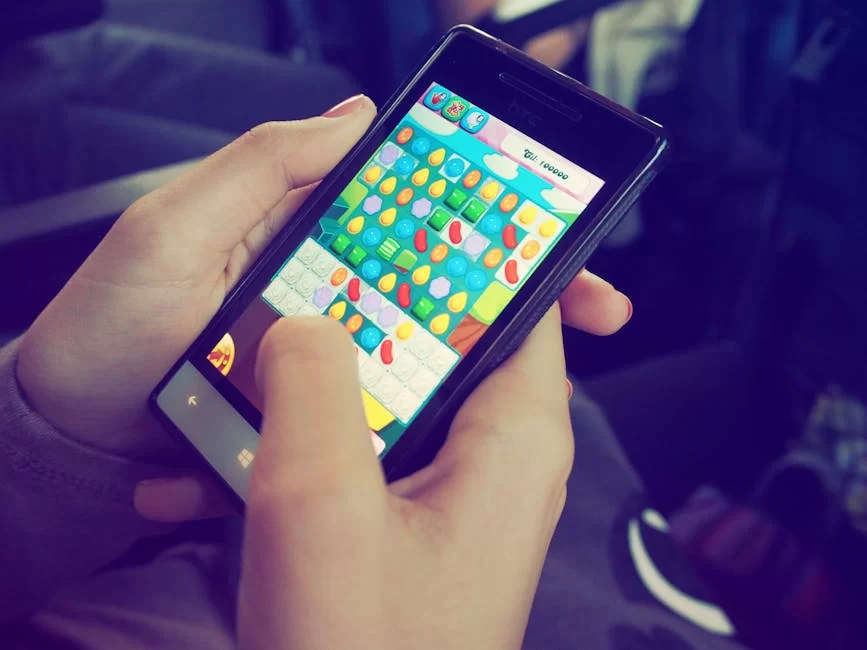
The mobile game world has already passed the game pads. Strong graphic chips and high refresh screens lift the game joy to new highs. Genshin Impact, Call of Duty Mobile, and PUBG have millions of live fans.
On the media side, Netflix, Spotify, and YouTube lead the pack. Gadgets with HDR10+ and Dolby Atmos vow a film-like feel. You can soak in hours of stuff thanks to cord-free charge and long battery life.
It is also doable to shift this feel to 3D with VR goggles. You can place your mobile device in a VR headset and dive into new worlds. In truth, the fun world knows no bounds.
Popular Smartphone Models and Brand Worlds
The market is vast, and the sheer choice can spin your head. In this part, we will look at the top smartphone brands and their world perks. This will make your pick so much smoother.
Apple iPhone Line and the iOS World
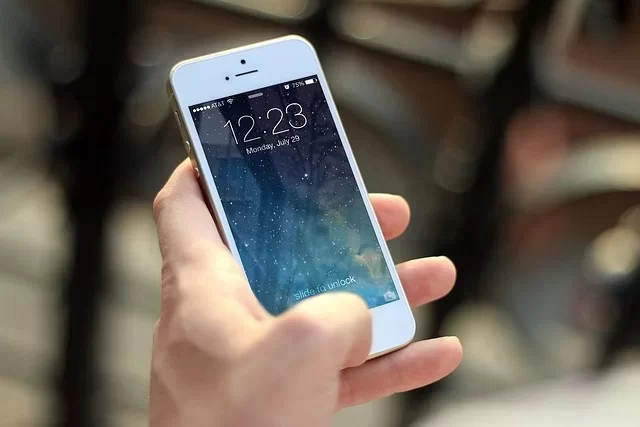
- iPhone 16 Line (2025-2026): A18 Pro chip, 48MP Fusion cam, and the Dynamic Island. The move to USB-C raised all gear match-up.
- iPhone SE 4: It gives you the Apple feel at a kind price. The A16 chip and 5G make it a great budget pick.
- World Strength: Flawless sync between Mac, iPad, Apple Watch, and AirPods. AirDrop and Handoff traits make your work stream fast.
- App Store: Apps are mostly more safe due to tight checks. What’s more, Apple tunes these tools much better. For this cause, builders put iOS first.
Samsung Galaxy Family and Foldable Phones
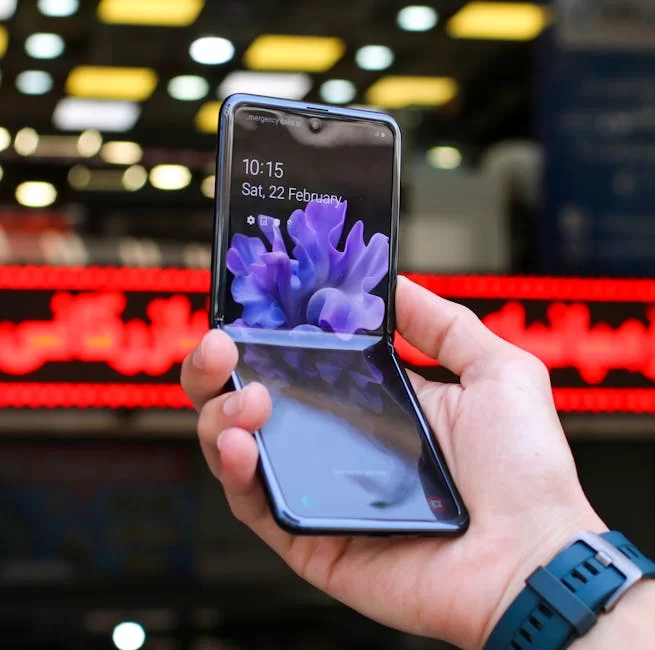
- Galaxy S25 Ultra: Snapdragon 8 Gen 4, 200MP cam, and a built-in S Pen. A top-end beast for work and art.
- Galaxy Z Fold 6: A hybrid tool that grows to a tablet size with its foldable screen tech. I think it is spot-on for doing more than one task.
- Galaxy Z Flip 6: Its small foldable build brings a big change to your pocket. The front screen lets you check pings fast.
- One UI and Galaxy AI: It makes a real gap with photo fix tools, live word swap, and a note helper, all thanks to AI.
Other Brands Shaping the Race (Xiaomi, Google, Huawei)
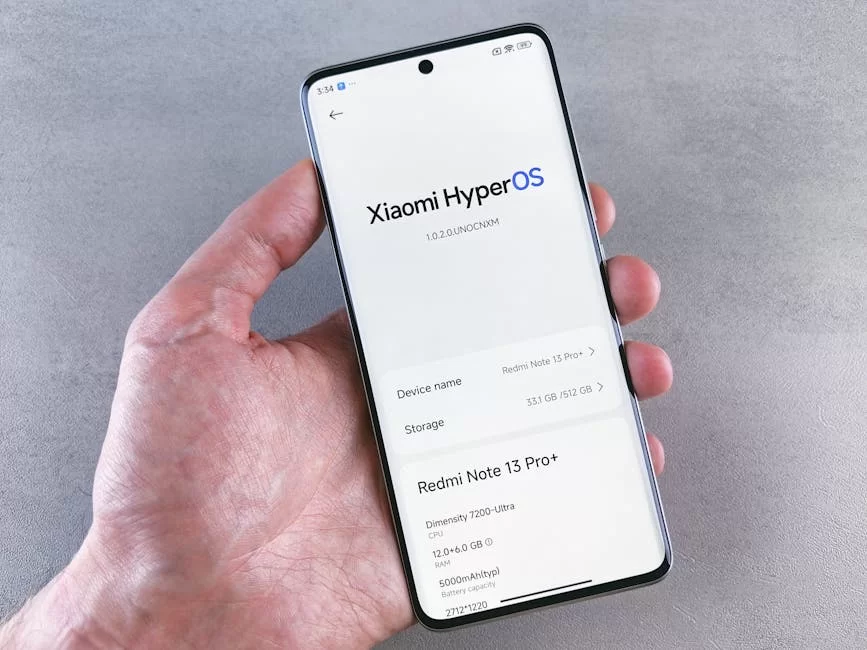
- Xiaomi 15 Line: Its cam setup, built with Leica, is shockingly good. It reigns supreme when you weigh cost and speed.
- Google Pixel 9 Pro: Pure Android use and the fastest patches. The Tensor G4 chip, in the meantime, does great tricks in AI tasks.
- Huawei Mate 70: It builds its own free world with the HarmonyOS system. It also gives you one-of-a-kind traits, like a link to a space signal.
- Nothing and OnePlus: They aim at the young crowd with fresh style and quick-charge tech. The clear back of a Nothing phone is now a true symbol.
Android vs iOS: Which Mobile OS Is Right for You?
The choice of your smartphone OS has a direct pull on your use habits. It is hard to bridge the gap between these two big names. Let’s now lay out the good and the bad on the table.
Custom Fit and User Feel (Android vs iOS)
| Checkpoint | Android | iOS |
|---|---|---|
| Home Screen | No bounds on widgets, themes, and launchers | Has widgets, but the scope to tweak is small |
| File Management | Gives you full file system access | Files app grew, yet it is still bound |
| Default App | You can swap out all default apps | Somewhat lets you; you can flex on browser and mail |
| Look Consistency | Shifts by maker (One UI, MIUI, OxygenOS) | Exact same on all gear, low learning curve |
Android vows full freedom, while iOS gives you a rock-steady base. Which one fits you? If you love being free, choose Android; if you seek ease, go with iOS. As for me, I use both and pick based on the task.
Safety, Privacy, and Update Rules
| Checkpoint | Android | iOS |
|---|---|---|
| Update Span | Google for 7 years, Samsung for 7, others for 2 to 4 | Mostly 6-8 years of help, even old gear stays fresh |
| App Checks | Google Play Store; side-loading can be done | App Store has tight checks; side-loading just started in the EU |
| Perms Control | Deep perms, split check for each app | Clear perm logs, app privacy briefs |
| Biometric Safety | Face check and finger scan are broad | Face ID is the field’s safest face scan system |
In this face-off, iOS holds a slight edge on the safety front. Yet, the Android camp is fast closing that gap. Mainly, the Titan M2 chip from Google and Samsung’s Knox layer show they mean it.
App Stores (App Store vs Google Play Store) and World Strength
| Feature | App Store | Google Play Store |
|---|---|---|
| Number of Apps | Around 2 million | Around 3.5 million |
| Check Strictness | Very strict, hand-done reviews | Mostly a self-acting scan |
| Creator Fee | $99 per year | One-time $25 |
| Commission | 15-30% | 15-30% |
| Return Policy | Easy return in 14 days | Self-acting return in 48 hours |
Both app stores offer you millions of choices. Yet, the App Store is one step ahead in terms of grade checks. The Google Play Store, on the other hand, has more niche tools. Which one you pick just hangs on what you value most.
What to Look For When Buying a Smartphone: A Needs-Based Guide
Getting a new device is fun but can also bring a lot of stress. A bad pick wastes both your cash and your time. So, let’s move step by step for this reason.
Picking the Right Speed and Storage Space
Step 1 — Name Your Use Case: Do you play games? Do you cut clips? Or do you just use it for chat and social sites? These things set your chip and RAM needs.
Step 2 — Set a Cost Band: Start level ($300-$500), mid-range ($500-$800), or top flagship ($800+). Good picks sit in each band, as long as you know your needs.
Step 3 — Storage Choice: 128GB is the base, 256GB is the sweet spot, and 512GB or more is for pros. Also, count the price of a cloud storage plan.
Battery Life, Charge Size, and Charge Tech
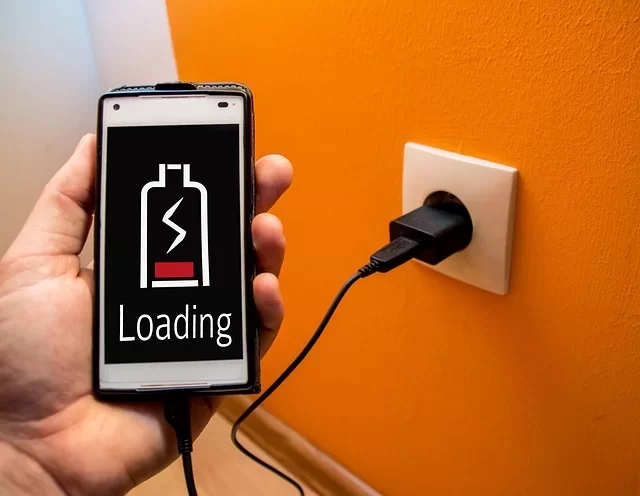
We measure the charge size by its mAh score. A 5,000 mAh cell is now the norm. But how the code tunes it is just as key as the size. On the flip side, a well-tuned 4,500 mAh device can beat a badly tuned 6,000 mAh foe.
Quick charge tech is also a key piece. We have hit 65W, 120W, and even 240W wired charge speeds. Cord-free charge has now reached the 50W mark. You can even give your earbuds a boost with reverse cord-free charge.
My tip is to pick a model that backs at least 25W quick charge. For day use, the charge just needs to last you until the night. A two-day span is great, but you don’t have to have it.
Camera Grade and Mobile Photo Hopes
Don’t get swept up in the megapixel race. The sensor size, how wide the lens opens, and the code work are more key. Mainly, the presence of OIS (optic fix) sets how clear your shot is.
If you plan to capture clips, 4K at 60fps is the base need. For pro work, seek a LOG profile and 10-bit color depth. The front cam is just as key as the back one. For vlog makers, a 4K front cam is a must.
Night shots and portrait mode have grown a lot with AI help. Yet, for those who want a true-to-life view, too much fix can be a pain. So, watch the test clips with a sharp eye.
How Tough It Is: Water and Dust Guard (IP68), Screen Shield
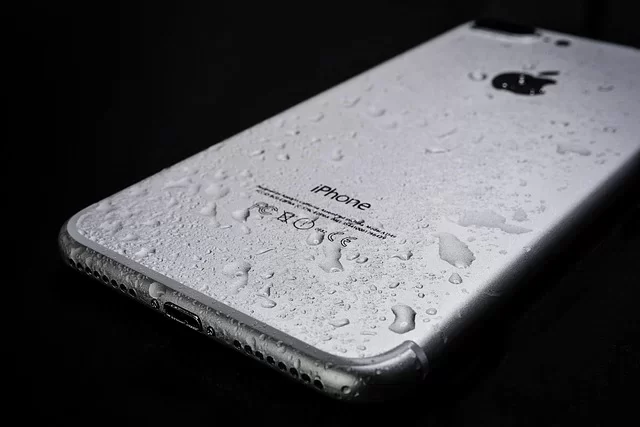
- IP68 Seal: This is the gold standard for water and dust guard. It gives you a 30-minute shield at a depth of 5 feet. Your phone is safe even if it takes a dip in a pool.
- Corning Gorilla Glass Victus 3: This is the toughest shield glass used in 2026 top phones. It gives top-notch guard against scrapes and drops.
- Army-Grade Toughness (MIL-STD-810H): Makers test some models against high heat, deep cold, and hard knocks. It is just right for wild use.
- Screen Guard and Case: The film that comes from the plant is not enough. A tempered glass shield and a good case are a must-buy.
Smartphone Safety, Privacy, and Biometric Checks
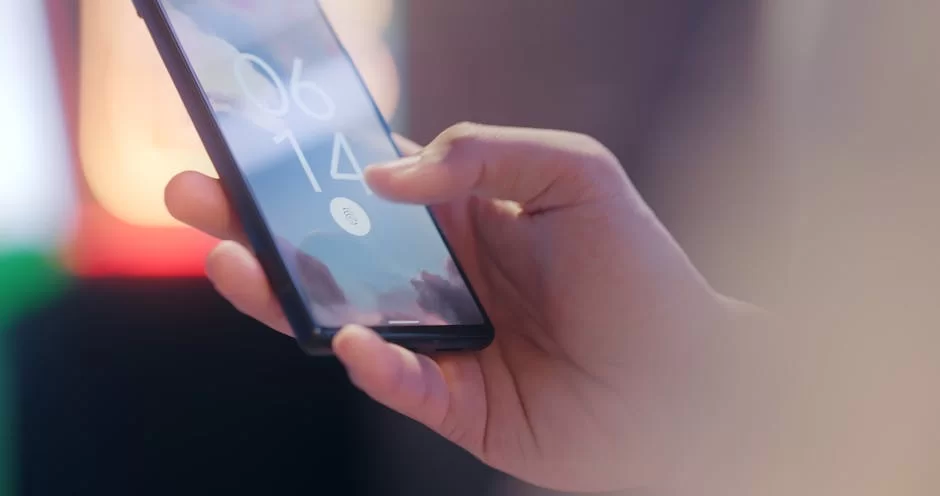
Your own data is worth more than all else. In this part, we will look deep into the safety layers. That’s because smartphone now means your ID, your cash, and your private world.
Biometric Safety Ways: Face Scans and Fingerprint Scans
| Method | Pros | Cons |
|---|---|---|
| Optical Finger Scan | Costs less, fast spot, works below the glass | Can fail if your finger is wet |
| Ultrasonic Finger Scan | Works with wet or grimy prints, 3D map | Costs more, won’t fit with some screen guards |
| Face ID (Apple) | Field’s safest system, 3D scan with a dot beam | Won’t work with a mask or shut eyes |
| Android Face Scan | Quick and smooth to use | Most models use a 2D cam. Yet, you can fool these setups with just a photo |
A biometric safety lock on its own is not enough. You must back it with a strong PIN or code. Finger scans and face maps make it easy for you to get in. Yet, a code gives you more guard in the face of a lawful push.
Data Scrambling, App Perms, and Net Safety
Right out of the box, a modern mobile device gives you full disk scrambling. Android uses File-Based Encryption, and iOS runs its Data Protection plan. In this way, your files can’t be cracked while the device is shut.
You should check your app perms on a set plan. Turn on cam, mic, and spot access just when you need it. For net safety, always use the most fresh code. Stay clear of doing touchy jobs on free Wi-Fi nets.
AI, 6G, and Foldable Screens: The Smartphone Trends of the Future
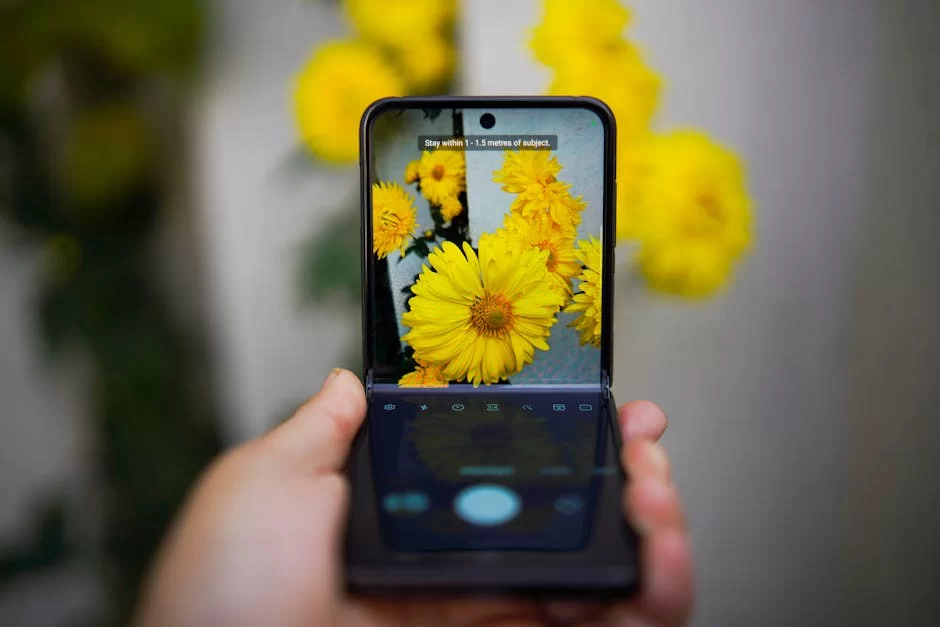
The time to come is right at our door. Some test units I have tried hold mind-blowing new tricks. Let’s find these trends that set the path for the field as one.
AI Help and Voice Assistants (Gemini, Siri, Galaxy AI)
AI is now baked right into the core of the OS. Gemini Nano works while off the grid on the device to sum up talks. Siri, on the other hand, is born again with huge speech models, and its grasp of the scene is far more sharp.
You can swap your phone talks in real time with Galaxy AI. To rub out or move things from a shot takes just a blink. All this takes place at once, thanks to the NPU on the chip. The voice aide is now turning into a true help hand.
In my own tests, the most jaw-dropping shift is the call sum-up tool. The slog of meeting memos is now a thing of the past. In short, the AI breaks down the whole talk and hands you a list of points.
The Rise of Devices with Screens That Fold and Flex
The tech for screens that fold is now all grown up. In its sixth wave of Z Fold and Z Flip models, Samsung solved the joint dust block. What’s more, doubts about how tough it is are now mostly gone.
Thanks to this shape, you tote a vast 7.6-inch screen in your pocket. It turns into a true mobile work spot with split-screen use and S Pen help. Prices are still steep, but low-cost fold models are on the way, too.
We will soon see gadgets that fold three times and screens that roll up. Test units are now shown off at CES fairs. This form will soon become the norm.
The 6G, AR, and VR View of the Road Ahead

Work on 6G picked up pace while 5G is still not in full bloom. This tech, which they hope to put out for sale by 2030, vows speeds in the terabit range. Lag will drop to near zip, and true-time 3D calls will be a real thing.
The tie between AR specs and the smartphone is going deep. Apple Vision Pro and Meta Quest work with no seams with mobile gear. The VR trip no longer needs the strength of a game pad. This strong gear in your palm runs it all.
Sustainability, Fair Makes, and Digital Balance
Tech use calls for a sense of care. We must now look at the fair values, not just the gear specs. For this cause, do not skip this part for the sake of our planet and our minds.
Green Smartphones and Blocks of Parts (The Fairphone Case)
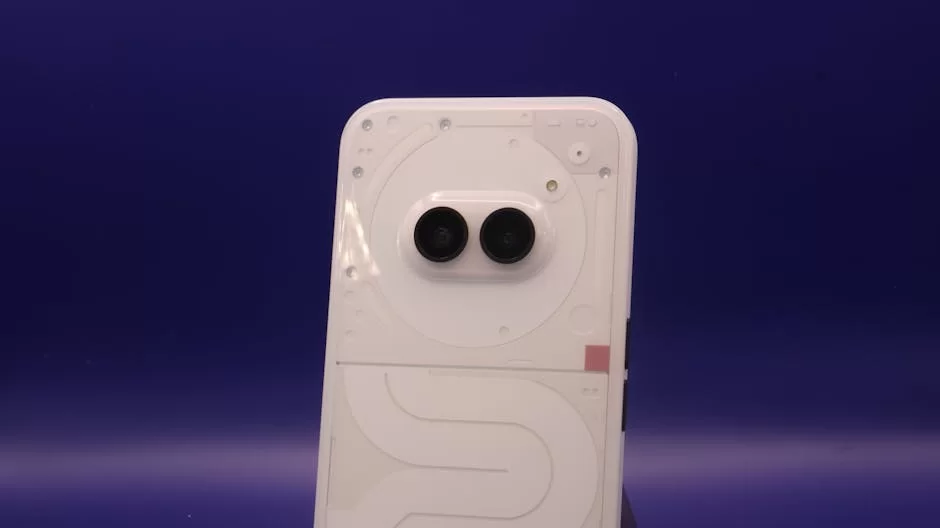
Fairphone sparked a big change with its block-like build way of thought. You can swap a cracked screen or a dead cell in mere moments on your own. You will not need to go to any fix shop. This cut in e-trash is a huge step.
At the same time, Fairphone stands out for fair mine work and just pay plans. They source ore like cobalt and tin from zones free of strife. The clear chain reports are up for all to view on their site. Other big names have now begun to take steps in this, too.
Samsung now makes use of parts built from used fish nets. Apple has vowed to be fully carbon-free by the year 2030. In short, by choosing these brands as a buyer, you can make a real dent.
Smartphone Grip, the Bare-Bones Trend, and Screen Time Checks
While a smartphone makes our life smooth, it can also lead to a strong grip. The task of checking screen time is now a must, not just a choice. Both Android and iOS give you built-in tools for a balanced life.
To set limits on apps and to use the focus mode works with great force. A gray-scale screen mode will break the joy loop in your brain. If you cut down pings to just the key apps, what you get done will grow two-fold.
I have long shut off all pings past 9 PM for years. On the week-ends, I set my phone to full hush mode. This plain step made a vast lift in my head space. I mean this in all truth and urge you with strength to try it.
Deeper Reads and True-Blue Sources
For those who want to dig deeper on this, I’ve put a few high-prestige spots in a list. You can reach the most fresh school-like and real facts through the links just down here.
- GSMA — Mobile Economy Report: This is the top spot for world mobile stats and 5G/6G looks. You can get to deep briefs at the GSMA Tech Page.
- FCC — Device Safety and Stamp of Approval: The US Federal Communications Commission gives real facts on mobile device SAR scores and safe rules. The FCC RF Safety FAQ page sheds light on this.
- IEEE Xplore — Mobile Tech Briefs: It is just right for peer-looked school prints and the most new cordless talk digs. I suggest the IEEE Mobile Nets and Apps part.
The Top 10 Things Most Asked About Your Mobile Device
What gear truly turns a phone into a smart one?
What are the core gaps between iOS and Android?
What is the mean span a mobile device can be of use?
What are the gaps between AMOLED and LCD screens?
What cam trait counts most to get a more sharp shot?
How safe are a phone’s finger and face map checks?
How will 5G shift the way I use my phone each day?
How can I fix it when my phone gets stuck or heats up?
How should I charge my phone to stretch the cell life?
Are phones that fold the wave of the time to come?
End and Big Picture Check
Sum-Up and Close
We took on a vast set of themes in this huge guide. It was a wide trip from what it means to its past, from the gear parts to the shield of safe use. I hope you now stand on a much more clear ground when it comes to this advanced mobile tool.
Tech does not pause in its march, but the base rules stay the same. To know what you need, to know your own cash box, and to do the leg work will win the day each time. Be sure to run through the check list in this guide right when you go to buy a new make.
Please keep in your mind that the most high-cost tool is not the best one at all times. Pick the one that fits the way you live, won’t wear you out, and stands as a safe pick. The tech of the time to come stirs the blood, but it is just as much a pearl to be a sharp-eyed shopper of the now.

Be the first to share your comment