

Video is the primary communication tool of the digital age. It is no longer static text or photographs. Moving images have become the fastest way to transfer information today. What’s more, this is the format that conveys emotion most intensely.
However, do you really know this audiovisual content type? Most people just watch it, unaware of the engineering marvel behind the scenes. However, understanding this field gives you an incredible competitive advantage.
This is exactly where I come in. With over 20 years of field experience, I will not just answer the question “what is video.” We will also explore the technical foundations of this boundless ecosystem.
By the time you finish this article, you will understand what every single bit inside a video file does. You will grasp why we prefer certain codecs over others. You will also figure out the logic behind the strange format rules that platforms impose.
What’s more, you will have the strategic intelligence to manage your own content production process from end to end. Let us embark on this fascinating journey together. An adventure awaits you, stretching from compression algorithms to cinematic color science!
What Is Video? Basic Definition & Etymology
This media format, which we consume constantly in daily life, actually has a multi-layered structure. Simply put, it is the illusion of motion created by displaying static images rapidly one after another.
However, that definition only scratches the surface. As you dive deeper, you encounter a powerful communication weapon born from the combination of sound and image.
From a technical perspective, we process the image signal captured through electronic recording. We can store this signal or transmit it instantly.
Within the concept of visual media, video has fundamentally changed both our production and consumption habits. Everything from individual vlogs to massive cinema productions is based on this fundamental principle.
What Does the Word Video Mean? Its Meaning & Historical Roots
The Latin verb “videre,” meaning “I see,” forms the etymological root of the word. This Latin root is related to the English words “vision” and “visual.”
People first used the term in the 1930s. At that time, they preferred it to describe television broadcasts. As a counterpart to the term “audio,” meaning sound, they adopted “video” solely for the image signal.
Today, the dictionary meaning of the word has expanded. It no longer covers just the raw image signal but the entire production. It represents a full-fledged art form.
When you say “I shot a video,” you are not talking about a technical image capture. You are actually referring to a creative production process. This transformation proves the enormous place of the medium in social life.
On the other hand, the root “videre” is more alive than ever in the digital media age. Billions of screens carry the spirit of this word every second.
In short, digital image technology has evolved continuously throughout history. Moreover, we find ourselves right in the middle of this evolution, acting as both producers and consumers.
The Meaning of Video: Just Moving Images or Much More?
The classic answer to this question is “yes, it is moving pictures,” but the truth goes far beyond that. Video is a powerful narrative language.
It melts visual storytelling, cinematography, and sound design in the same pot. Neuroscience research reveals an interesting fact. Our brains are inherently sensitive to moving objects. This is why we become engaged with a story within seconds when watching a video clip.
Moreover, this tool is unrivaled when it comes to simplifying complex information. A well-edited film or animation conveys in 30 seconds what pages of text cannot.
When animation comes to mind, you should not just think of video. GIFs are wonderful for simple loops. Animated GIFs are perfect for delivering quick messages.
Its capacity to build an emotional bond makes it indispensable in the marketing world. Therefore, it is not just a technical format but also a psychological trigger.
As a result, this term now functions as a multimedia container. It can house graphics, text, sound, and interactive elements.
This feature makes it the most dominant form of communication today. That is why we encounter it everywhere, from digital streaming platforms to social media.
The History of Video and Its Technological Evolution: From Kinetoscope to 8K Streaming
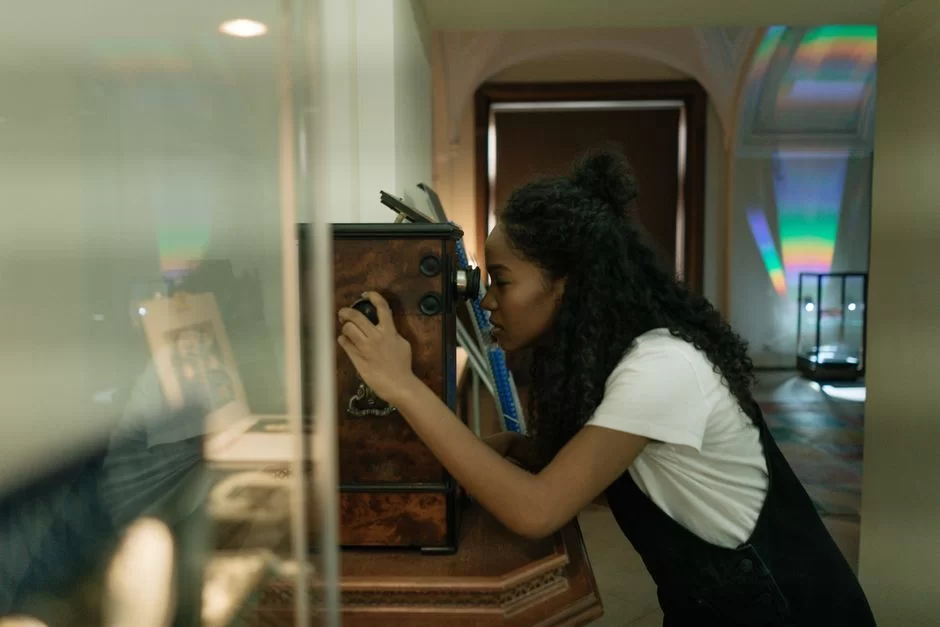
Video history began with humanity’s passion for recording motion. The journey from the first mechanical inventions to the age of AI video synthesis is fascinating.
Each phase was shaped by the effort to increase image quality and access. The history of moving images and its chronological evolution are, in a way, the development of our civilization’s visual memory.
Today, we carry devices in our pockets that can record in 8K. Yet the pioneering scientists who laid the groundwork for this revolutionized the fields of optics and chemistry.
The process from Edison’s Kinetoscope to the digital video revolution witnessed many wars. Format wars, in particular, determined the fate of giant companies.
When and How Was the First Video Shot? The Birth of the Moving Image
Technically, the first recording of a moving picture was Eadweard Muybridge’s famous horse experiment in 1878. He proved that a galloping horse lifts all four feet off the ground at the same time, using a series of cameras.
However, defining this as a video recording is difficult. The first device to truly capture sequential images was Thomas Edison’s Kinetoscope.
In the 1890s, people were mesmerized, watching images flow through a peephole. Then the Lumiere Brothers projected the image onto a screen, starting the cinema experience.
These devices worked on purely mechanical principles. Electronic video, on the other hand, was born in 1927, thanks to Philo Farnsworth. Thus, Farnsworth established the first fully electronic television system.
Much has changed since that day. We can now process thousands of frames per second. However, the basic principle has remained the same: to trick our eyes. This illusion is based on the principles of optical illusion and motion illusion that form the foundation of the industry.
What Is the Difference Between VHS and Betamax? The First Format Wars
Home entertainment exploded in the late 1970s. Consumers were choosing between VHS tapes and Betamax.
Sony’s Betamax offered technically superior image quality. Yet pure technical superiority did not win the VHS-Betamax rivalry. JVC’s VHS format stood out with longer recording time and lower cost.
The marketing strategy and licensing model carried VHS to absolute victory. Video rental shops all over the world filled their shelves with VHS tapes.
This process taught us a harsh truth about the tech world. The best product does not always win. The most accessible and strategic one does.
Betamax was used in professional broadcasting for a long time, but it completely lost the home market. This format war was also a harbinger of the HD DVD and Blu-ray war we would experience later.
A single standard is always more profitable for consumers. Therefore, this rivalry engraved the importance of strategic partnerships into the sector.
How Did the Transition from DVD to Blu-ray Happen? The Digital Optical Disc Age
After analog tapes, optical disc technology broke new ground. When the industry launched DVD in 1996, its clarity fascinated everyone.
Instant access and durable structure brought the end of VHS. Moreover, interactive menus and multiple audio options recreated the viewing experience from scratch.
However, technology does not stand still. As high-resolution screens became widespread, DVD’s 480p signal started to fall short.
This is exactly where Blu-ray came into play. Using blue laser technology, it packed much more data into the same physical space. In this way, it brought 1080p and later 4K video quality into our homes.
Blu-ray won the brief format war it had with HD DVD. Sony’s PlayStation 3 move was particularly decisive.
Even though streaming technologies are rising, physical media is still valuable. It is indispensable for collectors and cinephiles because it offers lossless audio and video quality.
How Video Works: The Science of the Human Eye and the Illusion of Motion

When we watch a moving image, we are actually looking at static frames. So why do the characters on the screen walk without interruption? The answer lies in the complex biological system we call eye-brain cooperation. This system processes optical signals to present us with a fluid reality.
A video file displays a certain number of frames per second. Our brain merges these sequential frames. The perceptual threshold guides this merging process.
Cinema and television broadcasting rely entirely on this physiological flaw of ours. Without this flaw, we could not talk about something like moving media.
Why Does Video Appear to Move? What Are the Persistence of Vision and the Phi Phenomenon?
A light source falling on our retina leaves a trace in the brain for a short time after it disappears. We call this the persistence of vision.
This is exactly where the phi phenomenon comes into play. Our brain perceives two rapidly flashing separate light points as a single moving point.
This Gestalt psychology principle, defined by Max Wertheimer in 1912, is the foundation of cinema. In a film shown at 24 frames per second, our mind fills the gaps between the frames.
Therefore, nothing actually moves on the screen. We create the motion entirely. This also plays a key role in the fields of audiovisual perception and neuromarketing.
The reason we push for higher frame rates today is to create a smoother sense of motion.
High frame rates are a must, especially in sports competitions. We need them to clearly see the ball’s path in the air. However, the 24 fps rule is an inseparable part of cinematic aesthetics.
What Is Video FPS? The Differences Between 24, 30, and 60 FPS
FPS stands for “Frames Per Second.” This numerical value directly determines fluidity.
The cinema industry has worked with the 24 fps rule for nearly a century. This value creates a slight motion blur that feels natural to the eye. Thus, it offers a dreamy atmosphere.
Television broadcasting, on the other hand, presents a more lively image using 50 or 60 fields (interlaced). Today, the gaming world and some video productions prefer 60 fps.
This speed provides a sharp and hyper-realistic look. However, this can also create an artificial feeling called the “soap opera effect.”
The choice depends entirely on the type of content. For a romantic film, 24 fps is ideal; for a vlog, 30 fps is ideal. Prefer 60 fps for an action-packed game recording.
You must make this decision consciously during digital image recording. Therefore, the wrong frame rate selection can make professional work look amateurish.
| Frame Rate (FPS) | Use Case | Aesthetic Perception |
|---|---|---|
| 24 FPS | Cinema, Series, Documentary | Cinematic, natural, dreamy |
| 30 FPS | YouTube, TV Broadcast, News | Lively, clear, realistic |
| 60 FPS | Gaming, Sports, Slow Motion | Hyper-realistic, sharp, fluid |
Analog & Digital Video: The Journey of the Signal
The image signal exists in two fundamental forms. So, the first is the analog signal, which has continuously changing wave forms. The other is the numerical signal structure consisting of 0s and 1s.
The difference between these two structures directly affects storage and copying quality. An analog image recording degrades with every copy. Numerical data, however, preserves its day-one quality forever.
Analog systems dominated most of television history. These systems were divided into regional standards.
Later, digital image technology eliminated this complexity. It achieved this thanks to sampling and quantization methods. We now use common digital standards all over the world.
What Is Analog Video? How to Tell the Difference Between NTSC, PAL, and SECAM
In the analog age, people divided the world into three main color encoding systems. America and Japan used the NTSC standard.
Europe preferred PAL, and France and Eastern Europe chose SECAM. These systems determined the number of fields per second based on the electrical grid frequency.
NTSC used 525 scan lines and 60 Hz frequency. Users humorously nicknamed it “Never The Same Color.”
PAL (Phase Alternating Line), on the other hand, offered higher resolution and stable colors with 625 lines. SECAM had a different structure that transmitted color information sequentially.
| Feature | NTSC | PAL | SECAM |
|---|---|---|---|
| Resolution | 720 x 480 | 720 x 576 | 720 x 576 |
| Frame Rate | 30 fps | 25 fps | 25 fps |
| Color Stability | Low (Tint Adjustment Needed) | High | High |
| Usage Area | US, Japan | Europe, Asia | France, Russia |
Today, these standards are important only for archival work. You must correctly set the NTSC or PAL option when transferring an old VHS tape to a digital medium.
Otherwise, the image will be black and white or constantly roll. Fortunately, modern software performs this conversion automatically.
What Is Digital Video? Sampling, Quantization, and the Interlaced-Progressive Difference
We call measuring the analog signal at specific intervals and converting it into numerical values sampling. Bit depth determines the precision of this process.
Higher bit depth means a richer color space. Quantization, on the other hand, rounds these measurements to the nearest numerical value.
The way the image is scanned also makes a critical difference. In an interlaced scanning system, the system sends each frame as two separate fields.
This method saves bandwidth. However, it produces a combing artifact. You see jagged distortions, especially at the edges of fast-moving objects.
In progressive scanning, the system draws each frame as a single pass. All modern screens and computer monitors today are progressive in structure. This means a sharper and flicker-free image. If you mix these two modes in a video editing project, you will experience serious synchronization problems.
Introduction to Video Files and Formats: The Container and Codec Distinction
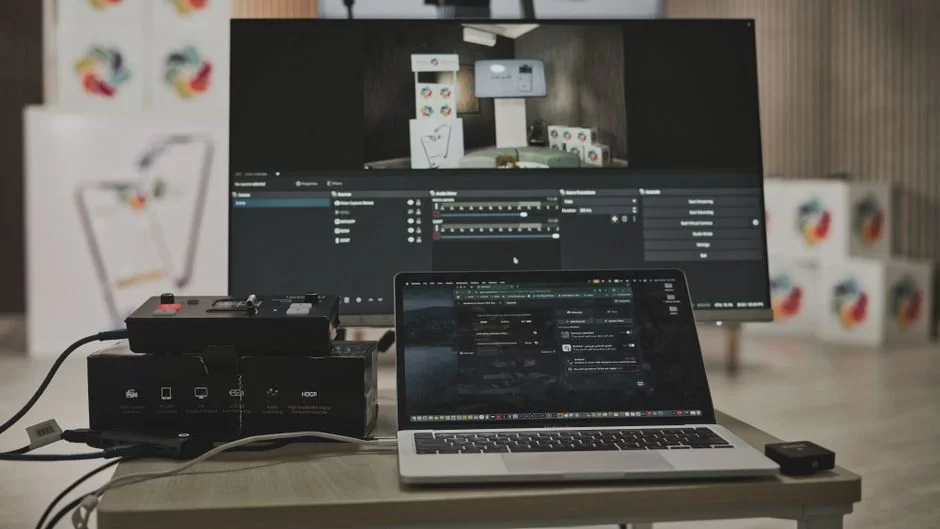
Understanding the file structure solves the biggest confusion in this field. Most users look at the file extension and make a judgment about quality. This is a massive mistake.
Extensions like .mp4 or .avi are merely container files. You cannot tell from the outside what kind of data streams they hold inside.
This container structure holds audio and video together. Additionally, it stores subtitles, chapter information, and metadata.
The real magic, however, is hidden in the compression algorithms that encode this data. We call these algorithms codecs. Let’s examine these components closely now, which are the fundamental pillars of the multimedia world.
What Is a Video Codec? What Is the Difference Between a Codec and a Container?
Codec is short for “Coder-Decoder.” It takes raw video data and compresses it according to a specific mathematical model. During playback, it decompresses this data again.
Without a codec, even a few seconds of footage would take up gigabytes of space. Therefore, codecs are the backbone of digital media.
The container, on the other hand, acts as a box. Extensions like MP4, MOV, or MKV are the labels of this box. Inside the box, there may be a video compressed with the H.264 codec.
There is also an audio file compressed with AAC. Sometimes, you may even encounter data encoded with codecs like the old DivX compression technology or the open-source XviD format inside the same box.
This is why a codec and a format are not the same thing. A format is an organizational chart; a codec is the calculation engine within that chart.
If a video file cannot be played, the problem is usually a codec incompatibility. The media player recognizes the box but cannot find the tool to decode what is inside.
| Container | Common Supported Video Codec | Common Audio Codec |
|---|---|---|
| MP4 | H.264, H.265, AV1 | AAC, MP3 |
| MOV (QuickTime) | ProRes, H.264, HEVC | PCM, AAC |
| AVI | DivX, XviD, MJPEG | MP3, PCM |
| MKV (Matroska) | Almost all (H.264, AV1 etc.) | FLAC, AAC, DTS |
| WebM | VP8, VP9, AV1 | Vorbis, Opus |
What Are MP4, MOV, AVI? Video File Formats and Extensions Comparison Table
MP4 is today’s universal standard. Almost all devices and platforms support it. Thanks to its structure optimized for streaming, it is the language of the internet.
MOV, on the other hand, is a multimedia container developed by Apple. We use it with high-quality codecs like ProRes in professional video editing work.
AVI is Microsoft’s old but still durable format. Large file sizes are a disadvantage. However, it is still necessary in old security camera systems. In short, it works for archival and compatibility purposes.
| Format | Pros | Cons | Ideal Use |
|---|---|---|---|
| MP4 | Universal compatibility, high compression | Not ideal for editing | Web, Mobile, Streaming |
| MOV | High quality, Apple ecosystem | Large file size | Professional Editing |
| AVI | Simple structure, old device support | Weak compression, huge size | Archive, Security Camera |
| MKV | Unlimited codec support, open source | Weak support on Apple devices | Movie Archive, 4K Content |
| WebM | Royalty-free, ideal for web | Limited iOS compatibility | HTML5 Websites |
We use video file conversion tools to switch between these formats. Tools like FFmpeg decode and re-encode the data in the background.
Pay attention when converting the video format for a smart TV. Also, definitely check the codecs the device supports.
The Latest Video Codecs and the Working Logic of Compression Algorithms
Without compression technology, we would crash the internet. A raw video produces terabytes of data per minute. Codecs shrink the data using various methods. They use block-based coding, motion vector prediction, and entropy coding. This provides incredible size savings with minimal sacrifice in visual quality.
Modern codec wars are built on licensing fees and efficiency. HEVC (H.265) offers tremendous efficiency. However, its complex licensing structure is troublesome.
AV1 was developed by AOM (Alliance for Open Media). It is a royalty-free savior. Recently, neural video compression techniques are also on the horizon.
History of Video Codec Wars: The Journey from MPEG to AV1
The story began with MPEG-1 and MPEG-2. MPEG compression standards laid the foundation for video technologies. Even today, many formats are based on these standards. VCD (Video Compact Disc) and DVDs entered homes thanks to them. Then the internet exploded.
MPEG-4 and especially H.264 (AVC) started the HD broadcast era. H.264 was so successful that it is still the most widely used standard even years later.
After that, 4K became widespread. Existing codecs became insufficient. Consequently, developers created HEVC (H.265). It could offer the same quality at half the file size.
However, the licensing fees drew major backlash, especially from the software world. This situation strengthened Google’s VP9 move.
The next big step was AV1. Giants like Amazon, Netflix, Google, and Mozilla supported this open-source codec. It provided up to 30% additional efficiency.
This technological transition shows how vital the codec infrastructure is. Today, new-generation solutions like VVC (H.266) and EVC are also on the scene.
What Is the AV1 Codec? HEVC vs. AV1 vs. VVC/EVC Comparison
AV1 revolutionized the streaming world in particular. Content offered by Netflix with AV1 looks crystal clear even at low bandwidth.
However, hardware encoding support is not as widespread as HEVC. This situation increases battery consumption on older phones.
HEVC (H.265), on the other hand, is still the choice of professional cameras and Blu-ray discs. Hardware acceleration is present in almost every device. VVC (Versatile Video Codec) was designed as the carrier of the 8K era. At similar quality, it is again 30-50% more efficient than HEVC.
| Feature | H.264 (AVC) | HEVC (H.265) | AV1 | VVC (H.266) |
|---|---|---|---|---|
| Efficiency (4K) | Baseline | 50% Better | 30% (Better than HEVC) | 50% (Better than HEVC) |
| Licensing | Paid (MPEG LA) | Complex/Paid | Completely Royalty-Free | Paid (MC-IF) |
| Encoding Time | Very Fast | Fast (Hardware) | Slow (Software) | Very Slow |
| Browser Support | Universal | Limited (License) | All Modern Browsers | Almost Nonexistent |
In practice, if you want a video optimized for the web, AV1 is the standard of the future. However, for local archiving and editing work, intermediate codecs are more logical.
Prefer codecs like Apple ProRes or DNxHD because they work with a lossless compression algorithm, preserving colors.
How Is Video Quality Measured? What Are PSNR, SSIM, and VMAF?
We cannot rely solely on our eyes to measure image quality. PSNR (Peak Signal-to-Noise Ratio) is a mathematical metric. It offers low computational cost. However, it does not align well with human perception because it ignores the relationship between pixels.
SSIM, on the other hand, looks at structural similarity and yields results closer to the eye. VMAF, developed by Netflix, uses machine learning. Thus, it gives the most accurate perceptual quality score. We look at the VMAF score to understand the real quality of a video file.
The GOP (Group of Pictures) structure, meanwhile, determines compression efficiency. If you place keyframes (I-frames) frequently, seeking becomes easier. However, the file size increases.
If P and B frames, which record only the changing pixels, are in the majority, the file size shrinks. However, this situation overwhelms the processor during video editing work. For this reason, you must strike a good balance.
Video Resolutions, HDR, and Color Science: The Building Blocks of Image Quality
Pixel count is just one pillar of image quality. Color depth and light range are equally important.
If the colors are pale when watching an 8K video, it can look worse than a 1080p HDR broadcast. Therefore, seeing resolution as a standalone hero is a major misconception.
HDR (High Dynamic Range) technology reflects the intensity of light close to the real world. This way, an exploding light bulb dazzles you. At the same time, you can discern the details in a dark cave.
The main factors creating this perception are color space and bit depth. International organizations like SMPTE and ITU-R set these standards.
What Are 4K, 8K, and HDR Video? The Difference Between HDR10 and Dolby Vision
4K (Ultra HD) offers 3840 x 2160 pixels, providing four times the detail of Full HD. 8K, on the other hand, provides tremendous clarity even on giant screens with 7680 x 4320 pixels.
However, these resolutions are not enough on their own. Without HDR, these pixels only show a sharper SDR (Standard Dynamic Range) image.
HDR10 is the basic and most common HDR standard. It uses static metadata. That means the brightness level is fixed throughout the film. Dolby Vision, on the other hand, uses dynamic metadata. It optimizes the brightness and color settings scene by scene, even frame by frame.
On the other hand, HLG (Hybrid Log-Gamma) is ideal for broadcasting because it is backward compatible with SDR screens.
Dolby Vision has a licensing fee. Yet none of us can argue against the visual feast it provides. Shadow details do not get lost, especially in dark scenes.
You should prefer Dolby Vision content if your television supports it. You will instantly feel this difference when comparing image quality.
What Do Video Color Space and 10-Bit Video Mean? The Difference Between Rec.709 and Rec.2020
A color space is the color palette a system can display. Rec.709 is the small and limited color gamut of the HD era.
Rec.2020, on the other hand, is a huge palette defined for 4K/8K. It is much closer to what the human eye sees. We perform the transition between these two spaces through color space conversion processes.
10-bit video, meanwhile, means billions of colors for each color channel. Billions, not millions! In an 8-bit image, you see banding in the tone transitions of the sky.
However, 10-bit depth offers perfectly smooth transitions. This is a lifesaver, especially in green screen (chroma key) processes.
When doing color correction and color grading, you must record in 10-bit or higher.
Otherwise, the pixels break up immediately when you push and pull the image. Never forget to check this setting when recording with a camera. Colors are your silent hero in storytelling.
What Is Chroma Subsampling (4:2:0, 4:2:2) and Perceptual Video Coding?
The human eye is more sensitive to brightness (luma) than to color (chroma). The system exploits exactly this perceptual threshold with the chroma subsampling method. In 4:4:4, every pixel has full color information. In 4:2:0, color information is halved both horizontally and vertically.
This method dramatically reduces the file size without visually making almost any noticeable difference. All Blu-rays and streaming platforms use 4:2:0.
However, 4:4:4 or at least 4:2:2 is a must during professional post-production. Moreover, it is critically important for the clean separation of green screen edges.
Perceptual video coding is based on this fundamental principle. It removes data from places the eye is less sensitive to. It allocates budget to places it is sensitive to.
The same thing appears in audio codecs (like MP3) as frequency masking. Nature and technology are in a constant pursuit of efficiency.
The Engineering Behind Video Streaming and Live Broadcast Technologies
When you press a live broadcast button, you essentially build a data highway in the background. Data travels from the camera lens to millions of screens in just a few seconds. This live broadcast technology is an impressive engineering marvel. Streaming protocols and worldwide server networks come into play for an uninterrupted experience.
If a video stream freezes, it is not just about your internet speed. Encoding, bitrate control, and adaptive algorithms are also involved.
Modern protocols like HLS and DASH make instantaneous quality changes based on your connection speed. This way, the broadcast does not drop even when watching with 3G on public transport.
What Is Video Streaming? HLS vs. DASH Protocol Differences
Streaming is the process of playing a file instantly without downloading it completely. Progressive download (pseudo-streaming) is the primitive form of this.
We do real adaptive streaming with HLS (Apple) and MPEG-DASH (Industry Standard). Both split the content into small segments and manage them with a manifest file.
HLS is mandatory in the Apple ecosystem and has the widest device support. It uses .m3u8 manifest files. DASH is more flexible and codec-agnostic. However, it has limited native support on iOS. In a professional setup, we usually use both.
In live broadcasts, the RTMP protocol still carries the data between the publisher and the server. The server then takes this data, converts it into HLS segments, and distributes it to the viewer.
We prefer WebRTC for one-to-one calls for millisecond-level latency. The choice of these protocols changes according to the purpose of the broadcast.
Why Does Video Lag or Freeze? The Relationship Between Bitrate, Internet Infrastructure, and Hardware
That constantly spinning, frustrating circle is based on multiple reasons. The most common ones are:
- Insufficient Bitrate or Fluctuating Internet: If your internet speed drops below the video bitrate, the player empties its buffer. If adaptive bitrate is off, the stream stops.
- Excessively High Codec Profile: If you encode 4K AV1 for an old phone, the processor cannot decode the data. As a result, we see frozen frames or a black screen.
- Server (CDN) Problems: If the video server is busy or geographically distant, latency increases. This also leads to stuttering.
- Incorrect Encoding Settings: A keyframe interval (GOP) that is too long causes freezing when seeking. Moreover, video editing programs optimize these settings.
- Wi-Fi Interference and Hardware: Walls between the modem and the device cause packet loss. Old Wi-Fi standards also create problems. However, a wired connection is always healthier.
Videos not opening on a phone are usually due to codec incompatibility. You can overcome this issue by installing a powerful media player like VLC. This type of video player brings its own codec library. Therefore, it does not need the system’s own codec library.
Platform-Specific Video Guide: Social Media & Web Optimization
Every social network is a different beast feeding its algorithm. YouTube loves long viewing times, while TikTok rewards instant engagement.
Therefore, throwing the same format at every platform is a strategic mistake. Aspect ratio selection, in particular, directly affects your view rates.
A video shot in portrait mode (9:16) creates terrible black bars on the sides on YouTube. Horizontal (16:9) content, on the other hand, forces viewers on TikTok to turn their phones. However, most users do not want to make this effort. Therefore, you must produce specifically for the target platform.
Video Settings for YouTube, Instagram Reels, and TikTok: A Size and Duration Guide
Knowing the technical requirements of platforms is the first step to going viral. A low-quality upload due to compression algorithms wastes your effort. The table below shows the current 2026 limits and ideal settings.
| Platform | Aspect Ratio | Resolution | Format & Codec | Maximum Duration |
|---|---|---|---|---|
| YouTube (Standard) | 16:9 | 1080p – 4K | MP4 (H.264/AV1) | 12 Hours |
| YouTube Shorts | 9:16 | 1080 x 1920 | MP4 (H.264) | 60 Seconds |
| Instagram Reels | 9:16 | 1080 x 1920 | MP4 (H.264) | 90 Seconds |
| TikTok | 9:16 | 1080 x 1920 | MP4 (H.264) | 10 Minutes |
Even though YouTube accepts almost any format, the recommended best video format is generally MP4. In short-form content, sound design and the video hook in the first 2 seconds are everything. If you cannot capture the viewer instantly, they will swipe away.
Which Video Format Should Be Used on Which Platform? Comparison and Selection Matrix
| Platform | Recommended Container | Recommended Video Codec | Audio Codec |
|---|---|---|---|
| YouTube | MP4 / WebM | H.264 / AV1 | AAC / Opus |
| Vimeo | MP4 | H.264 / HEVC | AAC |
| MP4 | H.264 | AAC | |
| Website (Embedded) | WebM / MP4 | AV1 / VP9 (H.264 fallback) | Opus / AAC |
You do not need to memorize this matrix. Every platform has this information updated in its publisher panels. However, the basic rule is this: Prefer H.264 for iOS compatibility.
Use VP9 or AV1 for web and Android performance. Never worry about video formats. The important thing is using the right tools.
Reducing Video Size Without Losing Quality and Web Optimization Methods
The content you host on your website can kill your page speed. Especially on e-commerce sites, large files cause sales loss. You must apply the following steps for file size optimization:
- Using Modern Codecs: Switching from H.264 to AV1 halves the file size at the same quality.
- Bitrate Adjustment: 20 Mbps is unnecessary for 1080p content. 8-10 Mbps VBR is sufficient in most cases.
- Removing Unnecessary Data: Encode audio channels as stereo (2.0). 5.1 audio only inflates the file for a web viewer.
- Resolution Optimization: If 90% of viewers are on mobile, uploading 4K is illogical. Therefore, offer dynamic resolution options.
- Preload Settings: Using preload=”metadata” on the HTML5 video tag preserves page opening speed.
Video Production: Professional Video Making Guide from Scratch
Production begins long before pressing the record button. In fact, it sometimes starts with an idea appearing in your mind.
However, you need a solid plan to produce professional work. Randomly shot footage will cost you hours in the post process.
Now, I will share the universal steps. Both low-budget YouTubers and corporate firms apply these steps. Whether you use expensive professional equipment or work with your phone, the rules do not change. This is a video production discipline.
Video Production Stages: Pre-Production, Shooting, and Post-Production
The production process consists of three fundamental break points. Skipping or merging these stages negatively impacts the result. Let’s experience the process step by step:
- Pre-Production: First of all, do a target audience analysis and write a script. Drawing a storyboard lets you see the camera angles beforehand. Scout the location and check the light and sound conditions. The majority of the production cost takes shape here.
- Shooting Phase (Production): This is where you need to be disciplined. Check the white balance at every scene change. Continuously monitor the sound levels. Do not have unnecessary conversations during the camera recording. Plenty of B-Roll (supplementary footage) saves your life in editing.
- Post-Production: This is where the raw stone turns into a jewel. Start with a rough cut (assembly). Then do the fine cut, sound mixing, and music selection. Complete the color correction processes in order. Finish the job by making the final export settings.
Remember, the best video editing program is the one that suits your workflow. Premiere Pro is the industry standard.
However, DaVinci Resolve is unrivaled, especially when it comes to color. Moreover, it is an excellent option for those searching for the best free program.
How Much Does Video Production Cost? Equipment Recommendations by Budget
The cost calculation is like a bottomless well. You can do Hollywood-quality work with zero budget. However, you need to know the right priorities. Sound is more important than video. You can pass off a blurry image as “artistic.” However, no one will forgive bad sound.
Here are my basic equipment recommendations for three different budget levels:
- Low Budget (Phone + Natural Light): Start with a good smartphone and window light. Definitely obtain a lapel microphone. This way, your sound recording becomes instantly professional.
- Mid Budget (Entry Level Creator): Get a mirrorless camera, a 50mm f/1.8 lens, and an LED panel. Lighting is the main factor that determines image quality. Add a tripod as well.
- Advanced Level (Professional): Use a cinema camera and prime lens set. Add a professional sound recorder (like Zoom) and softbox lights. A color calibration card (Color Checker) is also a must.
Whatever your budget, the best microphone and lighting for video shooting are always the priority. Camera bodies become outdated every year. However, a quality microphone will last you 10 years. Therefore, invest in knowledge and optical and sound systems, not the hardware.
How to Achieve a Cinematic Look? Video Color Grading and Green Screen (Chroma Key) Techniques
The cinematic look starts with a wide aperture and shallow depth of field. Controlling the light is also a must. Learning professional lighting rules (3-point lighting) transforms your approach. And what about colors? This is where color grading comes into play.
First, you do color correction. You clean up exposure and white balance errors. Then, you add a unique atmosphere to your film using a LUT (Look Up Table).
The orange-teal contrast is the primary psychological trick Hollywood has used for years. You achieve the cinematic look in this post-production process.
Green screen, on the other hand, turns into a nightmare when not lit correctly. You must stretch the screen smoothly and light it separately. Pay special attention to the green color not reflecting (spilling) onto the subject.
Record with 4:2:2 or higher subsampling. This way, you perfect the edge separation. Moreover, you apply the keying effect and change the background during video editing.
From an Expert’s View: 5 Major Misconceptions About Video
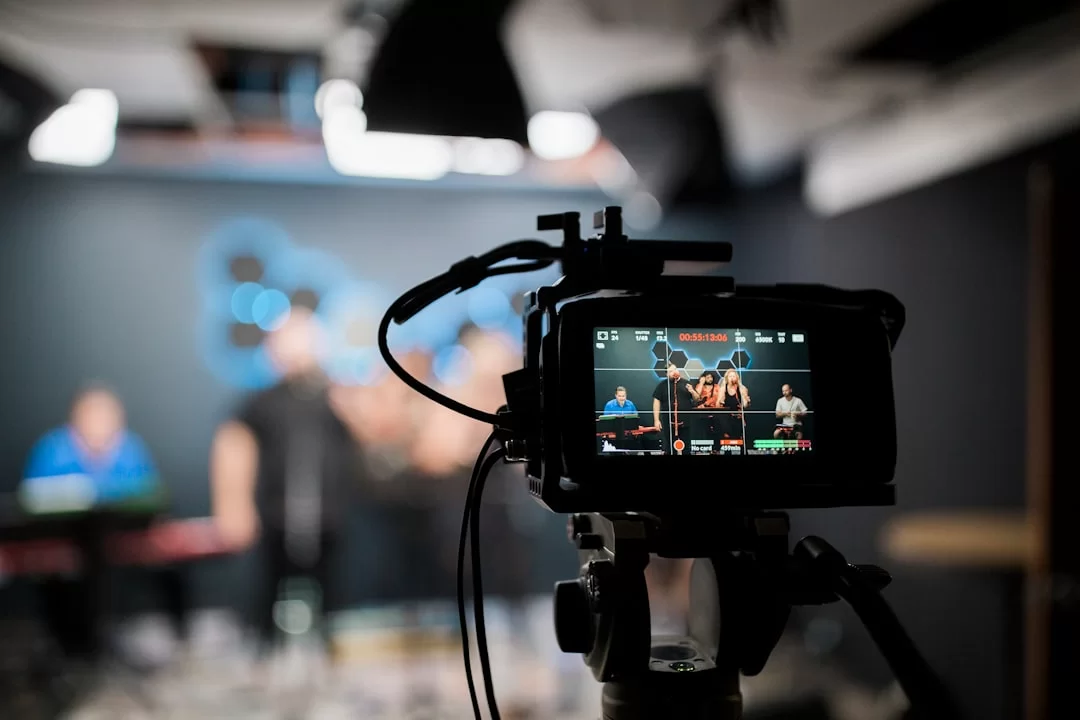
I have encountered so many urban legends in the industry over the years that you wouldn’t believe. Some false beliefs are so widespread that even big brands fall into these traps. Now let’s debunk these myths and talk about the facts.
Correcting these misconceptions will put you one step ahead of your competitors because most people are still acting on outdated information. Let me tell you the truths with years of experience.
Misconception 1: ‘The higher the resolution, the higher the quality’
This is the biggest lie I hear. You can encode a 4K video with a terrible codec and a low bitrate. Consequently, this video looks much worse than 1080p.
The pixels may be plentiful, but they are empty inside. Macroblocking and smearing in the image immediately catch the eye.
The relationship between bitrate and quality comes into play here. An insufficient bitrate forces the codec to erase the difference between pixels. As a result, detail is lost.
Moreover, processing a high-resolution file unnecessarily strains your computer. Always question the bitrate and color depth before the resolution.
Misconception 2: ‘Codec and format are the same thing; just looking at the file extension is enough’
As we touched upon in detail in the introduction, the container file and the encoding engine are different. Someone who says “My computer won’t open an AVI file” actually doesn’t know that they can’t open the codec inside the AVI box.
Inside that basket, there could be dozens of different codecs like DivX, XviD, MJPEG. That’s why you should know what is inside the video file.
Understanding the difference between codec and container is the foundation of digital literacy. Never comment on a file without analyzing it with a tool like MediaInfo.
Misconception 3: ‘I should always shoot video at the highest FPS value’
60 FPS is excellent, but it is not suitable for every project. Shooting 60 FPS in low light causes the sensor to collect less light.
As a result, you obtain a noisier and lower-quality image. Moreover, 60 FPS eliminates cinematic motion blur. It makes the footage look like a cheap TV show.
A high frame rate is only a must when you are going to do slow motion. Otherwise, 24 or 30 FPS balances your file size. It also offers an aesthetic look.
Focus on the story you want to tell, not the technical details. Camera settings are the servants of the story.
Misconception 4: ‘The best format for social media is AVI’ (The truth about file size and compatibility)
This idea probably dates back to the early 2000s. AVI is a poor choice for social media. It has no compression efficiency.
Suppose a 1-minute AVI file is 2 GB. Trying to upload this to Instagram takes hours. Also, the platform’s compression engine degrades the image.
Social platforms want MP4 wrapped with the H.264 codec. This way, it offers high quality at a small size. As you saw in the video formats comparison table, AVI is not suitable for the modern web. It only has a place in archiving and security camera systems.
The Future of Video Technology: Artificial Intelligence, Volumetric & Interactive
The change we are witnessing right now could be even bigger than the invention of television. Generative artificial intelligence is producing audiovisual content from texts within seconds.
This situation brings both opportunities and ethical dilemmas. Video consumption habits are about to change radically with the rise of synthetic media.
The future will not be limited to just watching on flat screens. Volumetric video and holographic video experiences will pull the viewer into the story. A video is no longer just something to watch; it is transforming into an experience to be lived.
What Is Artificial Intelligence Video Production?
Now, tools like Sora AI or Runway AI are turning a sentence you write into a clip within seconds. This is the generative AI video revolution.
It is groundbreaking, especially in prototyping and low-budget advertising. Here are a few of the current tools:
- Runway Gen-3: A pioneer in text-to-video conversion. Its real-time style transfer and background removal features are magnificent.
- Pika Labs: Ideal for producing short, fun clips for social media.
- Topaz Video AI: The king in the video super-resolution field. It upscales your low-resolution old videos to 4K with artificial intelligence. It recovers the details.
Video deep learning applications are not limited to just production. They also use automatic video tagging and scene detection features. This way, you index large archives within seconds.
Facial recognition and object recognition systems are already in use in the security and retail sectors. Moreover, computer vision technology is maturing by the day.
What Is Deepfake and How Is It Recognized?
Deepfake is the combination of the words “deep learning” and “fake.” It is the technology of grafting one person’s face or voice onto another body without permission.
It works with the GAN (Generative Adversarial Networks) architecture. Media forensics experts are constantly developing new methods to detect these forgeries.
Therefore, how do you recognize deepfake videos? First, focus on the eyes and teeth. Artificial intelligence struggles to process the physical reflections of the pupils consistently.
The disappearance of the natural skin texture on the cheek and forehead area is also an important clue. The use of video AI is beneficial as long as it stays within ethical boundaries.
However, unauthorized use is a major crime. Deepfake detection methods include algorithms that analyze biological signals. For example, they examine micro color changes caused by the heartbeat.
In the age of AI-generated content and synthetic media, you should not believe everything you see without question. This is the new rule of digital literacy.
What Are Volumetric Video and Interactive Experiences?
Imagine being able to digitally walk around an object instead of looking at a flat screen. This is exactly what volumetric video is.
Footage recorded with many cameras is converted into a 3D model. This technology is fascinating, especially when combined with VR/AR glasses.
Interactive video, on the other hand, takes the viewer out of being a passive observer. Productions like “Black Mirror: Bandersnatch” leave the course of the story to your decisions.
In e-commerce, this means the customer virtually rotates the product. It allows them to examine the details. Conversion rates are exponentially higher than flat content thanks to interactive video elements.
This technology is still in its infancy. However, the strengthening of 5G infrastructure and the proliferation of devices like Apple Vision Pro will make this the standard.
Experts do not design the productions of the future from just a single point of view. On the contrary, they plan these processes with 360-degree spatial data.
Video Marketing, SEO, and Content Strategy: The Art of Visibility and Conversion
You have produced a great piece of content. However, what if no one watches it? This is exactly where video marketing comes into play.
Producing is as much your responsibility as making it visible. Search engines and social media algorithms want to read your content correctly.
Video content strategy is much more than making random posts. It requires understanding the psychology of your target audience and applying technical SEO rules.
Google is now scanning not just text but also visual and audio content. It does this within milliseconds. Structured data is a must, especially to rise in the rankings.
How to Do Video SEO? Indexing and Adding Schema Markup (VideoObject)
Google’s bots cannot watch with their eyes. Therefore, you need to guide them. In the world of video SEO, the secret of success lies in building the semantic web correctly. Here is what you must do step by step:
- Adding Video Schema Markup (VideoObject): Adding video schema to your web page allows Google to generate rich results. You should add the file duration, thumbnail URL, and upload date to this code snippet.
- Creating a Video Sitemap: This XML file, which you will add to the root directory of your site, lists all your video content. You increase the indexing speed by submitting it to Google Search Console.
- Adding a Video Transcript: You should provide a full text transcript for every video. This way, Google understands your keyword density and topic integrity.
- Eye-Catching Thumbnail Design: Video thumbnail design determines your click-through rate. You should arouse curiosity using facial expressions, contrasting colors, and short texts.
Google video indexing is now AI-powered. Tools like AI Overview and Perplexity can find the information inside the video and present it directly as an answer. For this reason, structuring your content in a question-and-answer format is more important than ever.
What Is Video Content Strategy and the Conversion Funnel (Video Funnel)?
Think of a funnel. The mouth of the funnel is wide, the bottom is narrow. You should pull the customer down this funnel with your content. A conversion-focused video content strategy requires producing specific content for each stage.
Here is a sample video funnel flow for an e-commerce brand:
- Awareness: Produce short videos that can go viral on social media. The goal here is not sales, but to introduce you.
- Consideration: Share product reviews and comparison lists. Add customer testimonials as well. Measure which narrative adds more to cart by doing video A/B testing.
- Conversion: Add detailed product videos embedded on the product page. Also, these videos should show the usage scenarios of the product.
- Retention: Reach those who abandoned their carts with video retargeting ads.
E-commerce conversion is not just about giving information. You must activate emotion. You can use a rotating video on a model on clothing sites. This method significantly increases your conversion rate compared with a photograph.
Video Psychology and Neuroscience: Why Are Short Dopamine-Focused Videos Addictive?
You pick up your phone, and suddenly you realize two hours have passed. This is not a coincidence; it is a conscious engineering marvel.
Short video formats interact with our brain’s reward system. New content arrives with every swipe. The brain releases dopamine. This is almost the same as the working principle of slot machines.
The digital attention span is getting shorter and shorter. Today, the average user’s attention has dropped below eight seconds. This is why video hook and warm-up techniques are vital.
You must place a strong visual in the first three seconds. Add a surprising expression or an intriguing text as well. Otherwise, you lose the viewer.
However, you must use this psychology ethically. Neuroscience teaches us subconscious triggers. Use this power to quickly convey quality information, not to lock the user to the screen. Honest marketing always wins.
Video Accessibility, Legal Compliance & Ethical Rules
As a video publisher, you have to reach everyone. Hearing or visually impaired individuals should not be excluded from the digital world.
Moreover, legal sanctions are getting increasingly strict. Accessibility is no longer a luxury but a legal requirement. On the other hand, privacy laws and copyright are critically important in this field.
Now, I will explain both your moral responsibilities and your legal obligations, because being inclusive is also a good business strategy. It is, moreover, the surest way to expand your audience.
Accessibility Standards (WCAG): Subtitles, Audio Description, and Sign Language
WCAG (Web Content Accessibility Guidelines) is the constitution of this field. A video that meets these standards can be consumed by everyone. Here are the three fundamental accessibility components comparatively:
| Component | Target Audience | Technical Implementation |
|---|---|---|
| Captions | Hearing impaired, those watching in a silent environment | Upload as a WebVTT or SRT file. Includes sound effects (Door knocking) alongside dialogue. |
| Audio Description | Visually impaired | Verbally describes the visual actions on the scene during non-dialogue moments. Add as a separate audio channel. |
| Sign Language Window | Those whose native language is sign language | Embed a translator video fixed to a specific corner of the screen. It has a different grammatical structure than subtitles. |
The difference between WebVTT and SRT is the style support. WebVTT works integrated with HTML5. It allows you to make positioning and color adjustments.
SRT is a universal, plain text-based format. Even though automatic subtitle tools speed things up, human correction is a must for a professional publication.
What Is Copyright and Privacy Compliance? Key Points to Note in the US
Adding someone else’s music to your video is the fastest way to get a copyright strike on your channel. Under the US Copyright Act, authorship is a serious matter. Additionally, if you are shooting an interview, you must obtain a consent form from the participant.
Here is the basic checklist for compliance with the legal framework in the US:
- Music Licensing: Use royalty-free platforms (Epidemic Sound, Artlist). Additionally, check Creative Commons licenses.
- Privacy Notice: If you are recording a person’s image, you must transparently declare how you will store and process this data.
- Deepfake Labeling: You must label videos created with artificial intelligence as synthetic content. Frankly, the relevant legislation requires this.
- Child Protection: You must be twice as careful with content featuring children. Check for parental consent and face blurring/privacy settings.
Configuring video privacy settings correctly prevents potential million-dollar lawsuits. Definitely run a basic copyright and privacy checklist before publishing. Do this even if you cannot obtain support from a law firm.
Resources for Diving Deep into the Video World
The information in this guide is a synthesis of my field experiences and industry standards. If you want to go deeper into specific areas of the subject and look from different perspectives, I recommend examining the following resources. These platforms offer useful information for beginners. Moreover, anyone interested in the subject can find educational content there.
- Wikipedia – File Formats: Offers comprehensive and fundamental information about video file formats, codecs, and containers. You can learn the differences between formats like MP4, AVI, MOV by visiting this page.
- Adobe – Resolution Beginner’s Guide: A great starting point for understanding concepts like video resolution, pixel sizes, and image quality.
- Canva – Video Editor: This platform teaches the basics of video editing through practice. Moreover, thanks to its drag-and-drop interface, you don’t need any technical knowledge. This way, you can easily create and edit your own videos.
- Udemy – Video Editing Courses: The platform offers thousands of courses for those who want to learn the subject at a professional level. Moreover, you can find training suitable for your different needs here, from beginner to advanced level.
The Secrets of Image Technology: The 10 Technical Questions You Wonder About Most
What is a moving image, that is, video? How would you define it in the most concise way?
What is the difference between a media format and a codec?
Which is the best container format?
How many FPS should my shots be? What is the feel difference between 30 FPS and 60 FPS?
Why does playback freeze or stutter? Is the internet always to blame?
How to watch a media file that won’t open on a phone or computer?
What exactly is 4K resolution, and do we really need it?
What is the strategic difference between short clips and long-form content, and which is more effective?
How to produce video with artificial intelligence? What are the best AI tools?
What is the difference between HDR10 and Dolby Vision? Which one is superior?
Conclusion: Take Your Place in the Video Ecosystem in 2026 and Beyond!
As you have seen, this field is not just a simple record button. It is a giant universe where physics, mathematics, and art are intertwined.
Whether you are a YouTube phenomenon or the marketing director of an e-commerce giant, understanding this ecosystem gives you speed. Technical details should no longer be an obstacle for you but a weapon.
The biggest lesson I have learned is this: It is not the best equipment that wins, but the best plan. You have the power to convey your story with the right codec, reach the right platform, and connect with the right audience.
From now on, it is time to put what you have learned into practice. Remember, never be afraid to produce. Just know why you are producing. Video technology will continue to evolve. You will be one step ahead of this evolution!

Be the first to share your comment