

I will never forget the day I optimized exactly 2,700 product images for an e-commerce project. Site speed jumped by 40%. The conversion rate rose by 18%. That moment made me grasp it: Digital Image is not just about looks. It is a full-on performance engine. Today I will share the secrets of this world with you. Additionally, every method here is field-tested.
In 2026, about 3.8 billion images travel through internet traffic each day. This number is 62% higher than just two years ago. However, the key point is this: Users publish most of these images without any optimization. The result? Slow sites, lost visitors, and vanishing revenue.
The concept of a digital image sits right under our noses: a frame you snap with your phone, a logo a designer draws, or an illustration made by AI. They all work on the same basic rule. So, are you ready to dive deeper?
What Is a Digital Image? Full Definition, History & Core Importance
A digital image is any visual turned into numeric data that a computer can read and process. At its core, it is a data set made of 0s and 1s. Your screen reads this numeric data.
You see a colorful photo. However, behind the curtain, flawless math runs the show. This definition forms the base of all modern visual tech.
We split image types into two main groups: raster and vector. Raster images are made of pixels. Vector graphics use math formulas instead.
Grasping this split fully is key for the sections ahead. Every choice, from format to optimization, takes shape here.
The Math Anatomy of a Digital Image: Pixel Matrix and Coordinate System
A raster graphic is really just a huge table of numbers. We call this table a matrix. Each cell in the matrix stands for one pixel. Every pixel has a row and column number as its coordinate. Also, each pixel carries its own unique color value.
- X axis: Runs left to right and shows the column number.
- Y axis: Moves top to bottom and shows the row number.
- Origin point: (0,0) is always the top-left corner; this standard works across all browsers.
Color depth tells you how many bits of data define each pixel. For example, an 8-bit pixel can show only 256 distinct colors.
Meanwhile, 24-bit depth allows 16.7 million colors. This richness lays the groundwork for realistic photos. How many bits does a digital photo contain? The answer depends fully on color depth and resolution.
From Analog Image to Digital Image: Key Differences & the Conversion Process
An analog image is continuous. A digital one is discrete. The difference between a digital image and an analog image lies right here.
Think of a film negative: the image on it is made of infinite tiny points. In contrast, a digital photograph is bound by a set number of pixels. That is why pixels become clear when you zoom in too much.
How do you convert an analog image to digital? The answer hides in two stages. Sampling is the act of grabbing data from a continuous signal at set points.
Next, quantization assigns a numeric value to each sample. A CCD sensor or CMOS sensor does exactly this job. In short, scanners work on the same rule too.
| Feature | Analog Image | Digital Image |
|---|---|---|
| Structure | Continuous signal | Discrete pixel matrix |
| Zoom | Sharp forever | Pixelation occurs |
| Copying | Quality loss with each copy | Lossless duplication |
| Storage | Physical medium needed | Digital file |
| Editing | Complex and costly | Instant and non-destructive |
A Short History of Digital Image Tech: From the First Digital Image to Today
When and how did they create the first digital image? In 1957, Russell Kirsch scanned a photo of his son. It was only 176×176 pixels. This humble start laid the base for a giant industry.
How did digital photograph tech evolve over time? The answer is a full revolution story.
- 1960s: NASA began digitizing satellite images. They laid the groundwork for image processing algorithms in this era.
- 1970s: Computerized tomography devices revolutionized medicine. Digital images became a core part of medical diagnosis.
- 1980s: Personal computers and the first graphic software spread widely. Adobe was founded in this period.
- 1990s: The JPEG standard and the rise of the web made image sharing open to all.
- 2000s: Digital cameras fully dethroned analog film.
- 2010s: Smartphone cameras turned everyone into a content creator.
- 2020s: The era of AI-driven image generation began. It hit its peak in 2026.
The Basic Building Blocks of a Digital Image: Pixel, Resolution, and Color Depth
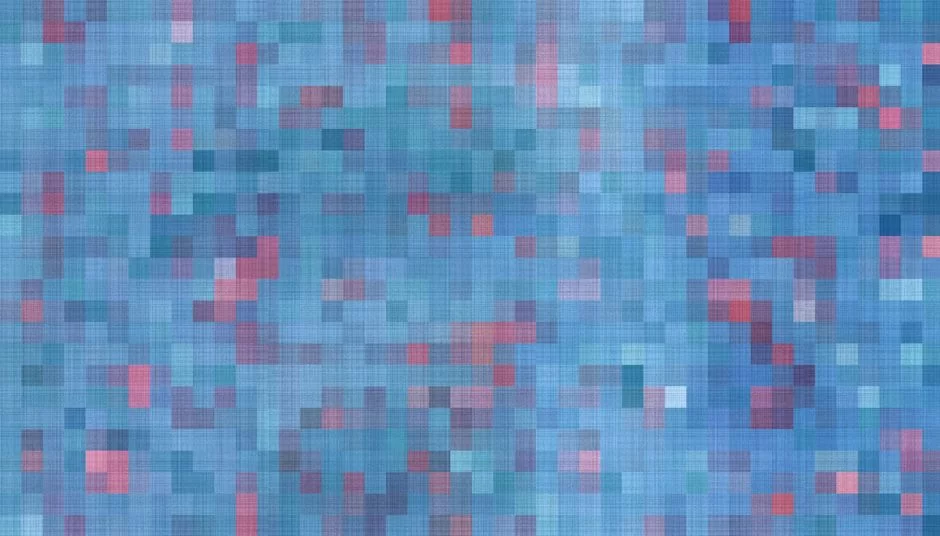
Every digital image rests on three basic building blocks. These are pixel, resolution, and color depth.
You cannot produce quality work without grasping this trio. Luckily, the logic is quite simple and intuitive. Let us examine each one under the lens now.
Pixel: The Smallest Unit of a Digital Image
Pixel is short for “picture element.” So, everything you see on a screen is made of pixels.
Each pixel can carry a single color. When millions come together, they form a meaningful image. This is the base of a pixel-based visual.
On modern screens, pixel density has reached incredible levels. For instance, a smartphone screen can hold over 400 pixels per inch. Thanks to this density, the naked eye cannot pick out single pixels.
How do you calculate the pixel count of a digital image? Just multiply the width and height values to find it immediately.
Resolution, PPI, and DPI: Their Meaning in Theory and Practice
What do resolution and DPI mean? In short, the answer covers two distinct ideas. The first is total pixel count (for example, 1920×1080). The second is density, namely the PPI or DPI value. Users constantly mix up these two concepts. However, their real-world meanings are totally different.
- PPI (Pixels Per Inch): It shows pixel density on a screen. In short, this is the value that matters in the digital world.
- DPI (Dots Per Inch): It shows dot density in print. It only comes into play when you print something.
- DPI vs. PPI: One is for screens, the other for print. People often swap them in daily use. However, they are technically distinct.
Color at the Heart of a Digital Image: RGB, CMYK, and Color Spaces
What are the digital image color modes? This question sits at the base of design. Developers built the RGB color model for screens. It works by mixing red, green, and blue light in various ratios.
Here is how the RGB model works: each channel gets a value from 0 to 255. When all three channels merge, 16.7 million distinct colors emerge.
Meanwhile, the CMYK color model is the standard for the print world. The difference between RGB and CMYK boils down to light versus ink mixing.
What is a digital photo color space? It is the range of colors a model can cover. sRGB is the most common and safe color space. Adobe RGB offers a wider gamut. Additionally, an ICC profile provides consistency during this shift.
| Color Model | Use Case | Channel Count | Color Range |
|---|---|---|---|
| RGB | Screen, Web | 3 (Red, Green, Blue) | 16.7 Million |
| CMYK | 4 (Cyan, Magenta, Yellow, Black) | Varies by print | |
| HSL | Color pickers | 3 (Hue, Saturation, Lightness) | Same as RGB |
The Two Main Digital Image Types: Raster (Pixel) and Vector Graphics
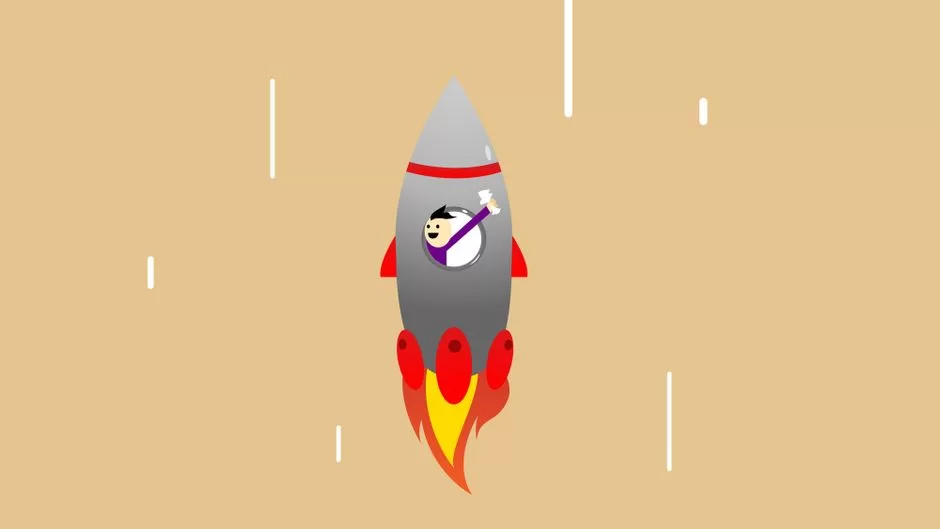
At their core, all digital images fall into two main groups. Understanding this split well will shape every future choice you make. Raster and vector types operate under entirely different rules. Each one has its own unique strengths and limits.
What Is a Raster (Bitmap) Image? Pros, Cons & Use Cases
What is a raster image? The answer is simple: a grid made of pixels. Each pixel holds a fixed color value. Photos, web images, and screenshots fall into this group. Bitmap is another term that means the same as raster.
- Pros: Incredible detail richness and the power to process complex color shifts flawlessly.
- Cons: Quality loss and visible pixels when you zoom in.
- Use Cases: Digital photos, web images, social media content, and screenshots.
What Is a Vector Graphic? When Math Turns Into Art
A vector graphic is built from shapes defined by math equations. Points, lines, and Bezier curves are its basic building blocks. We define each shape with start and end coordinates. This way, you can scale the image forever.
- Pros: Infinite scaling, small file size, and easy editing of standalone elements.
- Cons: Inability to produce photo-realistic images.
- Use Cases: Logo design, icon sets, typography, and technical illustrations.
How to Create and Store Digital Images: Basic Methods
How do you create a digital image? This question has more than one answer. Some methods digitize the physical world. Others create fully from scratch.
Getting Digital Images via Camera Capture and Scanning
The most common method is shooting with a digital camera or phone. Light passes through the lens and hits the CMOS sensor.
The sensor turns photons into an electric signal. Then it converts this signal into numeric data. As a result, you get an image file on your device.
- Digital camera: Light hits the sensor, and an analog-digital converter produces numeric data.
- Scanner: Moves line by line over printed material, digitizing each point.
- Smartphone: With advanced AI support, instantly produces optimized JPEG or HEIC files.
Are a digital photo and a digital image the same thing? No. Every digital photo is a image. However, not every image is a photo.
A photo forms by capturing light from the physical world. In contrast, you can create a image from scratch via drawing, rendering, or AI.
Creating Images from Scratch via Digital Drawing, 3D Rendering, and AI
You can create works from scratch with graphic tablets and drawing software. Adobe Illustrator is vector-based. Photoshop works on a raster basis. The choice among image editing programs depends fully on your workflow.
3D rendering is a whole other dimension. You build three-dimensional scenes. You set up lighting and material settings. Then you render the scene as a 2D raster image.
AI-based image creation is the hottest topic of 2026. Thanks to text-to-image tools, you just need to write a single sentence.
| Tool | Type | Output Format | Resolution |
|---|---|---|---|
| Midjourney | AI | PNG, JPEG | 1024×1024 – 4096×4096 |
| DALL-E 3 | AI | PNG, WebP | 1024×1024 – 1792×1024 |
| Stable Diffusion | AI | PNG | 512×512 – 2048×2048 |
| Adobe Illustrator | Vector Drawing | AI, EPS, SVG | Infinitely scalable |
| Blender | 3D Render | PNG, EXR, JPEG | Depends on project |
Long-Term Storage and Archiving Strategies for Digital Images
How do you store a digital image? This question is the base of data safety. A professional strategy for image archiving and long-term storage is a must.
- Apply the 3-2-1 rule: Keep at least three copies of your data. Use two different storage media. Plus, always keep one copy in a physically separate spot.
- Always save your RAW files: Even if you convert to JPEG, do not toss the original RAW data. What’s more, future software may offer better processing.
- Run regular integrity checks: Hard drives degrade over time. You can spot data loss early with checksum verification.
- Combine cloud and local storage: A hybrid approach is the safest for critical files.
- Back up metadata: Data like EXIF and IPTC metadata is just as valuable as the image itself.
Digital Image Formats: JPEG, PNG, WebP, AVIF, and All File Extensions
What are digital formats or extensions? Here is the answer: JPEG, PNG, GIF, WebP, AVIF, SVG, TIFF, BMP, RAW, and many more.
Each one has its own unique strengths. Thus, grasping the basics of the multimedia world helps you understand this section better.
People often ask which image format is best. There is no single right answer. Developers optimized each format for a specific scenario.
For photos, pick JPEG or WebP. Additionally, choose SVG or PNG for logos. Finally, use GIF or WebP for animations. The right question should be: “What purpose will I use it for?”
Classic Formats: The Gaps Between JPEG, PNG & GIF
The gaps between JPEG and PNG mainly stem from the compression method. JPEG uses lossy compression. Additionally, it reduces the file size considerably.
PNG, the transparent image format, on the other hand, uses lossless compression and offers alpha channel (transparency) support. Should I use JPEG or PNG? The answer depends on content: JPEG for photos, PNG for graphics.
Where do I use the GIF format? It is ideal for short-loop animations, memes, and low-color graphics. Also, the gap between GIF and PNG lies in color depth and animation ability.
| Feature | JPEG | PNG | GIF |
|---|---|---|---|
| Compression | Lossy | Lossless | Lossless |
| Color Support | 16.7 Million | 16.7 Million | 256 |
| Transparency | None | Full Alpha Channel | Single-Color Transparency |
| Animation | None | None (APNG exists) | Yes |
| Ideal Use | Photos | Logos, Graphics | Animations, Memes |
Next-Gen Formats: The Web Revolution with WebP & AVIF
What are the next-gen image formats? WebP, AVIF, and JPEG XL top this list.
Google’s WebP format offers file sizes 25–35% smaller than JPEG. It supports both lossy and lossless compression modes.
WebP vs. PNG vs. JPEG? This question is now clear: use WebP whenever you can.
AVIF, based on the AV1 video codec, provides up to 50% compression gain. It offers HDR support and superior color accuracy. When you compare it against JPEG XL, you will see it leads in compression.
At the same quality level, a 1 MB JPEG image drops to about 700 KB with WebP. With AVIF, it falls to about 500 KB. AVIF is the format that takes up the least space.
AVIF also stands out as the fastest image format for websites. You can do this optimization with zero effort by using a CDN with auto image conversion.
- WebP: Supported across all modern browsers, offering lossy and lossless modes, transparency, and animation support.
- AVIF: Offers the best compression ratio, HDR support, and superior color accuracy; iOS support completed in 2025.
- JPEG XL: Provides faster encoding, lossless JPEG conversion, and backward compatibility.
Digital Image Optimization: Speed, Quality, and Visibility
Optimization is a must for the modern web. Your Core Web Vitals scores depend directly on your image performance. Compression, responsive methods, and lazy loading are your three main weapons.
Image Compression: Lossy vs. Lossless Compression and the Best Tools
How do you do digital image compression? There are two main methods. They split into lossy and lossless. Lossy compression shrinks the file size. However, it throws away part of the data for good. Lossless compression, in contrast, does not harm image quality.
The best ways to shrink computer graphic file size are:
- Instant compression with Squoosh: A browser-based tool that converts to WebP, AVIF, and JPEG XL with one click.
- Batch processing with ImageOptim: Optimize PNG and JPEG files by dragging and dropping them.
- TinyPNG/TinyJPG: Add automatic compression to your development process via API integration.
- Sharp library: The industry standard for server-side image optimization in Node.js projects.
How do you shrink computer graphic file size? How do you convert to WebP format? Use the cwebp command-line tool or online converters.
Squoosh is ideal for browser-based image compression. What are the lossless image formats? PNG, the TIFF tagged format, and WebP (lossless mode) are the main examples.
HTML Tips for Responsive and Fast Images: srcset, picture, and Lazy Loading
How do you use responsive images? It starts with the srcset attribute. The browser picks the best resolution on its own based on screen width. Using srcset and the picture element also applies to format choice. For instance, you can offer AVIF and fall back to WebP if support is lacking.
- srcset: Defines different resolutions of the same image, allowing the browser to choose the most appropriate one.
- picture element: Lets you switch between different formats and provide a fallback for modern formats.
- Lazy loading: With the “loading=lazy” attribute, images load only when they near the screen.
You can clearly see and measure the performance impact of lazy loading. The first page load time drops significantly. Thus, you save bandwidth.
This feature is vital for mobile users. Encoding an image as Base64 only makes sense for very small icons. However, for large images, it bloats the HTML file.
When optimizing images for the web, always define a JPEG or PNG fallback inside the picture element. The most modern browser loads AVIF. Older ones load WebP. If none of them work, JPEG steps in.
Using a content delivery network (CDN) is also a core part of optimization. CDN use is a must for the goal of sustainable web design.
Image Processing, Editing & Quality Boost Techniques
Image processing is the art of running math operations on a digital image.
That is, it takes an input image. Then it produces a processed output image. These algorithms range from filtering to color correction. Noise reduction and sharpening also fall under its scope.
What Is Image Processing? Basic Filtering and Correction Tasks
Image processing techniques analyze each pixel along with its neighbors. A blur filter swaps each pixel with the average of those around it. Sharpening, meanwhile, applies a matrix that makes edges stand out more.
- Image histogram: A graph showing the tone distribution of an image; the left side represents shadows, the right bright areas.
- Color correction in images: Involves using white balance and tone curve tools.
- Noise reduction in photos: AI-powered tools excel, especially for high ISO shots.
- Sharpening images: Apply a mask that boosts edge contrast.
RAW Format and the Pro Workflow: What Are the Gaps with JPEG?
The RAW format stores the raw data that the sensor captured. Moreover, you can change the white balance later at zero cost. With JPEG, this is nearly impossible.
Additionally, RAW offers 12–14 bit color depth. JPEG, on the other hand, offers only an 8-bit.
| Feature | RAW | JPEG |
|---|---|---|
| Data Type | Raw sensor data | Processed and compressed |
| Color Depth | 12–14 bit | 8 bit |
| File Size | 25–50 MB | 2–10 MB |
| Editing Flexibility | Very high | Limited |
| HDR production | Ideal source | Insufficient |
What is an HDR (high dynamic range) image? It is an image that shows very bright and very dark areas in detail at the same time. RAW files are the ideal source for HDR work.
How does screen resolution affect image quality? High-resolution screens show low-PPI images as blurry.
Mac and Windows operating systems use different ICC profiles. Furthermore, these systems also differ in how they handle color management. As a result, we see a clear color gap between the two platforms.
Digital Images in the Age of AI: Creation, Ethics, and the Future

In 2026, AI now sits at the center of image creation. How does AI produce visual outputs? Through diffusion models and GANs. However, this new era brings ethical, legal, and technical questions along with it.
Are AI Images Pixel-Based and Who Owns Them?
AI images are strictly pixel-based. Midjourney and DALL-E image formats are always raster. Also, you can boost the resolution up to 4096×4096 pixels with Midjourney upscale.
Thus, can we accept a file you produce with AI as a digital photo? Yes, after all, it is a pixel-based image file.
- Midjourney: Produces raster output in PNG format by default.
- DALL-E 3: Outputs in PNG or WebP format.
- Stable Diffusion: Produces pixel-based images in PNG format.
Who owns the images you produce with AI? The US Copyright Office only grants protection to works that contain human creativity. You cannot get copyright for an image you produce fully with AI. Furthermore, the law in this area is still becoming clear even in 2026.
Deepfake and Digital Image Security: How Do You Verify an Image’s Reality?
Deepfake tech is evolving at an incredible pace. How do you tell if an image is a deepfake? First, you look for lighting inconsistencies.
Reflections in pupils, natural hair strands, and skin texture give clues. Pro tools, meanwhile, analyze micro-patterns between pixels.
How do you add a watermark and digital signature to a digital image? You can add a watermark with special software or online tools.
New protocols like the C2PA standard make an image’s lifecycle transparent. Digital image forensic analysis methods are also evolving day by day.
Managing Your Digital Assets: Metadata, EXIF, Archiving, and Accessibility

A digital image is not just pixels. It carries a rich metadata layer along with it. Metadata is a data set embedded in the image that holds technical and descriptive details.
EXIF, IPTC, and XMP: Reading and Editing a Digital Image’s ID Card
EXIF data is the technical information the camera embeds in the image.
Thus, what does EXIF data store? It stores the camera model, lens information, aperture, shutter speed, ISO value, and GPS coordinates. Also, you can learn all shooting parameters, date, time, and location from this data.
EXIF, IPTC, and XMP are three distinct metadata systems. IPTC metadata was built for the press and media sector. Additionally, the XMP data model is a more modern and expandable standard.
How do you edit metadata in a digital image file? Here are the steps:
- Batch editing with ExifTool: Update the metadata of thousands of files at once from the command line.
- Adobe Bridge: Offers a full metadata editing panel with image preview.
- ExifCleaner: Cleans all EXIF data with one click via drag-and-drop.
Image Accessibility: Alt Text, WCAG 2.2, and Inclusive Design
Why is image alt text important? Visitors who use screen readers grasp the image only through alt text. Search engines also assess image content via alt text. Also, WCAG 2.2 accessibility rules impose certain standards.
- Informative images: Write alt text that clearly and briefly describes the image content.
- Decorative images: Use empty alt text (alt=””) so screen readers skip these items.
- WCAG contrast ratio: Must be at least 4.5:1 for normal text and 3:1 for large text.
Platform-Specific Digital Image Strategies: Social Media, Web & E-Commerce
Each platform has its own unique image needs. Uploading the same image in the same format everywhere is a big mistake. Thus, platform-specific optimization directly boosts engagement and conversion.
The Right Image Sizes and Formats for Social Media
| Platform | Ideal Format | Recommended Size | Aspect Ratio |
|---|---|---|---|
| Instagram Post | JPEG / WebP | 1080×1350 px | 4:5 |
| Instagram Story | JPEG | 1080×1920 px | 9:16 |
| Facebook Post | JPEG / PNG | 1200×630 px | 1.91:1 |
| TikTok Cover | JPEG | 1080×1920 px | 9:16 |
| YouTube Thumbnail | JPEG / WebP | 1280×720 px | 16:9 |
| LinkedIn Post | JPEG / PNG | 1200×627 px | 1.91:1 |
The best image format for Instagram is a 1080×1350 pixel JPEG. On the other hand, TikTok and YouTube cover image dimensions lean toward vertical format.
Using the right image sizes for social media directly affects reach. Thus, you should always preserve the photo sizing ratio. To do this, check the “lock aspect ratio” option in most editing tools.
Image Optimization for E-Commerce: Tips for More Sales
Image optimization for e-commerce determines your conversion rates. Your product photos must be on a pure white background and at high resolution.
- Zoom support: Use at least 1500×1500 pixel resolution.
- Format choice: WebP format is ideal for e-commerce sites.
- CDN integration: Always serve images via a CDN.
- SEO compliance: Add consistent naming and descriptive alt text.
360-degree product images and video integration significantly boost conversion. Thanks to AI-based image creation, you can produce different color variants from a single shot.
Thus, how do you optimize multimedia elements? Pick the right format for each element. Then compress it and apply lazy loading.
Copyright, Licensing, and Sustainability in Digital Images
Image use in the digital age brings legal and ethical duties. If you violate image copyright, courts can impose heavy fines on you. At the same time, there is also a carbon cost we often overlook.
A Guide to Finding Royalty-Free Images: Creative Commons and Stock Sites
How do you find royalty-free digital images? Of course, platforms like Unsplash and Pexels offer high-quality free images.
How do copyright rules work on stock image sites? A royalty-free license gives you unlimited usage rights. However, you cannot resell the image.
Creative Commons license types fall into six main groups:
- CC0: The freest license, with no restrictions.
- CC BY: Requires attribution; allows commercial use.
- CC BY-NC: Prohibits commercial use.
- CC BY-ND: Prohibits derivative works.
- CC BY-SA: Requires sharing under the same license.
The Hidden Cost of Images: Digital Carbon Footprint and Sustainability
Storing, processing, and sending every image consumes energy. Experts estimate the web is behind 3.7% of global electricity use. Images, in particular, make up a large portion of this use.
- Compress: Unoptimized large files burn energy with every view.
- Switch to next-gen formats: AVIF and WebP reduce data transfer.
- Use lazy loading: Save energy by not loading unnecessary images.
- CDN caching: Reduces repeated data transfers.
Further Reading Resources on Digital Images
I suggest the following trusted sources for those who want to explore the topic further. These references are excellent for checking the facts in the article and for advanced technical details.
- W3C WebP Official Documentation: The main source for technical specs of Google’s WebP format. It includes compression algorithm details and browser support info.
- WCAG 2.2 Accessibility Standards: The official accessibility guide from W3C details image alt texts. It also covers contrast ratios and inclusive design rules.
- JPEG XL Reference Software (libjxl): The reference implementation and technical docs for the JPEG XL format, accepted as the ISO/IEC 18181 standard.
FAQ on the Digital Image and Photo World
What is the gap between a digital image and a digital photo?
What is the most basic gap between raster and vector images?
How do I tell if an image is raster or vector?
Which image format is most suitable for a website?
Should I use JPEG or PNG?
What is EXIF data, and what does it store in an image?
How do you fix a pixelated photo?
What is the carbon footprint of a digital image, and why does it matter?
How do I extract a digital image from a PDF?
Why does a color gap exist between Mac and Windows, and how do you fix it?
Conclusion: Keys to Mastery in the Digital Image World
We took a full journey from pixel to vector, from JPEG to AVIF. Furthermore, we started with the question of what the features of a digital image are and arrived at deepfake detection.
In short, you use digital photos in areas like the web, social media, and e-commerce. Additionally, you also apply these images in countless sectors like medicine and engineering.
2026 and Beyond: Trends
AI-driven image creation will become even more central in the coming years. We will move beyond text-to-image. Text-to-3D model and even text-to-video will spread widely.
Image search tech will also make a big leap. Mainly, tools like ChatGPT use multimodal models to analyze an image. That is, the system makes sense of the image by breaking it into pixels.
What are digital imaging technologies? CCD, CMOS, LiDAR, and quantum imaging are the main examples.
Thus, how does a computer process a digital image? It reads each pixel as a numeric value. Then it analyzes it with matrix operations.
To turn an image into a vector, you can use Adobe Illustrator’s Image Trace feature. Tools like Vectorizer.io also do the job.
Thus, how do you extract a digital photo from a PDF? You can export images with Adobe Acrobat or online tools.
3 Concrete Steps You Must Take on the Path to Mastery
- Gain format command: Know the switches between JPEG, PNG, WebP, AVIF, and SVG by heart.
- Automate your workflow: The age of manual optimization is over. Use CDN integration, image compression inside CI/CD pipelines, and automatic format conversion. This way, you get peak performance with zero effort.
- Absorb accessibility and ethics rules: Keep WCAG 2.2 standards, Creative Commons license types, and EXIF privacy risks in mind for every project.
Finally, we can include a banner on a website as an example of a digital image. Also, a photo you share on Instagram or an illustration you produce with Midjourney falls into this group.
A video frame you shoot with your phone is also an example. They are all pieces of this vast world. Now it is time to apply what you have learned!

Be the first to share your comment