
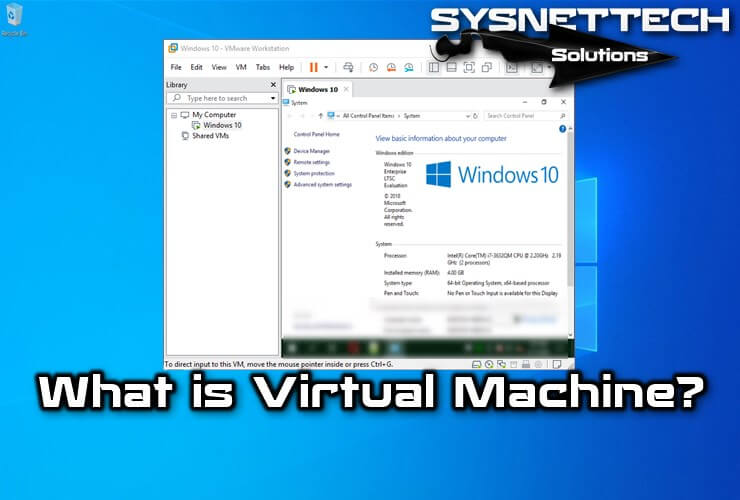
The virtual machine is a perfectly isolated software container that allows it to run its operating system and applications, just like a physical computer.
What is a Virtual PC?
The virtual machine (VM) behaves exactly like a physical computer, including its CPU, RAM, hard drive, and virtual network interface cards. In terms of computers, a VM is software that creates a virtual environment between the computer system that hosts it and the end-user, allowing specific software to run.
The primary logic is to enable multiple operating systems to run on the same hardware. The heart of the system is known as a virtual monitor, which runs on hardware and provides several virtual machines (VMs) for the software level. In this way, each may be running a different operating system and may not interfere with the others.
This virtual pc idea is also used in compiled programming languages. In these cases, the goal is to compile program resources tailored to a specific machine. This machine does not even need to exist physically. Also, the VM can run these programs regardless of the operating system.
Virtual Machine Characteristics
An operating system cannot distinguish between the virtual machine (VM) and the physical machine, or between applications, or other computers on a network. Even the virtual pc itself sees it as a “real” pc. However, a machine consists of software only and does not contain any hardware components. The result is that machines offer several advantages over physical hardware.
Relevance
It is compatible with standard x86 operating systems, such as Windows and Linux, as well as hardware and application drivers designed for these operating systems. The virtual system has a motherboard, a VGA card, and a network card controller, which contains all the components of a physical server.
Similarly, applications developed for any standard operating system, such as Windows, Linux, NetWare, or Solaris, that are ready for use, can run on the VM. Machines should not have particular requirements to make them suitable for virtualization. In this sense, a virtual pc is the same as a physical machine. That is, customers do not need to make adjustments to run applications. All applications that can run on the client’s physical servers also run on machines.
Virtual Machine Isolation
Although virtual PCs can share the physical resources of a single computer, they remain entirely isolated from each other as if they were independent machines. For example, if there are four machines on a single physical server and one of them fails, the other three remain available. Isolation is a key factor in explaining why the availability and protection of applications running in a virtual environment are superior to those running in a traditional, non-virtualized system.
Encapsulation
A VM is essentially a software container that bundles an operating system and all associated applications into a single software package, along with a complete set of virtual hardware resources. Encapsulation makes the machines extraordinarily portable and easy to manage. For example, you can move and copy a virtual PC from one place to another, just as you would any other software file. Alternatively, you can save a virtual PC on any standard data storage medium, ranging from a USB stick to a company’s domain network.
Hardware Independence
Virtual computers are entirely independent of their underlying physical hardware. For example, you can configure a virtual pc with virtual components (such as CPU, network card, and SCSI controller) that are entirely different from the physical components found in the basic hardware. Machines on the same physical server can run various types of operating systems, including Windows, Linux, and others.
Virtual Machine and Physical Machine Comparison
While a physical server is actually a metallic piece, a virtual PC should be considered a collection of software that has been converted into files; these files are encapsulated, meaning they are collected and organized in containers. Like files, virtual machines can be copied, moved, distributed, or emailed, and virtual machine files can be distributed to any medium large enough to be stored. This includes everything from a memory stick, DVD, or hard drive.
On the contrary, it is much more difficult to move or copy physical machines. For first-time users, applications on a physical machine are usually installed instead of just copied. Thanks to the encapsulation as a file, virtual machines are much more portable than physical machines.
The portability of virtual machines as files significantly improves management convenience and provides a great advantage for customers. Fully configured systems, applications, operating systems, BIOS, and virtual hardware can be seamlessly migrated from one physical server to another in seconds, without interruption to maintenance and with continuous workload consolidation.
The second main difference between virtual and physical machines is that virtual machines are entirely independent of physical hardware. The virtual machine may have a network card, VGA card, or SCSI controller, but these components do not interact with the basic hardware of the physical machine in which they are located. The virtual system can run on a physical server with an X-branded network card, but you will always see a VMware virtual network card. In addition, the VM cannot see brand X’s network card.
Conclusion
This means that even if the two physical servers are from two completely different manufacturers, a virtual machine can switch from one physical server to another without making changes to device drivers, operating systems, or applications. Several virtual machines installed on the same physical server can even run different operating systems. Thanks for following us!

TolgaBagci
Hi, I'm Tolga, a computer expert with 20 years of experience. I help fix computer issues with things like hardware, systems, networks, virtualization, servers, and operating systems. Check out my website for helpful info, and feel free to ask me anything. Keep yourself in the loop about the newest technologies!