

Think of the moment you want to turn a physical document into digital form. A contract, an old family photo, or a thick book page sits on your desk. That is when a scanner steps in. This input device is the quiet hero of the modern age. It handles the job of turning paper into data in seconds.
Today, the need for document digitization has grown more than ever. Hybrid work models and legal mandates, such as US data privacy laws, are key drivers. Therefore, companies move this office device to a strategic position.
Moreover, keeping a scanner at home, not just the office, brings a significant advantage because uploading invoices, contracts, and notes to the cloud instantly is a great time-saver.
Many users think of only the top part of a multifunction printer when they hear “scanner”. However, the hardware world offers a much wider range. For example, you can revive negatives with a film scanner, model objects in three dimensions using a 3D scanner, or even map open terrain with a LIDAR‑based scanner.
This guide covers exactly that variety and depth. I also examine the difference between CCD and CIS sensors. Furthermore, I cover topics like proper DPI choice, OCR engine usage, IT8 calibration, plus the latest 2026 scanner models and US privacy‑compliant archiving strategies. Now, let’s embark on this digital journey together.
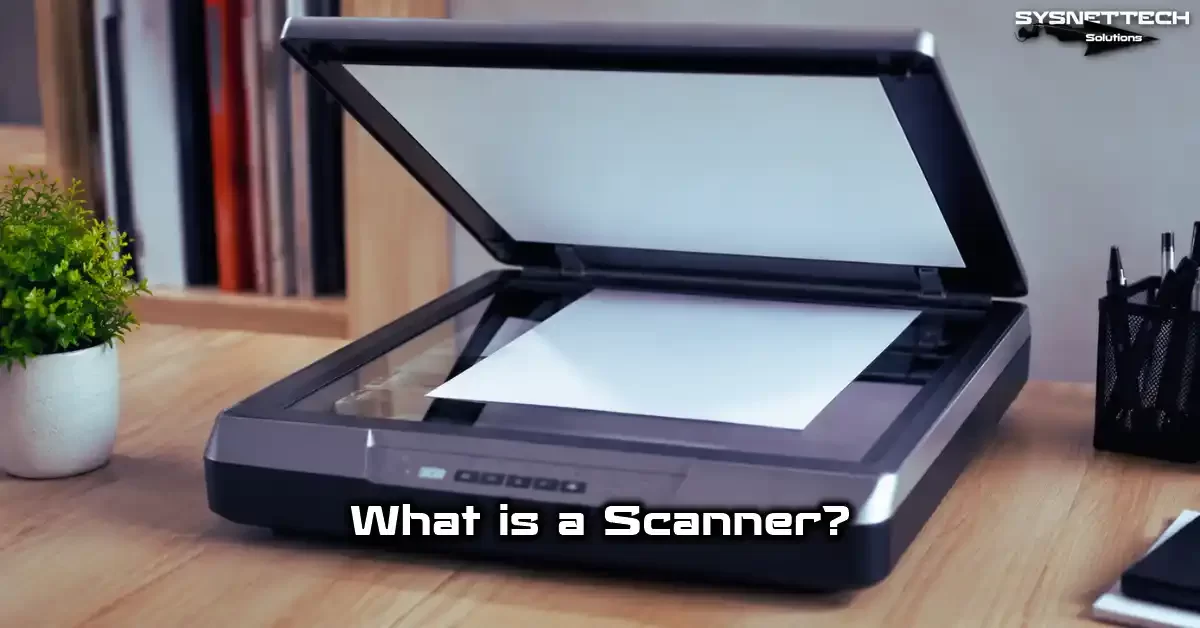
What is a Scanner? — Basic Definition & Working Principle
What Exactly is an Optical Scanner?
In its simplest form, an optical scanner analyzes a physical object using light and then turns the image into digital data. This peripheral is similar to a hardware input device. It collects information from the outside world and sends it to a computer. The device can read documents, photos, or three‑dimensional objects.
The device works much like the human eye. It reflects light and detects the reflected light. Unlike the human eye, however, the device digitizes this reflection using a pixel matrix.
Thus you get a file you can edit with image processing software. We call this process image capture.
The market offers many scanner models. Some only scan documents, while others digitize slides and negatives. Moreover, some models include an automatic document feeder (ADF) unit. This lets you scan dozens of pages quickly. Sheet-fed scanner models are ideal for this job.
Today, a scanner is no longer just an office tool. We use it in a wide range from cultural heritage projects to industrial design.
Therefore, picking the right scanner hardware is a critical decision that depends on your job. A wrong choice costs you both time and quality.
How Does a Scanner Work? Light, Sensor, and Digital Conversion
The process starts with the light source illuminating the document. A modern scanner usually uses an LED light source. This light hits the document surface and bounces back. The reflected light travels through a series of mirrors and lenses. Finally, it focuses onto the image sensor.
Here, the heart of the matter, the CCD or CIS sensor, steps in. The sensor measures light intensity and generates an analog signal for each pixel.
Then the A/D converter (Analog‑to‑Digital Converter) processes this signal. As a result, digital data, a pixel value, emerges. These values combine to form a bitmap image.
The stepper motor moves the sensor carriage along the scan bed with micron precision. It reads one line per step. The drive belt and stepper motor precision directly affect image sharpness.
You see lens distortion and horizontal banding issues in low‑quality mechanical parts. Therefore, optical accuracy is vital.
Finally, the scanning software transfers the captured raw data to the computer. The software performs preprocessing like black‑and‑white thresholding or grayscale.
It also allows you to edit on a per‑color‑channel basis. You can save the file as uncompressed PDF or TIFF. At this point, the USB 3.0 interface provides high speed.
What are the Scanner Types? Comprehensive Typology and Usage Areas
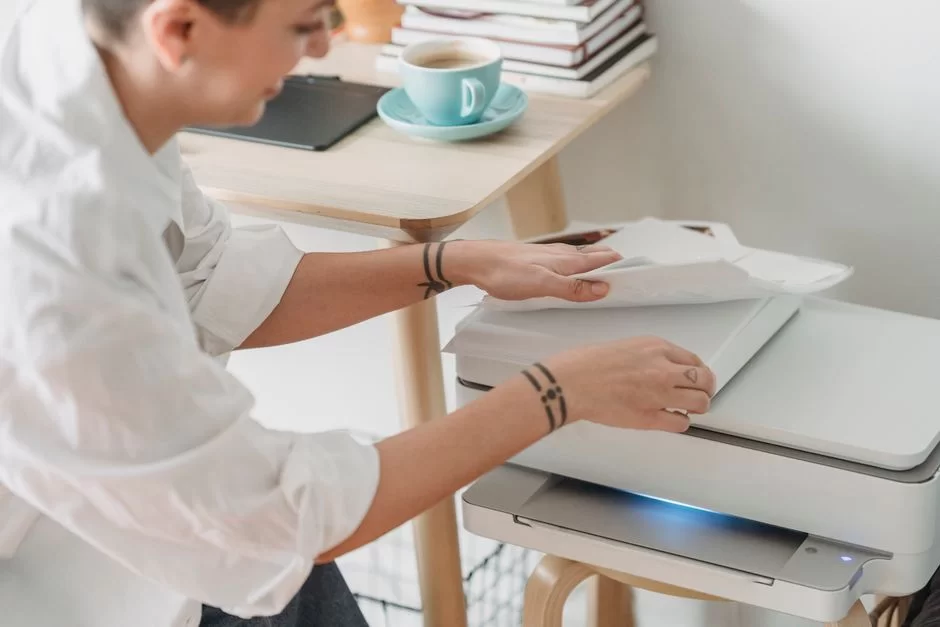
What is a Flatbed Scanner?
The best‑known and most common type is the flatbed model. These scanner devices have a flat glass surface, similar to a photocopier.
You place the document on this glass and close the lid. Then the sensor moves underneath and performs the scan.
A flatbed scanner is especially ideal for scanning books. You can easily scan thick bound books, magazines, or delicate documents by pressing them onto the glass.
You don’t damage the original document because you apply no mechanical pressure. Additionally, the shadowless scanning design prevents edge distortion.
Flatbed scanner models also offer high resolution. Most offer high optical resolution values like 4800 x 9600 dpi.
This puts them in the high‑resolution photo scanner class. However, they are slower than sheet-fed rivals in scanning speed. You must open the lid and place each document one by one.
| Feature | Flatbed | Sheetfed |
|---|---|---|
| Delicate Material Compatibility | Very Good (books, magazines) | Poor (single sheet only) |
| Speed | Slow (manual) | Very Fast (ADF supported) |
| Resolution | Very High | Medium‑High |
| Footprint | Large | Compact |
For home users and photo enthusiasts, a flatbed scanner is still the best choice. The even glass surface is a significant advantage especially when digitizing old family albums.
In contrast, it can tire you out in an office with heavy document traffic. That’s when users prefer ADF scanner models.
What is a Sheetfed and ADF Scanner?
Sheet-fed scanner models pass the document through like a printer. They feed the paper from one end, slide it over the sensor, and eject it from the other. This is where the automatic document feeder (ADF) comes in. The ADF picks up dozens of pages from a tray one by one and scans nonstop.
An ADF scanner is the key to office efficiency. You do not need to place contracts, invoices, or reports on the glass one by one. Moreover, most models offer duplex scanning.
This way, they read both sides of the paper at once or via a single‑pass duplex method. Time savings reach incredible levels.
Today, ADF models are a must for those seeking an enterprise document scanner. Devices offering 60 pages per minute and above are available.
Additionally, the ultrasonic double‑feed system warns you if multiple papers enter the device. Thus you can eliminate the risk of missing scans completely.
However, you should also check physical durability when buying a sheet-fed scanner. The daily duty cycle value shows how many pages that device can scan per day.
A 500‑page duty cycle is enough for home use. In contrast, you should opt for 6000‑page models for a busy office. Otherwise, the device wears out quickly and a document feeder failure becomes inevitable.
Handheld, Drum, and Film Scanners
Handheld scanner models are unrivaled in portability. You slide a small device over the document by hand to scan.
They work well in libraries or fieldwork. However, this method makes optical accuracy and 1:1 scale scanning harder. Your hand tremors cause image distortions.
Drum scanners, on the other hand, are much more niche and professional. These huge devices used in prepress wrap the document around a transparent drum.
As the drum spins at high speed, a sensitive CCD sensor reads it. This gives you an incredibly high dynamic range and optical density. Additionally, color depth and Dmax value are excellent.
Film scanners are built specifically to digitize negative and positive films. These special scanner devices backlight the image on the film directly. Thus you get much sharper results than from flatbed models.
Moreover, they have dust and scratch removal technology using an infrared channel like Digital ICE. They are also tailor‑made for reviving old archives.
3D Scanner, LIDAR, Photogrammetry, and Structured Light Scanning Method
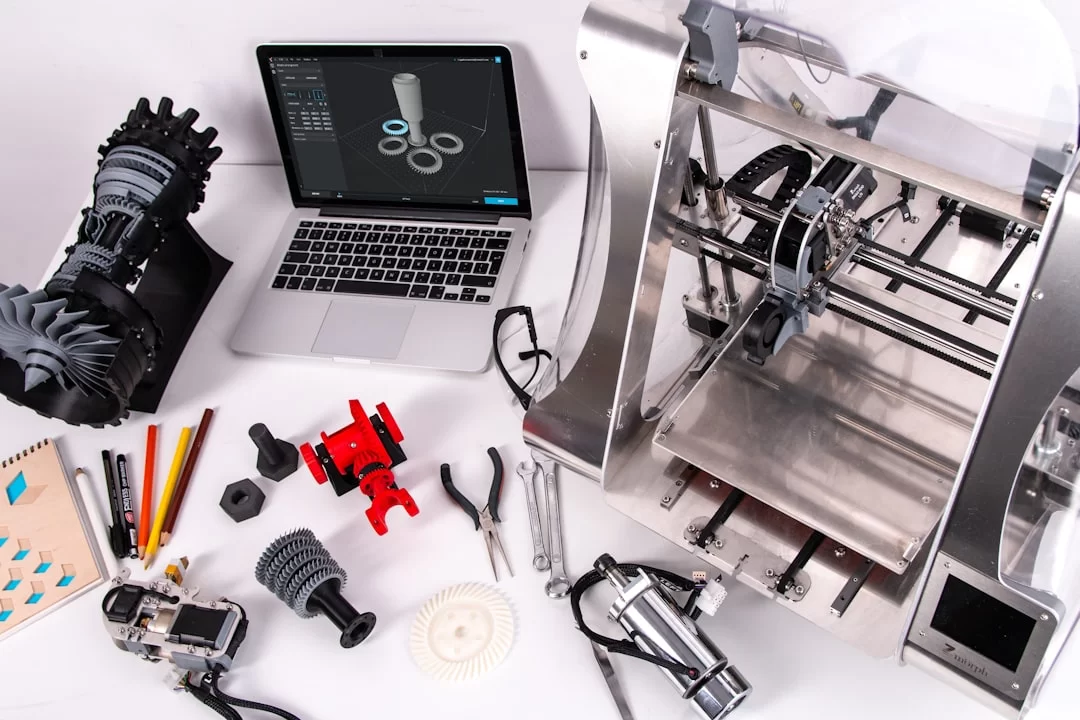
When we step into the three‑dimensional world, we encounter 3D scanner hardware. These devices scan the physical geometry of an object and create a point cloud.
They then export this data to 3D modeling software. It is a fundamental tool especially for reverse engineering and digital twin projects.
LIDAR‑based scanners measure distance by sending laser pulses. They play a vital role in open‑terrain mapping and autonomous vehicle technologies.
As of 2026, Apple has integrated a LIDAR sensor into iPhone Pro models. This move has taken mobile scanning far forward. Now you can even measure a room and instantly create a model with your phone.
Photogrammetry is a slightly different technique. You take many photos of the object from different angles. Special software analyzes these photos and matches common pixels.
As a result, a high‑resolution 3D model forms. However, this method struggles with matte or patternless surfaces.
The structured light scanning method, however, is one of the most precise techniques. The device projects a specific light pattern onto the object.
It analyzes pattern distortions and extracts the surface topology with sub‑millimeter precision. Dental prosthesis production and industrial quality control heavily use this method.
| Method | Advantage | Disadvantage | Ideal Use |
|---|---|---|---|
| LIDAR Scanner | Long range, outdoor | Weak color data | Mapping, construction |
| Photogrammetry | Low cost, high color | Errors on matte surfaces | Cultural heritage |
| Structured Light | Very high precision | Cannot be used outdoors | Dental, prosthesis, quality control |
As a result, in the 3D world, scanner selection depends entirely on your project needs. A desktop laser scanner suffices for small objects.
However, you definitely need a LIDAR system if you plan to scan buildings. Remember that laser scanning must offer Class 1 eye safety. You must be careful about this.
Scanner Technical Specifications: Sensor, Resolution, and Color Depth
CCD, CIS, and CMOS Sensor Differences: Which is Better?
Sensor technology is the most critical decision point when choosing a scanner. Experts have considered the CCD sensor the gold standard for years.
This technology works similarly to a digital camera. Light hits tiny photodiodes and accumulates charge. Later, the system reads this charge to form an image.
CCD’s biggest advantage is superior depth of field. Thus, it sharply scans even the curve in a book spine or a wrinkled document. Moreover, color accuracy and dynamic range values are very high.
However, this sensor type consumes more energy and heats up easily. Heating requires a cold cathode fluorescent lamp (CCFL). This thickens the scanner body.
The CIS sensor, on the other hand, is the choice for modern, thin devices. It reads the image directly from the contact point and lacks a complex optical mirror array.
Because it works with an LED light source, it becomes ready to scan instantly. Warm‑up time is zero and energy efficiency is very high. Furthermore, manufacturers can design these devices to be much more compact.
| Sensor Type | Depth of Field | Power Consumption | Warm‑up Time | Price |
|---|---|---|---|---|
| CCD | High | High | Yes (30 sec) | Expensive |
| CIS | Low | Low | None | Economical |
| CMOS | Medium | Very low | None | Very economical |
My personal choice is clear: If you’re going to archive photos and films, a CCD scanner is a must. However, for fast document scanning in an office, CIS is both economical and fast.
When choosing, definitely scan a test page and do an optical resolution test. Do not make a decision without testing firsthand.
What DPI Should Document Scanning Be? Optical vs. Interpolation Resolution
When considering resolution, the most common term is DPI, dots per inch. For digital images, the correct term is PPI, pixels per inch. However, the industry habitually says DPI without distinguishing between them.
Don’t be fooled by the huge numbers on the box when buying a scanner, because there’s a distinction between optical and interpolation resolution.
Optical resolution is the real pixel count the sensor can physically capture. Interpolation resolution is the software inserting artificial pixels in between.
For example, a device with 600 dpi optical resolution can reach 19200 dpi interpolated value via software. However, these extra pixels add no real detail to the image. They only bloat the file size.
| Purpose | Recommended DPI | Recommended File Format |
|---|---|---|
| Office Docs (OCR) | 300 | PDF, TIFF |
| Photo (Print) | 600 | TIFF, JPEG |
| Film/Negative | 2400+ | TIFF (uncompressed) |
| Legal Archive | 300‑400 | PDF/A |
Remember that as resolution increases, scanning speed drops and file size multiplies. An invoice needlessly scanned at 1200 dpi turns your storage space into waste.
Therefore, always choose the real resolution suitable for your purpose. Furthermore, some scanner software’s smart capture algorithms deliver great results even at low resolution.
Scanner Color Depth 24 Bit vs 48 Bit Difference and Dynamic Range (Dmax) Importance
Color depth determines how many color tones each pixel can hold. 24‑bit color means 8 bits per channel. It offers a total of 16.7 million colors. This is close to the human eye’s perception limit. It’s sufficient for daily use. However, it falls short for professional printing and restoration.
48‑bit color means 16 bits per channel. It captures trillions of color tones. Thus, you get incredible detail in shadows and bright areas.
Especially when doing faded ink restoration and color calibration, this bit depth is essential. It brings back lost details in an overexposed or underexposed frame.
We express the dynamic range concept as Dmax. This value indicates the sensor’s tone reading capability. It measures between deep black and bright white.
High Dmax is critically important, especially when scanning negative film. High optical density is necessary to pull detail from dense areas between apertures.
Tonal range and shadow compensation are very valuable when digitizing old photos. I recommend a 48‑bit scan for background cleaning and noise reduction.
Later, you can prepare for printing by doing color management with an ICC profile. Additionally, remember to profile your scanner device with an IT8 calibration target.
What Should You Consider When Buying a Scanner? Comprehensive Purchase Guide (2026)
Scanner Speed: PPM vs IPM Difference, Daily Duty Cycle
When talking about scan speed, two different metrics come up: PPM and IPM. PPM, pages per minute, states speed for single‑sided documents only. IPM stands for images per minute. It is a more accurate measure for duplex scanning, because if both sides of a page are scanned at once, IPM gives you the real speed.
Looking only at the manufacturer’s PPM value when buying a scanner can be misleading, because manufacturers usually measure this at 200 dpi and in black‑and‑white mode.
In practice, you scan in color at 300 dpi. Naturally, speed drops significantly. Therefore, you should consider independent tests and user reviews.
| User Profile | Recommended Speed (PPM) | Duty Cycle | Example Scanner Model |
|---|---|---|---|
| Home User | 10‑20 | 500 | Canon CanoScan |
| Small Office | 25‑40 | 3000 | Brother ADS‑1700W |
| Enterprise | 60+ | 10000+ | Kodak Alaris S2085f |
The ultrasonic double‑feed detection sensor is as important as speed. In high‑speed scanner models, if two papers stick together and feed, the sensor notices it instantly.
Otherwise, you miss scanning a page without even noticing. Furthermore, the blank page skipping feature also speeds up your workflow.
Scanner Selection for Home, Office, and Enterprise Use
Your usage scenario is the primary determinant of the right scanner choice. Below I list the ideal features for three main profiles:
- Home Use: A compact, quiet, and affordable flatbed or portable model is enough. A scanner with Wi‑Fi Direct support provides wireless freedom. The Canon CanoScan LiDE series and Epson Perfection V39 are still popular. It’s also ideal for scanning a few invoices per month and occasional photos.
- Office Use: Here, speed and an ADF are a must. Duplex scanning and batch scanning are essential. Look for at least 30 PPM speed. Also, you should be able to share over the network via an Ethernet RJ45 connection. The Fujitsu fi series and Brother ADS models stand out in this segment.
- Enterprise Solutions: High volume, security, and integration are the main priorities. Kodak Alaris and Canon imageFORMULA DR series are at the forefront. These devices offer API support for DMS integration. They also have security layers like fingerprint or card access.
When choosing, scanner models with cloud scanning features are now very popular. Thanks to Google Drive scan settings or OneDrive auto‑backup, all your documents are instantly secure. Home office scanner setup for remote work has become standard in 2026.
Energy Efficiency, Noise Level, and Certifications (Energy Star, EPEAT)
Energy is a topic you overlook when buying a scanner but that affects your electricity bill. An Energy Star certified scanner consumes near‑zero energy in sleep mode.
Furthermore, EPEAT certification proves the device is made from recyclable material and is eco‑friendly. Low carbon footprint office scanners positively reflect on your corporate sustainability reports.
Noise level can be annoying in open offices and home environments. According to test results, devices under 50 dB are considered quiet. Moreover, this criterion is important in office scanners.
Additionally, high‑speed scanner models can exceed 60 dB. This disrupts phone calls. I suggest you choose devices offering a silent mode.
Additionally, pay attention to secure scanning features. Scanned PDF encryption and data disposal are critically important in a corporate environment.
Devices without a scan history clearing feature retain sensitive documents in memory. This poses a serious US data privacy violation risk. Be sure to apply the secure wipe procedure in scanner models that include buffer RAM.
Scanner Setup, Connection, and Driver Guide: Step by Step
How to Connect a Scanner to a Computer? USB, Ethernet, and Wi‑Fi Direct
Physical connection is the first step to bringing this peripheral to life. The simplest and fastest method is a USB connection.
A modern scanner usually comes with a USB‑C or Type‑C connection. You still see the USB 2.0 interface on older scanner models. However, USB 3.0 provides much higher transfer speed.
For wireless freedom, a Wi‑Fi Direct scanner offers a significant advantage. Thanks to this feature, you connect directly to the device without needing a network.
Additionally, an Ethernet RJ45 connection is the most reliable way to use as a fixed network scanner. A wired connection always offers the lowest latency.
You can set up the connection step by step as follows:
- Plug the scanner into a power outlet with its adapter.
- Then connect the data cable (USB or Ethernet) to the computer.
- After the device turns on, the operating system recognizes the hardware.
- If the device supports driverless scanning protocols (AirScan, eSCL), you don’t need to do anything extra.
- Otherwise, you should proceed with installing the scanner driver.
Finally, a compatibility check is essential for Mac users with Thunderbolt docks. Do not purchase without checking the Mac‑compatible Type‑C scanner list, because hardware acceleration and voltage differences can cause issues on Macs.
Driver Installation for Windows, macOS, and Linux: TWAIN, ISIS, WIA, SANE
Drivers are the bridge between the operating system and the hardware interface. In Windows, we know the most common protocol as TWAIN. Thanks to this standard, any software can communicate directly with the scanner. Furthermore, Microsoft’s WIA scanning protocol is also sufficient for simple tasks.
On the enterprise side, organizations use the ISIS driver more commonly. ISIS is much faster and more stable than TWAIN. High‑volume document scanning solutions at the business level definitely use ISIS.
You need to download and install the driver from the manufacturer’s site. If it appears as an unknown device in Device Manager, perform a manual update.
- Windows: Download the TWAIN or WIA driver from the manufacturer’s site. Follow the installation wizard. As a result, your scanner device appears in Control Panel.
- macOS: Mac‑compatible document scanners generally work driverless. The system uses its own Image Capture infrastructure. Manufacturer software is a must for advanced features.
- Linux: Linux scanner setup with SANE requires some technical knowledge. The SANE interface is the standard solution in the open‑source world. You start by querying the device with the
scanimage -Lcommand from the terminal.
When you experience driver issues, first perform a firmware update. Then plug the cable into a different port.
If you’re asking what to do when the computer doesn’t recognize the scanner, restart the WIA service from Windows Services. This small tweak usually fixes the issue.
Driverless Scanning: AirScan, eSCL, WSD, and Mopria Scan Protocols
We are now in an era where the era of drivers is ending. Thanks to driverless scanning protocols, you can even scan from your phone or tablet as if printing.
AirScan is a protocol developed by Apple. Almost all scanner manufacturers support this protocol. You see and use the device on the network without installing any application.
eSCL and WSD protocols, on the other hand, provide similar ease in the Microsoft ecosystem. The built‑in scanning app that comes with Windows 11 recognizes these protocols smoothly.
Mopria Scan, meanwhile, offers the same experience for Android devices. You can manage the printer and scanner simultaneously.
Hybrid scanning workflows have become much easier thanks to these protocols. You can get a mobile preview from your phone and start the scan. You can send the file directly to a network folder or the cloud. These developments have made remote scanning a standard concept.
Wireless Network Scanner IP Configuration and Cloud Integration
If you want to set up a shared scanner on the network, IP address assignment is essential. Most devices obtain an IP automatically via DHCP. However, this IP can change over time and the connection drops.
Therefore, I suggest you ensure stability by assigning a static IP. You can log into the device’s web interface and define a manual IP from network settings.
After wireless network scanner IP configuration, the next step is sharing. FTP scan and SMB protocol allow you to drop the scanned file directly into a folder.
WebDAV, on the other hand, is especially ideal for accessing remote servers. We examine all these protocols under the network scanner sharing and security topic.
Cloud storage integration, however, is indispensable in 2026. Scanner models with cloud scanning features upload directly to your account via Google Drive scan settings.
Thanks to OneDrive auto‑backup, your documents instantly appear on all your devices. This workflow automation turns the paperless office dream into reality.
The security aspect is also very important. A public FTP scan folder opens a backdoor to your network. Do not neglect to implement scanned PDF encryption and set up user‑based authorization.
You can use the scanner device as a printer sharing server. Also, apply the scan history clearing protocol on this device.
Document Digitization and Archiving: US Data Privacy, Legal Compliance, and Workflow
US Data Privacy and GDPR Compliant Document Digitization Strategies
Scanning any document containing personal data creates legal liability. US data privacy laws and GDPR set clear rules for this process. First, you must document what documents you scan and where you store them. The operations you perform with this device process personal data. Therefore, you must manage the process carefully.
You should never accept a scanner workflow that operates without a disclosure notice or collects customer data. Uploading scanned data to the cloud without encryption is a huge risk.
Uploading scanned data to the cloud without encryption is a huge risk, because in case of unauthorized access, you must report a data breach. This means serious administrative fines.
Definitely process sensitive documents on a local server with secure scanning. Create a data disposal policy. After a certain period, destroy files with secure deletion. Regularly audit your digital archive. This way, you complete the legal compliance process fully.
- Data Inventory: List which documents you scan.
- Authorization Matrix: Not everyone should access every document.
- Encryption: Encrypt sensitive data with AES‑256.
- Periodic Disposal: Perform secure deletion after a set period.
Finally, mobile document capture apps are also subject to the same rules. The answer to ‘Is CamScanner reliable?’ is debatable, because it backs up data to Chinese servers. Hardware‑based scanner solutions are always more secure for corporate work.
Archiving with PDF/A Format, Digital Signature, and Document Management System (DMS) Integration
When long‑term archive format is mentioned, PDF/A immediately comes to mind. PDF/A‑1, PDF/A‑2, and PDF/A‑3 versions guarantee the document will open identically even years later.
This format embeds all fonts and color profiles into the file. Even ordinary scanner software can now output in this format.
If you ask how to archive in PDF/A format, it’s very simple. You just need to select the save format in your scanning software.
Furthermore, uncompressed TIFF format is also accepted for court‑approved documents. JPEG compression, on the other hand, is not suitable for archiving, because you will experience data loss with each save.
| Format | Archive Suitability | Compression | Usage Area |
|---|---|---|---|
| PDF/A‑3 | Best | Lossless | Official archive, US data privacy |
| TIFF | Very good | Uncompressed | Court, cultural heritage |
| JPEG 2000 | Good | Lossless option | Large format archive |
| JPEG | Not suitable | Lossy | Preview only |
Digital signature and PDF encryption preserve the document’s integrity. You can sign a scanned contract and send it to the other party. In this process, DMS scanner integration is also very valuable. It ensures the document automatically falls into the correct folder as soon as it’s scanned.
A scanner offering integration API and RESTful service support is ideal for workflow automation. It scans the file, extracts the text with an OCR engine, and transfers it to the DMS.
It even adds EXIF and XMP metadata, making searching easier. Thus, document archiving becomes fully automatic.
Legal Documents, Court‑Approved Scanning, and Cultural Heritage Digitization
When scanning a document to submit to court, your task is much more serious. Legal document scanning resolution and format must conform to court‑approved standards.
Courts usually require 300 dpi, color, and PDF/A format. Moreover, you can confirm the document’s authenticity by adding a watermark.
Scanner selection for a cultural heritage digitization project is completely different. FADGI 3‑Star compliant scanners are mandated in these projects.
You can also rely on Metamorfoze and ISO 19264‑1 image quality standards. Additionally, within acid‑free archive document scanning recommendations, you should definitely use a UV‑filtered light source.
In such delicate tasks, book scanner usage and shadow prevention methods stand out. With a V‑shaped special table and glass pressure plate, documents are not damaged.
You get flawless images thanks to shadowless scanning and book curve correction software. Furthermore, when scanning old newspapers and magazines, you apply a descreen filter to remove dot patterns.
For faded ink and blueprint copy recovery processes, multispectral imaging is a must. These advanced scanner models use light at different wavelengths.
With faded ink restoration algorithms, they make vanished writings visible again. For historical documents, this technology is priceless.
Advanced Scanning: Photo, Film, 3D, and Restoration Techniques
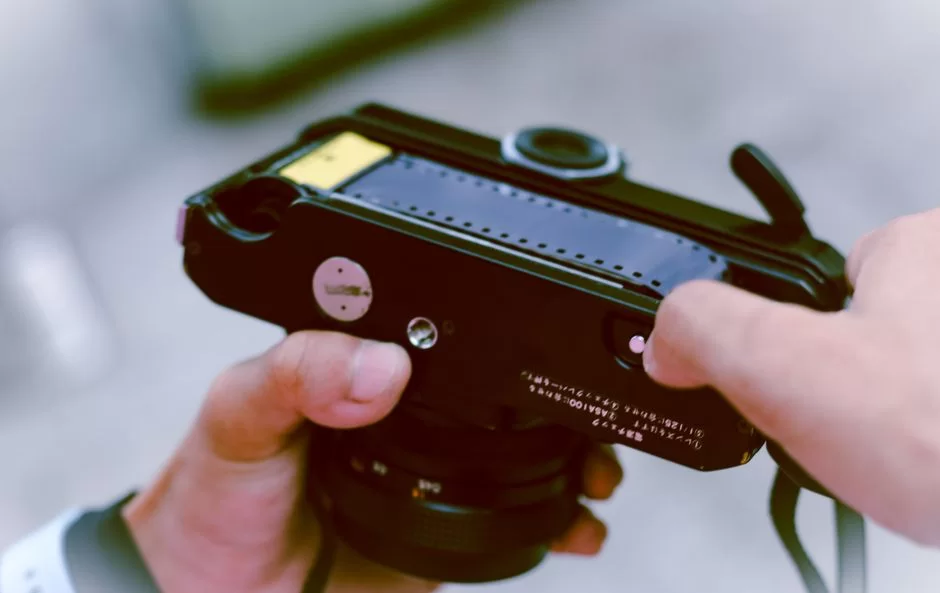
Best Resolution, Color Depth, and IT8 Calibration for Scanning Photos
Scanning photos is not like reading office documents. The goal here is to preserve all the detail and emotion of the original print. That’s why 48‑bit color depth and high optical resolution are essential.
I recommend using at least 600 dpi. If you’re going to print, 300 dpi is enough. However, you should perform archive scans at 1200 dpi.
IT8 calibration comes into play here. If we look at how you perform IT8 calibration on a scanner, first, you need to obtain an IT8 calibration target. You scan this reference card on your scanner device.
Special software compares the scanned values with the reference values. Thus, you complete the steps in the ICC profile creation guide and achieve color management.
Using a spectrophotometer or colorimeter for color calibration is the highest level of accuracy. You profile your monitor with these devices and achieve end‑to‑end consistency.
Scanning a calibration sheet allows you to account for the current lighting conditions too. Remember that an optical scanner you haven’t calibrated will suffer color shifts over the years.
There’s a reason I’m so obsessed with precision. Years ago, I scanned hundreds of slides with an uncalibrated scanner. They all came out with a bluish tint. Having to rescan everything was a total nightmare. Therefore, you should never skip calibration to avoid this painful experience.
ICE Dust and Scratch Removal, Restoration with Infrared Channel
Old photos and negatives are very sensitive to dust and scratches. Digital ICE technology works wonders in this area. This technology detects physical defects using an infrared channel. While normal light is blocked by dust, infrared light passes through it. Analyzing this difference, it applies defect correction.
Restoration with the infrared channel doesn’t touch the image’s original texture. It only masks and erases physical defects. You’ll find this remarkable feature only in film scanners and high‑end flatbed scanner models. Repairing scratches with a device without ICE takes hours and requires Photoshop skills.
For dust and scratch removal, this hardware‑based solution is vastly superior to software. Software generally blurs, causing detail loss. Digital ICE, however, works with pinpoint precision. Among old photo digitization techniques, ICE is, in my opinion, the most valuable invention.
Moiré Reduction (Descreen), Faded Ink Recovery, and Book Scanning
When scanning printed materials, the biggest enemy is the moiré pattern. Newspaper or magazine prints consist of tiny dots. When this dot pattern clashes with the scanner sensor’s pixel grid, rainbow‑like wavy lines appear. Moiré reduction or the descreen filter prevents this exactly.
The descreen filter performs a halftone removal process. It offers newspaper, magazine, or high‑quality offset options based on print quality. When you apply this filter, the image softens slightly, but the annoying pattern disappears. Definitely use this feature for archive scans.
Faded ink restoration, on the other hand, is perfect for old letters and typewriter writings. The scanning software smartly boosts contrast and performs background cleaning.
Special profiles are available for faded ink and blueprint copy recovery. You can make even nearly erased writings readable again.
The biggest problem when scanning books is the spine curve. Pages don’t lie flat and shadows form. For book scanner usage and shadow prevention, a V‑shaped scan bed is ideal.
Thus, with software‑based shadow compensation and book curve correction, the page appears perfectly flat. Scanning thick books without these features becomes difficult.
Scanner Maintenance, Troubleshooting, and Hardware Lifespan Optimization
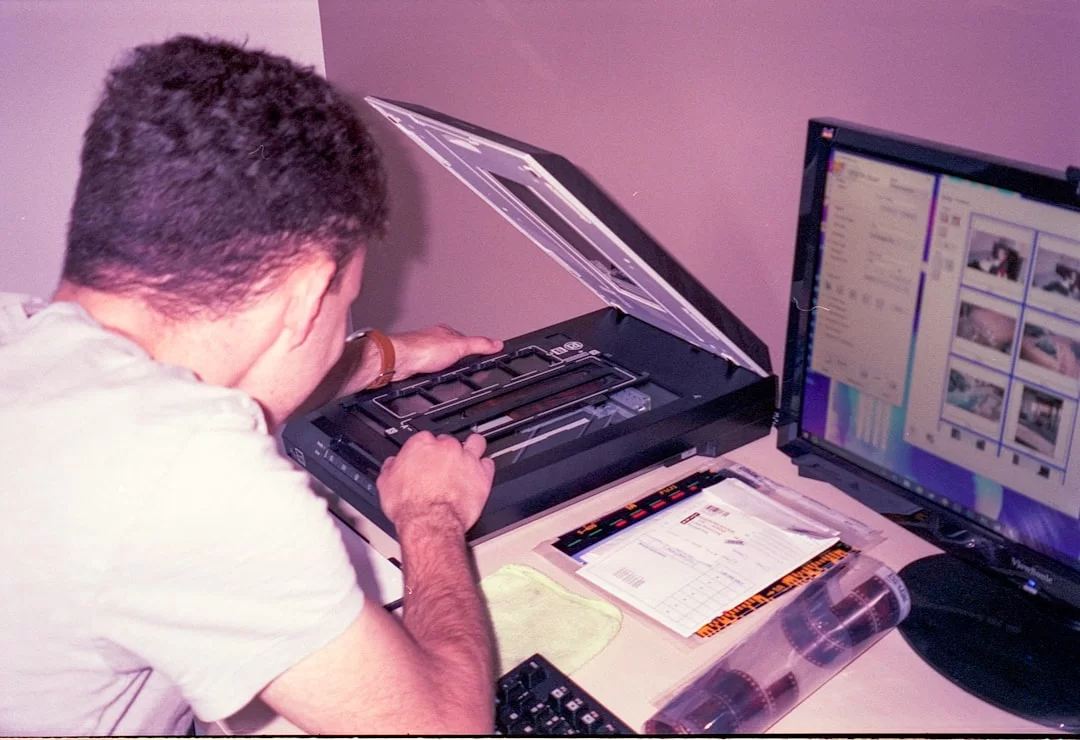
Why Does the Scanner Produce Vertical Lines? Sensor and Glass Cleaning
Do you have a thin vertical line constantly in the same spot in your scans? Do not panic; this is usually a simple dirt issue. A tiny dust particle stuck on the sensor or glass causes this line. As the sensor moves, the dust stays put. It leaves a mark at the same point on every row.
First, let’s see how to clean the scanner glass. Use a soft, lint‑free microfiber cloth. Wipe the glass with pure isopropyl alcohol or a special cleaning cloth. Never use window cleaner or cologne. These leave residue on the glass and ruin optical accuracy.
If the vertical line issue doesn’t resolve, sensor cleaning is necessary. The sensor surface is very delicate in CIS sensor scanner models. Try removing dust with compressed air. Never touch it with hard objects. If the problem persists, take it to an authorized service.
Horizontal banding, on the other hand, is usually a stepper motor or drive belt problem. If the device took a hit or was overloaded, the mechanical parts slip. In this case, professional intervention is essential. Additionally, such failures become more frequent in scanner devices that have reached their hardware lifespan (scan count).
Document Feeder Jam Issue and ADF Maintenance
The ADF unit is the part that fails most often. Paper jams are annoying but often a preventable issue. First, before scanning your documents, definitely remove staples and paper clips.
Also, don’t feed curled or damp papers without straightening them. This simple habit doubles the lifespan of the ADF roller.
If the document jams, never pull it forcefully. Open the device cover and gently remove the paper with both hands. Leaving torn pieces inside causes bigger problems.
If jams repeat, the ADF roller may be worn out. Get a maintenance kit and replace the rollers and pads.
- Prepare Documents: Remove staples and clips. Straighten curled papers.
- Don’t Pull Hard: When jammed, open the cover and remove gently with both hands.
- Clean ADF Roller: Wipe the roller with a damp microfiber cloth once a month.
- Use Maintenance Kit: Replace roller and pads yearly with an ADF maintenance kit.
The ultrasonic double‑feed detection sensor also needs cleaning. Paper dust blinds this sensor over time. If you clean it with compressed air every six months, it works flawlessly. Also, check the condition of the document separator pad. A hardened or smoothed pad cannot grip papers.
Remember, good scanner maintenance extends the device’s life by years. You should clean the glass once a month. Also, perform ADF cleaning every three months and replace the maintenance kit yearly. Thanks to this routine, enterprise scanner devices easily surpass 5 years.
What is the Lifespan of a Scanner? LED or Laser: Which Lasts Longer?
A modern scanner device works trouble‑free for an average of 5 to 7 years. This period depends on usage intensity and environmental conditions. Cigarette smoke, excessive humidity, and dusty environments wear out the hardware early. In enterprise scanner devices, the main determinant is the daily scan volume.
The light source type also directly affects lifespan. Scanner models using an LED light source last much longer. An LED offers 50,000 hours or more of use. Moreover, it lights up instantly with no fading issue. Old models with CCFL (cold cathode fluorescent lamp) yellow over time and lose brightness.
| Light Source | Average Lifespan | Warm‑up Time | Color Stability |
|---|---|---|---|
| LED | 50,000+ hours | None | Very good |
| CCFL | 10,000 hours | 30 sec – 1 min | Degrades over time |
| Laser Diode | 10,000 hours | None | Good |
The clear answer to ‘What is the lifespan of a scanner?’ is: An LED flatbed scanner can comfortably last you 10 years. ADF office models, on the other hand, need an ADF overhaul after 3‑4 years under heavy use.
Mechanical parts wear out before electronics. Therefore, choose scanner brands for which you can obtain spare parts and maintenance kits.
Scanner, Mobile App, and Multifunction Printer Comparison
Hardware Scanner vs Mobile App: Adobe Scan, Microsoft Lens, CamScanner
Many people wonder about the difference between mobile apps and hardware. Today, apps like Adobe Scan and Microsoft Lens have advanced significantly.
They detect the document using your phone’s camera, correct the perspective, and create a PDF. They even extract text with optical character recognition (OCR).
Thus, is a hardware scanner still necessary? Yes, absolutely. Phone cameras use a CMOS sensor as the light sensor. However, due to fixed focus and low‑light performance, they cannot deliver professional results.
Using a mobile app for multi‑page documents becomes tedious. Hand tremors during mobile scanning also cause blur.
| Criterion | Hardware Scanner | Mobile App |
|---|---|---|
| Resolution | 600‑4800 dpi | ~300 dpi (limited) |
| Color Accuracy | High (calibrated) | Low (depends on ambient light) |
| Multi‑page Scanning | 60+ pages per minute with ADF | Each page shot individually |
| File Format | PDF/A, TIFF, JPEG 2000 | Usually only PDF, JPEG |
The mobile app vs. scanner comparison becomes clear with DxO test scores. Independent tests clearly show: a hardware‑based scanner offers pure color accuracy. Mobile document capture is ideal for emergencies. However, it is not suitable for archival work.
You should approach CamScanner software cautiously. Past data leaks and malware allegations have shaken trust.
For the best free OCR software, Tesseract‑based open‑source solutions are safer. On the enterprise side, however, Abbyy FineReader is still the leader.
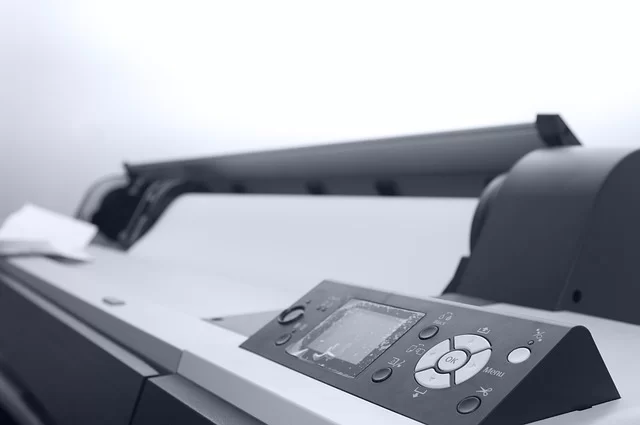
Scan Quality in Multifunction Printers and the Difference Between Scanner and Photocopier
All‑in‑one printers are very common in homes and offices. These devices combine printing, scanning, and copying features. However, remember that the scanner inside an all‑in‑one generally offers average quality, because manufacturers produce with a focus on cost and usually use CIS sensors.
When you compare scan quality in multifunction printers, you see a difference in color saturation and sharpness.
A standalone optical scanner gives better results than an all‑in‑one at the same price. The difference is obvious when scanning photos. However, in terms of speed and practicality, all‑in‑one models have the advantage.
If you ask about the difference between a scanner and a photocopier, the answer is simple. A photocopier scans and prints instantly, whereas a computer scanner saves the image as a file.
Photocopiers transfer the image to paper using the xerographic process. They print using toner and heat. Based on my experience, I can say this technology is still the backbone of offices.
Additionally, you can also use office photocopiers as high‑speed network scanners. In this sense, the lines have now blurred.
If you’re in a busy office, you might opt for an A3 scanner similar to a photocopier. A3 scanners provide great convenience for corporate archiving.
This wide format is also essential for digitizing maps, plans, and drawings. Known as plan scanners, these scanner devices only scan, without printing.
Best Scanner Models and Brand Comparison
Best Document Scanner Models for Home and Office
As of 2026, document scanner prices start from $45 and go up to $900. I’ve listed the best price/performance scanner models for home users below. This list is based on my firsthand experience and current market analysis:
- Canon CanoScan LiDE 400: It’s a USB‑C flatbed scanner, extremely thin, and highly energy‑efficient. Offers quiet mode support and 4800 dpi optical resolution. It’s the most popular scanner recommendation for home. Moreover, its price is around $120.
- Epson Perfection V600: A classic choice with a CCD sensor that you can also use as a film scanner. It stands out with Digital ICE support and IT8 calibration compatibility. It’s unrivaled in the high‑resolution photo scanner category. Approximately $450.
- Brother ADS‑4100: A portable, wireless, duplex scanning ADF scanner model. It’s the clear answer for those seeking a portable scanner. Offers 35 PPM speed and Wi‑Fi Direct. Its price is around $750.
- Fujitsu ScanSnap iX1600: I strongly recommend it to those choosing a scanner for the office. With its touchscreen and cloud scanning feature, it’s one of the smartest models. Comes with 40 PPM speed and an excellent OCR engine. Around $990.
All these scanner models have Energy Star certification. Moreover, as low carbon footprint office scanners, they are eco‑friendly. When choosing, also definitely inquire about the brand’s service network in the US.
Enterprise, High‑Volume, and FADGI Compliant Scanner Recommendations
On the enterprise side, the requirements change. Here, speed, durability, and standard compliance come to the forefront. Here is the enterprise‑level answer to ‘What are the best scanner brands?’:
- Kodak Alaris E1040: Scans 80 pages per minute. Ultrasonic double‑feed detection and duplex scanning are standard. Offers ready APIs for DMS integration. Starting price $600.
- Canon imageFORMULA CR L1 / CR‑L1 UV Scanner: With 45 CPM (checks/documents per minute) speed, it’s a powerhouse. Manufacturers designed it for high‑volume document scanning. Offers a daily duty cycle of 3,000 pages. A3 scanner support is also available.
- Epson WorkForce DS‑530 II: With 35 pages per minute and a daily capacity of 4,000 pages, ideal for busy offices. Its anti‑jam smart feed system and OCR support quickly turn documents into searchable digital files.
The common feature of these devices is being shareable as network scanners. They come with FTP scan, SMB protocol, and secure scanning options. Furthermore, thanks to integration API support, they communicate with your ERP software.
Photo, Film, and 3D Scanner Models: New and Second‑Hand Buying Guide
- Epson Perfection V850 Pro: With dual‑lens system and ICC profile support, it’s top‑tier for negative film scanning. Due to high new cost, demand for second‑hand is high; but checking for scratches and dust on the optical glass is essential.
- Plustek OpticFilm 8200i SE: Ideal for 35mm film and slides, removes dust with Digital ICE. Since new prices have soared (around $2,100), clean second‑hand units offer a budget‑friendly alternative.
- Shining 3D EinScan Pro HD: A professional 3D scanner working in handheld and fixed mode. Ideal for reverse engineering; new ones are costly in foreign currency, and second‑hand is very rare to find.
As a new and second‑hand scanner buying guide, I must say: Definitely test the device on‑site. Scan a test page. Check for vertical line issues or horizontal banding.
Light sensor and stepper motor precision degrade over time. Also, listen to the drive belt sound. Stay away, especially if there’s rattling or slipping.
Second‑hand scanner devices without updated firmware cause problems on new operating systems. Don’t buy old models whose driver support has ended.
Connecting antique FireWire devices to modern computers is nearly impossible. However, a 10‑year‑old scanner with a USB 2.0 interface still works.
Further Reading: A Journey into the Depths of Scanner Technology
Scanners have become an indispensable part of our lives. Moreover, the technology behind them is much deeper than you think. The reflection of light from a physical document turns into pixels of a digital copy. This journey combines optics, electronics, and software engineering. The resources below delve into the working principles of scanners. Anyone interested in hardware can read these articles.
- Wikipedia’s historical development and sensor comparison: This source comprehensively covers the evolution of scanners and different sensor types. Therefore, it’s an ideal starting point for those wanting a broad perspective.
- MIT’s report on analog signal to digital data conversion: This source explains the process from light hitting the sensor to converting analog voltage into digital signal. It uses technical but understandable language. An unavoidable opportunity for those wanting to see the engineering approach.
- Florida State University’s CCD array format principle: This source details three different working modes of the linear CCD array at an academic level. It makes a difference by focusing especially on its use in desktop models.
- Brother UK’s practical examples of modern office uses: It explains how this technology integrates into business life with everyday scenarios. It also offers practical tips for fast document management.
- Lenovo’s hardware advantages guide: This source focuses on criteria like compatibility with different document sizes and long‑lasting use. It also guides those making hardware choices.
Top 10 Questions and Answers About Document Digitization and Scanners
Are a scanner and a “web browser” the same thing? What’s the difference?
What’s the difference between CCD and CIS sensors? Which should I choose?
What does scanner resolution (DPI) mean? How many DPI is enough?
What is OCR (Optical Character Recognition)? What does it do in a scanner?
What is an ADF (Automatic Document Feeder)? Who needs it?
What’s the difference between a scanner and a photocopier?
Can I scan old photos and negatives? Which scanner should I use?
What is a 3D scanner, and where is it used?
How do I connect a scanner to a computer? What connection types exist?
Can I use my mobile phone as a scanner? Is it reliable?
Conclusion: The Strategic Role of Scanners in Digital Transformation (2026 and Beyond)
The Place of Scanners in Hybrid Work and Paperless Office Transformation
2026 became a period where the hybrid work model fully settled in. Now, there are millions of employees commuting between the office and home.
In this new order, paperless office transformation is no longer a choice but a necessity. Right at the center of this transformation stands this input device again.
Home office scanner setup for remote work has become very simple by 2026 standards. You get a wireless network scanner, plug it in, introduce it to the whole home network, and start scanning from your laptop, tablet, or even phone. Documents instantly upload to the corporate DMS.
Hybrid work document digitization strategies have also evolved accordingly. Now, every employee definitely has a personal optical scanner at home.
Organizations allocate budgets and provide these scanner devices to their employees, because carrying physical documents to the office means both a security risk and a waste of time.
The future is entirely built on cloud‑based workflow automation. This peripheral, integrated with artificial intelligence, will classify the document as soon as it scans it. Then it will route it to the relevant person.
Thus, human intervention will drop to a minimum. This vision is not far away. Many enterprise scanner models currently offer these features.
The Future of AI, OCR, and Smart Document Capture
Optical character recognition (OCR) technology is evolving at an incredible pace. We used to compare Abbyy FineReader and Adobe Acrobat OCR. Now, AI‑powered smart capture algorithms are in play. AI‑based next‑gen engines have reached 99% success even in handwriting.
The OCR engine no longer just recognizes text. It understands the document type; if it’s an invoice, it extracts line items; if it’s a contract, it reads the parties and the date.
It even transfers the necessary data for document editing directly to the ERP. We call this a smart scanning algorithm, and this field is growing very fast.
In the future, scanner hardware and AI will be completely intertwined. The microprocessor (chip) inside the device will become so powerful that it will perform all OCR processing on‑device.
Thus, it will process document data without going to the cloud. This will be a revolutionary development for US data privacy and HIPAA compliance.
For the best free OCR software, Tesseract is still by far the leader. However, cloud‑based Google Vision and Microsoft Azure AI services are also very competitive.
In the coming years, the virtual scanner concept will become widespread. Maybe physical scanner devices will become just nostalgic objects. However, for now, this sturdy peripheral keeps its place on our desks.

Be the first to share your comment