

The world of data storage has seen a quiet revolution over the past two decades. Noisy mechanical drives have given way to silent, lightning-fast chips. Today, a tiny thumb-sized flash drive in your pocket holds more than a massive server did ten years ago. At the heart of this shift lies a steadily advancing semiconductor technology.
In this guide, I will share real-world field scenarios and performance secrets. I will also give you golden tips for long-term use. The market offers dozens of USB flash drive and memory card options. Yet, each one’s performance and durability differ greatly.
A poorly chosen portable drive can wipe out your sensitive data in an instant. What’s more, misleading marketing terms appear everywhere. The USB 3.2 Gen 1 trick is just one of them. So, you must grasp the details to make the right choice. I will now take you on a chip-level journey.
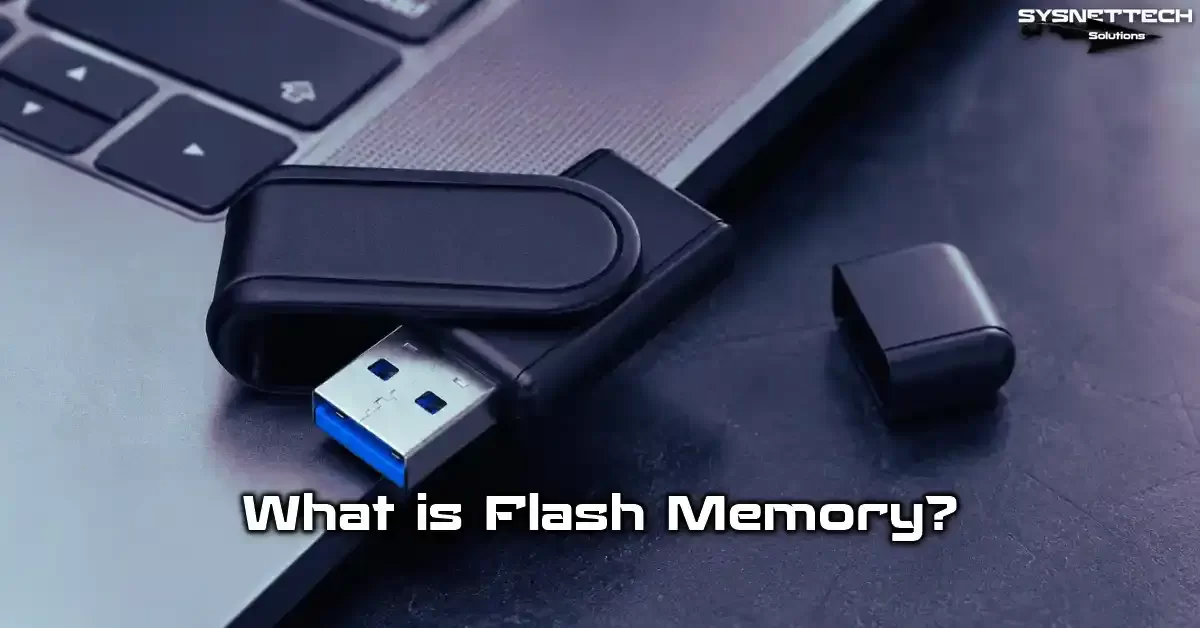
What Is Flash Memory? The Basics of Non-Volatile Semiconductor Storage
Here is my flash memory definition: a solid-state storage device that keeps data even when the power goes out. You can also erase and reprogram it. This definition highlights the most critical feature that sets it apart from RAM. After all, RAM memory depends on power and loses everything when the power is cut off.
But this strong member of the non-volatile memory family holds data for years. Its roots go back to the 1980s. Fujio Masuoka developed EEPROM-based circuits at Toshiba labs. Today, it appears as the most common computer peripheral in daily life.
- USB flash drive: A pocket-sized, plug-and-play device. It provides instant data transfer.
- SD card and microSD: Compact memory card formats you use in cameras, drones, and phones.
- Solid-state drive (SSD): A high-speed storage unit you use in place of a hard disk in computers.
- eMMC and UFS: Chip sets embedded on the motherboard in smartphones and tablets.
This makes it a universal data storage and backup solution. It also has no moving parts. As a result, it holds a crushing physical durability edge over mechanical disks. Now, let us take a closer look at the basic building blocks of this technology.
EEPROM Variant, NAND Gate, and NOR Flash: The Technical Definition of Flash Memory
EEPROM—electrically erasable programmable read-only memory—is the ancestor of flash memory. You can erase each byte one at a time in classic EEPROM. But this method is extremely slow and costly. The real turning point came with block erase and page write architecture.
This architecture rests on two distinct transistor structures. The list below clarifies the key differences:
- NAND Gate: Offers high cell density and serial access. It is ideal for large file transfers. Production cost is also low. That is why it dominates the world of USB drives, SSDs, and memory cards.
- NOR Flash: We choose this memory in embedded systems and BIOS chips thanks to its random access ability. But write speeds are slower. Erase operations also take much longer.
How Flash Memory Works: The Floating Gate Transistor, NAND Flash Technology, and Fowler-Nordheim Tunneling
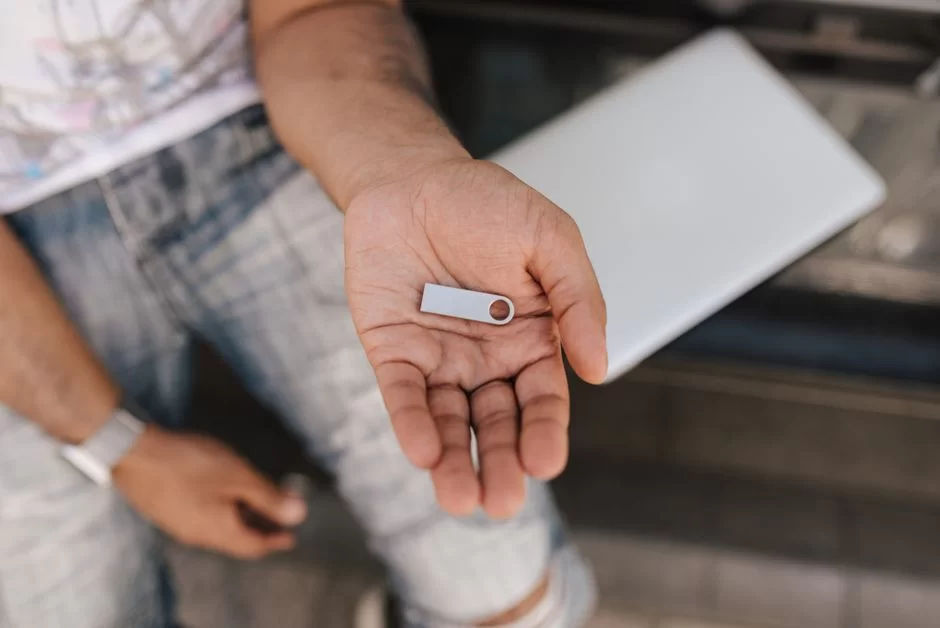
The floating gate transistor lies at the heart of flash memory. This special MOSFET structure has two gates: a control gate and an insulated floating gate. The floating gate is a conductive island trapped between oxide layers.
Electrons can stay trapped here for years because the gate is fully surrounded by insulating material. Thanks to this structure, we achieve a non-volatile memory feature. I can sum up the working principle step by step:
- Write (Programming): You apply high voltage to the control gate. Electrons pass to the floating gate via Fowler-Nordheim tunneling. They then get trapped there.
- Erase: You apply high voltage in the reverse direction. Electrons pull back from the floating gate. Then they leave the tunnel oxide layer.
- Read: You apply low voltage. If electrons sit in the floating gate, the threshold voltage rises. The transistor does not conduct, and the system reads “0.” If no electrons exist, the transistor conducts. So, the system reads “1.”
Another method that makers use for NAND flash is hot electron injection. We see this method more in NOR flash programming. The choice between the two methods comes down to cost and speed optimization.
Program/Erase Cycle (P/E Cycle) and Flash Memory Lifespan: How Does Cell Wear Happen?
Every cell has a limited P/E—program/erase—cycle count. Programming means sending electrons to the floating gate. Erase means pulling those electrons back. Each repeat of this cycle builds up atomic-level damage in the oxide layer.
| Chip Type | P/E Cycle | Durability Level | Typical Use Life |
|---|---|---|---|
| SLC | ~100,000 | Very High | 10+ years (heavy writes) |
| MLC | 3,000 – 10,000 | High | 5-7 years (enterprise workload) |
| TLC | 1,000 – 3,000 | Medium | 3-5 years (consumer use) |
| QLC | 500 – 1,000 | Low | 1-3 years (heavy writes) |
So, how long does flash memory last? The answer depends entirely on the use case and the Total Bytes Written (TBW) endurance value. A TLC-based SSD in a heavy-write database server might die within a few years.
In contrast, a read-only archive solid-state storage device can keep data for decades. Smart algorithms like wear leveling manage and delay this process.
Key Differences Between NAND and NOR Flash Architecture: Where Are They Used?
NAND flash architecture connects cells in series to offer high density. This structure is ideal for large file systems and sequential read/write. On the other hand, NOR flash promises low latency with its parallel access structure.
Let us clarify the core differences between the two architectures in the table below:
| Feature | NAND Flash | NOR Flash |
|---|---|---|
| Access Type | Serial (Page-based) | Random (Byte-based) |
| Cell Density | Very High | Low |
| Write Speed | Fast | Slow |
| Read Speed | High (Sequential) | Very Low Latency |
| Erase Unit | Block (Large) | Block (Small) |
| Cost | Low | High |
- NAND Flash Use Cases: USB flash drives, SSDs, SD cards, smartphone storage.
- NOR Flash Use Cases: BIOS chips, embedded system bootloaders, industrial controllers.
What Are the Types of Flash Memory? Comparing SLC, MLC, TLC, QLC, and 3D NAND Chip Types
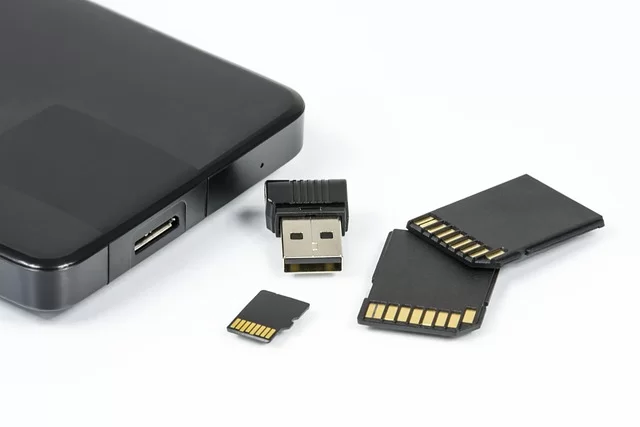
When we talk about flash drives, we do not refer to a single type. They split into four main types based on bits stored per cell. Each one offers distinct speed, durability, and cost profiles. Meanwhile, structural differences like 2D NAND and 3D NAND also deeply affect performance.
- SLC (Single-Level Cell): Stores 1 bit per cell. It is the fastest and most durable type. But its cost is very high.
- MLC (Multi-Level Cell): Stores 2 bits per cell. People often choose it for enterprise SSDs.
- TLC (Triple-Level Cell): Stores 3 bits per cell. It is the backbone of the consumer market.
- QLC (Quad-Level Cell): Stores 4 bits per cell. It is the densest but slowest type. It also has the shortest lifespan.
On the other hand, cost pressure pushes makers toward dense chips like QLC. Low write speed tops the list of QLC flash memory drawbacks. Limited TBW endurance adds to the problem. Now, let us examine these types in more detail.
SLC, MLC, TLC, QLC Difference: Speed, Durability, and Cost Optimization
The table below provides a thorough comparison of the four main NAND flash types. You can use these values as a guide to pick the best technology for your workload.
| Chip Type | Bits Per Cell | P/E Cycle | Read Speed | Write Speed | Cost | Ideal Use |
|---|---|---|---|---|---|---|
| SLC | 1 | 100,000 | Very High | Very High | Very High | Industrial, Server |
| MLC | 2 | 3,000 – 10,000 | High | High | Mid-High | Enterprise SSD, Workstation |
| TLC | 3 | 1,000 – 3,000 | Mid-High | Medium | Low-Mid | Consumer SSD, Flash Drive |
| QLC | 4 | 500 – 1,000 | Medium | Low | Low | Cold Data, Archive |
NOTE: The CPU cache works on a similar logic. It keeps frequently used data in fast memory. Cache technology has transformed system performance. I suggest you learn about L1, L2, and L3 levels.
What Is 3D NAND (V-NAND) Technology? Advantages Over Classic 2D NAND and the Effect of Layer Count
For years, makers tried to boost capacity by shrinking cells on the horizontal plane. But as they went below 15 nanometers, electron leakage and interference issues became unbearable. That is exactly where the 3D NAND revolution began.
Samsung’s pioneering V-NAND stacked cells vertically to increase density. Thanks to this new hardware architecture, layers like skyscrapers formed on the silicon die. I can list the advantages as follows:
- Higher Capacity: It packs far more cells into the same area.
- Lower Power Use: The vertical structure shortens the signal path length.
- Longer Lifespan: Wear progresses more slowly due to the larger cell geometry.
- Quantum Limits Overcome: Tunneling problems in 2D NAND production vanished.
Does V-NAND layer count affect performance? The clear answer: yes. A serious IOPS gap exists between 128-layer BiCS FLASH and a 232-layer chip.
As layer count rises, die stacking techniques optimize the memory bus width. Likewise, new technologies like charge trap flash also ensure data integrity.
Flash Memory Controller, ECC Error Correction, and Wear Leveling: The Key to Performance
No NAND flash chip can work alone. Every USB flash drive or SSD has a microprocessor inside. This flash memory controller acts as a smart bridge between the operating system and the raw NAND.
- FTL (Flash Translation Layer): Maps logical addresses to physical cells. It also lets the operating system see the NAND as a traditional disk.
- Phison Controller: The most widespread controller family in the market. It delivers very high-level performance and reliability.
- Silicon Motion Controller: Stands out with low power use and DRAM-less SSD designs.
These storage controller units take on vital tasks. Error correction, wear leveling, and garbage collection lead the list. They also manage data flow in DRAM cache or DRAM-less SSD designs. A quality controller chip lets you get good performance even from mediocre NAND chips.
Wear Leveling and TRIM Command: Extending Flash Memory NAND Cell Lifespan
The question “What is wear leveling?” is key to grasping flash drive lifespan. NAND cells withstand a limited number of write/erase cycles. If you constantly write to the same logical address, those physical cells die quickly.
We can split flash memory wear leveling technology into two main types:
- Dynamic Leveling: Only switches between empty blocks. It is simple to apply but does not move static data.
- Static Leveling: Moves even rarely changed data. Thus, it ensures even wear across the whole chip. This proves vital, particularly for OS-installed drives.
You might wonder what the TRIM command does. This command lets the operating system tell the controller about invalid pages. That way, garbage collection and background cleanup run more efficiently. As a result, write amplification drops. Cell wear also slows down.
Bad Block Management, Garbage Collection, and ECC Error Correction Code: Data Integrity
Every NAND flash chip comes with a certain number of defective blocks from the factory. Bad block management spots these blocks and marks them as unusable. Thus, it ensures data integrity. When new faulty blocks appear during use, the system allocates fresh ones from spare areas.
Why are bad block management and garbage collection critical? The answer is clear. Garbage collection cleans up invalid pages to make room for new writes. These three critical mechanisms work as follows:
- Bad Block Management: It marks factory-defective blocks, replaces them with spare blocks, and dynamically retires newly failing blocks throughout the device’s life.
- Garbage Collection: Cleans up invalid pages, consolidates valid data, and creates clean blocks for new writes. This process runs in the background and keeps going even when the drive is idle.
- ECC Error Correction Code: Modern controllers use powerful algorithms like LDPC. They fix read errors on the fly even as cell wear progresses. On top of that, ECC is a must for dense chips like TLC and QLC.
Flash Memory vs SSD: Architecture Difference, Speed Test, IOPS Value, and Durability Comparison
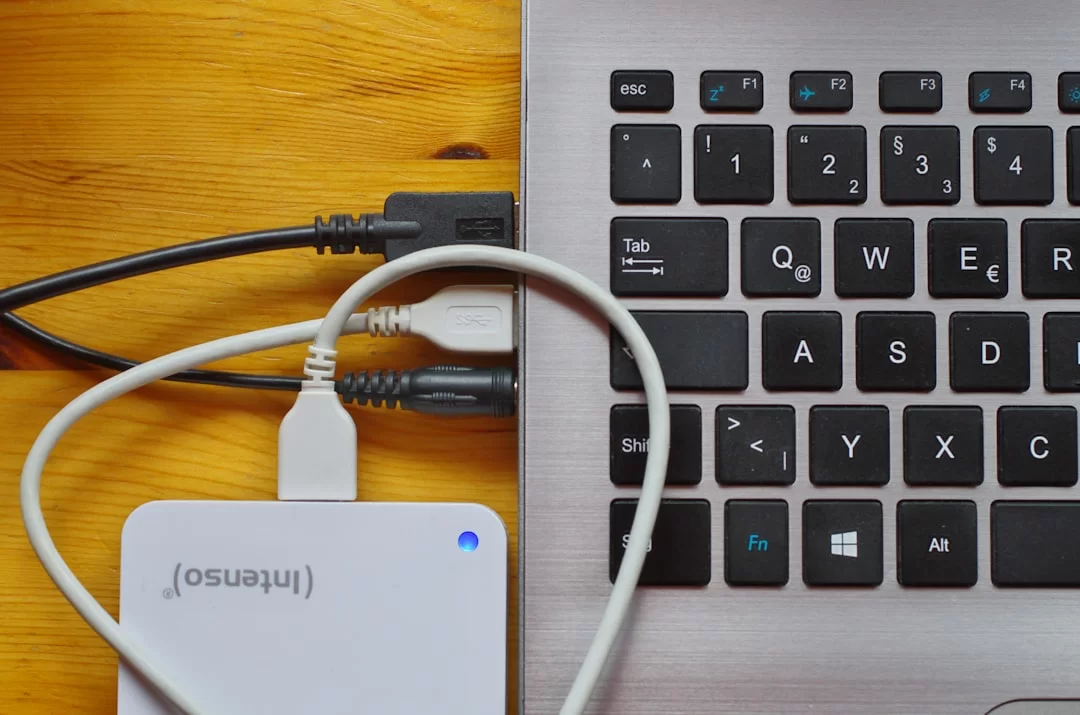
We often ask ourselves: flash memory or SSD, which is faster? In truth, an SSD is an advanced solid-state drive that runs multiple NAND chips in parallel. The architecture difference mainly lies in channel count and controller complexity.
| Feature | USB Flash Drive | NVMe SSD |
|---|---|---|
| Channel Count | 1-2 | 4-16 |
| Controller Complexity | Low | Very High |
| Sequential Read | ~400 MB/s | ~7,000 MB/s |
| 4K Random IOPS | ~5,000 | ~1,000,000 |
| TBW Endurance | Low | High |
| DRAM Cache | Usually None | Mostly Present |
Even though they use the same NAND flash technology, performance can differ by up to 20 times. SSDs have a crushing edge, especially in random 4K read/write tests. Now, let us dive into the technical details that create this gap.
NVMe vs SATA SSD Difference, the M.2 SATA SSD Trap, and the Computer Not Seeing It Solution
The gap between NVMe and SATA SSD stems from bus bandwidth. The comparison table below will make your choice easier:
| Feature | SATA SSD | NVMe SSD |
|---|---|---|
| Interface | SATA III | PCIe 3.0/4.0/5.0 |
| Max Speed | ~550 MB/s | ~14,000 MB/s |
| Protocol | AHCI | NVMe |
| Form Factor | 2.5″ or M.2 | M.2, U.2, AIC |
Did you install an M.2 NVMe SSD and the computer did not see it? Follow these steps:
- Check whether your motherboard’s M.2 slot supports SATA or NVMe.
- Inspect PCIe lane sharing in BIOS settings. Certain SATA ports get disabled on some motherboards when using M.2.
- Force the M.2 slot to “PCIe” or “NVMe” instead of “Auto” in BIOS.
- Plug the drive into another working system. That way, you rule out hardware failure.
What Is a Portable SSD Good For? Comparison with High IOPS Portable Drives
A portable SSD opens up an internal NVMe drive for external use via a USB 3.2 or USB4 bridge. Here are the core criteria that will shape your choice:
- Workflow Speed: If you edit 4K video, a portable SSD is a must. Otherwise, render times increase significantly.
- IOPS Value: If you plan to run virtual machines or games, go for a high-IOPS NVMe SSD. USB drives struggle in this scenario.
- Durability (TBW): Portable SSDs usually offer higher TBW. If you write constantly, an SSD is safer for wear leveling.
- Physical Toughness: A quality thumb drive resists drops better. On the other hand, a bad impact can crack solder joints in SSDs.
- Price: A good USB 3.2 drive is enough if your budget is tight. It is ideal, especially if you only transfer files.
What Should You Look for When Buying a USB Drive? Model Selection Based on Read/Write Speed
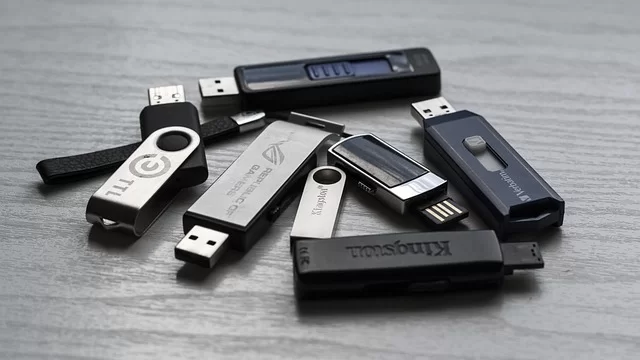
The question of what to look for when buying a USB drive can be confusing. The box shows “150 MB/s” in huge letters. But that is usually just the sequential read speed. They print the write speed in tiny font. Sometimes, they do not even print it at all.
Make sure to run through this checklist before you buy:
- USB-IF Certification: Ensure the product is officially certified. Uncertified products can cause voltage regulator problems.
- USB Interface Generation: Look for USB 3.2 Gen 2 or a higher standard. But USB 2.0 is now only for legacy use.
- Write Speed: Be cautious if the box shows only read speed. Learn the real write speed from independent reviews.
- File System Compatibility: If the default is FAT32, you must switch to exFAT for large files. Do not forget this.
- Metal Body and Monolithic Design: These two features are vital for physical durability.
- Warranty Period: A 5-year or longer warranty is the clearest signal of trust.
USB 3.2 Gen 1 vs Gen 2 Difference, the USB 3.2 Gen 1 Trick, and USB4 Speeds
The USB-IF organization’s naming policy created total chaos. What is the USB 3.2 Gen 1 trick? It is marketers selling old technology as if it were new. The table below is perfect for clearing up the confusion:
| Marketing Name | Old Name | Bandwidth | Real Speed (Approx.) | Connector |
|---|---|---|---|---|
| USB 3.2 Gen 1 | USB 3.0 | 5 Gbps | ~450 MB/s | Type-A, Type-C |
| USB 3.2 Gen 2 | USB 3.1 | 10 Gbps | ~1,050 MB/s | Type-A, Type-C |
| USB 3.2 Gen 2×2 | – | 20 Gbps | ~2,000 MB/s | Type-C |
| USB4 | – | 40 Gbps | ~3,800 MB/s | Type-C |
I have seen 1,800 MB/s read values in USB 3.2 Gen 2×2 flash drive speed tests. But your computer and device must both support the same standard to get this speed. Otherwise, you settle for the slowest link in the chain. Here are USB4 speeds and features: 40 Gbps bandwidth with PCIe tunneling support.
How to Run a Flash Memory Speed Test? The Fastest Models and the Importance of IOPS
You might wonder how to run a portable drive speed test. The most reliable method is to use CrystalDiskMark or ATTO Disk Benchmark. The step-by-step correct test method is as follows:
- Download the CrystalDiskMark tool from its official site. Run the portable version that requires no setup.
- Plug the USB flash drive directly into the computer. But do not use a USB hub at this stage.
- Select the drive letter in the tool. Set the test size to 1 GiB.
- First, measure sequential read/write speed with “SEQ1M Q8T1.” This test shows your large file performance.
- Then, measure the IOPS value with the “RND4K Q32T1” test. See your random access speed too.
- Repeat the test three times and take the average. Do not let instant spikes mislead you.
Why does the IOPS value matter? Because the OS and programs randomly read thousands of tiny files. High IOPS eliminate split-second stutters. It also speeds up system response. The fastest flash disk models are as follows:
- SanDisk Extreme Pro: 420 MB/s read and 380 MB/s write speeds make it the class leader.
- Samsung BAR Plus: Offers 400 MB/s read speed and a one-piece metal case.
- Kingston DataTraveler Max: Ranks at the top of USB 3.2 Gen 2 with 1,000 MB/s read.
Fake Capacity, Reliable Brands, and Which Is the Most Durable USB Drive?
You see $5 “deals” with 2 TB capacity in online marketplaces. All of these are fake capacity products. The controller firmware shows a real 16 GB chip as 2 TB.
H2testw and FakeFlashTest are the most reliable fake capacity USB drive test tools. You must run this test on every new high-capacity storage unit you buy. If you ask which is the most durable flash drive, my personal list is as follows:
- Corsair Survivor Stealth: Offers aircraft-grade aluminum body and waterproofing. It is ideal for extreme conditions.
- Samsung BAR Plus: Offers a one-piece metal case and provides top protection against impacts and magnetic fields.
- SanDisk Extreme Pro: Is durable and delivers high write speed.
- Kingston IronKey: Offers hardware encryption and physical tamper protection. It promises military-grade security.
- Transcend JetFlash: A balanced choice for those seeking a fair price and good durability.
Flash Memory Formatting, File System, and Formatting Problem Solutions (FAT32, exFAT, NTFS)

How do you format flash memory? Which file system should you choose? The FAT32, NTFS, exFAT comparison is a dilemma every user faces. Your choice depends entirely on the use case. The table below will make your decision easier:
| File System | Max File Size | Max Partition Size | Windows | macOS | Linux | Android |
|---|---|---|---|---|---|---|
| FAT32 | 4 GB | 2 TB | Full | Full | Full | Full |
| exFAT | 16 EB | 128 PB | Full | Full | Full | Full |
| NTFS | 16 EB | 256 TB | Full | Read-Only | Partial | Limited |
In the exFAT vs NTFS performance test, I saw NTFS hold a slight edge for large files. But exFAT poses a risk because it lacks a journaling feature.
On the other hand, you might lose data during sudden power cuts. The cannot-write-large-files-to-flash-drive problem is the most concrete result of the FAT32, NTFS, exFAT debate.
Flash Drive Cannot Be Formatted, Write Protection, and RAW Format Recovery
Do not panic if your USB drive suddenly shows a “disk is write-protected” error. First, check the physical write-protect switch. Windows does not allow any write operation when read-only mode is active.
The solution is usually software-based if there is no physical switch. How do you remove flash drive write protection? The Diskpart USB cleaning method works in most cases. Let us go step by step:
- Open the command prompt as an administrator.
- Enter the commands
diskpart,list disk,select disk Xin order. - Carefully select your USB drive. Then, type
attributes disk clear readonly. - This command does not remove hardware write protection. But it clears software-level blocks.
RAW format USB drive recovery is a more troublesome situation. The partition table might be corrupted if the file system suddenly appears as RAW. In this case, recover your data with tools like TestDisk and EaseUS. Then, reformat the disk.
Why Does Flash Drive Capacity Appear Less? Partition Table (MBR GPT) and Fake Capacity
You bought a 256 GB memory card, but the computer shows 238 GB. This is normal. The reason is that makers use the decimal system: 1 GB = 1,000,000,000 bytes. The operating system uses the binary system: 1 GiB = 1,073,741,824 bytes.
But if the capacity looks much lower, you should check these causes:
- Fake Capacity: The controller shows a real 16 GB chip as 2 TB. In this case, test it with H2testw.
- MBR Limitation: The MBR partition table does not fully support disks over 2 TB. But you should use GPT for large-capacity storage.
- 4K Alignment Missing: A wrongly aligned file system can reduce the usable area.
- Hidden Recovery Partition: Some makers create a separate partition for backup software.
USB Drive Data Recovery Methods and Security: How Do You Recover Deleted Files?
Can you recover deleted data from a flash drive? The answer is yes, but it depends on some conditions. The data does not physically vanish right away when you delete a file. In short, the operating system only marks that space as “empty.”
How do you recover deleted files from a flash drive? Stop using it at once, because every new write operation overwrites the old data. You can maximize your recovery chances by following these steps:
- Remove the device immediately. Do not do any more writes.
- Download reliable recovery software like Recuva, PhotoRec, or R-Studio.
- Install the software on a different drive and then start the scan.
- NEVER save recovered files to the same drive. Extract them to a different storage unit.
So, does the TRIM command block data recovery? Yes, TRIM physically cleans up deleted data in the background, especially on SSDs. But most USB flash drives do not offer TRIM support. That raises the recovery chance. Do not forget this detail when picking a deleted file recovery tool.
BitLocker, VeraCrypt, and Hardware Encryption: Which Encryption Should You Choose for Your Flash Drive?
Which encryption should you pick to protect your sensitive data? Hardware or software? BitLocker or VeraCrypt? This question puzzles many. Let us compare the two methods to ease your choice:
| Feature | Hardware Encryption | Software Encryption |
|---|---|---|
| Key Location | Stored inside the controller | Held in RAM |
| Cold Boot Attack | Resistant | Vulnerable |
| Performance Impact | None (dedicated chip) | Adds CPU load |
| Cost | High | Low (free) |
| Cross-Platform | Limited | Broad (VeraCrypt) |
How does a hardware-encrypted flash drive work? The answer lies in the on-chip AES-256 encryption module. The AES-256 hardware encryption standard is today’s strongest security layer.
Is a fingerprint flash drive secure? Partially, yes. The fingerprint is only the authentication layer. The real protection relies on the AES hardware encryption behind it.
Secure Erase, Digital Forensics, and Data Remanence
You must irreversibly wipe data before disposing of a flash drive. A simple format or Shift+Delete is not enough. The data remanence phenomenon means others can read seemingly deleted data with specialized equipment.
You can use these methods for secure erasure:
- ATA Secure Erase: Provides hardware-level cleaning for SATA SSDs. It also returns NAND cells to their factory state.
- NVMe Format: Serves the same purpose for NVMe SSDs. On top of that, it sends a reset voltage to all cells.
- Software Multi-Pass Wipe: You can use this for USB drives. But it might shorten the flash disk life due to write amplification.
Forensics experts use write blocker devices when examining flash disks. These devices physically block write operations to preserve evidence integrity. Also, fragments of deleted data may sit in different blocks due to wear leveling. An experienced forensics expert can piece these fragments together to obtain evidence.
USB Drive Troubleshooting, Repair, and Special Use Scenarios (BIOS, OTG, Windows Setup)

Even though flash drives are reliable, running into failure scenarios is just a matter of time. We often see unexpected disconnections, voltage swings, or controller chip failures. The table below sums up the most common issues and first-response methods:
| Problem | Possible Cause | First Response |
|---|---|---|
| Computer does not see it | Driver conflict | Try a different port |
| Write protection | Physical switch or software lock | Remove readonly via Diskpart |
| RAW file system | Partition table corruption | Recover with TestDisk |
| Overheating | Controller overload | Let it cool, apply thermal pad |
What Should You Do If Your Flash Disk Breaks? Controller Chip Failure, PCB Board Repair, and Soldering
People often ask, “Is broken USB drive repair possible?” The answer depends on the type of fault. You can solve logical errors with software. But how do I identify a controller chip failure? The device is not recognized at all or shows up as “unknown device.”
A USB composite device error usually stems from a voltage regulator or crystal oscillator fault. You follow this path step by step for PCB board repair:
- First, try a different computer and port. Motherboard USB power management sometimes causes trouble.
- If the Device Manager shows “unknown device,” it is a driver issue. Then remove the USB drivers and restart.
- If there is physical damage, check the solder joints on the PCB board with a magnifying glass.
- Repair solder cracks on the USB connector with a soldering iron and flux. In this case, a cold solder joint is the most common fault.
- Apply a thermal pad or a small heatsink if the controller chip overheats.
- If all else fails, you can try the chip-off method for data recovery. This requires the NAND chip to be intact.
Preparing a Bootable Flash Drive: Installing Windows with Rufus, BIOS Update, and Linux
The guide to installing Windows from a USB drive is a technician’s bread and butter. How do you prepare a bootable flash disk? Rufus is the most reliable tool.
- Plug in an empty USB stick with at least 8 GB of space.
- Run Rufus as an administrator and pick your device from the list.
- Point to the ISO image in the boot selection section.
- Choose either GPT or MBR for the partition scheme.
- Pick NTFS as the file system for large ISOs. But use FAT32 for Linux distros.
- Press the “Start” button and wait for the process to finish.
Thanks to this bootable rescue disk, you can repair crashed systems. Plus, a small FAT32-formatted thumb drive is very useful during BIOS update tasks.
Windows To Go USB drive is the easiest way to carry your OS with you. You can also install Linux from a flash drive using the same method.
Flash Drive Overheating Issue, Microcontroller Tasks, and What Does a Crystal Oscillator Do?
Portable drive overheating is a serious matter in high-speed models. The controller can exceed 70°C, particularly in NVMe-based portable SSDs. This temperature triggers the thermal throttling mechanism. Speed drops suddenly.
Thermal management is among the tasks of a flash disk microcontroller. The controller’s main duties are as follows:
- Thermal Management: Constantly reads temperature sensors. Then it dynamically adjusts the clock speed.
- Power Loss Protection: The power loss protection circuit prevents data loss during sudden energy cuts.
- Signal Synchronization: The crystal oscillator generates the clock signal for the controller. A tiny shift in its frequency leads to data corruption.
- Error Correction: Fixes read errors on the fly with ECC code.
This is why quality circuit board design and precise voltage regulators are essential. Makers cut corners on these components in cheap products. As a result, we see overheating and data loss problems far more often.
What Does ReadyBoost Do, Windows To Go, and Low-Profile Flash Drive Suggestion
The question of what ReadyBoost does still holds for old computers. This feature uses a USB flash drive as extra cache, that is, virtual memory. It speeds up small random reads on systems with a slow hard disk.
Nano models are ideal for those looking for a low-profile USB drive. Users leave models like SanDisk Ultra Fit or Samsung FIT Plus plugged into their laptops and forget about them. What is an OTG flash drive? Let us give a short definition:
- OTG (On-The-Go) Drive: Has USB Type-C and microUSB ends. In fact, it is ideal for using a flash disk with a phone.
- Type-C Drive iPhone Support: The iPhone 15 and later offer full OTG drive support via USB-C.
- Windows To Go: The easiest way to carry your OS with you. You can boot any computer with your own system.
The Future of Flash Memory Technology: eMMC, UFS 4.0 Speed Values, and Next-Gen Storage
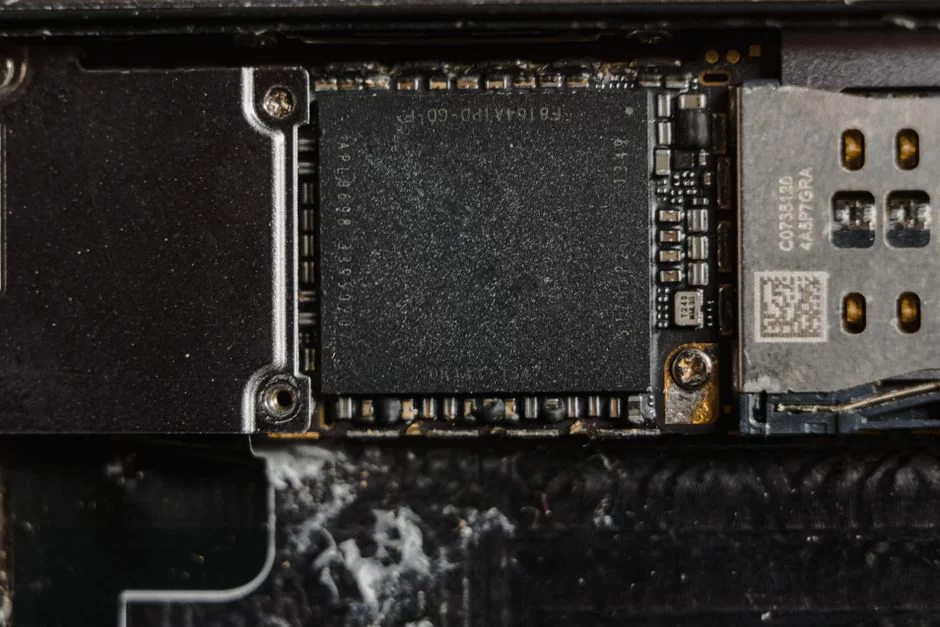
Flash disk technology in mobile devices is evolving at a dizzying pace. The eMMC standard long served as the backbone of smartphones. But the gaps between eMMC and UFS are increasingly tilting in UFS’s favor. UFS 4.0 speed values have reached levels that rival desktop NVMe SSDs.
Differences Between eMMC and UFS: The Future of Phone and Tablet Storage (UFS 4.0 Speed Values)
eMMC uses half-duplex communication. UFS, meanwhile, works in full duplex, allowing simultaneous read and write. The table below clarifies the two technologies:
| Feature | eMMC 5.1 | UFS 4.0 |
|---|---|---|
| Communication | Half Duplex | Full Duplex |
| Max Bandwidth | ~600 MB/s | ~5,800 MB/s |
| IOPS (Random) | Low | Very High |
| Power Efficiency | Medium | High |
| Command Queue | Limited | Deep Queue (32) |
UFS 4.0 is essentially creating an NVMe-style revolution in mobile devices. It also uses modern command sets instead of the BOT protocol. Thanks to this, latency times drop to a minimum. Multitasking performance peaks. 8K video recording and real-time AI tasks run smoothly thanks to this technology.
Cold Data Storage, Data Retention Time, and Temperature/Humidity Factors
Is a flash disk suitable for cold data storage? Electron leakage starts when NAND flash chips stay unpowered for a long time. Electrons trapped in the floating gate escape over time by crossing the oxide barrier.
How long does data last on a flash disk? How do heat and moisture destroy data? This topic is critical. You must pay attention to the following factors:
- Temperature: High heat speeds up electron leakage. Data that lasts 10 years at 30°C might become unreadable in a few months at 70°C.
- Humidity: High humidity leads to corrosion on the PCB board and voltage regulator failures. Therefore, you should store them with desiccants like silica gel.
- NAND Type: SLC-based industrial models offer the longest data retention time.
- Periodic Rewrite: Rewriting data once a year resets the electron leakage.
Magnetic tape or optical discs are still safer for long-term archives. But you can do successful cold data storage in a controlled environment using high-endurance cards.
An In-Depth Look at Flash Memory Technology
These resources will broaden your horizons, from the working principle of semiconductor storage units to their types.
They also guide you on practical topics like data recovery and buying.
- NinjaOne – Storage Cell Architecture Overview: This guide explains the basic logic of semiconductor storage in a technical yet clear way. Besides that, it examines the floating gate transistor and the differences between NOR and NAND architectures.
- Kingston – NAND Types and 3D Technology Comparison: This article compares SLC, MLC, TLC, and QLC cell types side by side. It also explains the impact of two- and three-dimensional stacking technologies on performance.
- Wikipedia – Flash memory (computer): This article sums up the basic working principle of memory that retains data when you turn off the device. In addition, you erase and reprogram this memory electronically.
- Wikipedia – USB flash drive: Covers the structure, use cases, and advantages of NAND-type data storage devices in detail.
The 12 Most Critical Field Questions About Flash Drives
How long does flash memory last and how do you calculate TBW?
How do you solve the “flash drive cannot be formatted” or write protection error?
What is the difference between USB 3.2 Gen 1 and USB 3.0? Is this a trick?
Can deleted data be recovered from a flash drive?
Which is the most durable flash memory type and what use is it for?
How do I spot and test a fake capacity USB drive?
How do I solve the cannot-write-large-files problem (4 GB limit) on a flash drive?
How should I choose a phone memory card (microSD)?
Does ReadyBoost still work? What is it used for?
Is broken USB drive repair possible? How do you spot a controller chip failure?
What is an OTG flash drive and how do I use it on my phone?
How do the flash memory controller and ECC error correction affect performance?
Conclusion: Make the Right Flash Disk Choice, Secure Your Data
We face a clear truth at the end of this long journey. No perfect storage device exists. Each scenario has its own unique needs. Every technology has points where it makes trade-offs. You now know all the options, from SLC to QLC and from USB 2.0 to USB4.
Do not be fooled by a single big number on the box when making a buying decision. Real performance is a blend of IOPS value, controller quality, and thermal management. Here are the golden rules you should keep in mind:
- Define your use case: QLC is enough for archiving. TLC or MLC is a must for heavy writes.
- Check the USB standard: Do not fall for the USB 3.2 Gen 1 trick. Target Gen 2 or above.
- Question the write speed: Keep digging if the box only shows read speed.
- Apply the 3-2-1 backup strategy: Three copies of data, two different media, and one off-site location.

Be the first to share your comment