

Have you ever thought about the journey an email takes after it leaves the sender and reaches the recipient’s inbox? Here is a protocol that builds this invisible journey. For more than 40 years, it has handled one of the internet’s most critical jobs. Its name: SMTP.
It is not just an acronym but the cornerstone of digital communication. I have managed mail servers in the field for years. So I say it plainly: without truly understanding this protocol, you can never secure your email infrastructure.
So why is it so important? Because every time you press “Send,” a highly disciplined choreography runs in the background. Handshakes between servers, commands, response codes—all of this happens in seconds. In this guide, I will share real field-tested experience, not memorized facts.
As we reach 2026, email security has become far more critical. New CVEs, evolving threats, and changing standards all demand attention. In this article, I will not give you only theory. I will also share port-blocking solutions specific to the US.
I will also explain practical configurations that work on live systems and modern authentication methods. My goal is to help you understand this protocol from A to Z. If you are ready, let us open the doors of this invisible architecture together, because the strength of your email infrastructure depends on how well you understand this cornerstone.
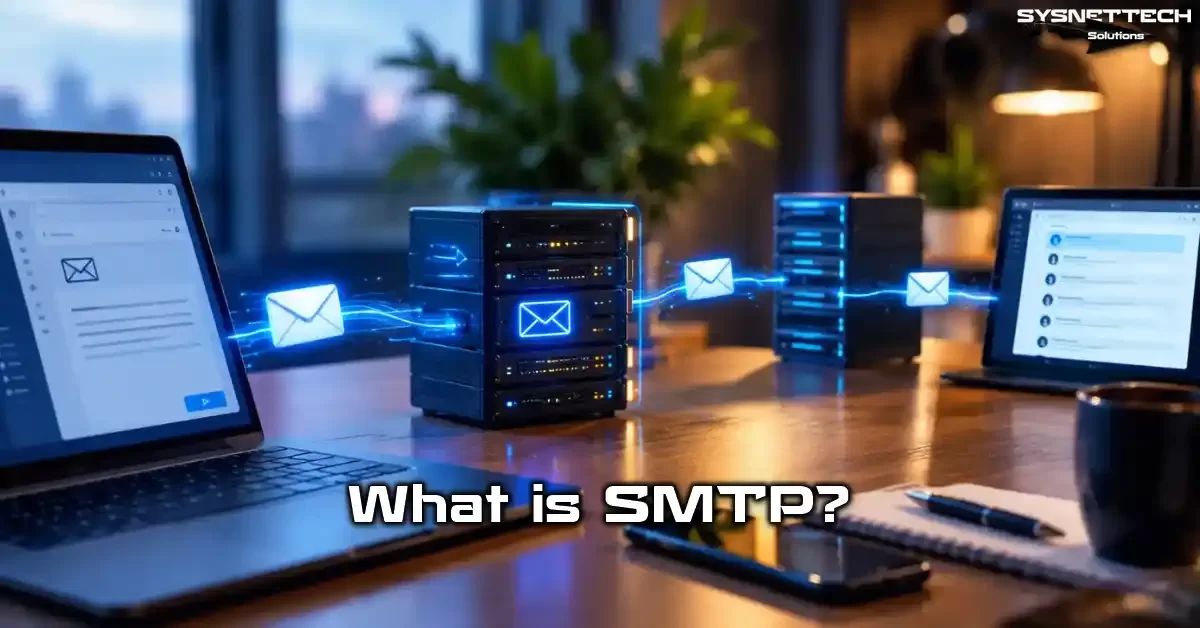
SMTP Definition and Full Form: What Is Simple Mail Transfer Protocol?
SMTP comes from the first letters of the English words “Simple Mail Transfer Protocol.” But do not let the word “simple” fool you at first glance. This protocol has formed the backbone of the internet since 1982. It is an extremely solid standard.
This protocol manages the message that leaves the email client (Mail User Agent, or MUA). The message travels between mail servers (Mail Transfer Agent, or MTA). Then it reaches the recipient’s mailbox. Its main job is to move messages from one server to another.
The working logic of the SMTP protocol depends on a client-server architecture. A client connects to a server and sends commands. The server answers each command with a numeric response code. On top of that, this dialogue starts with a highly disciplined handshake process.
The system uses a TCP connection when it sends a message. By default, it prefers port 25. However, because of security concerns today, ports 587 and 465 have become far more common.
What Does SMTP Do? Its Role in Email Communication
SMTP’s main job is to manage outgoing mail traffic. When you send an email, this protocol delivers the message to the recipient’s mail server. The IMAP or POP3 protocols handle incoming mail traffic, however.
Understanding this split is the first step to designing your email infrastructure correctly, because a misconfigured outgoing mail server causes all your emails to land in the spam folder. For e-commerce sites and enterprise firms especially, this situation is a serious reputation loss.
So what functions does this protocol perform exactly? Let me list them for you item by item:
- Message Sending: It passes email from client to server or from server to server.
- Authentication: It checks whether the sender is authorized.
- Error Reporting: It creates feedback for messages that fail delivery.
- Routing: It delivers messages to the target through smart hosts and relay chains.
- Encryption Support: It opens a secure channel with STARTTLS and SMTPS.
Especially in transactional email sending, this protocol’s performance is critical. When a user requests a password reset, the system must deliver that email in seconds. At this point, your SMTP server’s queue management and rate limiting settings come into play.
Let me share a scenario I often see in enterprise projects. A friend was trying to send mail directly from his own server. However, his IP address had fallen onto a blacklist. As a solution, we set up a smart host. As a result, we quickly recovered the sending reputation.
SMTP Features: Connection-Oriented, Text-Based Protocol
A few core features set this protocol apart from other network protocols. Knowing these features gives you a big advantage during troubleshooting.
Here are the characteristic features of SMTP:
- Connection-Oriented: A TCP handshake takes place before communication. TCP guarantees a reliable data flow.
- Text-Based: Commands and responses consist of readable ASCII characters. As a result, you can easily test it with Telnet.
- Client-Server Architecture: The client sends a request, and the server sends a response. In other words, both sides have clearly defined roles.
- Store-and-Forward: Intermediate servers queue messages and pass them on.
- 7-Bit ASCII Limit: The base protocol supports only ASCII characters. For 8-bit data especially, you need the 8BITMIME extension.
- Extensibility: Developers can add new features through ESMTP.
Because of its connection-oriented structure, you do not lose data. The TCP layer guarantees packet order and integrity. This reliability is vital for a critical communication tool like email.
However, its text-based nature also brings some security risks. For example, special characters hidden in the message body can blur protocol boundaries. On top of that, SMTP smuggling attacks that remain active in 2026 target exactly this weakness.
NOTE: SMTP sits at the application layer in the OSI layer model. Lower layers handle transport and routing.
How Does SMTP Work? Protocol Architecture and Handshake Process
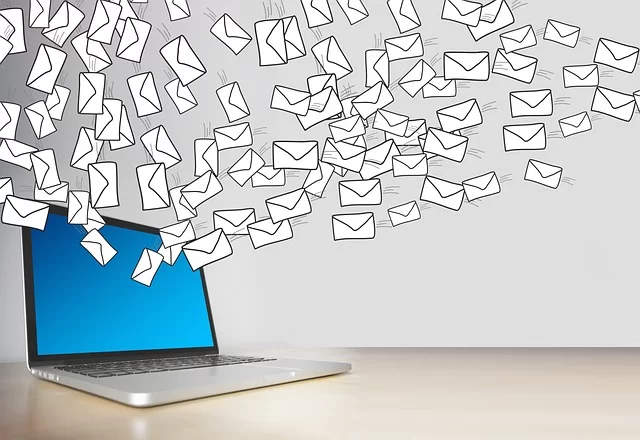
An email’s journey from sender to recipient follows a highly disciplined choreography. Understanding this process is critical for both troubleshooting and security auditing.
How Does an SMTP Session Start? TCP Connection and 220 Service Ready
Everything starts when the client opens a TCP connection to the server. You establish this connection with a three-way handshake. The client sends a SYN packet, the server answers with SYN-ACK, and the client confirms with ACK.
When the connection comes up, the server sends a “service ready” message with the 220 response code. This code shows that the session started successfully and the client can send commands. Here is a typical greeting message:
220 mail.sysnettechsolutions.com ESMTP PostfixAfter this stage, the client must identify itself. For this, it uses the HELO or EHLO command. Then the server checks the client’s domain name and moves the session forward.
If the server cannot provide service temporarily, it returns a 421 code. In this case, the client must close the connection and try again later. If a permanent error exists, the server rejects the operation with a 554 code.
What Is the Difference Between HELO and EHLO? The ESMTP Extension Negotiation Process
The client uses the HELO or EHLO command to identify itself at the start of a session. However, a very important difference exists between them. HELO is the basic command defined in the original RFC 821 standard.
EHLO, however, is the extended version that came with RFC 1869. This command requests the list of extensions the server supports from the server. Here is a concrete comparison for you:
| Feature | HELO | EHLO |
|---|---|---|
| Definition | Basic greeting | Extended greeting |
| RFC | RFC 821 | RFC 1869 |
| Response | Single line (250) | Multi-line extension list |
| Extension Support | None | PIPELINING, SIZE, AUTH, STARTTLS, etc. |
| Use | Old systems | All modern systems |
When a server answers the EHLO command, it lists each extension it supports on a separate line. For example:
250-mail.sysnettechsolutions.com
250-PIPELINING
250-SIZE 10240000
250-VRFY
250-ETRN
250-STARTTLS
250-AUTH PLAIN LOGIN
250-ENHANCEDSTATUSCODES
250-8BITMIME
250 DSN
This list shows which advanced features the client can use. When STARTTLS is available, you can open an encrypted channel. If AUTH is supported, you can perform authentication. SIZE support lets you learn the maximum message size.
If the server does not support EHLO, it returns a 500 or 502 code. In this case, the client must fall back to HELO. However, as of 2026, all modern mail servers offer EHLO support.
MAIL FROM, RCPT TO, and DATA Commands: Envelope and Message Sending
After the session opens, the main function comes next: message sending. This process revolves around three core commands. Each one forms a different part of the email envelope.
Here is the step-by-step message sending process:
- MAIL FROM: It specifies the sender’s envelope address. You write this command in the format
MAIL FROM:<sender@example.com>. The system uses this address especially for a bounce when an error occurs. - RCPT TO: It specifies the recipient’s envelope address. You send a separate command for each recipient:
RCPT TO:<recipient@example.com>. - DATA: It announces that the message body will begin. Then the server answers with a
354code. - Message Content: You send the headers and the body. At this point, you end it with a single dot (.).
- QUIT: You end the session. In this case, the server answers with a
221code.
There is a critical point you must note: The envelope address and the header address can differ. The system writes the address in the MAIL FROM command into the Return-Path header. The address in the From header is the address the user sees.
This distinction is extremely important for email security. SPF and DMARC checks verify the envelope address (envelope from). However, users look at the From header. Attackers often abuse this difference. As a result, they launch fake sender (spoofing) attacks.
SMTP Commands and Response Codes
At the heart of the protocol lies a very clearly defined command set. You do not need to memorize these commands and response codes. However, knowing what each code means while troubleshooting turns hours of effort into minutes.
What Are SMTP Commands? HELO, EHLO, MAIL FROM, RCPT TO, DATA, QUIT, RSET, VRFY, AUTH, STARTTLS, BDAT
Here is the full list of the most used commands. You can use this table as a reference when you review server logs:
| Command | Description | Use |
|---|---|---|
HELO | Identifies the client | HELO example.com |
EHLO | Extended identification | EHLO example.com |
MAIL FROM | Sender address | MAIL FROM:<a@b.com> |
RCPT TO | Recipient address | RCPT TO:<c@d.com> |
DATA | Start message body | DATA |
QUIT | Close session | QUIT |
RSET | Reset transaction | RSET |
VRFY | Verify address | VRFY user |
AUTH | Authentication | AUTH LOGIN |
STARTTLS | Start TLS | STARTTLS |
BDAT | Send large message | BDAT 1024 |
The VRFY command queries whether an email address exists on the server. However, for security reasons, most system admins disable this command. Otherwise, attackers can extract an address list.
In modern systems, you use the BDAT command when you send large file attachments. It works with the CHUNKING extension and provides more efficient transfer than the DATA command.
SMTP Response Codes List: 220, 250, 354, 421, 450, 451, 452, 550, 551, 552, 553, 554
The server answers each command with a numeric code. These codes have three digits, and the first digit shows the general status. Here is a summary of the most critical codes:
| Code | Meaning | Category |
|---|---|---|
220 | Service ready | 2xx Success |
250 | Transaction complete | 2xx Success |
354 | Start sending data | 3xx Intermediate |
421 | Service unavailable | 4xx Temporary |
450 | Mailbox busy | 4xx Temporary |
451 | Local error | 4xx Temporary |
452 | Insufficient storage | 4xx Temporary |
550 | Mailbox not found | 5xx Permanent |
551 | User moved | 5xx Permanent |
552 | Storage exceeded | 5xx Permanent |
553 | Invalid mailbox name | 5xx Permanent |
554 | Transaction failed | 5xx Permanent |
Codes that start with 4xx show temporary errors. In this case, the client must try again later. People call this a soft bounce. A full mailbox or a server that temporarily does not answer causes this error.
5xx codes, however, are permanent errors. In this case, known as a hard bounce, you absolutely cannot deliver the message. A misspelled address or a domain that does not exist falls into this category.
SMTP Error Code Solutions: 550, 535, 421, 554, 450, 451, 452, 551, 552, 553, 530
Let me share the error codes I see most often in the field and their solutions. This information includes practical solutions tested on live systems:
- 550 Mailbox Not Found: The recipient address is wrong or the account was deleted. Verify the address and contact the recipient if needed.
- 535 Authentication Failed: The username or password is wrong. If you use OAuth2/XOAUTH2, check the token lifetime. Microsoft is removing basic authentication completely at the end of 2026.
- 421 Service Unavailable: The server cannot provide service temporarily. Close the connection and try again after a few minutes. Overload usually causes it.
- 554 Transaction Failed: The message hit a spam filter or lacked relay permission. Check your SPF, DKIM, and DMARC records.
- 450 Mailbox Busy: The recipient server does not answer temporarily. Keep it in the queue; the system retries on its own.
- 451 Local Error: A configuration problem exists on the server side. Review the server logs.
- 452 Insufficient Storage: The recipient server’s disk is full. Contact the system admin.
- 530 Authentication Required: You are trying to send mail without logging in. Use the AUTH command.
- 551 User Moved: The recipient address has changed. Learn the new address.
- 552 Storage Exceeded: The message size exceeds the server limit. Shrink the attachments or use a file-sharing service.
- 553 Invalid Mailbox Name: The address format is wrong. The
@sign or the domain name may be incorrect.
SMTP Port Numbers: 25, 465, 587, and 2525 Comparison
Choosing the right port is critical for email deliverability. If you choose the wrong port, your messages get blocked or delayed. Here is an up-to-date port guide for you.
What Is SMTP Port 25? Why Is It Closed and How Do You Get Around It?
Port 25 is the original port number of the protocol. Historically, people designed this port for server-to-server (MTA-to-MTA) communication. However, spam senders often abuse this port. As a result, most internet service providers (ISPs) close the port.
In the US, large providers like Comcast, Verizon, and AT&T block outgoing port 25 traffic on home and mobile subscriptions. This block makes it impossible to send mail directly from your own server. For a solution, you must use ports 587 or 465.
However, port 25 is usually open in enterprise data centers and cloud servers. Still, always check whether your IP address is on a blacklist. On top of that, lists like Spamhaus PBL block dynamic IPs on their own.
You can use these methods to get around a port 25 block:
- Point the outgoing mail server to port 587.
- Use a smart host to carry traffic over 587.
- Send through an unblocked network with an enterprise VPN or tunnel.
- Send through transactional email services (SendGrid, Amazon SES, Mailgun, etc.).
What Is SMTP Port 587? The Submission Port with STARTTLS
Port 587 is the standard submission port for modern email sending. RFC 6409 defines this port and requires authentication. The client first opens a plain connection, then moves to an encrypted channel with the STARTTLS command.
The biggest advantage of this port is that it accepts standard SMTP commands at the start. This way, you keep compatibility with old clients. After STARTTLS, the system encrypts all traffic, and credentials stay safe.
Large providers like Gmail, Outlook, and Yahoo recommend port 587 in client configurations. For Gmail, you can use smtp.gmail.com:587; for Outlook, smtp.office365.com:587.
As of 2026, TLS 1.3 support has become widespread. This version offers a faster handshake (1-RTT) and mandatory forward secrecy. Therefore, always check whether your server supports TLS 1.3.
What Is SMTP Port 465? The Difference Between SMTPS and Implicit TLS
Port 465 was first defined for SMTPS. However, it was treated as “invalid” for many years. In 2018, it was standardized again with RFC 8314. Today, many providers support this port.
Its most basic difference is that the connection is encrypted from the first second. This is called implicit TLS. As soon as the client establishes the TCP connection, the TLS handshake begins. In short, it does not first open a plain channel and then switch to encryption like STARTTLS.
Here is a comparison of the two approaches:
| Feature | Port 587 (STARTTLS) | Port 465 (Implicit TLS) |
|---|---|---|
| Encryption Start | After command | At connection time |
| RFC | RFC 6409 | RFC 8314 |
| Compatibility | Wider | Modern clients |
| Security | Opportunistic | Mandatory |
| Recommendation | General use | High security |
If your client naturally supports implicit TLS, you can choose port 465. However, port 587 should usually be your first choice because it offers wider compatibility.
SMTP Security: TLS, Authentication, and Current 2026 Threats

Email security has become far more critical in 2026. Attackers constantly develop new methods. In this section, we will examine both defense and attack techniques.
Encryption: STARTTLS, SMTPS, TLS 1.2, and TLS 1.3
Emails you send without encryption travel over the network as plain text. This situation creates a serious risk for corporate espionage and data theft. Here are the steps you must follow for secure communication:
- Get a TLS Certificate: Get a valid certificate from a free authority like Let’s Encrypt. Wildcard certificates cover more than one subdomain.
- Require STARTTLS: Use mandatory TLS instead of opportunistic TLS in your server configuration. This way, you block downgrade attacks.
- Enable TLS 1.2 and 1.3: Disable old TLS versions (1.0, 1.1). Also remove weak cipher suites like SSLv3 and RC4.
- Limit Cipher Suites: Allow only strong encryption algorithms. Prefer ECDHE and AES-GCM based suites especially.
- Provide Forward Secrecy: TLS 1.3 makes this feature mandatory. If you use TLS 1.2, choose ECDHE based suites.
TLS 1.3 has become the recommended standard as of 2026. It offers a faster handshake time, stronger encryption, and mandatory forward secrecy. In short, make sure your server supports this version.
If you get a certificate verification error, make sure the certificate chain is complete. Check SNI (Server Name Indication) support. You often see this problem especially in shared hosting environments.
Authentication: AUTH LOGIN, PLAIN, CRAM-MD5, XOAUTH2 Comparison
Authentication is a must to prevent unauthorized use. Here is a comparison of common methods:
| Method | Security | Use |
|---|---|---|
AUTH LOGIN | Low (Base64) | Old clients |
AUTH PLAIN | Low (Base64) | Simple integration |
CRAM-MD5 | Medium (Challenge-Response) | Old systems |
XOAUTH2 | High (Token-based) | Modern services |
Microsoft is removing basic authentication completely in Exchange Online at the end of 2026. Therefore, moving to XOAUTH2 is critical. OAuth2 tokens have a short life. You must renew them regularly.
Google Workspace follows a similar path. Google is removing app passwords in stages. So for new integrations, you must use OAuth2 based authentication.
SMTP Smuggling 2026: New CVEs and Protection Methods
SMTP smuggling is an attack type that blurs protocol boundaries. An attacker tricks the recipient server by placing special line terminators in the message body. This way, the attacker makes it interpret part of the message as new commands.
Here are the critical CVEs discovered in 2026:
| CVE | Product | Impact | Fix |
|---|---|---|---|
| CVE-2026-33604 | Dovecot Pro | Fake email injection | Patch available |
| CVE-2026-90467 | aiosmtplib | ESMTP parameter injection | 5.1.3+ version |
| CVE-2026-94057 | Exim | SMTP smuggling | 4.100.1+ version |
| CVE-2026-4020 | Gravity SMTP | Information disclosure | Patch available |
Protection methods include:
- Reject bare CR (carriage return) characters in the message body.
- Verify DATA termination sequences strictly.
- Keep your SMTP server software up to date.
- Make sure downstream servers are also up to date.
MTA-STS and DANE 2026: Low Adoption Rates and Risks
MTA-STS and DANE are two important standards that require encryption in email transfer. However, 2026 data is worrying: adoption rates remain very low.
DMARCguard scanned 5.5 million domains in February 2026. Only 15,997 of them (0.3%) publish an MTA-STS policy. The number of domains with a DANE TLSA record is only 30 (0.0%). This shows that people almost never use DANE in practice.
MTA-STS is 533 times more common than DANE because it does not require DNSSEC. However, both remain far below the desired protection level. If you apply these standards in your enterprise infrastructure, you provide critical protection against man-in-the-middle attacks. You also build a strong defense against downgrade attacks.
SMTP and the Email Authentication Chain: SPF, DKIM, DMARC, BIMI

Modern email security requires a layered verification chain. SPF, DKIM, and DMARC are the cornerstones of this chain. BIMI is rising as a new standard for brand visibility.
What Is an SPF Record? SMTP Sender Verification
SPF (Sender Policy Framework) defines which IP addresses can send email on behalf of your domain. The recipient server queries the domain in the envelope address. Then it checks whether the sender IP is authorized.
Here is a typical SPF TXT record:
v=spf1 include:_spf.google.com ip4:203.0.113.0/24 -allThis record authorizes Google’s SPF records and the specified IP block. The -all term rejects all sources not listed. The ~all term means a soft reject, and people usually use it during testing.
As of 2026, Gmail and Yahoo have made SPF mandatory for bulk senders. If you send email from domains without an SPF record, they put these messages in the spam folder. These providers even reject such emails outright.
What Is a DKIM Signature? Message Integrity
DKIM (DomainKeys Identified Mail) creates a cryptographic signature of the message. The recipient server verifies this signature with the public key published in the sender’s DNS. This way, you make sure the message was not changed on the way.
Follow these steps for DKIM configuration:
- Create a Key Pair: Generate a private key with the
openssl genrsa -out private.key 2048command. - Add the Public Key to DNS: Publish it as a TXT record at
selector._domainkey.yourdomain.com. - Configure the Server: Set the
dkim_keyanddkim_selectorparameters in Postfix. - Test It: Verify the record with
dig selector._domainkey.yourdomain.com TXT. - Enable Signing: Sign all outgoing messages through a milter like OpenDKIM.
A DKIM signature covers the message headers and body. However, some headers (Received, Return-Path) fall outside the signature scope because these headers can change on every transfer.
DMARC Policy: p=none, quarantine, reject, and RUA/RUF Reporting
DMARC (Domain-based Message Authentication, Reporting and Conformance) defines what to do based on SPF and DKIM results. It has three policy levels:
| Policy | Behavior | Use |
|---|---|---|
p=none | Monitor only | Test/transition period |
p=quarantine | Move to spam | Gradual transition |
p=reject | Reject | Full protection |
2026 data shows that 63% of Fortune Global 500 companies enforce DMARC. However, 48% are at the full p=reject level. On top of that, the picture is much more pessimistic on a global scale. In an analysis of 73 million domains, only 14.9% have a basic DMARC policy.
RUA (Aggregate Reports) and RUF (Forensic Reports) reporting let you track the effectiveness of your policy. RUA reports offer daily summary information. On the other hand, RUF reports contain details of failed verifications.
SMTP Server Setup and Configuration: Postfix, Sendmail, Exim
Setting up your own mail server provides full control and data sovereignty. However, a misconfigured server quickly becomes a spam source. Here are the basic steps for a secure setup.
Postfix SMTP Server Configuration: Step-by-Step Setup
Postfix is an MTA that stands out for its reliability and performance. Here are the basic setup steps on Ubuntu/Debian:
- Installation:
apt install postfix mailutils - Main Configuration: Edit the
/etc/postfix/main.cffile. - Hostname Setting:
myhostname = mail.yourdomain.com - Domain Name:
mydomain = yourdomain.com - Origin:
myorigin = $mydomain - Network Interface:
inet_interfaces = all - Destination:
mydestination = $myhostname, localhost.$mydomain, $mydomain - Relay Restriction:
mynetworks = 127.0.0.0/8(local network only) - TLS Settings:
smtpd_tls_security_level = may - Restart the Service:
systemctl restart postfix
This basic configuration enables mail sending from the local system. For a relay open to the outside world, you must add SASL authentication. Otherwise, your server becomes an open relay. As a result, attackers also use it as a spam source.
What Is SMTP Relay? Smart Host Configuration and Relay Chain
SMTP relay is when a server routes messages to an intermediate server (smart host) instead of directly to the recipient. This approach is especially ideal for servers with low IP reputation.
Add these lines to the /etc/postfix/main.cf file for relay configuration:
relayhost = [smtp.service.com]:587
smtp_sasl_auth_enable = yes
smtp_sasl_password_maps = hash:/etc/postfix/sasl_passwd
smtp_sasl_security_options = noanonymous
smtp_tls_security_level = encrypt
A relay chain is the sequential use of more than one intermediate server. For example, when the primary relay goes down, the secondary relay takes over. This structure provides high availability.
SMTP Server Security: Open Relay Test, Rate Limiting, and Banner Grabbing
Apply these security steps to keep your server safe:
- Open Relay Test: Connect with
telnet mail.yourdomain.com 25and try to send mail to an external address. The server must reject this request. - Rate Limiting: Set a connection limit in Postfix with
smtpd_client_connection_rate_limit = 10. - Banner Grabbing Prevention: Hide the software version in the server banner.
smtpd_banner = $myhostname ESMTP - DNSBL Check:
smtpd_client_restrictions = reject_rbl_client zen.spamhaus.org - HELO Verification: Require a greeting with
smtpd_helo_required = yes.
mynetworks parameter covered the entire internet. In short, the IP reputation returned to normal within two weeks after the fix.SMTP Testing Methods: Telnet, OpenSSL, PowerShell, and Wireshark
The fastest way to solve a problem is to use the right test tool. Here are the methods I trust most in the field.
How Do You Run an SMTP Telnet Test? Step-by-Step Example
Telnet lets you test the protocol in its purest form. Here is a step-by-step session example:
- Open a terminal:
telnet smtp.gmail.com 587 - Server response:
220 smtp.gmail.com ESMTP - Identify yourself:
EHLO test.com - View the extension list:
250-AUTH LOGIN PLAIN XOAUTH2 - Sender:
MAIL FROM:<test@gmail.com> - Recipient:
RCPT TO:<recipient@example.com> - Data:
DATA→354response - Content:
Subject: Test→Hello→. - Close:
QUIT
This test shows whether the server answers commands correctly. However, on servers that require authentication, you must also add the AUTH command.
SMTP Connection Testing with OpenSSL: STARTTLS and SMTPS
OpenSSL lets you examine the TLS handshake in detail. Here are the commands:
openssl s_client -connect smtp.gmail.com:465 -crlfThis command opens an implicit TLS connection. It gives detailed information about the certificate chain, cipher suite, and TLS version.
For a STARTTLS test:
openssl s_client -starttls smtp -connect smtp.gmail.com:587This command first opens a plain connection, then switches to TLS. If you get a certificate verification error, specify the root certificate with the -CAfile parameter.
SMTP Analysis with PowerShell and Wireshark
In a Windows environment, PowerShell is ideal for a quick port test:
Test-NetConnection smtp.office365.com -Port 587This command shows whether you can establish a TCP connection. For detailed analysis, use Wireshark. Type tcp.port == 587 as the filter and inspect the packets.
You can follow the SMTP handshake step by step with Wireshark. This analysis is especially critical to verify that the system encrypts traffic after STARTTLS.
SMTP vs POP3 vs IMAP: Differences Between Email Protocols
Three core protocols serve the email ecosystem. Each one serves a different purpose, and knowing the differences between them is a must for correct configuration.
SMTP vs IMAP: Outgoing and Incoming Mail Protocols
The most basic split is between sending and receiving functions. Here is the comparison:
| Feature | SMTP | IMAP |
|---|---|---|
| Purpose | Sending | Receiving/Synchronization |
| Default Port | 25, 587, 465 | 143, 993 |
| Direction | Push | Pull |
| Server Storage | Temporary queue | Permanent mailbox |
| Authentication | Before sending | Before access |
IMAP stores emails on the server and syncs them across all devices. This way, a message you read on your phone also appears as read on your computer.
SMTP vs POP3: The Store-and-Forward and Download Difference
POP3 downloads emails from the server and usually stores them on the local device. POP3 deletes the email from the server after download. Therefore, multi-device sync is weak.
SMTP, however, works with a store-and-forward architecture. It receives the message, queues it, and passes it to the target. Then the server keeps responsibility until it delivers the message.
Modern email clients usually use the IMAP + SMTP combination. You choose POP3 only in single-device access and offline use cases.
SMTP in the US: ISP Port Blocks, Local Providers, and Practical Solutions
Internet service providers in the US block port 25 traffic heavily as part of their fight against spam. This situation creates a serious barrier for people who want to send mail from their own server.
Comcast, Verizon, and AT&T Port 25 Block: How Do You Get Around It?
Comcast, Verizon, and AT&T block outgoing port 25 traffic on home and mobile subscriptions. Here are field-tested solutions for you:
- Use Port 587: Change the outgoing server port in your email client from 25 to 587. Also choose STARTTLS as the encryption.
- Try Port 465: If 587 does not work, try 465 with SSL/TLS.
- Use a Smart Host: Configure the relay server of an enterprise email service.
- Cloud-Based Sending: Integrate services like SendGrid, Amazon SES, or Mailgun.
- Request a Business Line: If you have a business subscription, ask your ISP to open port 25.
This block covers only outgoing traffic. Incoming port 25 traffic is usually open, and you can host your own mail server. However, a PTR record and SPF configuration are a must to protect your IP reputation.
SMTP Settings of Major US Email Service Providers
Here are the current SMTP settings for services commonly used in the US:
| Service | SMTP Server | Port | Encryption |
|---|---|---|---|
| Gmail | smtp.gmail.com | 587 | STARTTLS |
| Outlook/M365 | smtp.office365.com | 587 | STARTTLS |
| Yahoo Mail | smtp.mail.yahoo.com | 465 | SSL/TLS |
| iCloud Mail | smtp.mail.me.com | 587 | STARTTLS |
| Rackspace Email | secure.emailsrvr.com | 465 | SSL/TLS |
| Zoho Mail | smtp.zoho.com | 465 | SSL/TLS |
These settings are current as of 2026. Service providers can make changes from time to time. For the most current information, check your provider’s official documentation.
How Do You Find an Enterprise SMTP Server Address?
You can use these methods to find the mail server address in an enterprise environment:
- Query the DNS MX Record: List mail servers with the
nslookup -type=mx yourdomain.comcommand. - Autodiscover: The Outlook client gets settings automatically through
autodiscover.yourdomain.com. - SRV Record: Query the
_submission._tcp.yourdomain.comSRV record per the RFC 6186 standard. - IT Department: In an enterprise environment, the system admin is usually the most exact source of information.
- Email Headers: Learn the server name by reviewing the
Receivedheaders of an existing email.
The MX record defines which servers accept email for your domain. You can query this record with the dig mx yourdomain.com command. The server with the lower priority value acts as the primary MX.
Advanced Reading Resources That Explain the SMTP Protocol and Server Structure
SMTP is the cornerstone of email sending. At the same time, the details of the protocol can be complex. In addition, the following resources cover the topic in depth.
- Microsoft Learn – How Does Mail Transfer Protocol Work?: This resource explains the basic commands of mail transfer and the handshake process step by step. It also shows the meanings of error codes and methods for testing with Telnet.
- Cloudflare – What Is Simple Mail Transfer Protocol?: This guide explains how the mail transfer protocol works, the commands used, and the concept of the mail envelope. At the same time, it also covers the extended mail transfer protocol and security layers.
- IETF – Mail Transfer Technical Specification: This standards document contains the official definition of the mail transfer protocol and its extension mechanisms. In addition, it details the terminology and basic model of the protocol.
These resources are the primary sources for the standards I reference throughout the article. I especially recommend that you visit the NVD regularly to follow security patches and take action against new threats.
FAQ About SMTP
Can you use SMTP to receive mail?
What should the SMTP port be?
How do you fix SMTP error 550?
What is SMTP authentication?
What is the difference between SMTP and IMAP?
How do I set up my own mail server?
Why does port 25 not work on my home or office internet?
How do I set up outgoing mail settings through Gmail?
What is the basic difference between incoming and outgoing mail protocols?
Is the POP3 protocol still used today?
Conclusion: The Future of SMTP and Modern Email Infrastructure
Email protocols have formed the backbone of the internet for more than 40 years. However, the threat landscape constantly evolves. Defense methods must also develop at the same pace.
Protocol Evolution: From RFC 821 to RFC 5321 and Beyond
RFC 821, published in 1982, supported only 7-bit ASCII text sending. However, in 2008, RFC 5321 added an extended command set and modern requirements. As of 2026, the IETF is working on the RFC 5321bis draft.
This draft brings updates on IPv6 support, advanced error reporting, and international email addresses (SMTPUTF8). The core architecture of the protocol stays the same. However, security layers grow stronger constantly.
SMTP Learning Roadmap: Next Steps
When you finish this guide, I recommend that you follow these steps:
- Apply SPF, DKIM, and DMARC: Configure these three standards for your domain. This is the most critical step for deliverability.
- Publish an MTA-STS Policy: Protect against STARTTLS stripping attacks.
- Move to OAuth2: If you use basic authentication, you must move to XOAUTH2 by the end of 2026.
- Keep Your SMTP Server Up to Date: Track CVEs regularly and apply patches on time.
- Test and Monitor: Audit your system regularly with Telnet, OpenSSL, and DMARC reports.
- Learn in Depth: Learning about DNS structure and the domain name system helps you better understand your email infrastructure.
- Strengthen Network Basics: Deepen your knowledge of the TCP/IP protocol and TCP connection structure.
- Study Related Protocols: Master the entire email ecosystem by learning the IMAP and POP3 protocols.
Remember: a secure email infrastructure is not a one-time setup but an ongoing process. As threats evolve, you must also update your defense.
If you have any questions, let us meet in the comments. See you in the next guide!

Be the first to share your comment