

In this article, we will examine how to create a RamDisk. We will use Dataram RAMDisk software on Windows 10.
What is RAMDisk? How to Use DataRAM Software?
A virtual drive lets you allocate specific hard disk space to your computer’s RAM hardware. This technology provides faster read and write speeds than hard disk and SSD devices.
There are two ways to create a RAMDisk on your computer. These;
1. Software RAM
2. Hardware RAM
In software usage, you allocate a particular HDD block to existing RAM devices. However, when the computer restarts, it deletes all information.
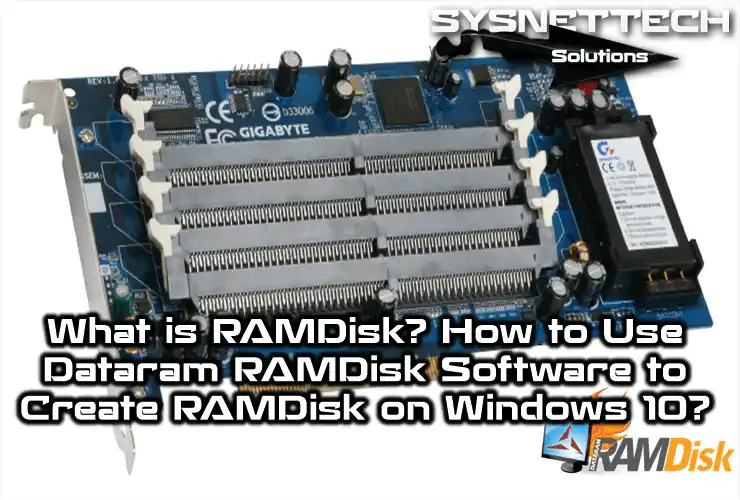
Hardware usage is a hardware solution. Multiple slots on an external electronic card create it. Because the manufacturer designs this card specially, the data stays when the PC restarts.
The electronic card for hardware technology appears below:

What Does RAMDisk Do?
When we install a program on our PC, we install it on the system drive. For example, we install Google Chrome, Adobe Photoshop, or Camtasia in the C area. Therefore, when we run one of them, we perform an operation. Then we save the caches on the HDD.
If you design a project with Photoshop, configure its Cache location on this drive. That way, you read Cache files faster. Also configure the Chrome Cache area on this drive. Then you surf the Internet faster.
Because SSD Disks are high-performance, you may not create and use disk space. However, this technology makes sense for jobs that need high-speed writing and reading.
You can configure Google Chrome’s cache section on the drive. Run the following command at the CMD prompt. Before executing this command, change the Cache folder name of Chrome to Cache.bak.
mklink /d "C:\Users\UserName\AppData\Local\Google\Chrome\User Data\Default\Cache" "G:\ChromeCache"
How to Create RAMDisk Step-by-Step on Windows 11 or 10
To create a RAMDisk on Windows 7, 8, 8.1, or 10, download the program. Use the button below. After downloading Dataram, follow the steps below.
Installing Dataram Software
Step 1
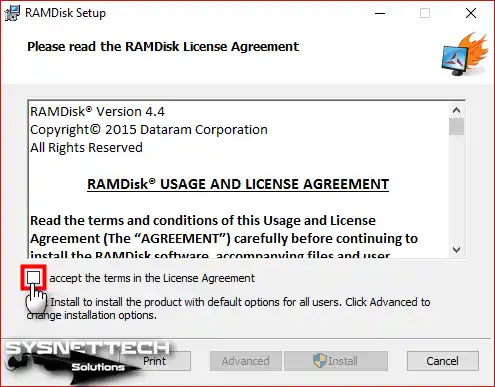
To install the Dataram software, run the setup file as an administrator. Then, please select the I accept the terms in the License Agreement option. This confirms the license terms.
Step 2
After accepting the license agreement, click Install.

Step 3
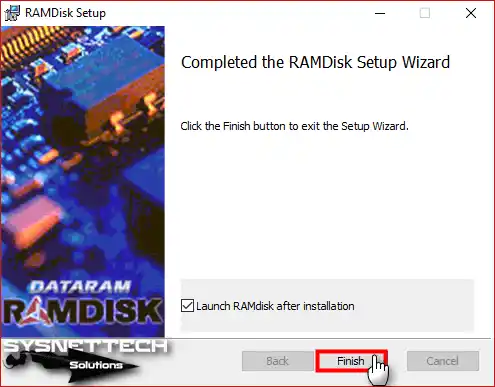
After completing the Dataram installation, click the Finish button.
Step 4
Dataram software opens…
Configuring RAMDisk Settings
Step 1
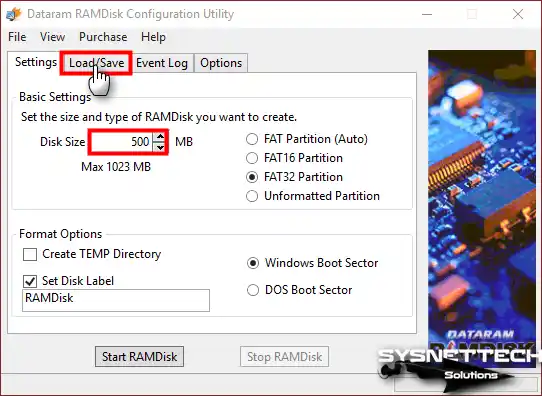
In the Settings window, select FAT32 Partition. To change the drive name you want to create, type a name. Use the Set Label Disk section.
In the settings section, you’ll see the FAT32 option. Let’s break this down; it’s actually an older format. The FAT file system logic is still functional for small storage sizes. However, for newer drives, it’s better to use the NTFS format.

Step 2
Configure the RAM drive size in Disk Size. Then click the Load/Save tab.
Step 3
In the Load/Save settings, select Save Disk Image at Shutdown. Then click the Options tab.

Step 4
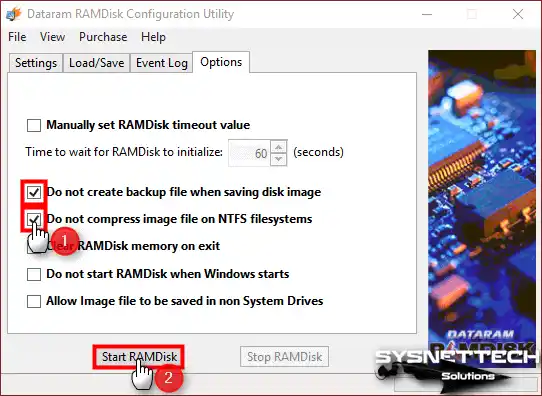
In the Options section, select 2 options like the image below. Then click the Start RAMDisk button.
Step 5
As you can see in the image below, you created the virtual drive successfully!

Step 6
The system creates a RAMDisk.img file on the C:\ drive. This prevents data loss from this drive when you restart your computer.

HDD, SSD, SDHC, and RAMDisk Data Write and Read Speeds Comparison
Now compare data write and read speeds. Test Hard Disk, SSD, SDHC, and RAM Disk.
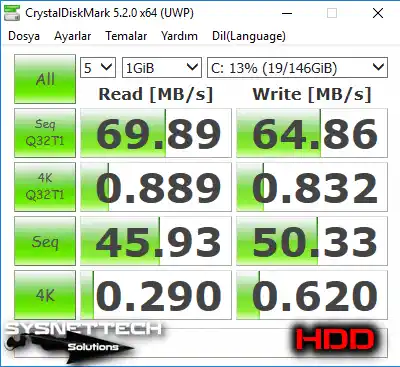
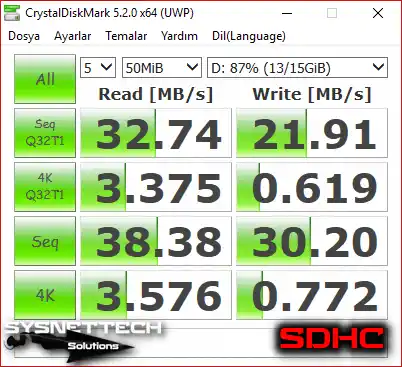
Examine the test results below. You can see that this technology is much faster than the others.
HDD Data Write and Read Speed
SSD Data Write and Read Speed

SDHC Data Write and Read Speed
RAMDisk Data Write and Read Speed

How to Install Dataram RAM Disk ⇒ Video
You can watch the video below. It shows how to create a virtual drive on your computer’s RAM hardware. Also subscribe to our YouTube channel to support us.
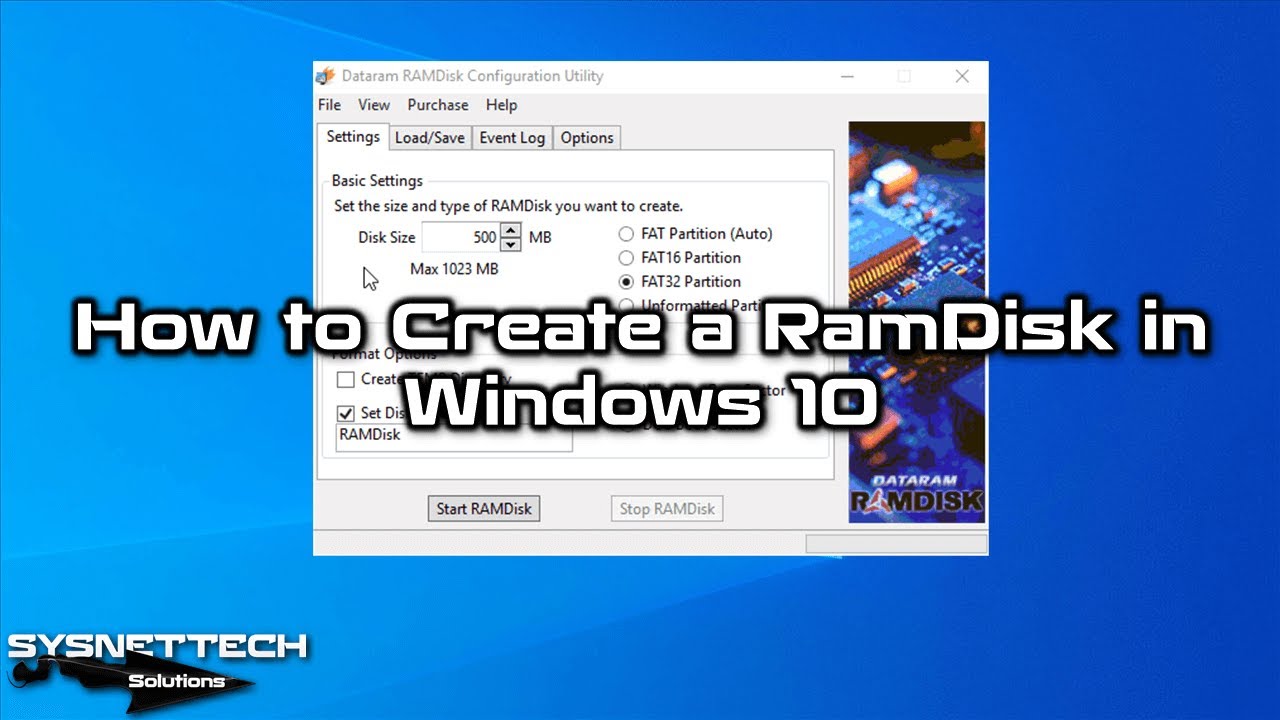
Frequently Asked Questions About RAMDisk
How big is the speed difference between RAMDisk and a normal SSD?
What is the difference between software RAMDisk and hardware RAMDisk?
Is it possible to create a RAMDisk in Windows 11?
Does creating a RAMDisk harm my computer?
How do I move Google Chrome cache to RAMDisk?
How do I protect my data on RAMDisk when I turn off the computer?
Conclusion
RAMDisk technology makes your PC work faster. It’s faster than regular hard drives or SSDs. For instance, you can use the Dataram program on Windows 10. You can also use it on any other system you have. In short, this lets you make a virtual drive on your PC’s RAM.
We can use this technology, especially for tasks like designing in Adobe Photoshop. It makes things quicker when we use programs like Google Chrome. As a result, you can pick between software or hardware RAM drives for these tasks.
Also, Dataram is a great starting point. Honestly, I would suggest trying other tools as well. Making an alternative drive with ImDisk is quite handy. Even though its look is slightly different, it will easily get the job done.

1 Reader Comment
Dataram RamDisk File not found.