

The internet didn’t exist yet. Fiber optic cables were absent. Quantum computers were not around. Yet people could exchange instant text messages worldwide. How? The answer lies in a device. It’s the great-grandfather of your keyboard and terminal window. Today, I’ll explain the Teleprinter machine. This device is the cornerstone of modern digital messaging.
You might wonder why you need to learn about it. But believe me, every Linux command you type echoes the soul of this electromechanical marvel. Each SMS you send taps into its spirit. So does every breaking-news alert from a press agency. Moreover, this machine represents the most crucial bridge between hardware and software evolution.
You will take a trip through history in this guide. But you will also discover a huge transformation story. It runs from Baudot code to ASCII. It spans from mechanical relays to virtual terminals. Plus, you will learn step by step how to connect a Teleprinter to your modern computer. You will even see how to build your own emulator.
I have spent years researching how old tech talks to modern systems. I have run countless restoration projects in this field. With my hands-on experience, I’ll give you a unique view in every line of this guide. I am truly excited to share the lessons I learned from restoring legendary models. For example, the ASR-33 holds many secrets.
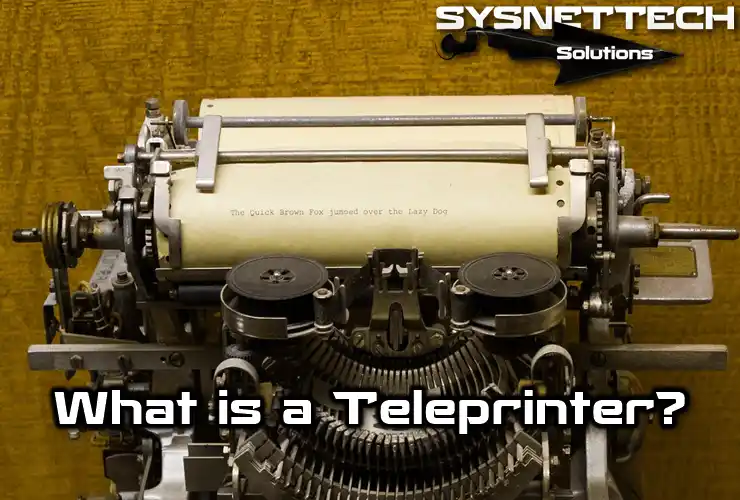
What Exactly Is a Teleprinter (Teletypewriter / Teletype / TTY)?
Let’s define it simply. This device is an electromechanical typewriter. It transmits typed messages from one point to another via electrical signals. But that definition does not fully capture its soul. Because this tool is the most sophisticated form of the evolved telegraph network. At the same time, it was the first true interactive endpoint device between humans and computers.
As you press keys, this peripheral turns characters into electrical pulses. Those pulses travel miles over copper wires or radio waves. Then, another unit on the receiving side converts those signals back into letters. It prints them on paper. The outcome is instant, reliable, and permanent communication.
That’s why this device’s history runs parallel to modern computer hardware evolution. The first computer terminals were exactly these machines. When Ken Thompson and Dennis Ritchie wrote Unix, a Model 33 sat right in front of them. So, the entire command-line interface philosophy you use today was born from this electromechanical typewriter’s limits.
The Origin of the Name: Why ‘Teleprinter’, ‘Teletypewriter’, and ‘TTY’?
Naming can be confusing. The term “Teleprinter” comes from “tele” meaning “remote” and “printer” meaning “printing device”. This name reflects its core function with remarkable clarity. You type, and it prints on paper somewhere far away.
On the other hand, “Teletypewriter” means “remote typewriter printer.” You usually see it in more formal technical documents. The Teletype Corporation, based in the US, spread this trademark worldwide. However, over time it turned into a generic name. Even today, many people still call every brand device by this name.
Now, let’s talk about the most important abbreviation: TTY. This acronym comes from the first letters of “TeleTYpewriter.” Originally, those three letters only described the hardware. But as you will see later, it has sunk deep into Unix and Linux. It has almost become a software philosophy. Every virtual terminal window today is a TTY session.
In short, all three names share the same root. People used them interchangeably in different places and times. I personally prefer the term “Teleprinter” in practice. It captures the mechanical nature of the device in its purest form.
The Basic Logic: From Morse Code to Machine Telegraphy
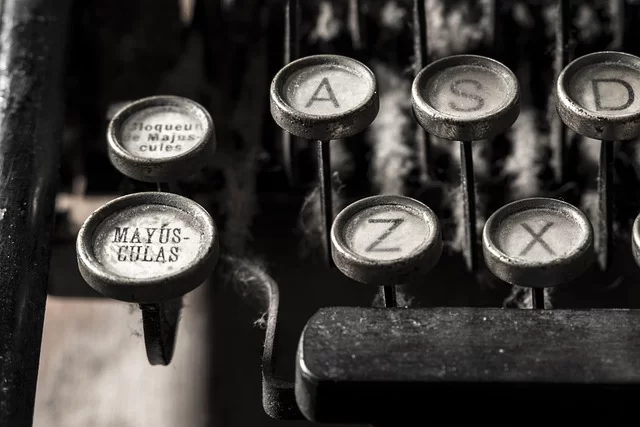
To grasp this technology, think of Morse code first. Morse required a skilled operator. A human brain had to encode and decode messages. Plus, it was always open to human error. The Teleprinter wiped out that skill dependency completely.
The core logic behind this shift was simple. Let machines take over the coding and decoding work. The operator only needs to be a typist who knows plain text. When a key is pressed, the machine produces the correct electrical pulses on its own. Meanwhile, the other side turns those pulses back into letters automatically.
This mechanical telecom revolution became possible with Émile Baudot’s 5-bit encoding system from the 1870s. Baudot turned Morse dots and dashes into equal-length digital signals. This provided the shared language machines needed to understand each other. As a result, point-to-point communication became fully automatic. Error rates dropped sharply.
The Anatomy of a Teleprinter: Hardware Features and Working Principle
When you open up one of these machines, incredible mechanical genius greets you. It’s an orchestra of thousands of precise gears, springs, relays, and electromagnets. Every keystroke sets this orchestra moving in sync. Watching that mechanical dance even today feels like witnessing an engineering masterpiece.
The working principle rests on serial communication at its core. Data travels bit by bit over a single line, not in parallel. This approach is the ancestor of all later technologies like modems and the RS-232 standard. So, these hardware features form the communication foundations of today’s computers.
Baudot Code and the 5-Bit Transmission Revolution (ITA2 vs ASCII)
The heart of these machines is the Baudot code. This 5-bit encoding system represents each character with 5 electrical pulses. You can only create 32 different combinations (2⁵=32). That’s too few for the full alphabet, numbers, and punctuation. So how did engineers solve this problem?
The answer is the typewriter shift key logic. The system has two separate layers: LETTERS and FIGURES (numbers/symbols). You send a special control character to switch the receiver between these layers.
For instance, the same 5-bit code acts as “A” in letter mode. In figure mode, the system sees it as “1.” This clever solution lets you use nearly 60 characters within the limits of 5-bit Baudot code.
| Feature | Baudot (ITA2) Code | ASCII (7-bit) Code |
|---|---|---|
| Bit Count | 5 bit | 7 bit (generally 8 bit used) |
| Max Characters | 32 direct (~60 with LTRS/FIGS) | 128 direct |
| Upper-Lower Case | Upper case only | Both upper and lower case |
| Control Characters | Limited (CR, LF, LTRS, FIGS etc.) | Wide set (ACK, NAK, ESC etc.) |
| Error Control | None (manual) | Parity bit (optional) |
| Primary Use | Telex, telegraph, RTTY | Computers, modern devices |
Then the ASCII standard arrived. This opened the doors to a vast 7-bit universe. Now, upper and lower case, many symbols, and rich control characters were possible.
Interestingly, many systems still used Baudot even as the computer age advanced. Millions of devices were already out there. Replacing them would cost a fortune.
The Dance of Electromagnets: Start-Stop Synchronization and Baud Rate
The biggest challenge in data communication is making the sender and receiver “talk” at the same time. This is where start-stop transmission steps in. This method is the basis of asynchronous serial communication. In fact, it is the ancestor of the USB we use today. Here is how the mechanism works:
- Idle State: The line normally carries current and stays in the “mark” condition.
- Start Pulse: To send a character, the line current cuts off and the system enters the “space” state. This tells the receiver “attention, a character is coming.”
- 5 Data Pulses: Right after the start bit, 5 data bits go out in sequence. Each bit represents a part of the Baudot code.
- Stop Pulse: At the end of the character, the line returns to “mark.” This stop bit tells the receiver the character has ended. Also, it prepares the receiver for the next one.
What about speed? The first machines ran at about 45-50 baud. Later, that value rose to 75, 110, and even 300 baud.
Keep one thing in mind, though. 110 baud means roughly 10 characters per second. You had to wait patiently for a line of text to appear. Moreover, mechanical relays and camshaft systems provided that speed. So, each part had to move with perfect timing.
Receiver, Transmitter, and Protocol: A Character’s Journey
What happens behind the scenes when you press a key? First, the keyboard transmitter activates. This mechanical encoder selects 5 bars that match the key you pressed.
Next, a distributor camshaft starts spinning and sends these 5 bits over the line one by one. Later, the reverse process unfolds on the receiver side.
On the receiver printer side, the signal first reaches an electromagnet. This magnet wakes up with the incoming start bit and triggers a selector mechanism. Relay circuits temporarily store the 5 incoming bits.
These circuits act as a tiny memory. Finally, the system decodes the code. Then, the corresponding letter in the typography unit strikes the paper through an ink ribbon.
This receiver-transmitter circuit is the primitive but functional ancestor of today’s network cards and modems. Plus, this system was a pioneer in data transmission protocols.
Everything happens within a specific handshake and timing order. Because of this, two machines miles apart can talk error-free as if sitting side by side.
Paper Tape Punching and Reading: Mechanical Data Storage
Think of the floppy disks of the 1970s. But how was data stored 100 years before that? The answer is punched paper tape.
A Teleprinter can both produce and read these tapes. This is a huge skill for data storage. You can punch messages in advance and send them automatically when the line is free.
The tape reader mechanism detects holes using tiny pins or air pressure. Is there a hole or not? This simple logic reads 5-bit data. The tape punch does the reverse. It turns electrical signals into mechanical holes.
Also, these punched tapes were the standard way to load programs into early computers. Legendary machines like the PDP-8 loaded their operating systems from paper tape. So, a Teleprinter acted as a keyboard, a printer, and a storage unit all at once.
Legendary Brands and Models: Creed, Siemens, Teletype, and Morkrum
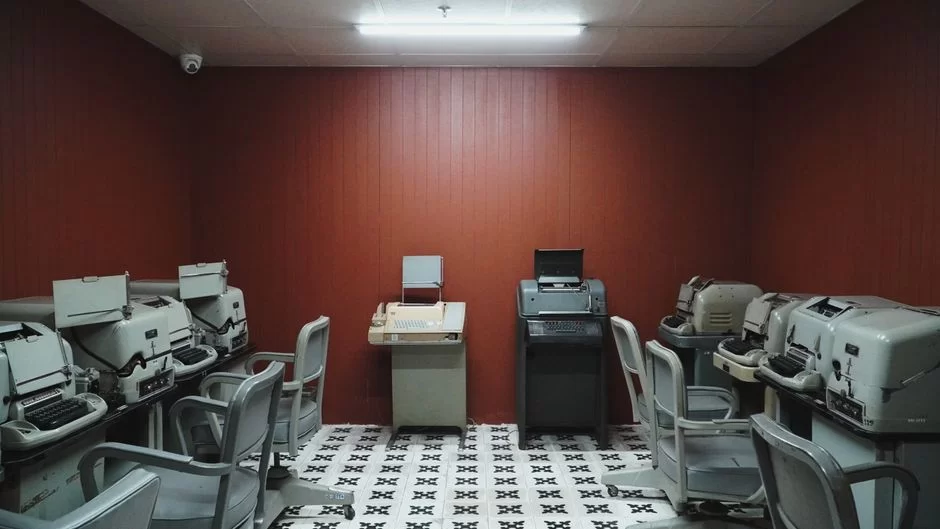
This industry took shape through the rivalry of a few giant firms. Each produced legendary models in its own region. Moreover, these firms were more than just commercial products. They also served as critical parts of national security and war strategies. Let’s get to know these giants closely.
Each brand had its own unique character and technical approach. US firms focused on ruggedness and mass production. Germans aimed for engineering precision, while the British pursued elegant solutions. This competitive scene constantly fueled innovation. It gave birth to faster, quieter, and more reliable machines.
Teletype Corporation (USA) and Model 15, Model 28, ASR-33
Teletype Corporation was the undisputed king of this field. Founded as the successor of the Morkrum Company, it produced millions of devices. Here are its legendary models:
- Model 15 (1930): The first model to achieve mass success. It is famous for its durability. The military used this model heavily.
- Model 28 (1950s): Faster and more modular. News agencies kept this model in their hands for decades.
- ASR-33 Teletype Model (1963): The queen of the first computer terminals. With its built-in paper tape reader and punch, it was a complete solution.
The ASR-33 served as the standard console device in Unix’s early days. It also hosted the start of Bill Gates’s software career and the first program he developed with Paul Allen.
For this reason, retro hardware collectors chase this model. Today, if you find a working ASR-33, secondhand prices can reach thousands of dollars.
Creed & Company (UK) and Model 7, Model 444
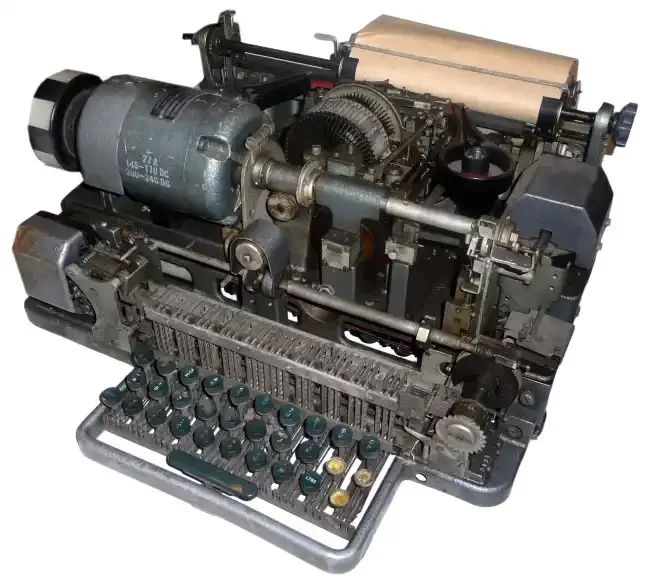
Frederick George Creed founded the proud Creed company in the UK. People know this firm especially for its elegant communication terminal solutions. The Model 7 was the standard device for the British Post Office in the 1930s. It ran incredibly quietly. This feature was a big advantage for noisy news centers.
Model 444, however, is a true masterpiece. Engineers designed this machine as a page printer. It produced crisp prints on continuous form paper.
Additionally, the 444 represents mastery in electromechanical switching systems. Creed teleprinter models were more compact than their US-made rivals. So, maritime and military mobile units often chose them.
Siemens & Halske (Germany) and T100, T68 Series
Siemens models reflect the peak of German engineering and are famous for their durability. The Siemens teleprinter series, especially the T100 model, became indispensable for postal services worldwide. Engineers designed this field type printer to work error-free in harsh field conditions.
| Model | Speed (Baud) | Operating Principle | Standout Feature |
|---|---|---|---|
| Siemens T100 | 50-75 | Fully mechanical camshaft | Quiet operation and compact design |
| Siemens T68 | 100 | Electromechanical relay | Automatic encryption compatible (military) |
| Teletype ASR-33 | 110 | Mechanical selector | Computer terminal compatible (RS-232) |
| Creed 444 | 100 | Electromagnet cam | Page printer, high print quality |
The T68 series was a different beast altogether. Engineers developed this crypto teleprinter model to work hand-in-glove with Lorenz encryption machines.
Indeed, lessons from World War II pushed German engineers to produce more secure communication solutions. Additionally, the T100 served for decades in AT&T’s teletypewriter exchanges across the US.
Morkrum Company and Other Players
Everything started with the Morkrum Company. Joy Morton and Charles Krum developed the first commercial teleprinter system in the early 1900s.
Their patents later formed the foundation of the Teletype Corporation. These two engineers took Baudot’s theory and turned it into a working commercial product.
Alongside them, firms like Kleinschmidt, Olivetti, and Lorenz also claimed their places in the market. Notably, the Lorenz SZ42 Tunny traffic encryption system left a deep mark on war history.
The Bletchley Park teleprinter room worked day and night to crack the codes of those German machines. Ultimately, that competitive environment pushed industrial communication technology to today’s level.
Historical Stages: World War II, News Agencies, and the Telex Boom
These machines are not just technological devices. They are also historic communication tools. Messages that changed the world’s fate passed through them.
Furthermore, they forever altered the pace of the media world. So, understanding them also means understanding the socio-political history of the 20th century.
Bletchley Park and Lorenz Encryption: The Machines That Won the War
We don’t remember Bletchley Park in England only for the Enigma machine. The real great achievement was breaking the far more complex Lorenz SZ40/42 encryption system.
Unlike Enigma, this German military field communication device encrypted teleprinter signals directly. To solve this Tunny-named traffic, engineers built Colossus. Colossus was the world’s first programmable electronic computer.
What was the difference between these two encryption systems? Enigma was Morse-based and needed a manual operator. Lorenz, however, took the teleprinter Baudot code directly and encrypted it. This made it both faster and more complex.
Additionally, the Lorenz SZ40 used 12 different rotors. When the Allies cracked this cipher, modern computer science was born. In short, Colossus was essentially the first digital teleprinter analyzer.
Telex: The Electromechanical Ancestor of Digital Social Networks
The telex system that emerged in the 1930s is the great-grandfather of today’s email and instant messaging apps. This network connected hundreds of thousands of teleprinters worldwide.
Each machine had its own unique number. Just like dialing a phone number today, you dialed the other party’s number and set up a link.
Thanks to this telex network, businesses could send their orders instantly across the globe. The system became so popular that even the concept of telex spam messages appeared.
Advertisers started flooding machines with automated ad messages at midnight. The biggest feature of this network was that every message turned into a permanent document.
That made it a more reliable commercial communication tool than phone calls. Indeed, networks like the Bell System’s TWX served as the economy’s backbone until the late 1980s.
The US’s Forgotten Teleprinter Adventure: Edward Kleinschmidt and the National Postal Museum
The United States embraced this technology early. In fact, it took quite ambitious steps toward domestic production. Edward Kleinschmidt, in the early 1900s, produced some of the first commercial teleprinters in the US. The USPS used machines from his workshop for its own needs. That was an incredible achievement for the era.
Today, when you visit the National Postal Museum in Washington D.C., you can see these historical devices up close. Among the machines on display are both imported Siemens models and locally made examples.
These machines are silent witnesses that tell how America’s communication infrastructure was built. Moreover, this museum houses one of the most comprehensive archives on teleprinter history.
From Physical to Virtual: Unix, Linux, and the Birth of /dev/tty
Now we reach the most fascinating part. How did this electromechanical beast penetrate the kernel of modern operating systems? Unix terminal history is actually teleprinter history. The core concepts of computer science formed around these machines’ limits and capabilities.
Everything you see when you open a terminal window today is a virtual imitation of those old machines. The operating system still “thinks” it is talking to a teleprinter. You could call this the most concrete example of the hardware-to-software transition.
From Teleprinter to Terminal: ASR-33 and the First Computer Interfaces
By the 1960s, computers were huge and costly machines. You needed an endpoint device to interact with them.
At this point, the ASR-33 stepped in. This machine, already produced in the millions, was an ideal input/output unit for computers. It was also fairly cheap and worked with the existing telecom setup.
Digital Equipment Corporation (DEC) chose the ASR-33 as the standard terminal for its PDP series. Ken Thompson and Dennis Ritchie developed Unix’s first versions on these very terminals.
You pressed physical keys to type a command. Then you watched the result spill onto paper at 10 characters per second. That slowness is why Unix has short command names like ls, cp, and mv. Long commands meant wasting valuable time and paper.
The Mystery of /dev/tty: Why Does the TTY Name Still Exist in Linux?
When you run the tty command in Linux, you see an output like /dev/pts/0 or /dev/tty1. This is the virtual terminal number the system assigns you. So where does that name come from? Directly from the physical endpoint device. Here is the story behind the curtain:
- Hardware Came First: In the first Unix systems, every physical terminal was a teleprinter or a CRT monitor. All of them were connected to a serial port.
- Abstraction Layer: Programmers wrote an abstraction layer to avoid dealing with hardware details. They named this layer the TTY subsystem.
- File System Integration: Unix philosophy says “everything is a file.” The terminal had to be a file too. Thus, the
/dev/ttydevice file was born. - The Virtual Era: Even after physical terminals vanished, this TTY structure remained. Virtual terminal emulators presented themselves to the OS as TTY devices.
So, what does /dev/tty mean? Answer: It is a special file that points to the current process’s controlling terminal. This does not sever the link between software emulation and hardware. It is the most graceful way to carry the past into the future.
Also, if you wonder where the print command comes from, the answer lies here again. In the old days, getting output meant making a physical print on paper.
Practical Guide: Connecting a Teleprinter to a Modern Computer and Building an Emulator
If you own an old machine, connecting it to a modern computer is easier than you think. The basic need is a current loop converter.
Old machines don’t use RS-232. They generally use a 20mA or 60mA current loop. You need to convert this signal to modern serial port standards.
- Needed Materials: A current-loop-to-RS232 converter, a null modem cable, and a USB-to-serial port adapter.
- Making the Connection: Connect the teleprinter’s line terminals to the converter. Then plug the converter into the computer’s serial port.
- Software Side: Open a terminal emulator like minicom, PuTTY, or screen. Configure the baud rate, stop bit, and parity to match your machine.
- Test: Press a key on the keyboard. If the character appears on screen, the connection is successful. Now you can type Linux commands with this retro hardware.
Building a teleprinter emulator is purely a software joy. You can write a simple program in Python or C. It can read incoming serial data, make sounds, and print ASCII art.
You can even create projects that mimic the behavior of old machines. This is a great example of modern use of old technology.
Virtual Terminals and Emulators: The Digital Copy of the Physical
The Terminal, xterm, GNOME Terminal, and similar apps you use today offer a virtual text interface. Each of these programs acts like a virtual Teleprinter to the operating system.
Just like in the old days, you type a command, the system processes it, and returns the output to you. This process is no different from a physical machine.
Yet, these emulators do much more. They bring modern features like color support, mouse integration, and fast scrolling.
Also, tools like tmux and screen let you manage multiple sessions in a single window. Once the hardware-to-software shift finished, physical limits vanished. Efficiency grew exponentially. Moreover, they built all these wonders on the echoing memory of that old mechanical sound.
Accessibility Hero: TTY Devices for Deaf and Hard-of-Hearing People
One of the most touching uses of this technology is in accessibility communication. When the telephone was invented, it created a barrier for deaf individuals. Because the phone worked with sound.
For decades, deaf and hard-of-hearing people were deprived of long-distance communication. That was until engineers adapted teleprinter technology for this purpose.
In 1964, deaf scientist Robert Weitbrecht took a major step. He used an acoustic coupler to adapt these machines. This let people easily communicate over phone lines.
This invention was a revolution for the deaf community. At last, they could have real-time text conversations over a phone line, just like hearing people. People called it a deaf telephone or text telephone (TTY).
How TTY Mode Works: From Acoustic Coupler to Digital Protocol
TTY mode is a mysterious setting, especially for today’s smartphone users. This mode lets the phone convert voice signals into Baudot tones. The mechanism follows these steps:
- Typing the Message: The user types the message on the text telephone. The device then converts that text into Baudot code.
- Converting to Sound: The system turns digital signals into sound tones at specific frequencies. Usually, it uses 1400 Hz and 1800 Hz.
- Acoustic Transmission: In old systems, you placed the handset into an acoustic coupler. Modern systems send the signal directly to the line.
- Decoding on the Other Side: The receiving device decodes those sound tones back. It shows the text on a screen or prints it on paper.
Today, the TTY settings on your cell phone work on the same principle. Your phone recognizes these special tones during a voice call and converts them into text.
Plus, this feature isn’t just for deaf people. It also serves as a vital bridge for individuals with speech disabilities.
The Difference Between TTY and RTT: Old Meets New
As technology advances, TTY hardware gives way to more modern solutions. Chief among them is RTT, or real-time text. We can list the main differences between these two technologies:
| Feature | TTY (Teletypewriter) | RTT (Real-Time Text) |
|---|---|---|
| Protocol Basis | Baudot Code (5-bit) | IP-based (SIP, IMS) |
| Transmission Type | Character-based, half-duplex | Character-sent instantly, full-duplex |
| Speed | Very slow (max 10 chars/sec) | Instant, at typing speed |
| Simultaneity | None, messages go in order | Yes, text simultaneous with voice |
| Requirement | Special hardware or TTY mode | Software-based, standard 4G/5G |
As you can see, RTT uses a completely different digital accessibility protocol. However, TTY still serves as a backup system in emergency hotlines and areas with old infrastructure.
Moreover, for many deaf individuals, it remains indispensable for its familiarity and reliability. Indeed, the TTY telephone has become a symbol of communication freedom spanning decades.
Comparisons: Differences Between Teleprinter, Telex, Typewriter, and Morse
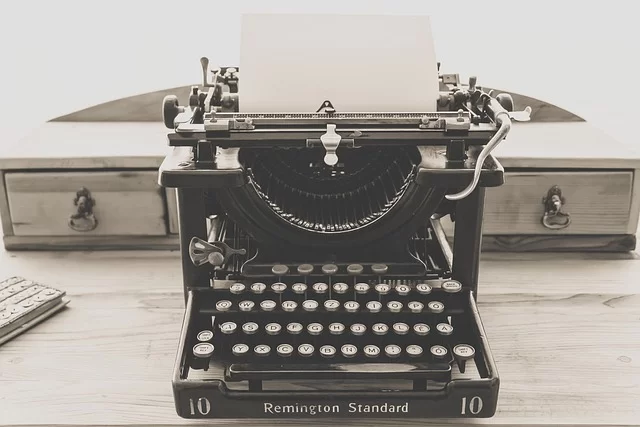
People often mix up these technologies. Yet each one answers a different need. Each represents its own unique ecosystem.
Now, I’ll make clear comparisons that will erase all the question marks in your mind. Plus, seeing these differences will help you understand the big picture of communication history.
Teleprinter vs. Typewriter: Writing Over Distance
At first glance, these two devices look very much alike. Both have a QWERTY keyboard and paper. But the gap between them is like the gap between a bicycle and a motorcycle.
A typewriter only lets you type on the paper in the same room. A Teleprinter, however, turns your typing into electric signals and sends them to the other side of the world.
| Feature | Teleprinter | Typewriter |
|---|---|---|
| Core Function | Send and receive text remotely | Local print on paper |
| Communication Ability | Yes (wired/wireless) | No |
| Encoding System | Baudot or ASCII | None (fully mechanical) |
| Key Feel | Heavy and deep, haptic | Varies by model, usually lighter |
| Power Source | Electric motor | Entirely human power |
Also, a teleprinter can print incoming messages automatically without an operator. Even if an urgent midnight message arrives, the device prints it on paper. This difference turns it from an office tool into a living communication terminal. Plus, unlike a typewriter, this device can store data by producing punched paper tape.
Telex vs. Teleprinter: Network and Device
The most common mistake is using these two terms interchangeably. Yet one is the name of the network, and the other is the device. Telex is a global network, just like the internet. A Teleprinter is the terminal device you use to connect to that network. In other words, you connect a computer to the internet, and a teleprinter to the telex system.
This network had its own unique numbering and switching system. The operator dialed the other party’s number, a connection was set up, and the chat began. When the connection dropped, the system would calculate the usage fee.
In this structure, telex closely resembles today’s social media platforms. Moreover, the biggest advantage of this system was that every message sent was considered a legally binding document. This radically changed commerce and diplomacy.
Niche Resistance: NAVTEX, EMP Protection, and Teleprinter in Amateur Radio
While the digital revolution swept everything away, these machines managed to stand firm in some special areas. The reason for this resistance is their unique physical toughness and simplicity.
After a nuclear blast, an electromagnetic pulse (EMP) can turn all modern computers into bricks within nanoseconds. Yet this antique communication device, with its relays and coils, doesn’t care about EMP.
The Silent Guardian of the Seas: NAVTEX Teleprinter System
You are a ship sailing on the open sea. Weather reports, navigation warnings, and emergency messages are vital. At this point, NAVTEX steps in.
If you ask what NAVTEX is, the clearest answer is this: It is an international automatic emergency warning network. This network broadcasts continuously on 518 kHz.
Special NAVTEX maritime printers on ships receive these signals and present them to the operator. On modern ships, this system has long since gone digital. However, many vessels still keep a mechanical NAVTEX as a backup.
Because in the worst-case scenario, when all electronics go silent, this system keeps running. This receiver-printer is the quiet and tireless guardian of life at sea.
Post-Nuclear Communication: Teleprinter and EMP Protection
During the Cold War, military planners knew a nuclear blast would collapse all modern communication. The EMP wave instantly destroys integrated circuits and microprocessors.
So what was the solution? Going back to the past. Strategic command centers stockpiled these electromechanical typewriters for backup communication.
This logic of EMP-resistant communication devices still exists in some countries’ national security plans today. After all, a relay and a coil are far tougher than a transistor.
Also, these machines don’t need complex software. For that reason, even in doomsday scenarios, they can run off a car battery and keep communication alive. This is why those ordnance teleprinter models still wait in warehouses as strategic backups.
Amateur Radio and RTTY: The Ancestor of Digital Modes
Amateur radio operators continue to keep this technology alive and evolving. RTTY is the transmission of teleprinter signals over radio waves.
After World War II, hobbyists took surplus machines from military stock. They started digital communication among themselves.
| Communication Type | Encoding | Error Correction | Modern Counterpart |
|---|---|---|---|
| RTTY | Baudot (5-bit) | None | FT8, PSK31 (digital modes) |
| Morse (CW) | Dots/Dashes | None (human brain) | Still in active use |
| SITOR | 7-bit | Yes (FEC) | PACTOR, modern maritime communication |
Today, we run RTTY using computer sound cards and special software. A physical machine is no longer needed. But some passionate amateurs miss that mechanical sound and restore old machines.
The bond between RTTY and teleprinter is like that of a mother and child. Developers built all modern digital radio modes on the legacy of RTTY.
Collecting and Restoration: Retro Haptic Feel, ASCII Art, and the Secondhand Market
A growing teleprinter collecting community exists worldwide. These people not only collect devices but also get them working again.
Teleprinter restoration demands incredible patience and engineering knowledge. You must clean rusty gears, replace broken springs, and bring the mechanism back to life.
- Secondhand Market: Prices for a working ASR-33 range from $2,000 to $5,000.
- Parts Supply: The biggest challenge is finding original teleprinter paper and ink ribbons. Luckily, hobby groups that produce custom batches exist.
- ASCII Art History: In the era before computer graphics, people made pictures on paper using letters. This art started with punched tape and line printer outputs.
- Haptic Experience: Nothing compares to pressing those keys and feeling mechanical hammers strike the paper. What does a teleprinter sound like? A rhythmic clatter, a mechanical symphony.
Security and Espionage: TEMPEST Attacks and Encrypted Messaging
Sadly, people didn’t use these machines only for friendly messages. During the Cold War, spies targeted the electromagnetic signals teleprinters emitted. This field forms one of the darkest and most sophisticated corners of the cybersecurity world today.
The Walls Have Ears: TEMPEST and Eavesdropping on Teleprinter Signals
TEMPEST is the code name for the technique of remotely listening to electromagnetic waves emitted by electronic devices. Every keystroke causes relays and coils to emit tiny radio signals. Special antennas and receivers can pick up these signals from hundreds of yards away. Even listening through walls is possible.
These TEMPEST attacks specifically targeted the moment when operators typed encrypted messages in plain text. Before the message was encrypted and sent, the operator would type it as plain text. At that instant, you could capture the message content through the signals the machine gave off.
This is one of the oldest and most dangerous types of cyber-physical attacks. Today, government agencies use specially shielded rooms to prevent such leaks.
War’s Encrypted Typewriters: Lorenz SZ40 and Siemens Crypto Models
World War II saw a giant leap in cryptography hardware. The German Lorenz SZ40 used a full 12 rotors to encrypt teleprinter traffic.
This was a far more complex system than Enigma’s three rotors. NATO countries later used Siemens crypto models in subsequent periods.
| Feature | Lorenz SZ40/42 | Enigma Machine |
|---|---|---|
| Data Encrypted | Baudot-coded teleprinter signal | Morse code signal |
| Rotor Count | 12 | 3 or 4 |
| Usage Area | Strategic command (Army Group level) | Tactical (Division and below) |
| Time Cracked | 1944 (with the Colossus computer) | Gradually throughout the war |
The Lorenz machine’s ability to send encrypted messages gave the Allies a huge headache. Those messages contained the most secret correspondence between Hitler and his generals.
So, breaking the code was important enough to change the war’s fate. Indeed, that effort triggered the birth of modern computer science. It went down in history as the most thrilling duel among WWII encryption machines.
Current Resources to Learn About Teleprinters
So, the teleprinter (or TTY) is a 20th-century device used for sending long-distance text messages. As an early foundation for digital communication, it paved the way for modern tech. Below are key resources on its history, mechanics, and legacy.
- Wikipedia page: This article details what a teleprinter is and traces its historical development. The text also examines coding systems like Baudot, Murray, and ASCII. It also discusses early domestic production efforts in the United States.
- Encyclopædia Britannica – Teleprinter: Britannica’s entry details the teleprinter’s evolution from the 1920s onward. The text clearly explains how the device works. Additionally, it summarizes the differences between Baudot and ASCII in plain language.
- Science Museum Group – Teleprinter Collection: The London Science Museum archive displays teleprinter models from different periods. Through this collection, you can examine device photos, technical specs, and usage purposes. Moreover, it is a great resource for visually understanding the technology of that era.
- Wikipedia – Radioteletype (RTTY): The English Wikipedia page for the Radioteletype technology, which uses teleprinters over radio waves. The page covers landline teleprinter operations from the mid-1800s. It also offers a broad history stretching to today’s amateur radio applications.
The 10 Most Asked Questions About Teleprinters
What exactly is a teleprinter (TTY) and what does it do?
Linux says TTY. What does that mean?
Are telex and teleprinter the same thing?
What does TTY mode on my phone do? Should I turn it on?
How fast was a teleprinter, and what determined that speed?
Is the teleprinter still used today?
What is the difference between Baudot code and ASCII code?
What is the most important difference between a teleprinter and a typewriter?
Why is the ASR-33 Teletype model so important?
Is teleprinter restoration hard, and what are secondhand prices like?
Conclusion: The Teleprinter as Physical Proof of the Hardware-to-Software Shift
At the end of this long journey, we see one thing clearly. The Teleprinter is not just a rusty antique. It is also a living fossil of modern computing.
Its legacy keeps living in the terminals we use every day. It also lives on in command lines and even the accessibility settings of our smartphones. This mechanical marvel proves that technology never truly dies. It only changes form.
Understanding this machine is not just a tribute to the past. It is also a lesson for the future. It represents the triumph of simplicity and durability over complexity and fragility.
Moreover, in an EMP disaster, all our smartphones will fall silent. But a Creed 444 forgotten in a garage will still keep running.
Next time you type a command into your terminal, open your ears. The only sound you’ll hear may be the plastic click of your keyboard. Yet know that behind that sound, a spirit whispers.
It is the spirit of an electromechanical printer that linked continents, won wars, and helped people overcome hearing barriers. Keeping that spirit alive and understanding it is the most delightful duty of us tech enthusiasts.

Be the first to share your comment