

In this article, we will examine in detail the Windows Defender software developed by Microsoft. First, we will explain what this software is and how it works. Then, we will clarify what it does for users.
We will also quickly talk about the history of antivirus software. Then, we will explain the simple features of Defender. This way, you can better understand this built-in safety tool.
What is Microsoft Windows Defender Antivirus?
Windows Defender is an antivirus made by Microsoft that comes with Windows. You can find it in all versions from Vista to 11.
It also finds harmful programs like adware, trojans, and spyware. It keeps your computer safe by stopping these threats. This way, you can do your work easily while your system stays safe and works well.
Windows Defender is a newer version of an app once called Microsoft Security Essentials. It also comes built into Vista and all newer versions.
So, you get basic protection without adding another antivirus. This way, you can keep your OS safe easily and fast.
Microsoft’s Defender app works in real time on your computer. So you can instantly detect threats and block them quickly.
But you can still scan your computer by hand. You can also check your system often with planned scans. This helps you find harmful files easily.
History of Windows’ Security Software
The first appearance of Windows Defender is based on GIANT Antispyware. Microsoft acquired GIANT in December 2004.
Microsoft began making GIANT Antispyware after buying it. So, it updated its good antivirus program from 2004. Then, they launched it in 2006.
Windows Defender first started as an antispyware tool in the Windows 2000 era. At that time, many bad people spread spyware on the Internet. So, Microsoft moved quickly and made Defender to keep the system safe.
In 2004, Microsoft added Defender to the security part of the system. Then, it put it in Windows Vista/7. It also joined it with Microsoft Security Essentials to make a strong antivirus. So, it kept users safe.
Microsoft has fought computer viruses for a long time. At last, it made excellent protection software for Windows 10 and 11. It will also give better security for Windows 12 later. So users will keep their systems safer.
Windows Defender Features
The interface of Defender security software, developed by Microsoft for Windows systems, is simple and easy to use. While it works without tiring your system, it can sometimes force your system intensely. However, this is not perceived as a disadvantage for users who attach great importance to security.
The program’s interface has various features, such as creating a virus scan timer on your system, specifying a folder or directory as an exception, and updating the virus database.
Some users need extra antivirus software when they work a lot with sensitive data. But this software usually costs money and is not used by many. Instead, Windows users like the free Defender. In short, this software is safer and easier to get.
Core Features and Summarized Functions
Let’s briefly summarize these features:
- Real-Time Protection: The real-time protection function allows for the prompt detection and removal of malware by monitoring all processes on your computer. With this attribute, your computer can be continuously protected against malware.
- System Scan: You can detect malicious software by scanning your computer manually or on a scheduled basis. In addition, full scan or quick scan options are available. A full scan scans all the files on your computer more thoroughly, while a quick scan does a faster scan, examining only the most critical files.
- File/Folder Exceptions: You can use the exception component if you don’t want to scan typical files or folders you have selected. This is particularly useful when detailed data should or should not be checked.
- Regular Updates: Microsoft regularly updates it to identify virus types better. In this way, it quickly adds malicious programs or files newly released to the market, namely the Internet, to the database and better protects your PC.
- Windows Security Center Integration: It works integrated with Security Center, and users can quickly check the security status of their computers.
- Simple User Interface: Due to its user-friendly interface, it provides convenience to users for scanning, scheduling, adding exceptions, and updating the virus database.
How Does Microsoft Antivirus Work?
The Defender application on your computer constantly runs in the background to ensure security. When you install a new program or transfer a file with a USB flash drive, it immediately starts the scanning process and catches and notifies you of potentially harmful content.
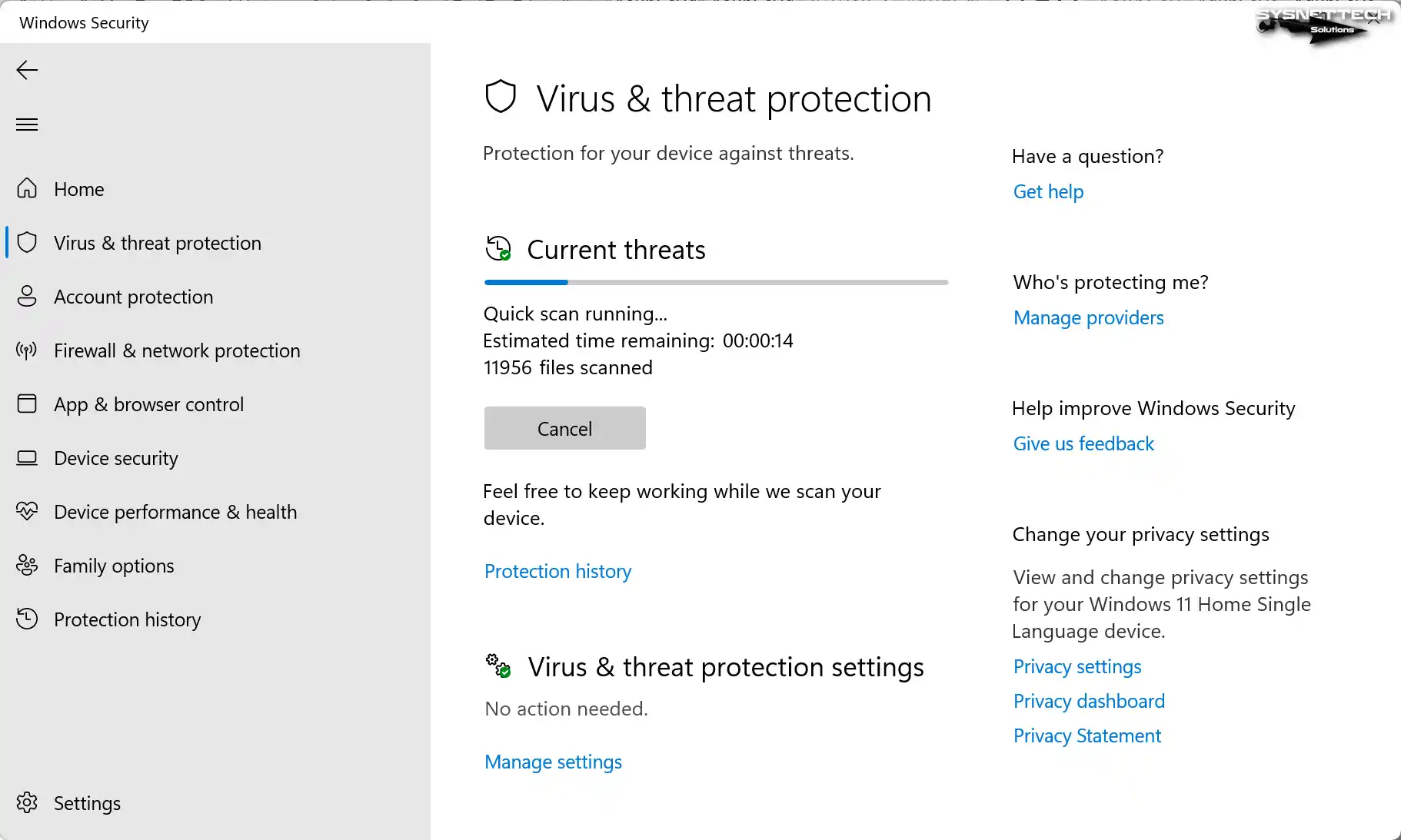
While doing this, it checks the database and decides whether the file is malicious after analyzing the virus records. Refrain from updating the antivirus database to prevent the program from overlooking the presence of malicious files. Therefore, we recommend installing the updates from Microsoft broadcast on your computer.
It monitors the behavior of the programs you run on your PC regularly. Thus, it provides a real-time protection mode and reviews all transactions.
Furthermore, in conjunction with the Firewall, it provides comprehensive protection for your system.
But sometimes, you may want to do things without anything getting in the way. So, it can be a good idea to turn off Defender for a short time. You can read our How to Disable Windows Defender guide to see how. Also, remember to turn it back on after you finish your work.
Pros and Cons of Utilizing Defender
Considering your situation, what advantages does Microsoft Defender offer you?
Advantages
- Free: It is free software available on your Windows operating system. It is ideal for home users in terms of cost compared to other paid antivirus software.
- User-Friendly: The program’s interface is uncomplicated and straightforward to navigate. This feature offers more management support for users’ computers.
- High Detection Rate: Compared to other software, it can detect malware more easily.
- Performance: It runs comfortably in the background without affecting the performance of your PC compared to other software.
Disadvantages
- Key Features: Since it is essential antivirus software, it offers fewer features than others. In this case, more than this may be required for users who need advanced features.
- Weak Ransomware Protection: Ransomware is less effective than Defender, as they are more comprehensive. Therefore, users prefer to use an additional program to take action against such attacks.
- Late Update: Defender may receive updates a little later than other software. Therefore, detecting a newly released virus strain may be challenging, affecting your computer’s security.
- Slow Scan: The scanning process can be slow as it improves system performance.
Using other software at an additional cost is a user-specific preference. However, you can still choose to use it, as Windows security software is quite powerful and popular nowadays.
Microsoft Antivirus and Today
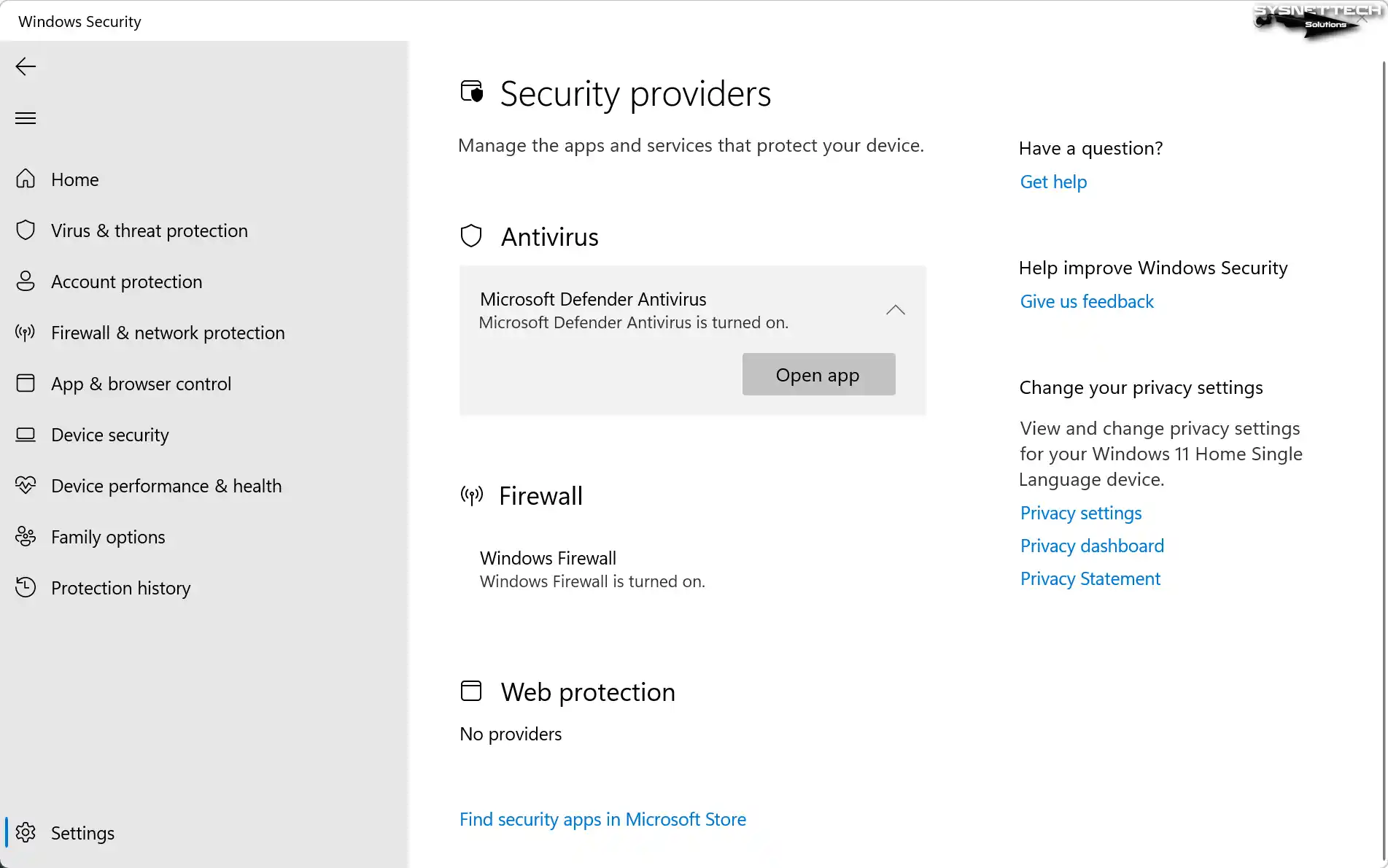
With the Creator update (Build 1703) released by Windows 10 in April 2017, Microsoft has renamed Windows Defender as Security Center. However, it still functions as Defender Antivirus in the current build versions.
For illustration, in the screenshot below, you can see Microsoft Defender Antivirus available under Security for the Windows 11 Version 22H2 operating system.
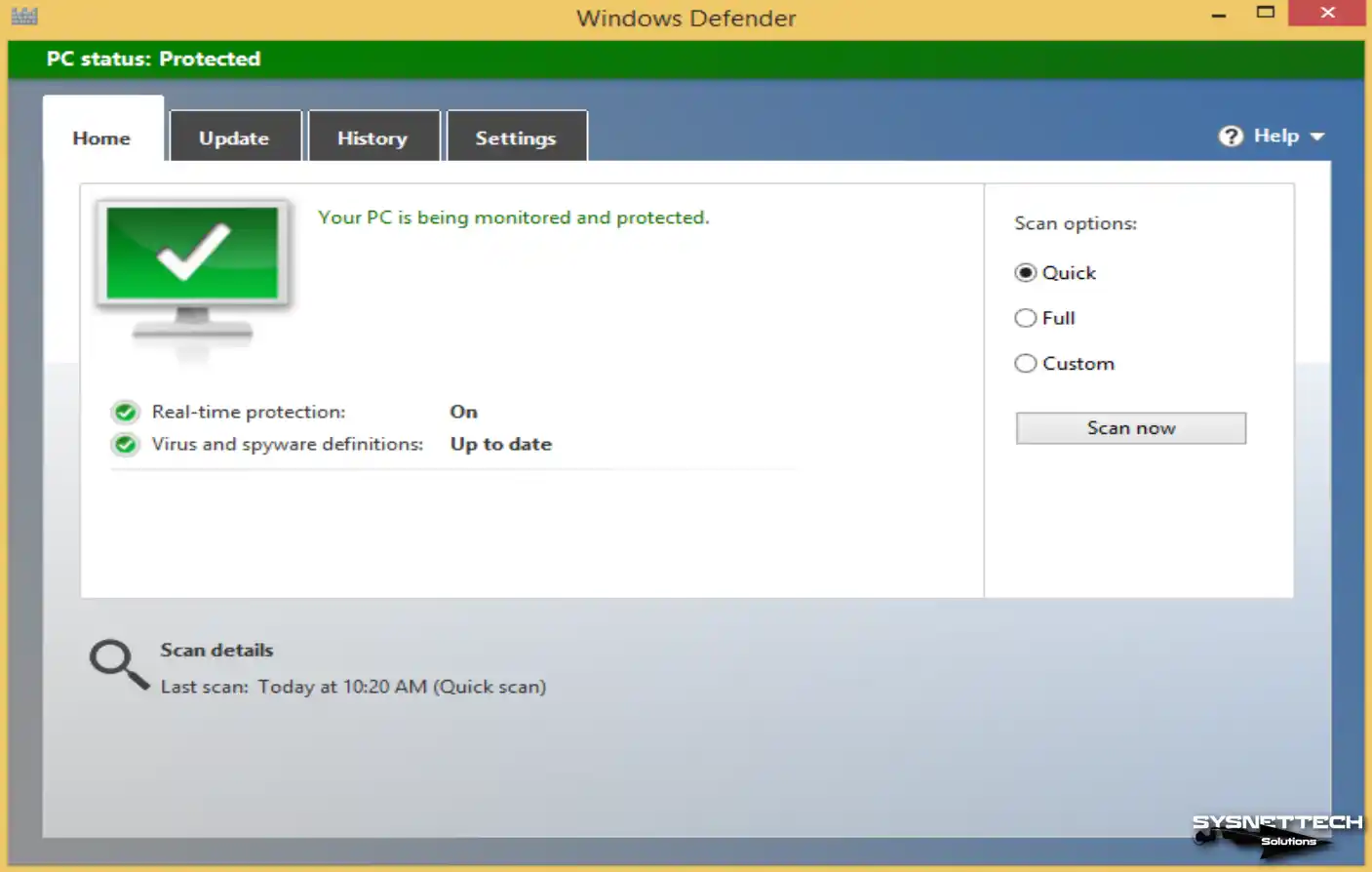
Old Interfaces of Microsoft Defender / Security
- Windows XP Antivirus Interface:
Windows XP is a key stop that shows Defender’s old interface. Back then, security tools looked like separate add-ons. You can check XP’s history and versions to better understand this shift.

- Windows Vista Antivirus Interface:
NOTE: Windows Vista was the version that brought Defender to a broad audience for the first time. It made the security center standard. Checking out a detailed review of Vista can help you understand its evolution.

- Windows 7 Antivirus Interface:

- Windows 8 Antivirus Interface:
- Windows 10 Defender Interface:

Frequently Asked Questions (FAQ) About Defender
What is Defender, and what does it do?
Can I use it with another antivirus program?
How do I update my Microsoft antivirus?
Can it detect malware in my browsers?
Will it slow down my computer?
Can it fully protect my computer?
How can I deactivate it?
What happens if it is closed?
Should I turn off Microsoft antivirus?
Does it delete viruses, and does it work?
Is there any additional program needed in Windows 10 or 11?
Is Defender paid?
Conclusion
In short, Windows Defender is a good antivirus program that’s easy to use and totally free. It helps keep your computer safe from all sorts of harmful software.
It’s got features like real-time protection, scans, and exceptions for files or folders, and it updates regularly. It’s built right into Security Center, making it a complete security solution for Microsoft users.
Microsoft has been making it better since it first came out in 2006, and now it’s one of the most popular antivirus programs around the world. Plus, it runs quietly in the background, so you can keep using your PC without interruptions. If you want security and convenience, Defender is a great choice.

Be the first to share your comment