

Your site suddenly went down. Server resources ran out. Logs overflowed with senseless requests. That is when you face a DoS reality. By 2026, cyber threat actors no longer target just bandwidth use. They chase complex goals like crypto miner placement, cloud cost tricks, or ransom demands.
I drew on years of field time to build this guide. I set theory aside and share real incident response steps. In addition, I clarify the legal side under US federal law. You cannot mount an effective defense today without knowing the law.
AI-based attack methods have surged in the last 18 months. The Radware 2026 Global Threat Report shows a 168% rise in denial-of-service strikes. Attackers now use CAPTCHA bypass as a routine skill. Luckily, the right layered defense design can push back.
Grab a coffee and keep your mind curious. What I will share matters to system admins, site owners, and startup founders alike. Let’s dive into the oldest yet freshest menace of network security.
What Is a DoS Attack? The Deep Definition of Denial of Service
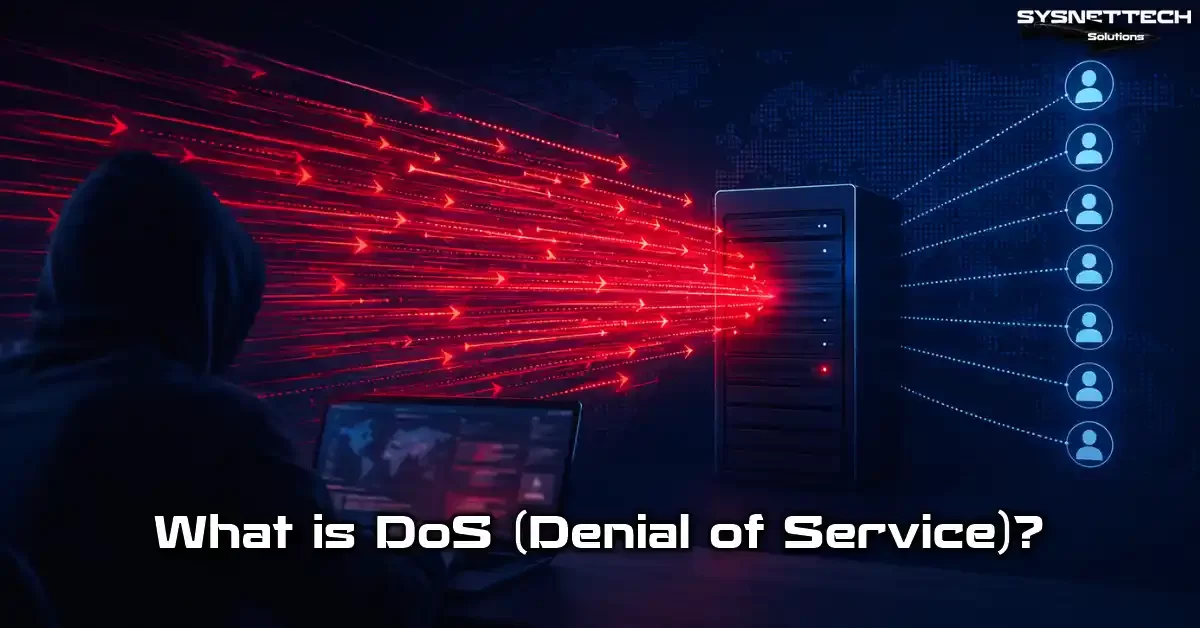
In the cyber security world, DoS is a set of strikes that block real users from a target system. The logic is simple. You drain server resources. You cause a service break. As a result, the system becomes unreachable.
Most online sources describe this only in terms of bandwidth. But the truth I have seen over the years is far more layered.
Modern threat actor profiles shift between app layer exhaustion and server crashing. So you must recognize not just volume-based but also intelligence-based attack vectors.
Denial of Service (DoS) Breakdown and Technical Definition
The term Denial of Service means exactly that. The core idea is single. You push the target system’s processing power past its limit. Usually you use only one source machine.
A DoS attack is really a story of resource drain. The attacker sends a huge flood of requests. The server becomes unable to answer. Real users get locked out. So business continuity gets hit head-on.
From a technical view, this attack hits the OSI reference model. Threats sit at layers 3, 4, and 7.
This variety directly shapes your defense plan. Each layer holds a different attack vector. For example, at the network layer you see packet floods. At the app layer, a slow-down strike waits for you.
The Goal of a DoS Attack: Strategic Aims Beyond Just a Crash
Most people see these strikes only as server takedowns. But the real world is far more complex. Attackers no longer just cause money loss. They also ruin your brand image and demand ransom.
- Competitor sabotage: Your e-commerce site can’t take orders from a rival. Outage cost hits thousands of dollars per minute.
- Smoke-screen attack: While the team fights the denial of service, the attacker steals data through a back door. This is a hybrid threat paired with a vulnerability exploit.
- Ransom-driven RDoS: The attacker says your systems will keep crashing unless you pay. They send these demands via anonymous crypto coins.
- Cloud cost manipulation (FDoS): In serverless setups, they blow up your auto-scaling bill. The aim is to break you financially.
- Political hacktivism: Groups with fixed beliefs target high-profile institutions.
Knowing these gives you an edge. You must pinpoint the threat to fine-tune your defense budget. Otherwise you invest in the wrong layer. You end up without protection.
DoS in MITRE ATT&CK: T1498, T1499, and Sub-techniques
The MITRE ATT&CK framework is the gold standard for cyber attack taxonomy. It breaks DoS attacks into two main techniques. T1498 is network-level denial of service. T1499 is endpoint denial of service.
- T1498 – Network DoS: Covers vectors like bandwidth use, SYN flood, and reflection (amplification). The target is the network setup.
- T1499 – Endpoint DoS: Covers app layer exhaustion, slow read attacks, and connection pool drain. It directly tires out the server.
- Sub-techniques: Each main item has finer points based on OSI model layers. For example, T1498.001 is a direct network flood.
Knowing this framework helps you speak the same language as threat intel teams. You also use this matrix when planning red team drills. So it is not just academic—it is highly practical.
DoS vs DDoS: 7 Key Differences (Comparison Table)
One of the most common questions I hear in the field is this. What is the difference between DoS and DDoS? Both aim for the same result. A service outage. But method and scale split apart fully.
We call single-source strikes DoS. Meanwhile, DDoS stands for distributed denial-of-service attack.
When you study DoS attack types and examples, you spot the gap at once. Thousands of zombie machines pile onto the target at the same time.
DoS vs DDoS: Full Comparison Table with 7 Differences
| Criteria | DoS | DDoS |
|---|---|---|
| Source Count | Single source | Thousands of zombie devices |
| Traffic Volume | Low-Medium (1-10 Gbps) | Very high (100+ Gbps, sometimes Tbps) |
| Ease of Blocking | Easy with IP blocking | Multi-layer defense design a must |
| Cost | Low, LOIC or HOIC enough | High, may need botnet rental |
| Detection | Easy, anomaly score clear | Hard, mixes with real traffic |
| Attack Duration | Short, ends when source runs dry | Can last hours or even days |
| Legal Tracing | Single IP, easy evidence chain | Complex, cross-border forensics |
This table acts as your compass when building an incident response plan. Each case asks you to flex a different muscle. For a single-source hit, rate limiting is enough. But for a distributed flood, a scrubbing center setup is a must.
What Is a Botnet? Zombie Computers, IoT Devices, and the Botnet Economy
The botnet attack question lies at the heart of this world. First, the attacker seizes thousands of devices. We call these zombie computers. Then, a single command from the C2 center starts the strike on the target.
- IoT botnet DDoS attack: Smart cams, printers, even fridges become part of the botnet. IoT security gaps kick in here.
- Rental services: You can rent a botnet by the hour via dark web markets. Dark web DoS prices start at $10 in 2026.
- Economy: The cyber attack economy has topped $8 trillion a year. Botnet operators take a big slice.
IoT devices still often keep their default passwords. So the zombie device net grows every day.
Devices become part of these nets without their owners knowing. Attackers often sneak in with a Trojan horse logic. That is why a current antivirus alone is not enough. Tools that run behavioral checks step in at this point.
Your home cam turns into a cyber threat without your knowledge. So personal cyber safety is as vital as business defense.
DoS Attack Types: Volume, Protocol, App Layer, and Amplification
You cannot set up a defense without knowing the strike types. Each vector is like a different storm. One sweeps away bandwidth. Another drains server memory. Yet another fills the TCP handshake table. So you must make the right call.
My field-tested grouping has four main sets. Volumetric, protocol, app layer, and amplification. Each is a distinct blind fighting art. Let’s go through them one by one.
Volumetric Attacks: Draining Bandwidth (UDP Flood, ICMP Flood)
If you ask what a volumetric attack is, I will give you the simplest answer. Pumping enough water to clog the pipe. The bandwidth fills up with fake traffic. Real user packets get lost.
- UDP flood attack: The attacker rains UDP packets on random ports. The server creates an ICMP echo reply for each. In short, resource drain is a sure thing.
- ICMP Flood: The ping of death attack sits here. It chokes the network by pinging nonstop.
- Impact: It is the top cause of a slow website. Plus, blocking a UDP flood is hard due to its connectionless design.
These strikes often exceed 100 Gbps. In early 2026, they measured a record 3.8 Tbps. So a lone firewall DoS shield falls short. You must bring in cloud-based DoS protection services.
Protocol-Focused Attacks: SYN Flood, Ping of Death, Smurf Attack

Protocol layer strikes hit OSI model layers 3 and 4. The best-known example is clear in how a SYN flood works. In short, the attacker keeps starting TCP handshakes but never finishes them. The server’s connection pool runs dry.
- Step 1: The attacker sends a SYN packet with a fake IP. The three-way handshake starts.
- Step 2: The server answers with SYN-ACK and keeps the link half-open. Resources lock up here.
- Step 3: The attacker never sends ACK. The server waits until timeout. Memory fills up.
- What is a smurf attack: It sends ICMP packets to the network broadcast address and points the replies at the victim. It creates a buffer overflow.
- Ping of Death: An oversized ICMP packet causes a fatal ping effect on the target.
This attack vector was very popular in the 2020s. But modern operating systems now come with buffer overflow guards. Still, a bad firewall config leaves you open. Check your firewall rules often.
At this point, you might think of pro solutions. To get to the core, an open-source firewall distro can more than handle the job.
Application Layer (Layer 7) Attacks: The App Is the Target — HTTP Flood, Slowloris
A layer 7 DoS attack hits the web app directly. HTTP flood is the best-known example. The attacker sends endless page refresh requests. So server fatigue sets in.
On the other hand, when you look at how a Slowloris attack works, you see a whole different mind at play. A single machine opens hundreds of links. But it never finishes the requests. Connection pool drain takes place.
The Slow Read HTTP attack uses the same idea by playing with read speed. Cyber teams spot the RUDY attack via its slow HTTP post method.
Plus, the low and slow attack is the art of big harm with low bandwidth.
You can use CAPTCHA checks to block HTTP flood strikes. Besides that, you also get good results with rate limiting.
Also, apps placed behind a reverse proxy become more resilient. To block a Slowloris strike, just make timeout values more aggressive.
Reflected and Amplification Attacks: DNS, NTP, Memcached Amplification
This attack type relies on the attacker turning a small request into a huge reply. The amplification factor is key here.
For instance, let me answer your question on what a Memcached amplification attack is. A 1-byte request creates a 51,000-byte reply. It is an incredible leverage effect.
- DNS Amplification: Attackers send queries with a spoofed IP to open DNS resolvers. As a result, the reply goes to the victim.
- NTP Amplification: They misuse the monlist command of time servers. So they get a 556x growth.
- Memcached reflection attack: It set a record at 1.7 Tbps in 2018. It runs over the UDP connectionless protocol.
The reflected attack setup here makes finding the victim hard. The attacker uses third-party servers. So tracing the real IP is quite tough. A small but key detail: closing your UDP ports to the outside is the first step.
Review your UDP flood blocking plan for these strikes. Also, ask your ISP for BGP Flow Spec support. Without a scrubbing center, you cannot handle huge amplifications.
Next-Gen Threats: RDDoS, FDoS, AI-Powered Attacks, and CAPTCHA Bypass
The 2026 cyber threat landscape is no longer just old-style strikes. Attackers come with AI-based attack methods.
Moreover, their motives are built fully on financial denial of service. A new generation we call the silent attack vector has been born.
Once, an attack just meant a server crash. Now we see cloud cost tricks, ransomware, and DDoS threats merged.
On top of that, hybrid models with double extortion appear. Also, tools that run attack sims with generative AI have spread. Attackers can now craft a fresh vector in seconds.
What Is Ransom DDoS (RDDoS)? Ransom-Driven DDoS Strikes and Is Paying a Crime?
How Ransom DDoS (RDDoS) works is one of today’s most critical topics. First, the attacker launches a small demo strike. Then they demand ransom by email. If you don’t pay, the attack gets worse. This is a full cyber ransom demand setup.
If you ask whether paying ransom to an attacker is a crime, the answer is clear. Yes, it is a crime. Plus, even if you pay, the strike may not stop. So you must never pay. Instead, start the CISA reporting process right away.
So what is the cross-border side of paying ransom? In the US, OFAC sanctions kick in. On the European side, it means you broke GDPR rules.
Thus, the legal risks you face jump sharply. Be sure to add this to your cyber insurance policy.
Cloud Bill Inflation (FDoS) and Serverless Weak Spots
The cloud bill inflation attack (FDoS) is the sneakiest of the new threats. The attacker does not crash your system. Instead, they keep it running. They trigger auto-scaling. As a result, your monthly bill grows 100 times. That is exactly what financial denial of service is.
You face the serverless DoS flaw mostly in AWS Lambda and Azure Functions setups. The attacker makes millions of function calls.
Systems charge you for each call. Your budget melts before you notice. The serverless setup flaw calls for special monitoring.
Set high absorb limits on your budget to fight this. Also, catch odd bill spikes with anomaly detection tools. Otherwise, your economic resilience gets tested hard.
AI-Driven DDoS Strikes: CAPTCHA Bypass and Behavioral Mimicry
AI-based attack methods are in a golden age in 2026. Attackers now use specially trained models to bypass CAPTCHA. Bypass rates have hit 99%. So a CAPTCHA test alone is no longer enough.
- Neural network DoS: Attackers train neural-network-based IDS systems to learn their weak spots.
- Behavioral mimicry: They copy human mouse moves and click patterns exactly. The anomaly score drops to zero.
- Generative AI attack sim: Attackers use this not to test your defense but to break right through it.
To counter this, systems that spot DoS with machine learning are a must. Ensemble models like Random Forest anomaly detection still work well.
But attackers use the same tech. So you need a constant feed of fresh threat intel.
DDoS-as-a-Service (DDoS Rental Services) and the Dark Web Economy
Is renting DDoS services legal? The answer is a clear no. Yet these services spread like mushrooms on dark web markets.
Stresser booter sites are attack platforms that pitch themselves as stress test sim tools.
- Pricing: Dark web attack prices start at $10 per hour. A monthly plan can reach $500.
- Ease of use: DDoS-as-a-Service platforms need zero tech skill. Yet you can start a strike in five minutes.
- Legal status: If you wonder whether stresser and booter tools are legal, using them is a crime in the US and worldwide. Frankly, this clearly shows DoS strikes are crimes under the Computer Fraud and Abuse Act (CFAA).
These platforms often run on anonymous crypto payments. Cyber crooks pick untraceable coins like Monero for this.
Thus, building a legal evidence chain gets harder. Still, you can reach the attacker via forensic pcap analysis.
How to Tell If You’re Under a DoS Attack: Signs, Detection, and Decision Trees
It is not always easy to know you are under fire. Sometimes you mix it up with a heavy campaign traffic spike.
At other times, server DoS signs move in silence. Luckily, my years of instinct have built a few golden rules.
First, stop the panic. Take a deep breath. Then start checks in a step-by-step way. Giving the wrong med without a right read makes things worse. So scan the signs first.
Sudden Drop in Network and Server Speed, and HTTP Error Codes
DoS tops the list of slow website causes. But not every slowdown is an attack. Here are the key signs to guide you.
- 502 Bad Gateway: The back-end server cannot answer. This points to resource drain.
- 503 Service Unavailable: The server is briefly down. The connection pool is likely running dry.
- 504 Gateway Timeout: The timeout has expired. This is a clear slow-attack sign.
- Sudden CPU and RAM spike: You see resource use jump 500% above the norm.
When you see these signs, start a log review right away. Web server access logs especially hint at the attack vector. If you see thousands of requests from one IP, the case is clear.
Odd Network Traffic and Resource Use: Analysis with Netstat, Tcpdump, Wireshark
Server-crashing strikes usually leave a trail in net traffic. A few core tools are enough to track these traces. Let’s go step by step.
- Step 1: Open a terminal and run
netstat -an | grep SYN_RECV | wc -l. If half-open links top 1,000, you are under a SYN flood. - Step 2: Watch live traffic with
tcpdump -i eth0 -n port 80. You see the strike source via packet capture (libpcap). - Step 3: Open the pcap file in the Wireshark software. Check for IP spoofing by analyzing packet headers.
- Step 4: Check your bandwidth watch tools. Look for a sudden spike.
Stay calm as you run these steps. It could be a false alarm. But if your doubts prove true, kick off the incident response plan. Every second raises outage cost.
Layer 7 or Volumetric? A 2 AM Checklist — Telling Them Apart with a Decision Tree
Your phone rings at 2 AM. The site is down. How do you tell the attack type with sleepy eyes? Here is a simple decision tree.
- Question 1: Is bandwidth 100% full? If yes, you face a volumetric strike. Start ISP contact now.
- Question 2: Bandwidth is fine but CPU is 100%? If yes, you are under an app layer exhaustion strike. So review your WAF rules.
- Question 3: Your web server may run fine. But you still can’t reach pages? You are in a connection pool drain. So lower your timeout values.
- Question 4: Are database queries way too slow? Run a Slowloris or RUDY attack check.
With this simple checklist, you make the right call in two minutes. So you don’t waste precious time on a wrong move. Also, you give your team clear orders.
What to Do During a DoS Attack: A 30-Minute Response Runbook
A list of first steps during an attack saves lives. I share this runbook that I have refined many times over the years.
The clock ticks. Each second means brand trust loss and web outage cost. So be fast and stick to a plan.
Rehearse this plan with your team ahead of time. Test these steps during a red team drill. If you don’t, you’ll panic in a real strike. Let’s start the stopwatch now.
First 5 Minutes: Right Diagnosis and Team Activation
- (0-1 min): Don’t panic. Take a deep breath. Open your monitor and check core metrics.
- (1-2 min): Send an urgent message to the incident response team (SIRT) WhatsApp group. Gather the team.
- (2-3 min): Use the 2 AM checklist above to name the strike type. DoS or DDoS? Layer 7 or volumetric?
- (3-5 min): If you have services like Cloudflare, turn on Under Attack mode. If not, move to the next step.
At this stage, never reboot the server. You would lose evidence. Also, you would make the attacker’s job easier. Stay calm and stick to the plan.
First 10 Minutes: ISP Notice and Communication Plan
- (5-7 min): Call your hosting firm or cloud provider. Explain the case plainly. Don’t wonder what to do if your host suspends the account. Instead, reach the firm straight away.
- (7-9 min): Start ISP contact. Tell them how BGP blackholing works and ask for it if needed.
- (9-10 min): Kick off the in-house comms plan. Brief top brass. Alert the social media team.
Minute 15: Filter Traffic and Apply Rate Limiting
- (10-12 min): Spot attacker IPs on the firewall. Apply IP address blocking.
- (12-14 min): If you know how to set rate limiting, do it now. Cap requests from the same IP.
- (14-15 min): Harden traffic filter rules at the reverse proxy layer. Block shady User-Agents.
Be careful not to overdo it in this step. You don’t want to block real users. So set temp rules first. Once things settle, you make them final.
Minute 20: Gather Evidence for Forensics
- (15-17 min): Copy all logs to a safe spot. Raw data is a must for log correlation.
- (17-19 min): Grab a 5-minute pcap with Tcpdump. Forensic pcap analysis becomes proof later.
- (19-20 min): Save screenshots, command outputs, and time stamps. This is key for a legal evidence chain in cyber crimes.
Do not skip evidence gathering in a DoS strike. Your mind may blank during the attack.
But this proof is vital when you later file with the DA. Be sure to log the post-attack filing process.
Minute 25: Activate Backup Systems and Business Continuity
- (20-22 min): Turn on the backup server as part of the disaster recovery plan. Run the failover setup.
- (22-24 min): If you have Anycast net spread, route traffic to other zones. Bring the CDN layer online.
- (24-25 min): Run business continuity steps. Most of all, show a notice page to your clients.
This step flows smoothly for firms that did a business impact study. But chaos starts if you have no plan.
Companies test their economic strength right here. Did you keep your SLA values? If yes, hats off.
Minute 30: Alert Legal Bodies (CISA, FBI IC3, and Local Law Enforcement)
- (25-27 min): To file a cyber incident report, visit cisa.gov/report. Then fill out the strike report form.
- (27-29 min): Go to the FBI’s Internet Crime Complaint Center at ic3.gov. Send tech details in the meantime.
- (29-30 min): File a report with your local police department. Get ready for a criminal complaint to the DA. Start the DoS attack grievance process.
In the US, a DDoS crime is prosecuted under the Computer Fraud and Abuse Act (CFAA). It is classed as intentional damage to a protected computer.
DoS attack legal results under the CFAA are heavy. If you ask about the penalty, federal law sets up to 10 years in prison, or 20 years for repeat offenses.
DoS Attack Protection Methods: A Layered Defense Strategy

You cannot limit cyber defense to just one layer. You must build a multi-layer defense design.
Think of it like an onion. When one layer peels away, a fresh one kicks in. That way, system strength hits its peak.
My go-to plan blends net, app, org-level, and proactive layers. Each asks for a distinct spend.
But when you count the DoS protection ROI, it is well worth it. Frankly, a possible cyber strike costs you far more than the defense.
Network-Level Defense: BGP Blackholing, RTBH, FlowSpec, and Scrubbing Center
Network-layer defense aims to stop attack traffic before it hits your edge. BGP blackhole routing is the best-known way. You send the traffic into a black hole and wipe it out.
| Method | Advantage | Disadvantage |
|---|---|---|
| BGP Blackholing | Quick to set, simple | Affects real traffic too |
| RTBH | Blackhole by target IP | ISP support a must |
| BGP Flow Spec | Filter by protocol and port | Complex config |
| Scrubbing Center | Cleans only bad traffic | High cost, adds delay |
A scrubbing center is the most powerful fix. But it costs a lot.
So cloud-based DoS defense services may be more sensible. Providers like Cloudflare DoS shield, Akamai, or Radware lead this space.
Application-Level Defense: WAF, Rate Limiting, and CAPTCHA Plans
A web application firewall (WAF) is the first shield against layer 7 strikes. Systems hold special signature-based rules to block HTTP flood attacks. Also, open-source tools like OWASP ModSecurity work well.
- WAF protection perks: It blocks SQL injection, XSS, and HTTP flood at once. So it lifts app layer DoS toughness.
- Rate limiting: Caps API DoS and WebSocket flood type strikes. Along with that, you set user-based quotas.
- CAPTCHA: Cuts bot traffic. Yet its power has shrunk against AI-driven DDoS. Still, it holds value as a first layer.
Organizational Defense: Business Continuity Plan, BCP/DRP, and Cyber Insurance
Tech alone is not enough. People and process maturity are also a must. A business continuity plan and disaster recovery plan must be on paper.
Plus, you need to test these plans at set times. An untested plan is void.
Cyber insurance is a financial life raft. When you run a DoS attack cost count, numbers far outstrip the yearly fee.
Use your business impact study when setting coverage sums. Also, check your policy for RDoS and FDoS scope. Ask your policy advisor about how to handle state data breach notices during a cyber strike.
Proactive Defense: Penetration Testing, Red Team Drills, and Constant Watch
The most vital defense pillar is the proactive one. Find your flaws before the strike comes. Get a pre-attack penetration test. Test your team with a red team DoS script.
- Penetration test (pentest): Run it often as part of flaw control. Add zero-day gap scans too.
- Red team drill: Run a real attack sim. Above all, learn how to stress test a website.
- Ethical DoS test tools: Try LOIC HOIC use in a controlled space. That way you gauge your defense.
- Machine learning DDoS spotting: Set up systems that count anomaly scores. Then bring in neural-network-based IDS.
AI-driven response during a DoS is no longer a dream. Auto attack dampening systems spot a strike within seconds. Give this space priority when tuning your defense budget. Human action always lags behind.
Legal Side of DoS Attacks in the US: CFAA, Data Breach Laws, and Reporting Steps
Knowing the legal frame is as vital as the tech defense. The Computer Fraud and Abuse Act (CFAA) spells out the DoS crime clearly. Plus, state data breach notification laws add weight. Let’s now break this down in full detail.
Keep in mind, staying silent when hit does you no good. In fact, you breach your legal duties. Most of all, notifying affected individuals is a must for systems holding personal data.
CFAA 18 U.S.C. § 1030: IT System Attack Crime, Penalty, and Precedent
Let’s give a clear answer to those asking if a DoS crime falls under US federal law. Yes, it is a crime. The CFAA defines this act as knowingly causing damage to a protected computer. It sets a jail term of up to 10 years for those who run a DoS strike, and up to 20 years for repeat offenses.
The crime of impairing a system’s availability forms when the system stops working, even just for a while. The strike does not have to succeed. Even an attempt is a crime. Plus, the penalty grows in aggravated cases. For instance, a strike on a bank or government system doubles the potential term.
People often ask if a DoS attack steals data. A classic DoS does not. But if paired with a smoke-screen strike, a data breach occurs. Then both CFAA and state data breach laws apply.
Data Breach Notification: Legal Duties After a DoS
If personal data got hit during the strike, notifying affected parties is a must under state laws. So how do you handle a data breach notice after a cyber strike? Let me walk you through it.
- Step 1: Immediately engage legal counsel and your incident response team.
- Step 2: Determine the scope of the breach and the categories of personal data involved.
- Step 3: Comply with applicable state notification laws—most require notifying affected individuals without unreasonable delay.
- Step 4: Notify relevant state attorneys general and federal regulators if required.
Skipping this step leads to heavy fines and enforcement actions. Plus, brand image loss adds on top. So stay in constant touch with your legal team.
CISA, FBI IC3, and Local Law Enforcement: Where and How to Report a Cyber Strike
Where to get help for a DDoS is a key question. CISA, the Cybersecurity and Infrastructure Security Agency, is your first federal stop. You run the CISA incident report step like this.
- Step 1: File a report at cisa.gov. State the strike type, source IPs, and time frame.
- Step 2: For FBI cyber crime reporting, submit a complaint at ic3.gov. Send tech details in the meantime.
- Step 3: File a report with your local police department. Be sure to keep the report number.
- Step 4: For a post-attack criminal complaint, file a petition with the DA along with the proof.
Post-DoS Cost Count and Cyber Insurance
When you run a DoS attack cost count, think beyond the quick outage. Here is a real cost item list.
Lost earnings, brand image loss, web outage cost, legal fees, and repair costs. The sum of these may shock you.
If you ask how much a DoS costs, Ponemon Institute data shows an average loss of $22,000 per minute. A one-hour strike tops $1.3 million.
The DoS defense ROI count makes sense next to these sums. A $50,000 yearly defense budget saves you millions.
Update your cyber insurance policy in light of this data. Add your business impact study when setting coverage sums. Also, widen your SLA scope.
Authoritative Sources for DoS Attacks
The facts I shared in this guide rest on field time and fresh reports. If you want to dig deeper, be sure to check these key sources below.
- OWASP DDoS Cheat Sheet: The Open Web Application Security Project gives an official guide for DoS and DDoS. Moreover, the field treats this as a go-to source. It offers hands-on tips for defenders at all levels.
- Cloudflare DDoS Protection: The global CDN giant’s full piece on how to block strikes rests on real-world data. In this write-up, the firm explains strike types and defense ways with visuals.
- NIST Special Publication 800-61: The US National Institute of Standards and Tech offers a guide. Frankly, this guide is the gold standard for cyber incident work. It sets the formal frame for what to do during a strike.
Top 10 Most Asked Questions About DoS and DDoS
What are the 5 key differences between DoS and DDoS?
Can someone launch a DoS attack on my home network or phone?
Can I get free DoS protection?
Does a DoS attack steal my data?
How long does a DDoS attack last?
How is a DDoS attack done on a Minecraft server?
Are DDoS-for-hire (stresser/booter) services legal?
Will my hosting company shield me from a DoS attack?
Is paying ransom to an attacker a crime?
What should I do for forensics after an attack?
Conclusion: Proactive Defense, Constant Improvement, and Being Ready
In this piece, we dug deep into the world of denial-of-service strikes. We started with core terms and reached AI-based attack methods.
As you saw, cyber incident work is not fixed. It asks you to keep learning and adapting. My top tip is this. Write a disaster recovery plan today. Set a red team drill with your crew.
Add a cyber insurance line to your budget. Tomorrow may be too late. Attackers don’t sleep; you shouldn’t either.
Remember, being ready is not a choice—it is a must. The US cyber attack stats for 2025 are quite sobering.
CISA reports show the US faces hundreds of large-scale strikes each day. Face this fact and act right now.

Be the first to share your comment