
In the digital audio world, file formats matter. One important format is WMA, or Windows Media Audio. Developed by Microsoft, WMA combines excellent sound quality with efficient file compression. It is popular for streaming and downloading music.
There are different types of files to meet various audio needs. Understanding it can enhance your listening experience. This article explains what WMA files are, how to open and convert them, and how they compare to MP3 files.
Whether you listen casually or enjoy exploring tech, knowing about it can help you make better audio choices.
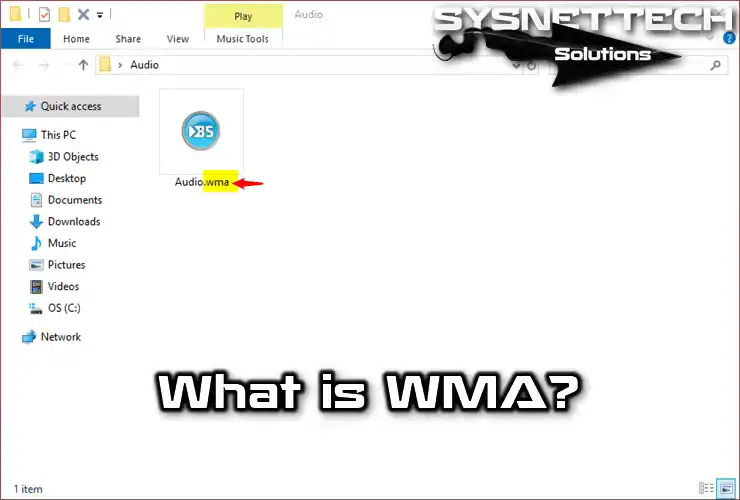
What is the WMA File Extension?
WMA, or Windows Media Audio, is a lossy audio format. It compresses sound files to reduce their size. Although it originated from lossless compression, WMA belongs to Microsoft.
This format is widely used for streaming and downloading audio. Overall, WMA offers a balance between file size and sound quality.
WMA files are associated with Windows Media. Microsoft created this format to compete with MP3.
This format supports copyright protection, making P2P sharing difficult. These files work with various applications and portable players.
It includes several types, such as Pro and Lossless.
WMA Pro is a lossy codec that handles high-resolution audio well. Lossless compresses sound without losing quality.
Additionally, WMA Voice is a lossy codec for basic audio playback. This format also connects to WMV, which stands for Windows Media Video.
ASF, or Advanced Streaming Format, contains both WMA and WMV data. Overall, it is widely used in the online music business.
How to Open The WMA Files?
Windows Media Player is the best choice for WMA files. It comes with all Windows operating systems. If you use another OS, try third-party software. VLC, Winamp, and BSPlayer can all play files.
For Mac users, install the Flip4Mac plug-in. This plug-in enables you to use Media Player for files. Another option is to use TwistedWave online. With it, you can play these files directly in your browser.
If your device doesn’t support it, convert the files. This step ensures compatibility with your system. Additionally, some third-party programs may struggle to identify these files. In that case, adjust the default program settings in your operating system.
How to Convert It?
Many free converter programs are available online. These tools can convert WMA files and other formats like MP3, M4A, and MPEG.
To change a file’s format, you need to install a converter program on your computer. For audio files, I recommend using Stellar Converter.
Alternatively, you can use online websites for conversions. These sites let you convert files without installing any software.
One great example is FileZigZag. This website also offers a Google Chrome extension for added convenience.
Difference Between WMA and MP3
Music files come in various formats. These formats differ on computer hard disks and devices like iPods. For example, digital audio files have different types, but all can play on any CD player.
Many people use MP3 files because they work on new computers and mobile devices. They don’t require extra programs to play. While MP3 remains popular, it has key differences compared to other formats.
For instance, Windows Media Audio is a proprietary format owned by Microsoft. In contrast, MP3 is not owned by any company, despite having some patents. This format has been standard since the 1990s but is less common on music-buying websites.
MP3 files are compressed, making them smaller. Other formats, however, use Lossless Codec. This means they maintain the original quality of the audio.
Conclusion
In conclusion, understanding WMA files enhances your listening experience. WMA offers excellent sound quality and adequate compression.
However, its proprietary nature and limited compatibility are essential to consider. Therefore, knowing your options is vital. Whether you stream music or convert files, be aware of the differences between WMA and MP3.
This knowledge helps you make informed audio choices. Ultimately, these insights enable you to pick the correct format for your needs.
As a result, your music will always sound its best, no matter where you enjoy it.

TolgaBagci
Hi, I'm Tolga, a computer expert with 20 years of experience. I help fix computer issues with things like hardware, systems, networks, virtualization, servers, and operating systems. Check out my website for helpful info, and feel free to ask me anything. Keep yourself in the loop about the newest technologies!