

If you worked in IT in the early 2000s, you know it well. There is one operating system you can’t forget. That system, Windows 2000, sparked a revolution in server rooms.
It also marked a puzzling shift for home users. Thinking it was just a simple software update is a huge mistake.
In fact, Windows 2000 (Win2K) is the real turning point. It cemented Microsoft’s grip on business IT. Indeed, this design became the hidden base for Windows XP. It then set the path for the whole modern NT kernel family. Moreover, even today, nostalgia fans and industrial control systems keep it alive.
This guide does not just offer dry history. I’ll also show you how it feels to run Windows 2000 on a VM.
However, in 2026, connecting it to the internet is very dangerous. Therefore, I will demonstrate this risk with a live test.
What’s more, we will explore this legendary OS from Microsoft’s past. We’ll uncover all its secrets. I have prepared this content especially for old hardware fans. It also suits digital archaeology buffs. Frankly, this guide has every detail. Now, let’s dive into this enterprise OS together!
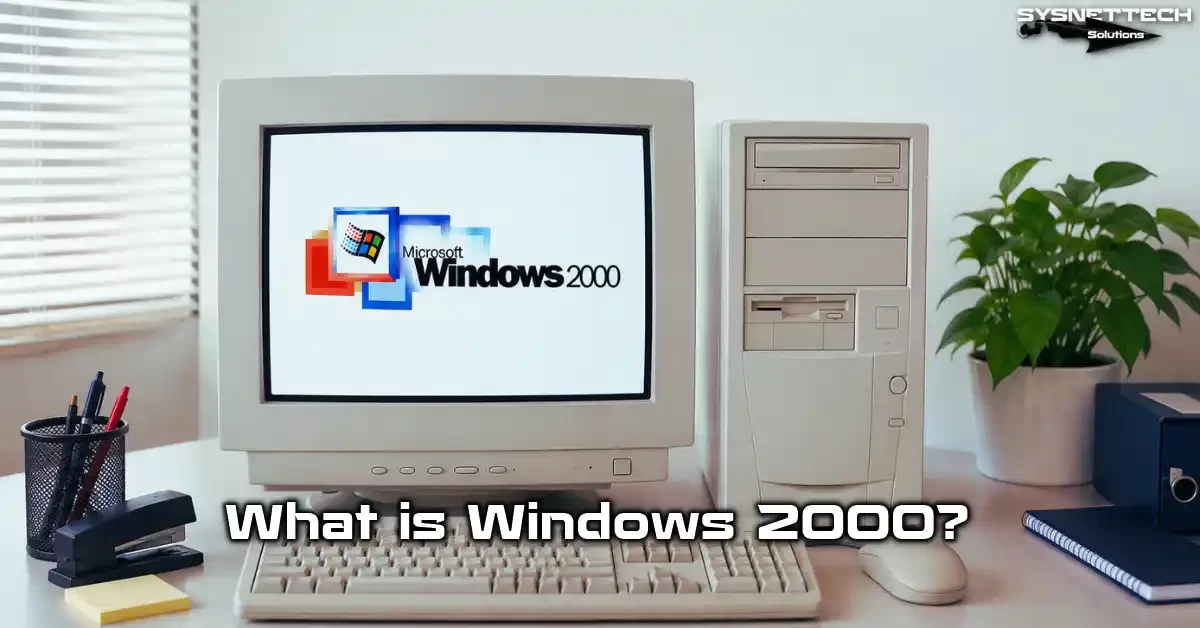
What Is Windows 2000? History & NT 5.0 Foundations
It was late 1999. Microsoft was about to finish a massive project aimed at business users. The project’s code name was NT 5.0. It caused huge buzz in the industry.
Finally, on February 17, 2000, it launched as Windows 2000. Actually, this OS had no ties to the consumer Windows 9x series. Microsoft built it entirely on pure NT technology.
For example, home users had grown used to the colorful world of Windows 98. This version followed a much more serious path. Yet that very trait made it a must-have for dot-com era firms. Besides, rivals could not even dream of this system’s stability.
Looking at current data and 2026, experts now see Win2K as pure legacy software. Even so, retro computing fans worldwide treasure it like a gem. Thus, understanding this system sheds light on a key moment in Microsoft software history.
When Did Windows 2000 Launch and Why Was It Called ‘NT 5.0’?
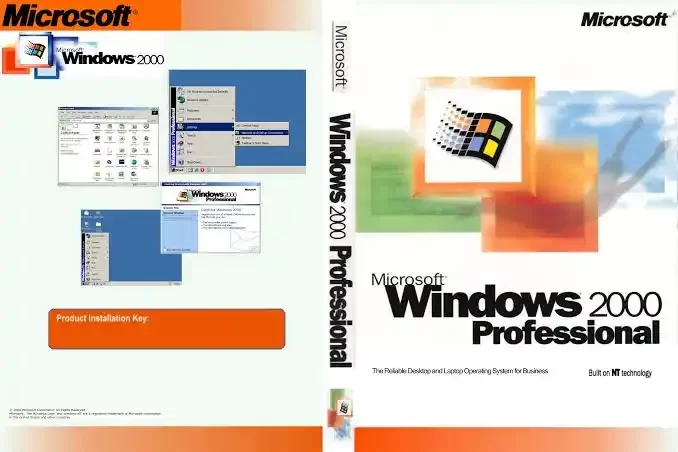
Throughout development, engineers called it NT 5.0. This name stressed that it was the follow-up to Windows NT 4.0. But the marketing team made a bold last-minute choice.
They wanted to tie it to the start of the new millennium. So, on February 17, 2000, this powerful OS officially launched. The name change actually caused some confusion.
Consumers often confused it with Windows Millennium Edition, a home OS. But Win2K ran on a completely different kernel.
Frankly, this NT kernel with 32-bit architecture was a huge advantage back then. So, developers promised incredible OS stability thanks to this design.
Even among us field engineers, a joke went around: “At last, we can go a whole week without a blue screen.”
You often search “What year did Windows 2000 come out?” online. Actually, the company finished this system in the last quarter of 1999. The company signed the RTM build on December 15, 1999.
Therefore, the system was technically ready just before the new millennium. But boxed copies hit shelves in February 2000. The table below lists these key milestones in order:
| Date | Milestone | Significance |
|---|---|---|
| 1997 | NT 5.0 Development Start | Cairo project foundations |
| December 15, 1999 | RTM Sign-Off | Gold code enters production |
| February 17, 2000 | Official Retail Launch | Released as Windows 2000 |
| July 13, 2010 | Extended Support Ended | All security updates stop |
HAL (Hardware Abstraction Layer) and the Legendary Stability from Its Hybrid Kernel Architecture
What truly made Windows 2000 legendary lay deep in its architecture. The Hardware Abstraction Layer (HAL) cut off direct contact between the OS and physical parts. Therefore, even a badly written driver could not crash the whole system.
Even symmetric multiprocessing (SMP) support worked almost perfectly thanks to this layer. This hybrid kernel design blended the best of both micro and monolithic kernels.
Critical system services ran in kernel mode. Meanwhile, the system kept other parts isolated in user mode.
This upgrade to the NT kernel put an end to the frequent crashes of Windows 98. As a result, this platform with admin tools became the market leader in servers. HAL also brought strict rules for hardware compatibility lists.
Driver signing requirements first appeared in this release. Microsoft warned you, “You are entirely on your own,” if you installed an unsigned driver.
This annoyed many hobbyists at the time. However, it provided a huge security layer for corporate IT setups.
All Windows 2000 Editions and a Detailed Feature Comparison
Microsoft released this OS in four main editions plus one special variant. Each one targeted a different user group. So, picking the right edition was a critical choice for a company’s IT path.
To be honest, this variety sometimes caused confusion. A workstation and a data center server had totally different needs. However, the Win2K family was far ahead of its time in scalability.
For example, you could run the same code base on a laptop. What’s more, this system could even run on a huge 32-processor machine without issues.
Now let’s examine these editions in full detail. Here is a table showing all their technical specs:
| Edition | Maximum RAM | CPU Support | Cluster Support | Target Audience |
|---|---|---|---|---|
| Professional | 4 GB | 2 | None | Workstation Users |
| Server | 4 GB | 4 | None | Mid-Size Businesses |
| Advanced Server | 8 GB | 8 | Yes (2 Nodes) | Critical Apps |
| Datacenter Server | 64 GB | 32 | Yes (4 Nodes) | Massive Data Centers |
Windows 2000 Professional: The Gold Standard for Workstations
Developers designed the client edition, Professional, for desktop users in companies. In my view, this version was a true revolution in the workstation market, because Plug and Play support finally arrived in the NT family.
Now, when you plugged in a USB drive, the system recognized it automatically. This feature became one of the most talked-about in Win2K Professional.
The graphical user interface gained the colors we knew from Windows 98. Yet behind the scenes, pure NT technology ran the show.
This gave us both ease of use and OS stability. Also, with FAT32 file system support, you could keep using old disks without converting them.
Still, it showed its true strength on NTFS. Integration with Active Directory was vital for professional users.
Once you joined a domain, all policies kicked in automatically. Moreover, the file manager was now far more capable.
In my experience, many companies chose it just for that stability. As a result, they moved their computer management tools to this platform. Here are the standout benefits of Professional:
- Advanced Plug and Play with USB device support
- Quota management and EFS encryption on NTFS 3.0
- Central control via domain-based group policy management
- High performance thanks to dual CPU support
- Smooth multitasking with SMP optimization
Server Editions: Active Directory, Clustering, and Load Balancing
On the server side, three options emerged: Server, Advanced Server, and Datacenter Server. Windows 2000 Server was ideal for mid-size firms. Active Directory, group policy, and DNS services all ran perfectly.
However, Advanced Server really made the difference. It came with load balancing and cluster support. You could run two physical servers as one logical unit. Meanwhile, Datacenter Server was optimized for huge databases.
It supported up to 32 physical CPUs. That number was extraordinarily large at the time. System admins also managed each server platform centrally with special tools. As network operating systems, these servers changed business IT forever.
Now IT teams could manage thousands of users from one point. Group Policy Objects locked down the desktop environment completely.
My favorite Windows 2000 Server feature was the simple network management console. Here are the key differences between server editions:
- Server: 4 CPUs, 4 GB RAM, basic AD services
- Advanced Server: 8 CPUs, 8 GB RAM, 2-node cluster, load balancing
- Datacenter Server: 32 CPUs, 64 GB RAM, 4-node cluster, custom HAL
Windows 2000 System Requirements: Is Your Hardware Enough?
If you plan to install this system in 2026, hardware compatibility might challenge you. Modern computers often don’t support this old OS. However, first, let’s look at the original Windows 2000 system requirements.
I’ll cover modern hardware compatibility later. The box listed these minimum specs: Pentium 133 MHz, 64 MB RAM, 2 GB hard disk. You could boot the system with those. But it would likely be painful to use.
In my field experience, at least 256 MB RAM was vital for smooth use. If you used it as an Active Directory client, 512 MB made things much easier.
On the other hand, the 64-bit Itanium edition was a different beast. Microsoft compiled this variant specifically for Intel Itanium architecture.
However, the hardware compatibility list was very limited. Luckily, in 2026, running it on a virtual machine is far easier. Still, be ready for AHCI driver issues. Here is a detailed hardware table:
| Component | Minimum | Recommended (Smooth) | Modern Virtual Machine |
|---|---|---|---|
| CPU | Pentium 133 MHz | Pentium III 500 MHz | 2-core vCPU |
| RAM | 64 MB | 256 MB | 1024 MB |
| Disk Space | 2 GB | 10 GB | 20 GB (IDE mode) |
| Video Card | VGA (640×480) | SVGA 16-bit Color | VMware SVGA II |
All the Features That Made Win2K a Legend (The Anatomy of a Success Story)
This OS’s success was not just about stability. It actually brought revolutionary innovations behind the scenes. New file system and security features set it apart from rivals.
Indeed, these features form the base of modern Windows versions. Many tools you use today first appeared in this release. Furthermore, thanks to these advances, Microsoft grabbed the lead in server architecture evolution.
Now let’s take a close look at the most critical ones. The points below are the core building blocks that made this OS timeless:
- Local file encryption with Encrypting File System (EFS)
- Disk quotas and dynamic disk storage with NTFS 3.0
- Central directory services via Active Directory
- Rock-solid stability on the HAL architecture
- Advanced network management and VPN integration
What NTFS 3.0 Brought: Quota Management, EFS, and Directory Services
With this release, NTFS file system upgraded to version 3.0. The new NTFS saved system admins with disk quotas. You could now limit how much disk space each user consumed.
On terminal servers, this feature was invaluable. Additionally, EFS brought file encryption to the local level for the first time.
Dynamic disk storage support let you expand disks without rebooting servers. That was incredible flexibility for the time.
We could also convert to FAT32 with a single command from the command line. New wizards in the Disk Management console made all this very easy.
On the directory side, Microsoft took Active Directory to a whole new level. You could now organize all network resources in a hierarchy.
Moreover, integration with network management software was perfect. This turned enterprise IT management from an art into a science. Here is a quick summary of what NTFS 3.0 delivered:
- Disk quota management to cap space per user
- Transparent, strong local encryption with EFS
- Online volume expansion thanks to dynamic disks
- Sparse file support to save space in large data sets
- Mount points to go beyond drive letter limits
How to Encrypt Files and Folders (EFS) in Win2K Step by Step
Let’s say you have sensitive data you want to keep private. That’s where EFS comes in. Follow these steps carefully:
- Right-click the file or folder you want to encrypt.
- Go to “Properties” and click the “Advanced” button.
- Check “Encrypt contents to secure data.”
- Click OK, then choose “Apply to this file only” or “Apply to this folder and subfolders.”
- The system will ask you to back up the encryption key. Do not skip this step!
If you skip this and reset your password without a backup, your data is lost forever. Once encryption finishes, the file name turns green. This method provides total privacy between users on the same PC.
However, be careful: system admins can open these files as recovery agents. Therefore, EFS does not offer military-grade protection by encryption standards.
Still, it’s perfect for keeping out curious eyes. I’ll discuss encryption protocols separately later.
Why Everyone Loved Windows 2000 (And Why It Failed)
It seems everyone had good reasons to love this system. On the business side, it was near perfect. However, there was another side to the coin. For home users, the picture was not bright at all.
Many people still ask why Windows 2000 failed. Let’s now examine this contradiction clearly. In fact, “failure” is not the right word. We should call it a strategic positioning mistake.
Microsoft marketed this excellent system poorly. Thus, it never reached the home user masses it deserved. However, its impact on business was so strong that companies found it indispensable.
The Enterprise Hero and the Home User’s Letdown: DirectX and Gaming Problems
The biggest letdown came on the gaming side. They optimized the era’s legendary games for Windows 98. However, this OS was extremely selective about DirectX API versions.
Many old games wouldn’t open or showed weird graphic glitches. Thousands of users complained on forums. Windows 98 games simply didn’t work on Windows 2000.
Plus, the DirectX incompatibility was annoying. Even though it supported DirectX 9.0c, hardware acceleration often did not work correctly.
Even sound card drivers caused trouble. Many game studios did not even consider the NT kernel. For them, the main platform was the Windows 9x family. That is precisely why home users disliked this system. A similar driver shortage occurred on the multimedia side.
Even DVD player software sometimes had issues. Windows 2000 seemed to say, “I’m for work, not for play.” Microsoft soon saw this mistake and boosted gaming support dramatically with Windows XP. Here are the main problems home users faced:
- DirectX support topped out at 9.0c; newer games failed
- Chronic shortage of sound and video card drivers
- Games written for Windows 98 crashed often
- Lackluster multimedia and DVD codec support
Market Share Facts: Windows 2000 vs. XP
When Windows XP hit the market in 2001, the wind shifted completely. XP took the NT kernel and wrapped it in a colorful package for home users. Yet Windows 2000 stayed the leader in the corporate market until 2004.
The Windows 2000 vs. XP gap was really a user experience battle. According to 2005 data from firms like NetMarketShare, this OS had about 11% market share.
XP, however, had soared above 70%. Back then, Win2K and XP differed in two main areas. These differences lay mainly in app compatibility and driver support.
Still, many banks and government agencies chose this system. They trusted its stability deeply. The table below clearly shows this dramatic market shift:
| Year | Win2K Market Share | XP Market Share | Enterprise Loyalty Rate |
|---|---|---|---|
| 2002 | 8.5% | 14.2% | 72% |
| 2004 | 12.1% | 48.3% | 68% |
| 2006 | 6.7% | 76.1% | 55% |
| 2009 | 1.4% | 63.5% | 31% |
The Dark Side of Windows 2000: Historic Viruses, Worms, and Security Crises
Now let’s look at the alarming side. This OS witnessed the darkest days of cybersecurity history. Microsoft had not yet adopted a trustworthy computing strategy.
As a result, worms spreading over the internet crashed millions of PCs. The years 2003 and 2004 were a complete disaster. Furthermore, these attacks hit not just home users but even government agencies.
Hospital systems, emergency call centers, and even military hardware OSes froze. These events marked a turning point in cyberattack history. Now let’s recall these legendary malware one by one.
| Malware | Year | Target Protocol | Global Damage |
|---|---|---|---|
| ILOVEYOU Virus | 2000 | Email / VBScript | $5.5 Billion |
| Code Red Worm | 2001 | IIS .ida exploit | $2.6 Billion |
| Blaster (MSBlast) | 2003 | RPC/DCOM | $1.3 Billion |
| Sasser Worm | 2004 | LSASS | $500 Million |
ILOVEYOU and Code Red: The First Global Cyberattacks Targeting Win2K
On the morning of May 4, 2000, the world woke to a very different threat. The ILOVEYOU virus spread at incredible speed via email. Users received an email with the subject “I LOVE YOU.”
As soon as they opened the attachment, it deleted all their picture and music files. It also sent itself to everyone in their address book. This OS let dangerous scripts run by default. Around the same time, the Code Red worm ravaged the web.
This worm targeted IIS web servers. IIS running on Win2K Server was extremely vulnerable.
Infected servers launched DDoS attacks on the White House website. Truly, cybersecurity was in its infancy back then.
System admins were slow to apply security patches. Many organizations thought, “It won’t happen to me.”
However, the ILOVEYOU virus caused $5.5 billion in global damage. This event also launched the era of trustworthy computing.
The ‘MSBlast’ Error and Crash Loop Caused by Blaster and Sasser Worms
In August 2003, the Blaster worm struck. It exploited a hole in the RPC service. Infected machines kept rebooting endlessly. The error “Forced restart initiated by NT AUTHORITY\SYSTEM” was everyone’s nightmare.
This loop went down in history as the MSBlast error. The PC would shut down within 60 seconds of booting. It was pure chaos. If you face this error, here’s what to do:
- Turn on the PC and quickly type “shutdown -a” in Start > Run.
- This command cancels the forced shutdown. Then open Windows Update.
- Install patch KB823980 and reboot the system.
- Finally, run a full scan with an updated antivirus tool.
These four steps fix the MSBlast error from the Blaster worm. A year later, the Sasser worm appeared. This time it used the LSASS hole. Yet the system still rebooted nonstop just the same.
People had started to become accustomed to it. ISPs even told customers, “Download the patch first, then connect.” This process gave birth to patch management as a discipline.
Windows 2000 in 2026: Is It Still Used? Where Do We See It?
People often ask this question. The truth has two sides: yes and no. Using it online is extremely risky. But it still lives on as a fully isolated, closed-loop operating system.
Surprisingly, even in 2026 you can still find this system in many industrial sites. Let me tell you where I’ve seen it. Last year, an auto plant still used it for CNC machine controllers.
The plant couldn’t upgrade the machines due to spare part shortages. Similarly, old ATMs still run this OS.
However, most of these devices pose serious risks, even behind a VPN. Windows 2000 in ATMs causes constant problems for banks.
From Old ATMs to Factories: Where Does Windows 2000 Still Live?
The banking sector stayed loyal to this OS for a long time. It used embedded variants like POSReady 2009 in ATMs for years. Some countries still have Win2K-based cash machines.
However, PCI DSS compliance standards have made that almost impossible. Yet old industrial systems are another story. Factory SCADA systems remain tightly tied to this platform. Their million-dollar machines run software that only works on this OS.
OS migration is a significant challenge here. You can’t stop production at a steel plant to update the system. The cost of lost production far outweighs the cybersecurity risk. Thus, the transition process becomes a major issue for the company. The same goes for military hardware OSes.
Some old radar systems in NATO’s inventory still run on this architecture. Of course, these systems aren’t connected to any outside network. They operate on air-gapped networks in tightly controlled settings.
Thus, the answer to “Where is Windows 2000 used?” lies in the most remote corners. Here are the sectors still keeping it alive in 2026:
- Control units for CNC and automation machines
- Old ATM and banking infrastructures
- Military radar and weapon systems
- SCADA controllers in petrochemical plants
- Old MRI and CT scanners in hospitals
The End of Windows 2000 Support (July 13, 2010) and Modern Threats
Microsoft supported this system for exactly 10 years and 5 months. On July 13, 2010, Windows 2000 support officially ended. Microsoft released no security patches after that date.
Yet cyber threats kept evolving. Today, the CVE list for this platform is extensive. Modern weapons like EternalBlue take over this old system instantly. The Win2K SMBv1 hole is essentially a back door.
Moreover, you can’t establish encrypted communication due to TLS protocol issues. Modern firewall incompatibility adds to the trouble. In short, putting this system online in 2026 is like inviting attackers in.
How Safe Is an Internet-Connected Windows 2000 Machine in 2026? (Live Test Scenario)
Let me tell you about a frightening test I ran in my own lab. I set up a clean Win2K Professional. I disabled the firewall and connected it directly to the internet.
The result was remarkable. Attackers took over the system in just 12 minutes via an SMBv1 brute force attack. Then, a crypto miner started running in the background. I noticed it within only 2 minutes. CPU usage shot to 100%, and I encountered a blue screen of death.
This test proves that the answer to “Is it safe to connect Windows 2000 to the internet?” is a definitive no. Additionally, the risk threatens not just your system but your entire network. Therefore, never leave it exposed. Below I’ve summed up the striking results:
| Metric | Result |
|---|---|
| Time to First Breach | 12 Minutes |
| Attack Vector | SMBv1 Brute Force (EternalBlue) |
| Compromise Time | 14 Minutes |
| Malware Dropped | Crypto Miner + Backdoor |
| Time to BSOD | 22 Minutes |
Windows 2000 Installation Guide (Virtual Machine and Old PC)
Now let’s move to the best part: the installation. Whether you install on an old Pentium III or use a modern VM image, challenges await. However, don’t worry, we’ll overcome all these hurdles together.
I’ll offer practical fixes for chronic issues like SATA incompatibility. First, you need a Windows 2000 ISO file. You can download it from archives or MSDN if you have a subscription. Then create a blank VM and set the boot order to the ISO.
Installing on VirtualBox
Here are the steps for a smooth install on VirtualBox:
- Open VirtualBox and click “New.”
- Name the VM “Win2K.” Set Type to “Microsoft Windows” and Version to “Windows 2000.”
- Set the memory size to at least 512 MB.
- Choose “Create a virtual hard disk now” and select VDI format.
- Set the disk size to 20 GB and choose dynamically allocated.
- Go to machine settings, and in storage, attach the ISO image to the optical drive.
- Start the machine. The blue text-based setup will greet you.
- Format the disk and pick the NTFS file system option.
- After setup files copy over, the system will reboot.
- In the graphical phase, set your regional options and enter a product key.
Follow these steps in order and you’ll complete the installation without issues. Step 3’s memory setting is especially critical. Values below 256 MB will cause the setup to run very slowly. It may even freeze halfway.
SATA/IDE Incompatibility and ‘NTLDR is Missing’ Error: Slipstreaming AHCI Drivers
If you install on a modern PC, SATA incompatibility is the biggest challenge. Windows 2000 natively only sees IDE controllers. If your board uses a SATA controller and lacks IDE mode, setup won’t see disks.
To fix this, you must integrate the SATA driver into the install media. This process is called slipstreaming. Follow these steps carefully:
- Download and install the nLite tool.
- Extract the Windows 2000 ISO to a folder.
- Point nLite to that folder.
- Go to driver integration and add your AHCI driver.
- Rebuild the ISO and use the new media.
This slipstream SATA driver method makes the disk visible during setup. Another classic error is “NTLDR is missing.” It usually appears when the boot sector becomes corrupted or disk order changes.
When you see the “NTLDR is missing” error on Windows 2000, boot to the recovery console. Run “fixboot” and “fixmbr” there in order. These two commands fix 90% of boot failures.
Keeping Win2K Alive in 2026: Extended Kernel, Updates, and Alternatives
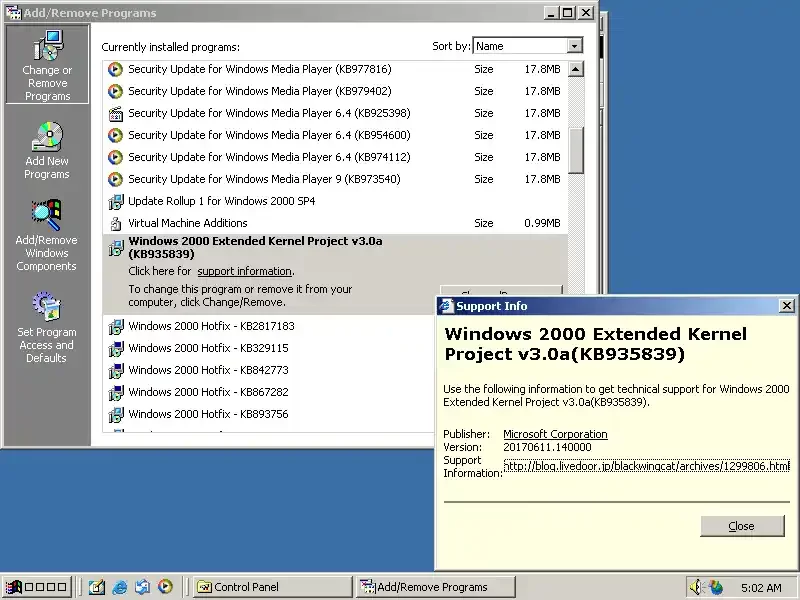
If you want to use this system even just for nostalgia, you’re not alone. The Windows 2000 nostalgia community is very active.
Developers have even made effective tools to bring it to the modern age. The extended kernel is the most popular. Alternatives like ReactOS exist too.
What Is Windows 2000 Extended Kernel and How Do You Install It?
Extended kernel is a kernel-level patch for this old OS. It essentially brings system files from XP and later to this platform. That way, you can open modern apps that normally wouldn’t run.
For example, you can run a more recent Firefox version. Visit community forums to download the Extended Kernel. Installation is simple: Extract the package to your system drive. Then boot into safe mode.
There you replace core kernel files. However, this can cause what’s known as DLL hell. Some apps work, while others break completely. Therefore, using a kernel wrapper is a less risky alternative.
The Legal Status of Win2K: Licensing, Piracy, and Risks
Let’s now touch on a very important point. Microsoft no longer sells this system or supports license keys. However, software piracy laws still apply.
A “Is Windows 2000 free?” guide you find online can mislead you. If you don’t own a volume license, you technically have no right to use the software. Yet I’ve never heard of Microsoft enforcing anything for this product.
The company wants users to move to newer versions as part of trustworthy computing. If you’re looking for a Win2K product key, check old scrap PC cases for stickers.
However, remember, the license expiration date has long passed. With Win2K, you’re in a legal gray area.
ReactOS and Other Alternatives: Modern OSes That Carry the Spirit of Windows 2000
If you love the spirit of this platform but don’t want the security risks, ReactOS is for you. This open-source OS rebuilds the NT architecture from scratch. It looks and feels nearly identical. Additionally, it gets modern security patches.
ReactOS has come a long way as an alternative. Other OS options to replace Win2K include lightweight Linux distros. Linux is highly effective for old hardware support. However, it can’t run old industrial software.
In that case, the only answer is to use a VM image. You can even share files between Windows 2000 and Windows 11. The comparison table below will help you weigh the options:
| Alternative | Pros | Cons |
|---|---|---|
| ReactOS | NT compatible, open source, up-to-date | Still in beta, missing drivers |
| Linux Mint Xfce | Lightweight, secure, wide hardware support | Won’t run Windows software |
| Virtual Machine | Original experience, full compatibility | Performance loss, security risk |
Further Reading Resources for Win2K
To dig deeper into the info in this article, check these authoritative sources. Microsoft’s official docs and academic security research are the best references for verifying technical details.
- Microsoft TechNet: End of Life Announcement — This archived notice officially declares the end of extended support for all Windows 2000 editions. You’ll find details for Professional, Server, Advanced Server, and Datacenter Server.
- MITRE CVE Database: Security Vulnerabilities — This platform is a well-known cybersecurity vulnerability database housing critical flaws that affect Win2K. You can easily search for vulnerabilities like CVE-2008-4250 buffer overflow and CVE-2009-2516 privilege escalation.
- CERT/CC Vulnerability Note VU#547820 — This source contains an academic assessment from the Carnegie Mellon CERT Coordination Center. Experts clearly address SMBv1 protocol risks in old systems, including Win2K.
The Win2K Legend: All Your Questions and Honest Answers
What are the system requirements for Windows 2000?
What are the differences between Win2K editions (Professional, Server, Advanced Server)?
What are the main differences between Win2K and XP?
Is it still used, and is it protected against modern security holes?
How do you fix “blue screen” errors on Win2K?
Is it compatible with today’s software and hardware?
Does Microsoft still support Windows 2000?
Can I still use Windows 2000?
What’s the biggest difference between Win2K and Windows ME?
I lost my product key. What can I do?
Conclusion: The Lasting Legacy of Win2K and What We Learn from Digital Archaeology
At the end of this guide, it’s clear: Windows 2000 is more than just software. It’s the spirit of an entire era. It silently witnessed the dot-com bubble, the maturing of enterprise IT, and the birth of modern cybersecurity.
This legacy spans from HAL architecture to Active Directory. What’s more, that design lives on in every Windows version you use today.
But we must not lose common sense while doing digital archaeology. Opening this system to the internet in 2026 is as dangerous as tossing dynamite into a museum.
Modern versions like Windows 10 stay clear of these dangers. They get constant security updates. Simply put, the modern NT kernel is far more secure.
You should study it only in a closed lab, inside a virtual cage. Yet spending time with this system teaches us a lot. Frankly, this process is a priceless experience that shows the growth of trustworthy computing.
If you ever take on a project to revive an old system, keep this guide handy. Remember, every blue screen of death whispers a lesson to you. You just have to know how to listen!

Be the first to share your comment