

In our more connected world, sending data is very important. Modems help a lot in this process. These devices, used since the 1960s, have made communication much easier.
A modem helps send data by changing it into a signal. This lets information move between different appliances. It happens fast and smoothly, and we don’t notice it. Modems connect us and help us talk to each other. They also fix problems with signals going too far. This is why DSL devices are very important in our lives.
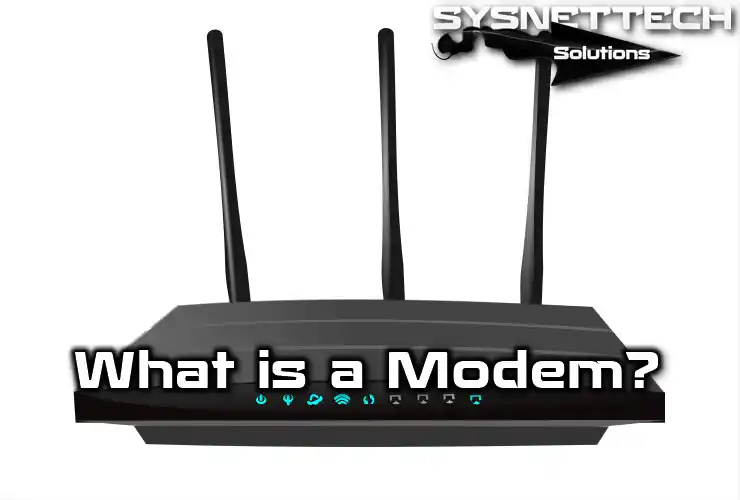
What is a Modem (Modulator/Demodulator)?
A modem is a simple device that takes a signal and changes it to send data. It helps communication by changing signals and letting data move.
This technology has been here since the 1960s. It sends signals over long distances to help communication.
The modem makes it easier for us to send data to faraway places. It is good at changing and sending data. It lets us send data over long distances. In fact, these modems have been important in making today’s communication systems.
Many DSL devices can answer calls automatically when they get a call from the phone line. It can also call numbers saved by the user automatically.
These features make it easier to connect. In other words, modems can finish the transfer steps without people needing help.
Also, the system does all the work by itself. Thus, it makes communication faster and more efficient.
How Does a Modem Work?
I have said that a modem is essential in communication. First, it gets data and then changes it into analog and digital signals.
It also makes signals ready to send over phone lines. First, the modulator creates a carrier signal. The carrier is usually a high-frequency wave.
High frequency helps send data better. The signal has the main information. But it changes the carrier signal instead of sending it directly.
It changes things like size, speed, or timing. This way, it puts the information into the carrier. In short, it keeps the original message by making a new signal.
At the receiver, the demodulator reads the signal. Of course, it also takes out the carrier to get the original signal back. For instance, it uses methods like Amplitude Modulation (AM/ASK), which changes the size.
Frequency Modulation (FM/FSK) changes the speed based on the information. Phase Modulation (PM/PSK) sends data by changing the timing. On the other hand, it can also use both methods together.
For example, it can send a lot of information using advanced methods like QAM. Also, as modems get more functions, they can handle more complex tasks.
What Are PC Modems?
We all use modems for computer connections. Generally, we can classify modems as internal and external. I can also say that the software type is also in this group.
These are often called Winmodems or Linuxmodems. In fact, this makes it harder to classify modems. Some DSL devices work with different technologies. For example, they can work with XDSL, ISDN, and 75-ohm cables.
1) Internal Modems

Internal modems are the type that are integrated directly into the PC. They are usually in the form of an expansion card. The card holds all the parts needed to work.
It works with many types of connectors. For example, ISA Bus is old now. No one uses it today because it is slow, and it is not supported anymore.
On the other hand, the PCI Bus is still standard. It gives a strong and efficient connection. AMR modems are old now because they don’t work well.
The advantage of internal modems is that they are part of the system. They don’t take up desk space and help keep things tidy. They also get power directly from the computer. Plus, PCI modems are usually cheaper.
They don’t need extra parts or adapters. But installing them can be hard. It’s especially tricky for new users because all the info is only in the software. So, this makes fixing problems harder.
2) External Modems

In contrast, we know external modems as separate devices. In addition, they have the advantage of being more portable.
We can use the modem on different computers easily. This gives us great flexibility, and external ones usually have LED lights. These lights show the modem status right away.
In summary, internal modems are small and save space. External modems are better for portability. Both types meet different user needs.
What are the Modem Features?
DSL devices have smart parts like processors and memory. This makes them work better and easier to use, with more features to help you connect.
- Memory
First, memory is an essential part of the modem because it stores telephone numbers.
- Automatic Number Dialing
Also, the automatic number dialing feature is handy. That is, it makes the call using the keyboard, not the numeric keypad.
- Auto Answer
Thanks to the automatic answering feature, the modem can pick up calls by itself. So, we don’t need to do anything. This feature is invaluable in places where a constant connection is necessary.
- Automatic Calling
Another feature is the automatic call function. This feature sends messages at set times. Thus, it also helps with scheduling by allowing planned communication.
- Call Back
It also gives security with the callback feature. The modem checks the caller using the authorization list. Then it disconnects and calls the user back.
- Automatic Number Repeat
With this feature, it redials the last number called. Moreover, it does this with just one command. Thus, it saves time and increases productivity.
- Automatic Number Opening
The automatic number opening feature is also helpful. The modem finds signals when connecting to the remote PC. Of course, it makes the connection easy by doing it automatically.
- Self Test
Finally, modems have a self-test system. So, the system finds and checks problems.
All the features make modern modems a must-have for data. In short, they are perfect for safe and easy connections in today’s technology.
What are the Modem Connection Types?
1) External Modem
We usually connect an external modem using a serial or COM port. The appliances talk to each other through the PC’s UART unit.
It allows reliable data transfer at high speeds. However, there is a condition for speeds above 28,800 bps. The UART component must be at least a 16550. In this case, it cannot provide the desired speed without the hardware level.
External DSL appliances also work with a transformer plug. This gives a stable connection and good power management. It also makes data transfer smooth and nonstop.
2) PC Card Modems

On the other hand, there are also PC card modems. These are mainly for portable devices. Especially for laptops, there is the PCMCIA standard. Although we do not use them today, they were very popular before they became widespread.
They look like a slightly thick credit card. But their performance is nearly the same as that of traditional modems. Some models also have a USB port. Frankly, this makes the connection or setup much easier.
Modems can provide both landline and mobile connections. Thus, it helps meet different connection needs. So, it is perfect for users on the go. Therefore, it offers portability and is easy to use.
3) Software Modems: HSP or Winmodems
Software modems are also called HSP or Winmodem. They do basic tasks using software. Also, they depend a lot on the PC’s microprocessor. Obviously, they have less hardware than traditional modems.
On the other hand, they usually use a PCI slot to connect. Some also have AMR (Audio Modem Amplifier) connectivity. But not all PCI appliances are like this. So, it’s essential to check the hardware type carefully.

The biggest problem with software modems is that they use up the processor. This can slow down the system, especially when multitasking.
Also, the software that comes with it is required. But it can cause compatibility problems. So, the device stops working when the manufacturer’s support ends.
As a result, modems may not work with new operating systems. Plus, they can also become outdated hardware.
The prices are usually reasonable, but there is no clear information about how reliable they are.
4) Full Modems
Full DSL equipment works inside, so they don’t need a processor. Also, the modem’s performance does not depend on the computer’s UART. Instead, it uses its processor power.
This makes modems work more consistently. It also works well with many systems. In short, it is a good choice for people who want consistency.
What are the Differences Between Internal, External, and Software Modems?
Of course, there are some differences between modem types. We can look at the differences in performance and how they are used.
Internal DSL devices are usually built into the computer’s motherboard. They also use the computer’s hardware to work. In addition, they are cheaper and save space.
Their installation is a little more difficult. On the other hand, we need to check the device’s status using software.
External DSL devices are separate ones and use serial and USB connections. Plus, they are also portable and easy to use with others.
They also show the status right away with their visible LED lights. We don’t need to open the computer case for external ones. So, their setup is also effortless.
Software DSL equipment, also called Winmodems, needs a lot of processor power and driver software to work.
They also don’t need special hardware and take up less space. Thus, their performance changes based on the system’s power.
Internal DSL devices are inside the system, but are complex to install. External modems are easy to move and check. Software modems use system power so that they can slow things down.
Modems of the 1960s and Today
Computer modems have changed a lot over the years. At first, they sent digital data over regular phone lines. Then, in the 1960s, devices were made to meet basic connection needs.
As users need more, devices have become better. Also, new technology has created a need for fast Internet.
As a result, modern modems do more than connect. They also give us many extra features. Because of this, they are clearly different from older models in design and how they work.
Now, let’s examine the impact of this evolution on the Modulator/Demodulator in detail.
1. Increased Speed & Bandwidth
In the 1960s, modems typically ran at only 110 to 300 bps, which was certainly slow by today’s standards. Modern devices, on the other hand, can reach speeds of several gigabits per second.
This progress happened because of better digital signal methods. Also, technologies like DSL, cable, and fiber helped grow it.
Also, technologies have made data transfer faster by giving more bandwidth, better performance, and a better user experience.
Now users can easily watch high-quality videos, make video calls, and download big files fast.
2. Advanced Modulation Techniques
The first modems used simple ways to send data, like Frequency Shift Keying (FSK) and Amplitude Shift Keying (ASK). But now, there are more advanced methods.
For example, Quadrature Amplitude Modulation (QAM) and Orthogonal Frequency-Division Multiplexing (OFDM) are now common. These improvements help us use bandwidth better.
They also give faster data speeds and better error fixing. Also, modern modems can stay connected even with weak signals. In short, we get a quicker and more stable Internet experience.
3. Transition from Analog to Digital
The change from analog to digital has also changed how DSL devices are made. The first devices were mostly analog, but modern ones are primarily digital.
On one hand, many have advanced microprocessors and memory. The digital design helps with better signal processing and more features. Also, they can detect and fix errors.
Many modern devices can work with different systems. So they can connect easily with others.
4. Integration with Network Technology
Modern modems often include routing and wireless features. Also, in the 1960s, modems were only used for direct connections.
Today’s DSL models work as both a modem and a router. Plus, they can also connect many devices to the Internet at the same time with one connection.
The integration makes it easy to control home networks. It is also vital for smart home devices and PCs.
5. User-Friendly Features
Technology improvements have made modems easier to use. Also, modern ISP boxes have easy-to-use designs.
For example, automatic installation and diagnostic tools make things much easier. In addition, these tools help us fix problems faster.
Also, automatic updates and remote management are now standard features. Built-in security makes connections safer.
6. Portability and Versatility
The physical design of modems has changed over time, and they have become more portable. Models from the 1960s were generally bulky and were for fixed installations.
But new ISP boxes are now thinner and lighter, and they offer many options, like USB modems and portable Wi-Fi hotspots.
Different options help us fit a mobile lifestyle. Being portable lets us stay connected while we are moving.
In short, technology changes have entirely changed how DSL models are designed and work. Speed and bandwidth have grown a lot over the years.
Networking features are now built into modern devices. Also, using them has become easier and faster. Today’s modulator equipment is very similar to older models.
As technology gets better, the Modulator/Demodulator will keep improving. This will help them fit better into the connected world. As a result, they might also help create new ways to send data.
What are the Features of Today’s Modern Modem Devices?
Today, the Modulator/Demodulator usually has faster speeds and better connectivity. They can also work with types like DSL, cable, and fiber.
They have technology that supports many features. Plus, they also offer modern ways to provide faster Internet. In short, today’s solutions work better for what users need.

Here are some of the features and innovations commonly found in modern modems:
- Higher Data Speeds: Modern modems can now reach gigabit speeds. DOCSIS 3.1 and VDSL technologies help with this. These speeds allow for good streaming and fast downloads.
- Integrated Routers: Many modern devices can also work as routers. Thanks to this, it gives both an Internet connection and Wi-Fi. At the same time, you can manage your home network easily with one device.
- Multiple Connection Types: These don’t only work with phone lines. They can also use fiber optic and coaxial cables to fit different setups.
- Compatibility with Network Standards: Modern devices are fully compatible with current network standards. As a result, it facilitates efficient connections with service providers.
- Advanced Features: Devices can prioritize bandwidth with features like QoS. It also offers protection with dual-band Wi-Fi and a firewall. Plus, it works with smart home devices.
- Remote Management: Some modems can be controlled remotely. We can manage them using a website or a mobile app. So we can quickly do our troubleshooting.
Frequently Asked Questions (FAQ) About Modem
- What is a modem?
- How does a modem work?
- Is a modem the Internet?
- What are the different types of modems?
- What is the difference between a modem and a router?
Conclusion
To summarize, modern devices connect us to the Internet in the online world. Since the 1960s, it has changed a lot. It also lets us send and receive data over long distances.
Thanks to technology, modems are now more advanced. For example, they have features like firewalls. They also have hardware, like antennas, to connect wirelessly. In the future, they will keep adding new features.

Be the first to share your comment