

When you buy a network switch, the real magic inside the box is not the processor or the ports. The true power hides in an invisible map called the AFT. This structure ensures Ethernet frames reach the right target in milliseconds.
Modern networks forward millions of frames each second. Users often ignore the mechanism that manages this traffic. Yet without the Address Forwarding Table, the concept of Layer 2 switching simply does not exist.
In my experience, a misconfigured MAC address table causes most network problems. So you need a deep understanding of the topic. Network automation and SDN technologies created a huge shift by 2026. Frankly, this made managing the peripheral unit far more critical.
This guide offers more than just theory. I will share my field experience and hands-on practices from Cisco and Juniper command lines. Plus, you will learn how to monitor this system with modern telemetry methods.
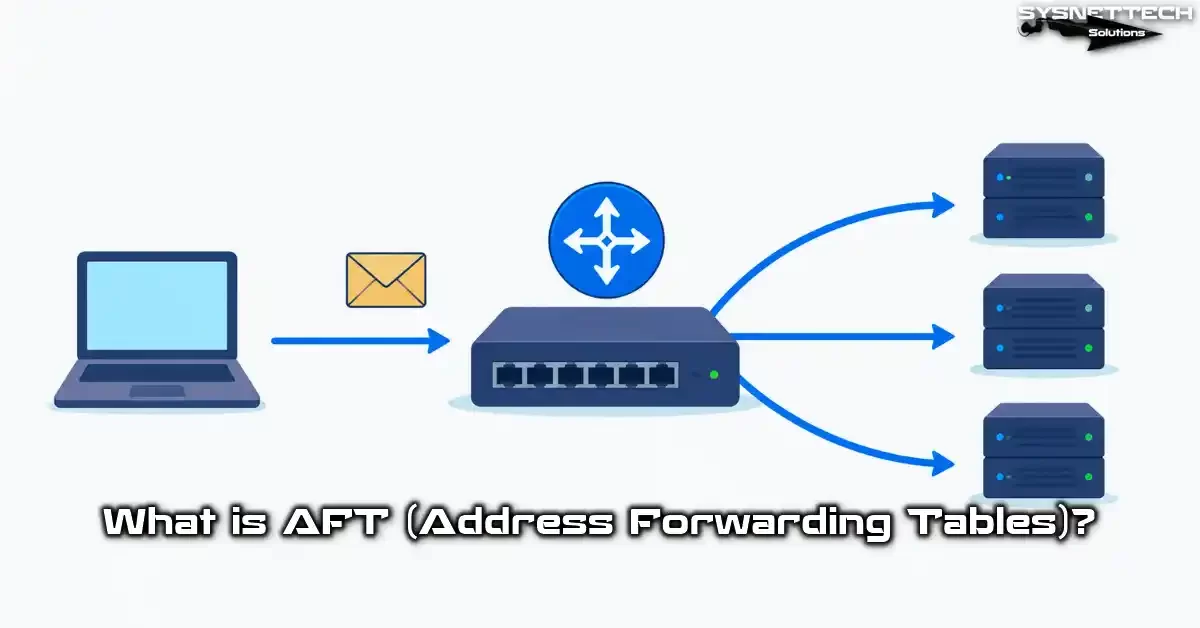
AFT Basics: Definition, Full Form, and the Birth of the Address Forwarding Table
What Are Address Forwarding Tables and the AFT Full Form
AFT stands for Address Forwarding Tables. Think of it as a dynamic database that constantly updates itself in a switch’s memory.
Essentially, this structure maps MAC addresses to physical ports. Each Ethernet frame carries a source and a destination MAC number. The switch reads these addresses and builds the relevant record.
Consider a switch that learns the addresses of thousands of devices over time. That is exactly where the AFT comes into play. It remembers which device connects to which port.
Network engineers monitor this table nonstop. Its performance directly impacts network efficiency. You can view the entire content with a few commands via CLI too.
For example, on Cisco devices, the show mac address-table command does exactly this. On the Juniper side, we use show ethernet-switching table. Both commands instantly present the relevant data to you.
The History of the Address Forwarding Table and Its Place in Layer 2 Switching
Back in the early 1990s, networks ran on hub devices. Hubs copied incoming frames to all ports. This approach caused serious bandwidth waste.
Then bridge devices emerged. Bridges used a simple MAC address table. However, that table was the primitive ancestor of today’s AFT structure.
The real revolution arrived with the concept of Layer 2 switching. Modern switches use a hardware-based version of this system. That lets them process millions of frames per second.
Today, the switching types include methods like store-and-forward and cut-through. Their common point, however, is the AFT lookup. The switch searches for the destination MAC number inside this table.
When I first started in the field, we used 10 Mbps hubs. Now, 400 Gbps switches operate with this technology. Frankly, this evolution is breathtaking.
Relationship with the MAC Address Table and Filtering Database
In the market, you often hear the term CAM table instead of AFT. CAM stands for Content Addressable Memory. Actually, both terms refer to the same structure.
The CAM table works on the hardware side. The Address Forwarding Table is the software view of that hardware. Grasping the difference between them is key.
On the other hand, the filtering database concept appears in VLAN environments. The IEEE 802.1Q standard defines this database. The system keeps a separate database for each VLAN.
In fact, modern switches integrate the AFT with the filtering database. The address learning process separates based on the VLAN tag. Consequently, switches safely use the same MAC address in different VLANs.
Ultimately, they all serve the same purpose. Forwarding the frame to the correct port. The MAC address mapping table achieves this in the most efficient way.
How AFT Works: The Step-by-Step Switching Mechanism
Ethernet Frame Structure and the MAC Number Learning Process
Everything starts with an Ethernet frame. This frame contains a 6-byte destination MAC and a 6-byte source MAC number. The switch looks exactly at these fields.
First, the switch reads the frame’s source MAC address. Next, it maps this address to the incoming port number. Finally, it writes this match into the AFT record.
Let’s say PC-A sends a frame from Port 1. The switch instantly creates this entry: AA:BB:CC:DD:EE:FF → Port 1. It finishes this operation in a millionth of a second.
The address learning process is fully automatic. You do not run any commands. In short, the switch learns by itself.
By repeating this process nonstop, the table updates with each new frame. But over time, the database becomes massive.
Dynamic MAC Learning and Port Mapping Logic
Dynamic MAC learning is the heart of the AFT structure. The switch passively listens to traffic. It stores the source address of every incoming frame in its memory.
Port mapping works with this logic. If the switch hears the AA:BB:CC:DD:EE:FF address from Port 5, it performs a new action. Specifically, it processes this match into the table immediately. For subsequent frames, when the destination is this address, the switch forwards only to Port 5.
Thus, unnecessary traffic does not go to other ports. Network efficiency increases noticeably. Users feel this performance boost right away.
However, you must pay attention to one point. If a device changes ports, the old AFT entry becomes invalid. The switch does not realize this until it gets a frame from the new location.
That is why the aging timer is critically important. The system automatically deletes entries you have not used for a certain time. Without this mechanism, devices on the network would fill the table rapidly. As a result, you stress the system with junk data.
Unknown Destination Flooding and the Aging Timer
So what happens if the switch cannot find the destination MAC address in the AFT? That is when unknown destination flooding kicks in. The system copies this frame to all ports except the one it came from.
We call this condition unicast flooding. It is a temporary fix. Once the target device responds, the system learns and the flooding stops.
But excessive flooding degrades network performance. It creates problems, mainly in large Layer 2 domains. For this reason, you must pay attention to the aging timer setting.
The default aging time is usually 300 seconds. So if a device sends no frames for 5 minutes, the system deletes its record. You optimize this value based on your environment.
In my own experience, I have seen environments where I increased it to 600 seconds. But values over 1200 seconds generally cause trouble. As the aging time lengthens, this table swells up.
Static MAC Address Definition and Port Security Integration
Dynamic learning does not always suffice. You define static MAC addresses for critical servers or security devices. This way, you never delete the AFT record.
First, learn the device’s MAC address. Then identify the target port. After that, create the static entry via CLI.
On a Cisco device, you run this command:
mac address-table static aaaa.bbbb.cccc vlan 10 interface gigabitEthernet 0/5On the Juniper side, you do this:
set ethernet-switching-options static vlan all mac aa:bb:cc:dd:ee:ff next-hop ge-0/0/5.0After creating a static record, you cannot move this address to another port. Port security integration starts right here. The system directly blocks foreign or unauthorized MAC addresses.
Essentially, this feature is the foundation of ARP poisoning prevention strategies. An attacker cannot infiltrate the network with a fake MAC number. This system catches it instantly.
AFT Table Configuration: Switch Setup and Optimization
AFT Configuration Examples on Cisco and Juniper Switches
Now let’s dive into the details. Configuration on a Cisco switch is quite practical. In short, a few commands in global configuration mode suffice.
First, view the current AFT table:
show mac address-tableNext, use this command to change the aging time:
mac address-table aging-time 600Finally, list entries for a specific VLAN:
show mac address-table vlan 100In the Juniper world, things are slightly different. You first look at the ethernet-switching table:
show ethernet-switching tableThen you set the aging time:
set ethernet-switching-options mac-table-aging-time 400Management is intuitive on both platforms. Still, you need to know vendor-specific nuances. I have worked in both ecosystems for years.
Hash Table Configuration and Its Performance Impact
The hash algorithm is the hidden hero of AFT performance. The switch passes the MAC number through a hash function. This lets you complete the search operation inside the table in constant time.
But hash collisions can be annoying. If two different MAC addresses produce the same hash value, performance drops. Luckily, modern switches solve this with the chaining method.
Vendors generally design the hash table setup at the hardware level. Your chance to intervene via software is limited. Still, some high-end switches let you change the hash bucket size.
You must monitor hash distribution for switch performance optimization. Unevenly distributed hash values create bottlenecks. You can observe this situation via CLI.
Hash optimization is essential, mainly in large-scale data centers. A small improvement you make on this table can boost overall network efficiency by 15 percent.
VLAN-Based AFT Management and Best Practices
Management in VLAN environments requires separate expertise. You must keep an independent VLAN table for each one. This way, the same MAC address creates no conflict across different groups.
- Plan a separate maintenance window for each VLAN.
- Regularly monitor MAC number movement between VLANs.
- Frequently check entries on the trunk port.
- Verify AFT consistency in the native VLAN setup.
Also, pay attention to the following points during VLAN-based management. Adjust the aging time for each VLAN based on need. Consequently, keep this time short in high-traffic VLANs.
Along with this, wrong VLAN configuration causes pollution. Frames arriving with the wrong VLAN tag quickly contaminate the table. Therefore, regular cleaning is essential.
Ultimately, VLAN-based management demands discipline. Log every change. The ability to roll back instantly in case of a problem is a lifesaver.
AFT Optimization: Aging Time, MAC Overflow, and Flooding Reduction
AFT optimization stands on three main pillars. Aging time, MAC overflow control, and flooding reduction. When you configure these three correctly, your network runs smoothly.
Firstly, adapt the aging time to your environment. In networks dense with static devices, 600-900 seconds is ideal. Drop it to 180-300 seconds if wireless and mobile devices are dense.
To counter MAC overflow attacks, configure port security. Place a maximum MAC limit on each port. This way, an attacker cannot fill the table.
For flooding reduction, use these methods:
- Apply storm-control that limits unknown unicast flooding.
- Reduce unnecessary broadcast traffic with ARP caching.
- Control multicast flooding with IGMP snooping.
A correctly configured AFT, when combined with link aggregation technologies like EtherChannel, delivers incredible performance. This duo is indispensable for data centers.
AFT and Port Security: ARP Poisoning and MAC Address Limiting
How Does Port Security Integrate with AFT?
Port security restricts the MAC addresses that can connect to switch ports. This feature works directly integrated with the AFT. Because we do all MAC checks over this table.
First, enable port security:
switchport port-securityNext, set the maximum number of MAC addresses:
switchport port-security maximum 2Finally, choose the action to take upon violation:
switchport port-security violation restrictAfter this setup, the table enters strict inspection. The system instantly blocks unauthorized MAC addresses. The port automatically transitions to the error-disabled state.
You can also use static MAC address definition to create a secure connection point. This method is stricter. Only devices you specify can connect to that port.
MAC Address Limiting and Secure Connection Point Configuration
MAC address limiting controls the number of addresses learned per port. This feature protects the AFT table. An attacker cannot fill the system with thousands of fake addresses.
First, set a limit per port. In most scenarios, 2-3 addresses suffice. Then enable sticky learning.
switchport port-security mac-address stickySticky mode makes learned MAC addresses permanent. In other words, the system saves these addresses directly to the running-config file. Thus, you successfully preserve these entries even if you reboot the device.
After completing the secure connection point setup, definitely test it. Connect an unauthorized device and observe the violation. Check the log records.
The MAC number limiting policy must be consistent across the network. Apply strict rules at the access layer and more flexible ones at the distribution layer. Notably, this balance preserves network efficiency.
ARP Poisoning Prevention Strategies and AFT-Based Protection
ARP poisoning prevention is a must for modern network security. The attacker sends fake ARP replies to corrupt entries. Luckily, Dynamic ARP Inspection (DAI) neutralizes this attack.
DAI validates ARP packets against the AFT. If the IP-MAC match is not valid, the system drops the packet. Consequently, the attacker’s manipulation fails.
Follow these steps for ARP poisoning prevention:
- Enable DAI globally.
- Identify trusted ports.
- Build an IP-MAC binding database with DHCP snooping.
- Compare this system with the ARP table regularly.
Essentially, all these mechanisms rely on the table’s accuracy. As long as the system is clean and up-to-date, your network is safe. For this reason, build your monitoring infrastructure solidly.
Differences and Relationships Between AFT, FIB, and CAM Table
Comparing the Forwarding Information Base (FIB) with AFT
The Forwarding Information Base (FIB) holds Layer 3 routing decisions. AFT, on the other hand, works for Layer 2 forwarding. These two tables operate at different OSI layers.
| Feature | AFT | Forwarding Information Base (FIB) |
|---|---|---|
| Operation Layer | Layer 2 | Layer 3 |
| Key Field | MAC Address | IP Address (Prefix) |
| Result | Port Number | Next-Hop IP / Exit Interface |
| Learning Method | Dynamic (Source MAC) | Routing Protocols / Static |
| Aging | Yes (Default 300s) | No (Via route validity) |
The AFT and FIB difference becomes important, mainly in multilayer switches. These devices use both tables. The first one kicks in for Layer 2 traffic, the second for Layer 3 traffic.
The Forwarding Information Base (FIB) is the hardware-reduced version of the routing table. Just like the Address Forwarding Table, FIB optimizes for fast lookup. So the two together form the modern switching architecture.
CAM Table and Hardware Acceleration
The CAM table is the hardware counterpart of the AFT structure. Content Addressable Memory searches data by content, not by address. This lets the system finish a search operation in a single clock tick.
You do address scanning in standard RAM. Whereas the CAM table does a parallel search. It looks at all entries at the same time. This difference is the foundation of switch performance.
In modern switches, the CAM table capacity has become a critical metric. As of 2026, 256 thousand MAC entries have become standard. This number reaches millions in data center switches.
When this hardware fills up, AFT does not accept new entries. This situation causes network-wide problems. So consider the CAM limit when doing capacity planning.
Abstract Forwarding Table (OpenConfig AFT Model) and Modern Management
The abstract forwarding table has standardized with the OpenConfig AFT model. OpenConfig aims to manage network devices vendor-neutrally. It defines a YANG data model for the Address Forwarding Table.
Thanks to this model, it doesn’t matter if it’s Cisco, Juniper, or Arista. They all do AFT reads over the same API. This standardization is revolutionary for network automation projects.
The OpenConfig AFT model includes these components:
- MAC address entries and VLAN mappings
- Aging timer values
- Per-port AFT statistics
- Static and dynamic entry separation
For the past two years, I have used this model in all my greenfield projects. Vendor-neutral management offers real freedom. The era of AFT reading via SNMP is slowly coming to a close.
Monitoring, Telemetry, and Network Automation
AFT Reading via SNMP and MIBs
AFT reading via SNMP is the traditional network monitoring method. BRIDGE-MIB (RFC 4188) is the standard MIB for this task. You can pull all entries over dot1dTpFdbTable.
First, configure the SNMP community name. Then load the MIB file onto your NMS server. After that, start regular querying.
snmpwalk -v2c -c public 192.168.1.1 1.3.6.1.2.1.17.4.3This command dumps all MAC addresses inside the AFT for you. But SNMP becomes slow with large tables. Pulling a table with 50 thousand entries can take minutes.
SNMP is still valuable for network topology discovery. Mainly when working with old devices, it is the only option. But for modern environments, telemetry is more suitable.
Telemetry and Real-Time AFT Analysis
Telemetry has revolutionized the network monitoring world. Unlike the poll model of SNMP, telemetry works with a push model. Devices instantly report AFT changes to the management system.
gRPC and NETCONF protocols are the telemetry carriers. They deliver updates with sub-second delay. This speed is ideal for real-time network monitoring.
You monitor MAC address mapping table changes live. You get informed instantly when a device changes ports. That is, you catch the chance to intervene before the problem grows.
My favorite telemetry stack is: Telegraf + InfluxDB + Grafana. I visualize the changes with this trio. I watch MAC address migrations live on the dashboard.
Central AFT Management with Network Automation (Ansible, Python Scripts)
Network automation has completely transformed this structure’s management. You no longer need to connect to hundreds of switches one by one. You do bulk configuration with Ansible playbooks.
First, create your Ansible inventory file:
[access-switches]
switch01 ansible_host=10.1.1.1
switch02 ansible_host=10.1.1.2
Then write a playbook. This playbook sets the aging time on all switches:
- hosts: access-switches
  tasks:
    - name: Set MAC aging time
      ios_config:
        lines:
          - mac address-table aging-time 400
You can also create wonders with Python. The Netmiko library sends AFT commands over SSH. You convert the output you get into a pandas DataFrame and analyze it.
Thanks to network automation, human errors decrease. Configuration consistency increases. AFT management stops being a tedious task.
AFT Troubleshooting and Debugging
Most Common AFT Errors and Solutions
Let me share the problems I see most often in the field. This list has shaped up over years of experience. I added a practical solution for each one.
- MAC Flapping: The same MAC address constantly appears on different ports. Solution: Check for a Layer 2 loop. Verify the Spanning Tree configuration.
- Table Overflow: The AFT limit is full. Solution: Put a per-port MAC limit. Clean up unnecessary VLANs.
- One-Way Communication: The record is missing or wrong. Solution: Compare the ARP table with this system.
- Slow Learning: CPU usage is high. Solution: Check the hardware learning mode.
Luckily, you diagnose most problems with a few show commands. You catch problems early with regular monitoring. Network efficiency thus stays continuously high.
AFT Table Overflow (MAC Flooding) and Detection Methods
AFT table overflow is one of the most dangerous Layer 2 attacks. The attacker generates thousands of fake MAC addresses per second. Thus, the switch’s capacity fills up fast.
When the table is full, the switch cannot learn new addresses. All frames start flooding. Network performance drops seriously.
Use these methods to detect this attack:
- Regularly query the MAC count per port.
- Monitor sudden growth via SNMP or telemetry.
- Track MAC number aging rates.
On a Cisco device, you see the MAC count per port with this command:
show mac address-table countWhen you see an abnormal increase, intervene immediately. Isolate the relevant port. Review your port security policies.
Fixing AFT Problems with Debug Commands and Log Analysis
Debug commands let you drill down to the root cause of problems. But you must use them carefully. Debug can strain the CPU in a production environment.
To debug the AFT learning process on Cisco:
debug mac address-table notificationThis command writes every change to the console. You watch new MAC learning live. You instantly see which port has activity.
Log analysis, meanwhile, is ideal for long-term problem tracking. Forward AFT events to a Syslog server. Then scan for anomalies with regular expressions.
Definitely include these metrics in your network monitoring infrastructure. Data like MAC address count, learning rate, and overflow events are worth their weight in gold.
undebug all command into your memory. I once witnessed a switch console lock up because of a forgotten debug.Advanced Use Cases for AFT: SDN, EVPN, and Spine-Leaf
Programmability of AFT with SDN and OpenFlow
SDN started a brand new era in the network world. Traditional switches manage the AFT table on their own. Whereas in an SDN environment, the central controller takes over this job.
The OpenFlow protocol makes this structure programmable. The controller directly writes the flow table entries. In short, the switch only executes these orders.
This approach offers incredible flexibility. AFT now works not just based on MAC address but on multiple criteria like IP, port, and VLAN. Traffic engineering gains a whole new dimension.
Thanks to programmability with SDN, network topology discovery becomes automated. The controller sees the entire network. It calculates the most suitable path. It distributes the necessary entries to the switches.
The Role of AFT in EVPN and VXLAN Environments
EVPN surpasses traditional Layer 2 boundaries. VXLAN tunnels carry MAC addresses. At this point, the AFT structure becomes much more complex.
In an EVPN environment, this system holds not only local addresses but also addresses from remote VTEPs. These addresses, learned via MP-BGP, carry a special mark.
The interaction with VXLAN works like this: The inner frame’s address enters the AFT lookup. If the target sits on a remote VTEP, the system encapsulates the frame with VXLAN. In short, it forwards it over the outer destination IP address.
This architecture keeps Layer 2 sprawl under control in data centers. The flooding risk decreases greatly. To sum up, this structure has become standard in spine-leaf networks.
AFT Optimization in Spine-Leaf Architecture
Spine-leaf architecture is the backbone of the modern data center. Each leaf switch connects to all spine switches. In this topology, AFT behavior differs from traditional networks.
Leaf switches primarily hold local entries. Spine switches, on the other hand, only know the leaf’s MAC addresses. This division of labor increases scalability.
For AFT optimization in a spine-leaf environment, do the following:
- Use aggressive aging times at the leaf level.
- Enable ARP suppression at the spine level.
- Reduce the MAC address count with anycast gateway.
Switch performance optimization is critical in spine-leaf. With the correct setup, you achieve microsecond-level latency in east-west traffic.
Further Reading and Authoritative Sources
We have examined the AFT topic in depth in this article. For more advanced info, I recommend you review the following authoritative sources.
- The IEEE 802.1Q standard officially defines VLAN and Filtering Database mechanisms. This document is indispensable for understanding the theoretical basis of the behavior. You can access the current version via the IEEE 802.1Q-2022 Standard.
- The OpenConfig AFT model is the future of vendor-neutral network management. You can find all details of the YANG model on the OpenConfig AFT GitHub Repository.
- IETF RFC 7432 standardizes the MAC address learning process in an EVPN environment. This document is critical, mainly for understanding the VXLAN and AFT interaction. You can reach the full text via the RFC 7432 — BGP MPLS-Based Ethernet VPN link.
Address Forwarding Table FAQ
What are the main differences between AFT and a standard MAC address table (CAM table)?
What does a switch do with a frame arriving for a destination not in the AFT?
Why and how does a MAC address “age” in the AFT?
How does AFT size affect network performance, and what happens if it reaches max capacity?
What is the relationship between AFT and VLANs; is there a separate AFT for each VLAN?
Which commands and interfaces do I use to view or manage the AFT?
How does a MAC flooding attack affect the AFT, and what security measures can I take against it?
What is the difference between a static AFT entry and a dynamic AFT entry, and when should I add a static one?
How does the AFT interact with the Layer 3 routing table?
What basic steps should I follow to troubleshoot AFT-related problems?
Conclusion: The Future of AFT and Its Contributions to Network Efficiency
Performance Gains with Correct AFT Configuration
Correct configuration brings tangible gains to your network. Low latency, high throughput, and reliable communication are just a few. You see this difference clearly in the field.
According to my experience, an optimized AFT table reduces flooding traffic by 80 percent. Network efficiency increases visibly. Users notice the improvement in application performance right away.
Plus, you gain on the security side too. The AFT integrated with port security blocks unauthorized access instantly. ARP poisoning attacks fail.
Don’t forget, this structure is not just a technical table. It is your network’s memory, its backbone. Show it the care it deserves.
Looking Ahead: Dynamic AFT Management with Artificial Intelligence
In 2026 and beyond, AFT management will change completely. AI-powered systems will analyze MAC address patterns. Aging times will adjust on their own based on the traffic model.
Machine learning algorithms will detect abnormal behavior in seconds. The algorithms will stop security threats before they even form. Network admins will work proactively, not reactively.
With this, intent-based networking will abstract the configuration. You will say what you want. The system will apply the most suitable policy on its own.
The future is exciting. Even fundamental building blocks like AFT will gain intelligence. Preparing for this change now is the smartest strategy.

Be the first to share your comment