

GNS3 is a trendy tool for preparing for Cisco exams. To emulate the use of network devices like routers and switches on GNS3, you need to download Cisco IOS images.
So, these images are essential for making sure you can do the same things with Cisco devices in a virtual world.
GNS3 Supported Cisco Router IOS Images Download
GNS3 is more detailed and for pros than Cisco Packet Tracer. In Packet Tracer, you don’t have to add Cisco devices separately. However, you must download and add the Cisco IOS for GNS3.
To use genuine Router and Switch IOS images, use GNS3. This software lets you act like you have a Cisco Router or Switch and helps you prepare better for Cisco exams.
If you’re using a network simulator for your Cisco tasks, make sure to download the right Cisco images. This will prevent problems that might arise if your files don’t match your simulator.
Also, if you want to install this software on your computer, check out our GNS3 network emulator installation guide. It gives you step-by-step instructions on how to install and set up your system.
When you’re adding Cisco Router or Switch images, remember to set up the RAM along with the image. This means telling the program the least amount of memory the device needs to work well.
If you don’t set up the right amount of RAM, you might have problems with how well it works or if it stays stable. So, take the time to do it exactly to make sure your network works without any issues.
Using Cisco IOS Network Devices with More Performance
If you set a value less than the RAM required by a Router C7200, your PC’s CPU will be under more load, and you will experience performance problems. Thus, set the minimum or highest value that your PC can support.
If your computer is strong, it’s a good idea to give Cisco Routers more memory (RAM). This is great for virtual topologies, especially if your PC has 32 GB or 64 GB. But when you choose a higher memory size for a device, make sure it’s the right fit for you.
Set the IDLE-PC value for your devices in the GNS3 simulator. This will improve the performance of the routers you add. Avoid performing large computer tasks while doing this. In short, the program will find the correct value by examining your PC’s hardware.
So, What Are These Router IOS Images?
IOS images are a unique system made by Cisco, a top networking company. Basically, it’s a fancy OS they created for devices that connect to networks. The word “iOS” also stands for Internetwork Operating System.
This Cisco device system is used to run its different routers and switches. Its main job is to handle network devices. So, it has essential features to set them up and control them.
Also, IOSs can do lots of helpful things. For instance, it’s a really flexible operating system that is great for use in complicated networks. It has many features that help networks work well and get things done right. In summary, IT professionals all around the world use this system a lot.
Which IOS Files Should I Download that Work Compatible with GNS3?
First, you should know that GNS3 is not a virtual machine. It is a software emulator that emulates the router’s hardware rather than an operating system.
So, the images that work with GNS3 are iOS files. An iOS image is like software that runs on a network device and makes it do network stuff.
In short, some of the Router series that work smoothly with GNS3 are:
- Cisco 1700 Series: These routers are based on MIPS architecture. Plus, it runs iOS 12.4 or earlier.
- Cisco 2600 Series: This series uses MIPS architecture. It also runs iOS 12.4 or earlier.
- Cisco 3600 Series: These devices use the PowerPC way of working and can handle IOS 12.4 and older versions.
- Cisco 3700 Series: These devices also work with PowerPC and use IOS versions, as mentioned earlier.
- Cisco 7200 Series: This series is also quite famous. Like the others, it uses PowerPC and can handle different IOS versions.
Additionally, detailed versions are c3640, c3660, c3725, c3745, and c7200.
Download the Router Image for GNS3
Please follow the instructions in the table below to download router images for GNS3. Then, click on the links next to the files you want to download.
| Model | IOS Version | File Name | Min RAM | URL |
|---|---|---|---|---|
| c1700 | 12.4.25d | c1700-adventerprisek9-mz.124-25d.bin | 128 MB | Download |
| c1700 | 12.4.15T14 | c1700-adventerprisek9-mz.124-15.T14.bin | 160 MB | Download |
| c2600 | 12.4.25d | c2600-adventerprisek9-mz.124-25d.bin | 128 MB | Download |
| c2600 | 12.4.15T14 | c2600-adventerprisek9-mz.124-15.T14.bin | 256 MB | Download |
| c2691 | 12.4.25d | c2691-adventerprisek9-mz.124-25d.bin | 192 MB | Download |
| c2691 | 12.4.15T14 | c2691-adventerprisek9-mz.124-15.T14.bin | 256 MB | Download |
| c3640 | 12.4.23 | c3640-a3js-mz.124-23 | 128 MB | Download |
| c3660 | 12.4.19 | c3660-a3jk9s-mz.124-19.bin | 192 MB | Download |
| c3725 | 12.4.25d | c3725-adventerprisek9-mz.124-25d.bin | 128 MB | Download |
| c3725 | 12.4.15T14 | c3725-adventerprisek9-mz.124-15.T14.bin | 256 MB | Download |
| c3745 | 12.4.25d | c3745-adventerprisek9-mz.124-25d.bin | 256 MB | Download |
| c3745 | 12.4.15T14 | c3745-adventerprisek9-mz.124-15.T14.bin | 256 MB | Download |
| c7200 | 15 | c7200-adventerprisek9-mz.152-4.M7.bin | 512 MB | Download |
| c7200 | 12.4.25g | c7200-a3jk9s-mz.124-25g.bin | 256 MB | Download |
| c7200 | 12.4.24T5 | c7200-adventerprisek9-mz.124-24.T5 | 256 MB | Download |
Watch Our YouTube Education Video on How to Add Your Cisco ISO
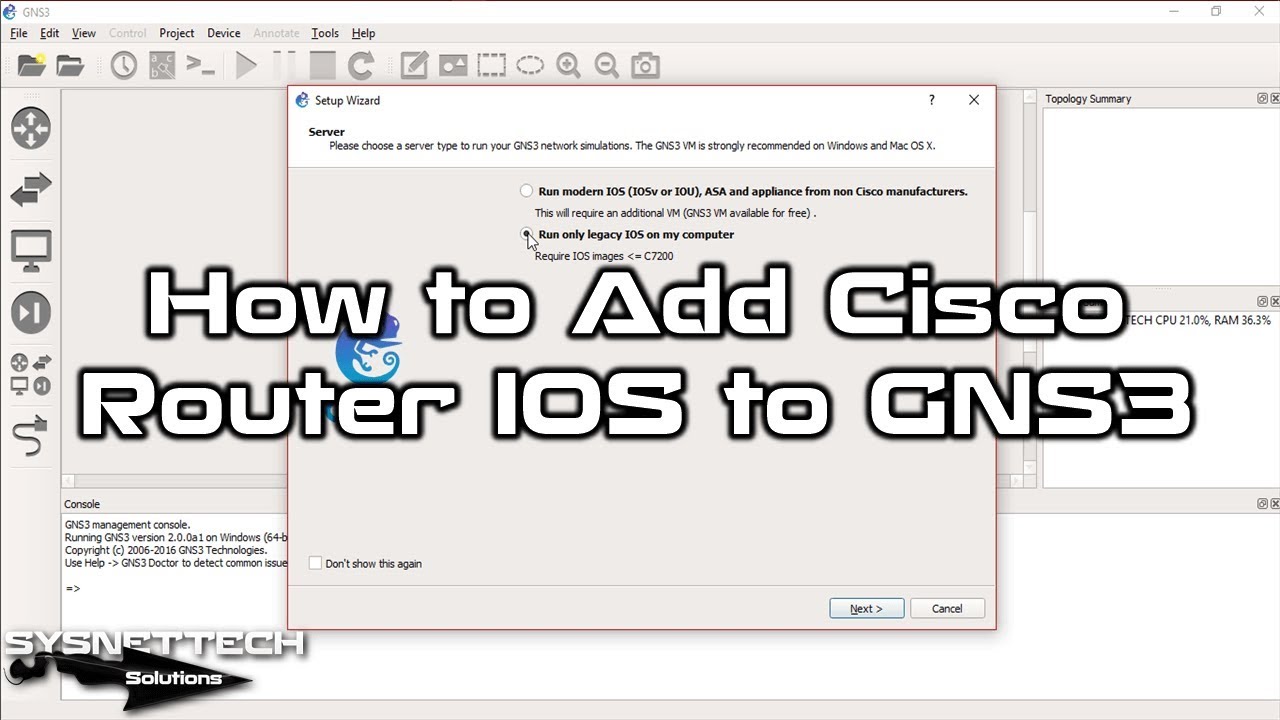
After you’ve saved an IOS image on your computer, watch the video below and follow the steps. Then, the image file is put into Graphical Network Simulator-3. And remember to show some love by subscribing to our YouTube channel!
Frequently Asked Questions (FAQ) About Cisco IOS
- Why do I need Cisco IOS for GNS3?
- Where can I download Cisco IOS?
- Can I download these images without a Cisco account?
- Can I use any IOS image with GNS3?
Conclusion
To sum up, the first step in creating virtual computer networks is to download Cisco IOS for GNS3. You can do this by creating a Cisco account or using the links we’ve set up. Also, make sure you have the proper IOS image for your project.
Keep in mind that some devices in GNS3 might work more slowly than real ones. This is because the emulator software is not as good as the actual hardware. So, choose the proper devices for the best experience.
Thus, please set up your virtual network carefully and make it work well. Learn more for better and smoother networking!

40 People Shared Their Experience
Thank you very helpful
You’re welcome!
HI Tolga
Im looking for Cisco IOS images that I can use in GNS3 since I cant install any of these listed here.
The files don’t download.
Thank you very much. God richly bless you
Thank you So much!
You’re welcome, Bhargavi!
Downloaded files are in bin format …Not in image format ….please share image file format….
You can add the .bin files to GNS3:
–> “Edit”
–> “Preferences”
–> “Dynamips – IOS routers”
–> “New”
–> “New Image” –“> Browse to *.bin file.
Merci beaucoup
hi , im trying to load SWITCHES IOS into
the GNS3
but i cant find , or see any way to do it
is it loaded the same as router IOS , and then listed under ROUTERS ?
sorry for the dumb question
please advise
Arik
hello sir
i need IOUl2,IOUl3, IOSV x and more if you have
thanks
DCLI 201 router comes under which series
please my ether switch is saying its an old version. so CLI like “sh vlan bri” or creating vlans doesnt work except i go back to priviledge exec mode and input “vlan databas” before i can create a vlan, PLease i need a new router ios image. thanks in advance!
Thanks so much for your website. Most of the images are working. I’m not sure but I tried several times, the image c3640 says it is not a valid IOS image.
Do i need license to use those images
No, you do not need any license.
Hi Tolga .
thank you for sharing with is all these images. I have a question why these images does not need licence . are cisco images ? What are the diference betwenn these images and the cisco one.
No offense I just want to get clarify it
These ISO files are files released for educational use only. In a real world, you cannot use such files in a company because new generation hardware is used. These files are files that have been on the Internet for a long time for the purpose of working with GNS3 and for the education of students. In short, there is no problem using image files.
Hi,
How come none of the links are clickable? Is it just me?
Thanks
Can you try again?
Working now. My bad… browser issue.
Hi ,
Thank you for sharing these images.
can I get cisco Raoter images that support MPLS and Segment Routing Protocols, “SR’?
Salut Tolga
Je voudrais configurer la téléphonie IP sur un routeur Cisco 3900 series. J’ai d’abord essayé de déployer les config sur le simulateur packet tracer version 8, mais cette commande (telephony-service) est invalide, comme si cette gamme de routeur ne supporte pas ce service. Par contre lorsque je configure ce service sur le routeur Cisco 2811, il fonctionne parfaitement avec les IP phone 7960
Comment puis-je faire pour configurer la téléphonie IP sur ce routeur Cisco 3900 series, associé IP phone 7960. À noter que ces équipements sont des réels, physiques. Aidez moi s’il vous plaît. Merci d’avance
please upload cisco nexus os image
helpful
thanls a lot Togla
Hello,
Could you please provide images / IOS for SG300 and SG350X switches.
Thank you
hi any one have cisco 9300 IOS 17.9.3
Hi. I don’t see links to download IOS images. Am I missing something or are they gone?
Thank you!
Thank You very much for the Cisco IOS.
But I ran into 2 problems when i tried to connect 2 routers
Please help 🙁
1. Error prompt: 205-vm r6: unable to add binding for slot 0/16
2. Error prompt: Connection lost when i tried to delete a router and it wouldn’t allow me.
Newbie on GNS3
hola muy buen post, tendras alguna imagen de ios XR o alguna pag oficial o segura donde pueda descargarlo gratuito ?
How to fix this issue in GNS3 : Could not determine the Dynamips version for C:\Program Files\GNS3\dynamips\dynamips.EXE
hi Tolga, I am having issues with downloading the Cisco IOS images. Would you please assist?
Following error appears: “PR_END_OF_FILE_ERROR”.
Tried different browsers and workaround, however with no success.
Thanks for the feedback, but when I check it now, I don’t see any problems. You can try to temporarily turn off antivirus or firewall software if you are using it.
Thank you for Website. I am creating LAB, so I want other images like- Fortinet firewall Cisco WLC Sophos firewall Cisco catalyst switch.
Please help
Hi Tolga,
Can I get F5 load balancer IOS for simulator?
hi, is ther any chance to get switch ios image? i have downloaded router image it works fine.
where is the URL of the files ?
Dear sir
Hope you fine and doing well I need router images for GNS3 so kindly can you give me link I am thankfull to you.
hello
i need help.
i don’t know how can i do, i want to download ios for router and switch but i don’t the process…because tu use GNS3.