

Packet Tracer 8.2, the most popular network simulator program worldwide, was released for download on the Netacad site in August 2022. People preparing for Cisco exams can log in to the Netacad website and download it to their computers to download this network simulator.
How to Download Cisco Packet Tracer Latest Version (8.2.1) for Windows, Linux, and macOS
The Cisco network simulator program is offered free to Cisco Networking Academy members. If you do not have a Cisco Netacad account, you can easily find and obtain this program over the Internet.
With this simulator program, you can create simple or complex network topologies and then convert/apply the logical topology you have made to the physical network.
Cisco has added significant features to the simulator software. In particular, the appearance of the program is quite different from the older versions. The new look of the Packet Tracer will allow you to design a more intuitive network.
The newest feature of Packet Tracer is that it includes CCNA 7 support, which is not compatible with previous versions. Therefore, for CCNA 6 or earlier versions, Cisco recommends version 7.2.2. In addition to this release, two new devices have been added to the Cisco 4331 Integrated Services Router and Cisco Wireless Lan Controller 3504.
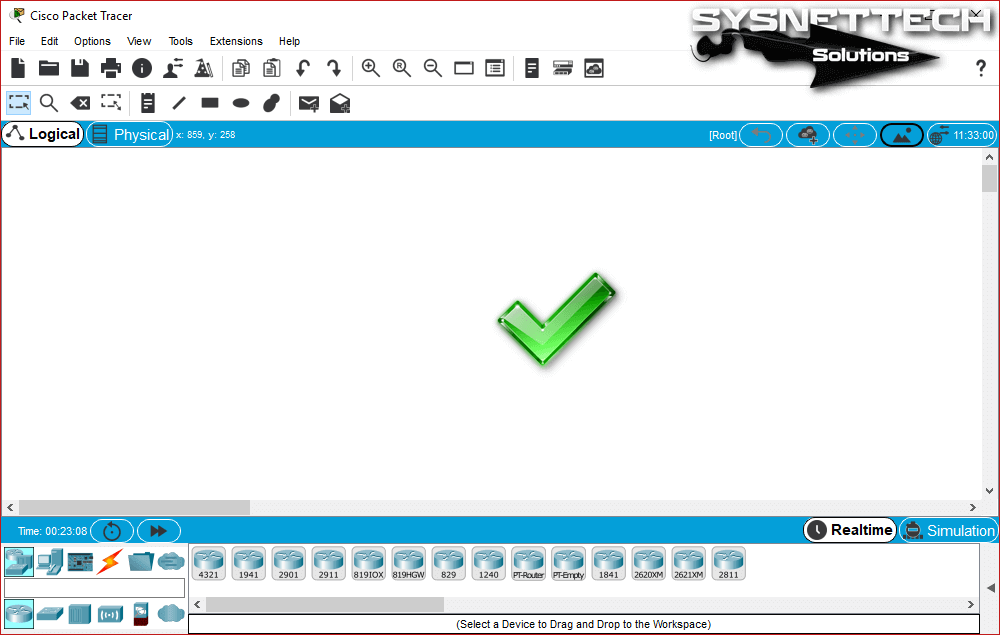
What’s New in Packet Tracer 8.0
- Advanced Physical Mode
With Enhanced Physical Mode, users can experience a realistic cabling experience in the rack.
This innovation provides technical features such as placing devices in the rack, changing and configuring the power on the device, the option to cable the device from port to port, and troubleshooting.
- Network Controller
This is a network controller feature similar to existing real-world SDN Controllers such as Cisco DNA Center and APIC-EM. With Network Controller, users can get a centralized network management experience.
Managed using the web GUI or APIs, the Network Controller monitors the status of the network, quickly identifies problems, and provides users with a central control panel to communicate configuration changes to all managed devices.
Also, users can access the Network Controller with a browser and real-world software like Python or Postman to execute the scripts they have created.
Other Features and Improvements
- Working Area
- New themes
- Align workspace objects
- Ability to distribute the device to a specific rack
- Evaluation update
- Ability to name a rack
- Other Changes
- PPPoE
- 1X
- Response tree filter
- True TCP Server
- Real Websocket
- Real-time activity note
- Show incorrect items in event results
- Netacad exam player
- Bluetooth tethering
- Additional security-related IOS commands
- Various improvements to existing protocols
- New Devices
For Packet Tracer 7.3.0:
- Cisco 4331 Integrated Services Router
- Cisco Wireless Lan Controller 3504
For Packet Tracer 7.2.2:
- Meraki Server
- Meraki Security Appliance
- Home Router
- ASA 5506
System Requirements
- Minimum
- CPU: Intel Pentium 4, 2.53 GHz or equivalent
- Operating System: Microsoft Windows 7, 8.1, 10, 11 or Ubuntu 16.04 LTS
- RAM: 2 GB
- Storage: 1.4 GB free disk space
- Screen resolution: 1024 x 768
- Language fonts that support Unicode encoding (if displayed in a language other than English)
- The latest video card drivers and operating system updates
- Recommended
- CPU: Intel Pentium 4, 3.0 GHz or higher
- RAM: 4 GB
- Storage: 1.6 GB of free disk space
- Screen resolution: 1920 x 1080
- Sound card and speakers
- Internet connection (if using multi-user feature or tutorials)
Key Features of Packet Tracer Software
| Protocols | Details |
|---|---|
| Protocols | LAN: Ethernet (including CSMA/CD*), 802.11 a/b/g/n wireless*, PPPOE Switching: VLANs, 802.1q, trunking, VTP, DTP, STP*, RSTP*, multilayer switching*, EtherChannel, LACP, PAgP, IP CEF TCP/IP: HTTP, HTTPS, DHCP, DHCPv6, Telnet, SSH, TFTP, DNS, TCP*, UDP, IPv4*, IPv6*, ICMP, ICMPv6, ARP, IPv6 ND, FTP, SMTP, POP3, VOIP(H.323) Routing: static, default, RIPv1, RIPv2, EIGRP, single-area OSPF, multi-area OSPF, BGP, inter-VLAN routing, redistribution Other: ACLs (standard, extended, and named), CDP, NAT (static, dynamic, inside/outside, and overload), NATv6, Netflow WAN: HDLC, SLARP, PPP*, and Frame Relay* Security: IPsec, GRE, ISAKMP, NTP, AAA, RADIUS, TACACS, SNMP, SSH, SYSLOG, CBAC, Zone-based policy firewall, IPS QoS: Layer 2 QoS, Layer 3 Diffserv QoS, FIFO Hardware queues, Priority Queuing, Custom Queuing, Weighted Fair Queuing, MQC, NBAR** important modeling limitations apply. |
| Logical Workspace | Network topology creation Devices: general, real, and modular with customizable images Routers, switches, hosts (Server, Desktop, and Laptop), hubs, bridges, wireless access points, wireless routers, clouds, ASA, and DSL/cable modems Device interconnection in various network environments Multi-user remote networks |
| Physical Workspace | Network topology creation Device hierarchy, rack, building, city, and intercity visualizations Structured cabling: create BendPoints and GroupPoints in cables and color-coded cables Ethernet cable length screen and length limitation for connection application Customizable and scalable images for devices Uploading and scaling user-created graphics Wireless association management |
| Real-Time Mode | Real-time protocol updates Intermediate-level Cisco IOS CLI configuration for routers and switches Menu-based configuration for DHCP, DNS, HTTP, TFTP, Syslog, AAA, and NTP servers |
| Simulation Mode | Packet animation General event list (packet listener) OSI Model, Detailed PDU and Device Table Views User-defined multiple packet scenarios |
| Local Writing and Sharing | Extensive file saving options Multi-Level Activity Wizard for writing, automatically scoring application activities, and formatting evaluations Challenge Mode enables users to make device algorithm decisions in packets Easily translatable GUI Extensive textual and graphical annotation features External Applications (ExApps) with Inter-Process Communication (IPC) |
Windows 32-bit
If you are using Windows 7, 8, 8.1, 10, or 11 32-bit operating systems, you can download the related setup file by clicking the button below.
Windows 64-bit
If you are using Windows 7, 8, 8.1, 10, or 11 64-bit operating systems, you can download the related setup file by clicking the button below.
Linux
If you are using a Linux-based Ubuntu, Linux Mint, Debian, or Kali operating system, click the button below to download the simulator for Linux.
Apple macOS Systems
With version 8.2 of PT, support for macOS operating systems is now available. The DMG file extension you will download is the extension that Mac computers support. Just click the button below to download the PT.dmg file.
RPM-Based Linux Distributions
Click the button below to download the RPM installation file. You can easily install the PT 8.2 version on RPM-based Linux distributions such as openSUSE or Fedora.
IOS Mobile
To use the Cisco network simulator on Apple’s mobile devices, scan the QR code below!
Android Mobile
Old Version Cisco Packet Tracer Download
| Platform | Links |
|---|---|
| Windows 32-Bit | Download |
| Windows 64-Bit | Download |
| Linux 64-Bit | Download |
| macOS | Download |
| Platform | Links |
|---|---|
| Windows 32-Bit | Download |
| Windows 64-Bit | Download |
| Linux 64-Bit | Download |
| macOS | Download |
| Platform | Links |
|---|---|
| Windows 32-Bit | Download |
| Windows 64-Bit | Download |
| Linux 64-Bit | Download |
| macOS | Download |
| Platform | Links |
|---|---|
| Windows 32-Bit | Download |
| Windows 64-Bit | Download |
| Linux 64-Bit | Download |
| macOS | Download |
Conclusion
In this article, we have released the latest version of Cisco Packet Tracer, which is used to prepare for the Cisco CCNA exams. Thanks for following us!

11 People Shared Their Experience
Thank you very much
You’re welcome. Also, thanks for your comment!
Many thanks!
TY
its not stable 🙁
Thank you so much!!!
You’re welcome!
je veux telecharger cisco packet traçer
bonjour, je m’appelle patrick MUAMBA, je suis étudiant à l’université de mbujimayi
j’ai rencontré un problème de dépendances sur l’installation de cisco packet tracer sur ma machine macbook où j’ai mis le système linux ubuntu version 24.04
vous pouvez m’aider à résoudre le problème SVP
Excellent
no links for linux? i need one please. x64bit