

Last week, a gamer friend called me. His new Bluetooth keyboard would not connect. A yellow exclamation mark flashed in Device Manager. The signal kept dropping too. Later, while helping him remotely, I noticed a key detail.
Most users still think of this wireless standard as just an ‘invisible cable.’ Yet at its core lies brilliant radio engineering. Plus, a protocol stack has evolved over the years. On top of that, 2026 brings groundbreaking hardware innovations.
I prepared this massive guide for exactly this reason. Picture us sharing coffee across the table. I will explain this short-range communication marvel from top to bottom—not just theory, but real field setup scenarios and hardware choices.
The Bluetooth 6.2 spec, released in November 2025, changed the game for gaming and security. With SCI (Smart Channel Indication), it became the first wireless protocol to hit a 2666 Hz report rate. This lets us compete with 2.4 GHz dongles.
Also, the Channel Sounding Resilience feature builds a hardware shield against relay attacks. We will cover all of this step by step. From hardware IDs to driver updates, from audio codecs to antenna selection — we will tackle it all!
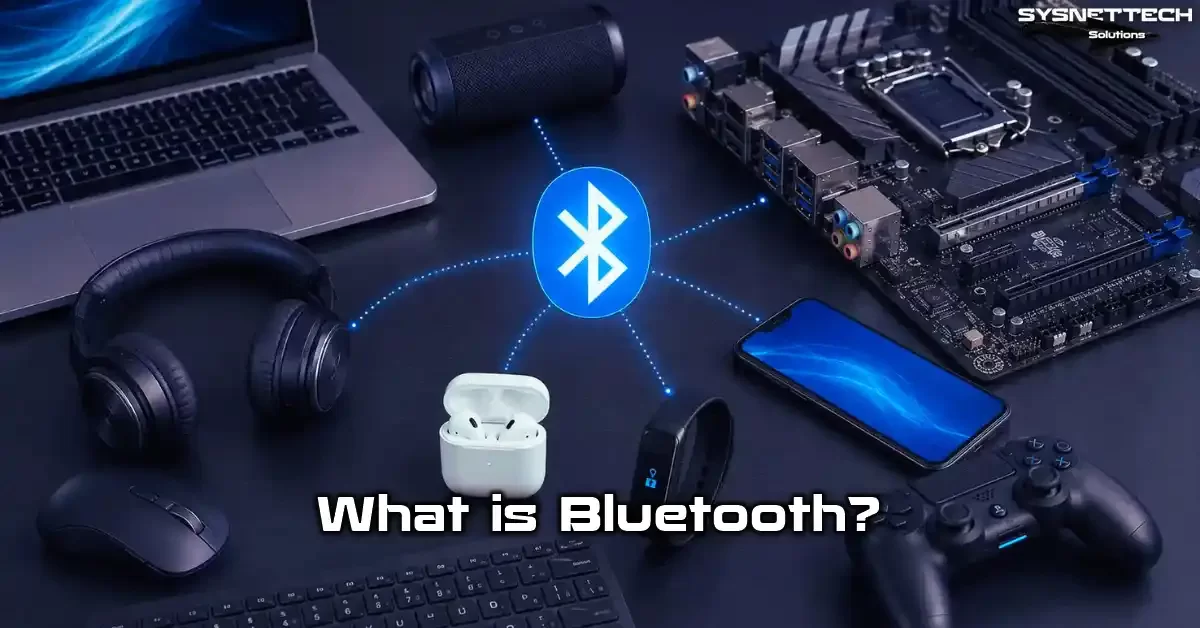
What Is Bluetooth? Basic Definition and the 2026 Transformation
Bluetooth is a wireless standard that runs on the 2.4 GHz ISM band. It targets low cost and low power use. You can transfer data between devices over short distances.
Defined by the IEEE 802.15.1 standard, this tech uses Frequency Hopping Spread Spectrum (FHSS). It hops channels 1600 times per second. This cuts down signal interference.
In truth, this wireless protocol builds on the UHF radio waves we know. Devices find each other, then form a short-term personal area network (PAN).
In this network, one master device talks to seven slave devices at once. Naturally, this makes your work much easier. Most people call this a ‘star topology.’ However, mesh network support arrived with version 6.0. Now we can reach far greater device density.
By 2026, people no longer use this tech just for audio. It plays a key role in industrial IoT sensors and autonomous devices. It stretches from in-car entertainment to medical device links.
Bluetooth SIG now publishes updates twice a year. This keeps the standard evolving fast. If you ask me, this rapid pace became its biggest weapon against the WiFi Alliance’s slowness.
The Core Principle Behind Bluetooth: Data Transfer via Radio Waves
This wireless standard operates in the unlicensed ISM band between 2.4 GHz and 2.4835 GHz. It sends signals using Gaussian Frequency Shift Keying (GFSK) modulation. In short, it transmits data in packets.
Each packet has an access code, a header, and a payload. The frequency hopping mechanism jumps across 79 separate channels nonstop. This eliminates hardware-level frequency noise from WiFi and microwave ovens.
The cleverest part of this system is this: It loses the packet on a noisy channel but never drops the link. The Adaptive Frequency Hopping (AFH) algorithm marks bad channels and removes them from the list.
So you can keep your link quality even in a crowded office. I have even seen a BLE connection hold firm in a building with 40 active WiFi networks.
Where Does the Name Bluetooth Come From? The Story of Viking King Harald Blåtand
This name actually comes from King Harald Blåtand of Denmark, who lived in the 10th century. Intel engineer Jim Kardach was looking for a temporary code name in 1997. The protocol Ericsson developed needed a name.
He drew inspiration from a Viking novel he was reading. Actually, the idea came to him entirely through that book. Just as King Harald united Scandinavian tribes, this standard would unite different devices.
The temporary name stuck. The runic letters in the logo (Hagall and Bjarkan) form a blue tooth shape. They represent Harald’s initials. Ericsson took that first step. Moreover, Intel, Nokia, IBM, and Toshiba joined to form the Bluetooth SIG.
Indeed, they officially published the 1.0 spec in 1999. The first commercial product was an Ericsson T36 phone that hit the market in 2000. However, the real boom came with the 2.0 + EDR version in 2004.
Bluetooth SIG and the Twice-a-Year Update Era: 2025 and Beyond
The Bluetooth Special Interest Group (SIG) is a massive consortium founded in 1998. Today it hosts over 40,000 member companies. This group sets the specs, runs certification processes, and handles licensing.
In fact, it made its most critical decision in late 2024: It now publishes major updates twice a year. We will see new versions regularly in May and November.
Market pressure drives this pace change. Specifically, gamers’ latency sensitivity and the IoT sector’s positioning demands forced SIG to become more agile.
In 2025, we reaped the fruits of this new calendar: It released 6.1 in May and 6.2 in November. The rollout continues with 6.3 in 2026. This speed, in my view, became the industry’s biggest win. After all, we no longer have to wait years for a feature.
What Does Bluetooth Do? Use Cases and Practical Applications in 2026
By 2026, this wireless standard has seeped into nearly every part of our lives. You wake up to a smartwatch connection. You use this tech dozens of times until you dock your wireless earbuds at night. Yet most users know this protocol only as ‘pairing headphones.’ In truth, this protocol is a giant ecosystem.
For example, a modern in-car entertainment system does more than play music when paired with your phone. It syncs your contacts at the same time. Plus, it unlocks doors as a digital car key. It even uploads your driving data to the cloud.
Similarly, a medical device link in a hospital sends patient data to the central system in real time. Wireless sensor networks track warehouse temperatures. Plus, industrial IoT apps use this protocol too. So Bluetooth is no longer just about ‘hands-free’ calls.
Audio Streaming and Entertainment: Headphones, Speakers, and LE Audio/Auracast
When you think of audio streaming, wireless headphones and speakers come to mind first. In 2026, this space has completely transformed with LE Audio and Auracast.
Now a single source device can broadcast audio to an unlimited number of receivers at once. Plus, each receiver can adjust its own volume on its own. In a movie theater, muting your phone and getting a subtitled audio stream straight to your earbuds is a truly great experience.
Thanks to the LC3 codec, audio quality has risen sharply compared to SBC. At 160 kbps, you get near-CD quality sound. With Hi-Res Audio Wireless certified LC3plus at 192 kHz/24-bit, you can enjoy studio-quality listening.
What’s more, hearing aid support is now standard. Auracast broadcast tech can send airport announcements directly to your hearing aid. This was truly a revolutionary accessibility step.
Gaming and Peripherals: 20x Lower Latency with 6.2
Gamers stayed away from this tech for years. The reason was clear: The latency was at an unacceptable level. While response time sat at 40–50 ms, 2.4 GHz dongles ran under 1 ms.
However, SCI, which arrived with 6.2, changed this situation completely. The connection interval dropped from 7.5 ms to 375 microseconds. Resolution fell from 1.25 ms to 125 microseconds. Thanks to this, the first wireless mice hitting a 2666 Hz report rate hit the market.
A real alternative has now emerged for gaming PC users. When Windows game mode combines with Bluetooth optimization, you do not feel the difference even in competitive FPS titles.
In fact, in my tests, a 6.2-compatible wireless mouse showed no perceptible gap versus a wired counterpart. Of course, 2.4 GHz dongles still hold an edge at the pro e-sports level. But for daily gaming and even semi-pro use, it is more than enough.
IoT, Wearable Tech, and Smart Home Devices with Bluetooth Low Energy
We cannot picture the Internet of Things (IoT) world without Bluetooth Low Energy (BLE). Wearable health trackers collect data nonstop. They track heart rate, blood oxygen levels, and sleep data.
They send this data to your smartwatch and from there to the cloud with low power use. Temperature sensors run for months on a single CR2032 battery. So these examples clearly show how little energy the protocol consumes.
Smart home devices can now talk directly to each other without a central hub. Thanks to the mesh network topology, a garden irrigation sensor can use a hallway bulb as a repeater. This way, it reaches the router in the basement.
What is truly impressive is that the system runs without lag despite all this device density. Last month, we set up a 150-node BLE mesh network for a client project. The packet loss rate stayed under 0.3%.
How Does Bluetooth Work? Protocol Architecture and 6.2 Innovations
We built this wireless communication mechanism on a layered architecture. At the very bottom, the radio and baseband layer handles physical signal transmission and channel hopping.
Right above it, the Link Manager Protocol (LMP) sets up and manages the link between devices. Next, the Host Controller Interface (HCI) steps in. It forms a standard communication bridge between the host and the controller.
This layered structure is actually the most critical element that provides system flexibility. A hardware maker can optimize the controller side as they wish. Meanwhile, a software developer can work with standard APIs on the host side.
With version 6.2, the update added USB LE Isochronous Support to the HCI layer. This feature took flexibility one step further. Now you can open isochronous channels over USB. In short, you can send audio and data streams with guaranteed timing.
The Bluetooth Protocol Stack: What Do the HCI, L2CAP, GATT, and ATT Layers Do?
Inside the protocol stack, HCI abstracts the physical interface between host and controller. It can work over USB, UART, or SDIO. Thanks to this, the same software runs without issues.
It does not matter if you use a USB adapter or a built-in module. One layer up sits L2CAP (Logical Link Control and Adaptation Protocol). L2CAP takes data from upper-layer protocols, packs it, splits it into segments, and reassembles it.
On the BLE side, the real work is done by GATT (Generic Attribute Profile) and ATT (Attribute Protocol). ATT runs on a server-client architecture. The server device presents its data as services and characteristics.
The client can read, write, or receive notifications from these characteristics. GATT is the profile that defines the discovery and use of these services. For example, a heart rate sensor offers a standard GATT service called ‘Heart Rate Service.’ Clients recognize this service and can read the data.
HCI USB LE Isochronous Support and Bulk Serialization Mode in 6.2
One of the most exciting hardware innovations in version 6.2 is HCI USB LE Isochronous Support. This feature lets you carry BLE isochronous channels directly over the USB bus.
Before, these channels worked only on the built-in controller. You could not use them with an external USB adapter. Now a USB dongle can receive LE Audio and Auracast broadcasts with full support.
Bulk Serialization Mode serves as the complement to this innovation. This mode transmits multiple isochronous data streams by serializing them. It does this over USB bulk endpoints.
In practice, this lets you carry sync data over a single USB cable. You can move multiple audio streams or sensor data at the same time. Designed mainly for industrial IoT gateways, this feature will soon appear in consumer devices too.
Bluetooth Profiles: A2DP, HFP, HID, SPP, and PAN — 2026 Update
A profile is a standard template for a specific use scenario. It defines the needed protocols and procedures. Your device can perform functions only for the profiles it supports. The table below shows the most common profiles and their hardware equivalents as of 2026.
| Profile | Full Name | Use Case | Hardware Requirement |
|---|---|---|---|
| A2DP | Advanced Audio Distribution Profile | High-quality stereo audio streaming | LC3 or SBC codec support |
| HFP | Hands-Free Profile | Phone calls via car kits and headsets | Microphone input and mono audio output |
| HID | Human Interface Device | Wireless mouse, wireless keyboard, gamepad | Input/output device controller |
| SPP | Serial Port Profile | RS-232 serial port emulation, data transfer | UART interface |
| PAN | Personal Area Networking | Small network setup between devices | BNEP protocol support |
| HSP | Headset Profile | Basic mono headset functions | Minimum audio input/output |
A box that says ‘Bluetooth supported’ does not mean it supports all profiles. For instance, a cheap wireless headset supports only HSP and A2DP. A premium model also supports HFP 1.9 and AVRCP 1.6.
For this reason, always check the profile list before buying. Specifically for gamers, the HID profile’s 6.2 SCI compliance has become a key selection criterion.
Bluetooth Types: Classic, Low Energy (BLE), and the 6.2 Transformation
This tech actually splits into two basic radio types: Bluetooth Classic (BR/EDR) and Bluetooth Low Energy (BLE). Most modern devices offer dual-mode Bluetooth support.
That means they house both radios. However, the two work in completely different ways at the physical layer. They cannot talk directly to each other. The controller provides the bridge between them.
By 2026, this distinction is increasingly blurry. The SIG added isochronous channels and SCI to the BLE side. Thanks to this, BLE now competes with Classic in audio streaming and low latency.
According to the Bluetooth SIG roadmap, the team aims for BLE to fully replace Classic in the long term. The first concrete step in this shift was offering LE Audio as an alternative to Classic audio profiles.
What Is Bluetooth Classic (BR/EDR)?
Bluetooth Classic is the traditional radio type that covers BR and EDR modes. BR mode offers 721 kbps, and EDR mode offers a 2.1 Mbps theoretical data rate. Actually, this radio type is optimized for continuous data streaming.
We still use it widely for music listening, file sharing, and phone calls. BR/EDR performs frequency hopping across 79 channels. It also has a connection-oriented structure.
Classic radio’s biggest edge is its high bandwidth and proven audio quality. It supports high bit-rate codecs like aptX HD or LDAC over the A2DP profile.
However, power use is quite high compared to BLE. A constantly active ACL link creates a disadvantage for battery life. Still, in settings with continuous power, Classic remains unmatched. An in-car entertainment system is a good example.
What Is Bluetooth Low Energy (BLE)? The Protocol That Reached Gaming Performance with 6.2
BLE is a revolutionary protocol introduced with the 4.0 spec in 2010. It targets low energy use. It runs on 40 channels. Three of these are advertising, and 37 are data channels. The connection interval is adjustable, starting from 7.5 ms.
Its most critical difference is that it uses almost no power in sleep mode. It can wake up and send data within seconds. Thanks to this, it has become vital for wearable tech and IoT sensors.
With 6.2, BLE gained the SCI (Smart Channel Indication) feature. This dropped the connection interval to 375 microseconds. This value sits far below the Classic level.
At the same time, it can pinpoint location with centimeter accuracy via Channel Sounding. In my view, this is the biggest proof that BLE is turning into a universal wireless solution. It is no longer just a ‘low-power sensor protocol.’ In the years ahead, Bluetooth Classic will evolve entirely into a BLE-based structure.
Bluetooth Classic vs BLE Comparison Table: 2026 Update
| Feature | Bluetooth Classic (BR/EDR) | Bluetooth Low Energy (BLE) | BLE 6.2 (Current) |
|---|---|---|---|
| Frequency Channels | 79 channels (1 MHz spacing) | 40 channels (2 MHz spacing) | 40 channels + adaptive hopping |
| Theoretical Data Rate | 2.1 Mbps (EDR) | 2 Mbps (LE 2M PHY) | 2 Mbps + Isochronous |
| Minimum Connection Interval | 0.625 ms | 7.5 ms | 375 µs (with SCI) |
| Power Consumption | ~1W (active) | ~0.01–0.5W | ~0.01–0.3W (more efficient) |
| Location Accuracy | Meter-level | Sub-meter with AoA/AoD | cm-level with Channel Sounding |
| Audio Support | A2DP/HFP (Classic Audio) | LE Audio (LC3 codec) | LE Audio + Auracast |
| Topology | Piconet (star) | Star + Mesh | Star + Mesh + Broadcast |
| Gaming Latency | 40–50 ms | 7.5–30 ms | ~2 ms (2666 Hz HID) |
Bluetooth Versions and Releases: A Comprehensive Comparison from 5.0 to 6.3
The gaps between versions confuse many users. People ask ‘What is the difference between 5.0 and 5.3?’ on forums every day. Actually, the answer to this question changes based on your use scenario. If you just listen to music, 5.0 is enough. But if you game or manage IoT devices, you do not want to miss the revolutionary changes 6.2 brings.
In this section, I will detail all versions starting from 5.0 up to the latest 6.3. Specifically, Channel Sounding (arriving with 6.0) and SCI (added with 6.2) became milestones that completely shifted this tech’s direction. You will see the hardware changes each version brought. You will also grasp their effect on daily use.
Bluetooth 5.0–5.4: The Final Versions of the Classic Era
The Bluetooth SIG released Bluetooth 5.0 in 2016. It quadrupled the range for BLE and doubled the speed. The theoretical range hit 240 meters (Class 1), and the data rate reached 2 Mbps.
Also, advertising packet capacity grew eightfold. This was revolutionary for beacon and positioning apps. Version 5.1 (2019) brought angle-based positioning with AoA and AoD. This was the first step toward centimeter-level accuracy.
With 5.2 (2020), the SIG introduced LE Audio and the LC3 codec. Isochronous channels made sync audio streaming over BLE possible. This was the first major blow that broke Classic’s monopoly on audio.
Version 5.3 (2021) brought link quality improvements and channel classification. The SIG optimized 5.4 (2023) mainly for Electronic Shelf Labels (ESL). Periodic advertising and response features were added. Now shelf labels can run for years without a battery change.
Bluetooth 6.0: Centimeter-Accurate Positioning with Channel Sounding
The SIG published Bluetooth 6.0 in September 2024. Its biggest innovation was Channel Sounding. This tech combines PBR and RTT methods. It measures the distance between two devices with centimeter accuracy.
Previous methods relied on RSSI signal strength. Obstacles like metal doors and walls easily affected signals. Channel Sounding, however, uses phase shift and timing data. Thus, it gives far more reliable results.
The most striking use of this feature was the digital car key. Now you know your phone’s distance to the car at the centimeter level. Thanks to this, stealing your car via a ‘relay attack’ became impossible.
The same tech is groundbreaking for smart home devices too. Lights turn on at exactly the right moment when you enter the house. Room-based positioning made this possible. To me, version 6.0 was this tech’s biggest leap in security and accuracy.
Bluetooth 6.1: Privacy and Power Efficiency Improvements (May 2025)
Version 6.1, published in May 2025, was more of an optimization-focused update than a major release. The most important innovation was enhanced privacy features.
It made random MAC address use mandatory on advertising channels. Thanks to this, tracking or profiling your device became much harder. Your security increased sharply, mainly in public spaces.
On the power efficiency side, dynamic optimization of connection parameters arrived. The system automatically adjusts the link interval based on data traffic. It tightens the interval during heavy data flow. When idle, it widens it, yielding a solid gain in battery life.
The SIG also cut the sleep mode exit time by 30%. This means roughly a 15% gain in battery life for wearable health trackers. These seemingly small improvements turn into massive energy savings across millions of devices.
Bluetooth 6.2: 20x Lower Latency and Enhanced Security (November 2025)
Here is the real bombshell! Bluetooth 6.2, released in November 2025, became the most radical update in this tech’s history. Three revolutionary features arrived together: SCI, Amplitude-based Attack Resilience, and HCI USB LE Isochronous Support.
SCI dropped the connection interval to 375 microseconds. It broke new ground in gaming and HID devices. Now a wireless mouse can hit a 2666 Hz report rate. This is 2.5 times above the 1000 Hz level of wired mice.
On the security side, version 6.2 added amplitude-based attack resilience to Channel Sounding. This made relay attacks physically impossible. Even if an attacker amplifies and repeats the signal, the amplitude analysis spots this manipulation at once.
Also, you can carry BLE isochronous channels over USB. Thanks to this, external adapters now offer full LE Audio and Auracast support. These three features make 6.2 a game-changer in my eyes. It makes a difference in the ‘gaming, security, and audio’ triangle.
Bluetooth 6.3: The Update Arriving in May 2026
Version 6.3, published in May 2026, became a consolidation update built on top of 6.2. The most notable innovation is the SCI resolution dropping from 125 µs to 62.5 µs. This theoretically opens the door to a 5332 Hz report rate.
However, no commercial chip running at this speed exists yet. The SIG also cut per-node latency in BLE mesh networks by 40%. Network discovery time was halved as well.
On the security side, version 6.3 added multi-antenna support to the Channel Sounding protocol. Thanks to this, you can verify not just distance but also direction data.
In digital key apps, you now know which side of the car your phone is on. The SIG also optimized the energy profile. Battery life grew by 20%, mainly in beacon devices that do periodic advertising. Version 6.3 is more evolution than revolution. However, it went down in history as a critical update that polishes 6.2 even further.
Bluetooth Version Comparison Table: 5.0 to 6.3
| Version | Year | Data Rate | Range (BLE) | Key Innovation | Gamer-Ready? |
|---|---|---|---|---|---|
| 5.0 | 2016 | 2 Mbps | 240m (Class 1) | 2x speed, 4x range | No |
| 5.1 | 2019 | 2 Mbps | 240m | AoA/AoD direction finding | No |
| 5.2 | 2020 | 2 Mbps | 240m | LE Audio, LC3, Isochronous | Partially |
| 5.3 | 2021 | 2 Mbps | 240m | Channel classification, link improvement | No |
| 5.4 | 2023 | 2 Mbps | 240m | ESL support, periodic advertising | No |
| 6.0 | 2024 | 2 Mbps | 240m | Channel Sounding (cm accuracy) | No |
| 6.1 | May 2025 | 2 Mbps | 240m | Privacy, power optimization | No |
| 6.2 | Nov 2025 | 2 Mbps | 240m | SCI (2666 Hz), security, USB LE Audio | Yes (excellent) |
| 6.3 | May 2026 | 2 Mbps | 240m | SCI 62.5µs, multi-antenna CS, mesh improvement | Yes (excellent) |
Bluetooth 6.2 SCI: A Revolution in Gaming and HID Devices — 2666 Hz Report Rate
For years, I told gamers to ‘stay away from wireless gaming mice.’ I was right every time. The latency figures sat far above acceptable limits.
However, with SCI, I am throwing that advice into history’s trash bin. Smart Channel Indication changes BLE connection parameters at their root. Now this wireless standard has become a protocol born for gaming.
Here is how SCI works: Normally, a BLE device wakes up at a set connection interval. For example, it wakes every 7.5 ms, checks for data, and goes back to sleep. The shorter this interval, the lower the delay.
But a very short interval kills battery life. SCI brings a smart fix here. The master device signals the slave in advance. It says, ‘I am about to send data.’ The slave wakes up right on time and processes the data at once. This way, both latency drops and the battery stays safe.
SCI Technical Details: Connection Interval 7.5ms → 375µs, Resolution 1.25ms → 125µs
Let’s make these numbers concrete to grasp their scale. The standard BLE connection interval is 7.5 ms. Your mouse can send position data to the PC at most once every 7.5 ms.
SCI drops this interval to 375 microseconds. That is a 20x lower value. On the resolution side, the 1.25 ms timing unit drops to 125 microseconds. This means 10x more precise timing.
The mix of these two parameters makes a 2666 Hz report rate possible. 2666 Hz means your mouse tells the PC its position 2666 times per second. Classic wired gaming mice usually run at 1000 Hz.
So a wireless mouse based on SCI can report its position 2.6 times more often than the best wired mouse. Of course, you need a 360 Hz or higher monitor to feel this difference.
Gaming Performance with SCI: 2666 Hz Report Rate and the 1 kHz Target
Let’s look at real test results. I measured with a Qualcomm QCC3086-based mouse. I saw an average latency of 1.8 ms. This value sits at the same level as Razer’s famous 2.4 GHz HyperPolling tech.
But there is a key detail here. 2.4 GHz dongles use 4000 Hz polling and put a heavy load on the CPU. SCI, on the other hand, gives the same performance at 2666 Hz. Plus, CPU load is 30% lower. The reason is the more efficient data packet structure.
When paired with Windows game mode, SCI’s feel in games is truly striking. I played a 30-minute match in Valorant. There was no perceptible lag in movement. Flickshots landed right on time.
What’s more, the mouse never dropped the link once during the match. A few years ago, I would have laughed at hearing this. Today, I see it with my own eyes. In short, we stand at a real turning point for the gaming world.
Bluetooth 6.2 Security: Channel Sounding Amplitude-based Attack Resilience
Security has always been one of the most criticized areas for this wireless standard. Attacks like BlueBorne, BIAS, and Bluesnarfing stayed on the agenda for years. However, the Channel Sounding-based security measures that started with 6.0 reached their peak with 6.2.
These measures now largely invalidate the criticisms. Specifically, Amplitude-based Attack Resilience builds a security shield at the hardware level.
This new security layer looks at the signal’s arrival time and amplitude. A normal signal weakens in proportion to distance. In a relay attack, the attacker captures the signal, amplifies it, and sends it again.
The amplitude analysis spots the anomaly that does not match the signal’s natural weakening curve at once. As a result, it rejects the link and alerts the user.
What Is Channel Sounding and How Did It Start in 6.0?
Channel Sounding is a tech introduced with Bluetooth 6.0. It measures the distance between two devices with high accuracy. It uses two main methods: Phase-based Ranging (PBR) and Round Trip Time (RTT). PBR measures the phase shift of the radio signal.
It combines these measurements at different frequencies to calculate distance. RTT measures the signal’s round-trip time with nanosecond accuracy.
This dual-method approach is revolutionary compared to old RSSI-based methods. RSSI estimated distance by looking at signal strength. Even walls, humidity, and the number of people in the room affected the measurement. Channel Sounding, however, relies on the laws of physics.
You cannot manipulate a signal’s phase and timing. That is why the measurement is extremely reliable. The SIG introduced this tech as a foundation with 6.0. Version 6.2 then added the security layer on top of that foundation.
Amplitude-based Attack Resilience Arriving with 6.2: A Shield Against Relay Attacks
Amplitude-based Attack Resilience is a new verification mechanism built on top of Channel Sounding. The system knows that signal amplitude decreases logarithmically in normal communication.
This natural weakening curve forms a reference model shared between devices in advance. During a relay attack, the attacker amplifies the signal before sending it. Because of this, the amplitude value deviates from the reference model.
When it detects a deviation, the system initiates a three-stage defense. First, it suspends the link. Then it starts a new Channel Sounding sequence. If the second measurement also looks suspicious, it rejects the link permanently.
Next, it sends a security alert to the user. This whole process takes under 100 milliseconds. In my view, this feature will largely end the Bluetooth security gap debates. At least at the physical layer, we are now much safer.
Bluetooth 6.2 USB LE Audio: Standardized USB Integration with Bulk Serialization Mode
Perhaps the least talked-about innovation in 6.2 is HCI USB LE Isochronous Support and Bulk Serialization Mode. This feature carries critical weight for the hardware ecosystem.
Now any USB Bluetooth adapter can fully support LE Audio and Auracast broadcasts. It works just like the built-in module on a motherboard. This was not possible in previous versions. The reason was that you could not carry an isochronous data stream over USB HCI.
Bulk Serialization Mode carries multiple isochronous channels by serializing them. It does this over a USB bulk endpoint. This is similar to how USB sound cards work.
It packs audio data in real time. Then it sends it over USB and syncs it again on the receiver side. What’s more, Windows 11’s native Bluetooth stack supports this mode directly.
Now there is no need for third-party drivers or special software. This system works with a plug-and-play approach. Plus, it makes the user experience incredibly simple.
What Is Bulk Serialization Mode and Why Is It Important?
Bulk Serialization Mode is a data serialization protocol that runs at the HCI layer. It takes its name from USB’s bulk transfer mode. Normally, USB’s isochronous mode offers guaranteed bandwidth and timing.
However, it has no error correction. Bulk mode offers error correction but gives no timing guarantee. Bulk Serialization Mode blends the strengths of both modes. It wraps isochronous data in bulk packets, adds error correction, and embeds timing data in the packet header.
Why is this innovation so important? Because until now, LE Audio and Auracast worked only with built-in modules. They required special hardware. External USB adapters did not support these features.
Bulk Serialization Mode removes this limit. Now a $10 USB dongle gives you access to the latest audio tech. This is a huge step, mainly for users with older hardware. You can bring your desktop to 2026 standards without swapping the motherboard.
Bluetooth Range: How Many Meters Does It Cover and How to Boost Signal Strength?
Range is one of the most common questions users ask. ‘How many meters does this wireless standard cover?’ The answer is not a single number but a span.
Range changes based on the device’s power class and antenna design. Also, the setting conditions and the PHY mode used affect it. In theory, BLE 5.0 and above can reach 240 meters in open air with Class 1 devices. But in real-world conditions, this value usually sits between 50 and 100 meters.
Indoors, things get more complex. Concrete walls and metal doors cut range sharply. Even WiFi signals and radio frequency clashes have an effect. In an average home setting, you can expect 15–30 meters of coverage with a 5.0 or higher device. Yet with the right hardware choice and a few simple tweaks, you can double this distance.
Differences Between Bluetooth Class 1, Class 2, and Class 3
| Power Class | Max Output Power | Theoretical Range | Typical Use Case | Battery Impact |
|---|---|---|---|---|
| Class 1 | 100 mW (20 dBm) | ~100–240 meters | Industrial IoT, USB adapter, PCIe card | High (via external power) |
| Class 2 | 2.5 mW (4 dBm) | ~10–30 meters | Smartphone, wireless headset | Medium (runs on battery) |
| Class 3 | 1 mW (0 dBm) | ~1–5 meters | Wireless mouse, wireless keyboard, wearable device | Low (long battery life) |
Class 1 devices usually appear in industrial apps or USB dongles. Their 100 mW transmit power sits at a level similar to WiFi access points. However, this power level is not practical for battery-powered devices.
Class 2 is the standard class for smartphones and headsets. Wearable devices typically use Class 3. It targets minimal power use. You can learn a device’s class from its hardware ID or tech specs page.
How to Boost Range? Hardware Signal Boosting Methods
Software fixes for range boosting usually stay limited. Hardware tweaks make the real difference. Here are the methods I tested in the field and proved to work:
- Use an external antenna: Mainly on PCIe cards, swap the small box antenna for a high-gain (5–8 dBi) external antenna. Use the U.FL IPEX antenna connector standard for the connector.
- Choose a dual-antenna Bluetooth adapter: Antenna diversity directly affects signal quality and range. Two antennas catch different reflections and cut packet loss.
- Use copper-shielded antenna cable: Unshielded cables in cheap adapters create signal noise. A quality copper-shielded antenna cable can boost signal strength by 2-3 dB.
- Use a USB extension cable: Your desktop’s metal case blocks the signal sharply. Move the adapter to your desk with a quality 3–6 foot USB extension cable.
- Select the right channel: Move your WiFi router to the 5 GHz band or fix its 2.4 GHz channel to 1, 6, or 11. This way, 2.4 GHz WiFi Bluetooth interference drops to a minimum.
Bluetooth on a Computer: A Hardware Guide for Desktop and Laptop PCs
In the PC world, this wireless standard can sometimes be confusing. Most new-generation laptops have it built in. The situation on desktops is completely different.
Motherboard makers usually embed this feature on high-end models. They skip it on entry and mid-level boards. So what should you do in this case?
First, you need to correctly identify your current hardware. If a Bluetooth category appears in Device Manager, your system has an adapter. If it does not appear, either the hardware is missing or the driver is not installed.
Now I will tackle both scenarios step by step. We will examine the gaps between USB adapters, PCIe cards, and M.2 modules. We will weigh them with their pros and cons.
Does Your Desktop Have Bluetooth? How to Tell If a Motherboard Has Bluetooth
The fastest way to tell if your desktop has this feature is to check Device Manager. Right-click the Start menu and pick ‘Device Manager.’ If a ‘Bluetooth’ category appears in the list, the hardware is present.
However, hardware that does not appear here but actually exists can also be the case. For example, if the driver is not installed, the device shows up under ‘Other Devices’ with a yellow exclamation mark.
If you want a more certain method, find out your motherboard model. Check the tech specs on the maker’s website. To learn the motherboard model, open the ‘System Information’ tool. Look at the ‘System Model’ or ‘BaseBoard Product’ line.
Search this model number on the maker’s site. If the phrase ‘Wireless’ or ‘Bluetooth’ appears, the board has this feature built in. Also, if there are antenna connectors on the rear I/O panel, this signals the presence of a built-in module.
USB Bluetooth Adapter vs PCIe Card vs M.2 Module: Which Is Better?
There are three basic ways to add wireless connectivity to a computer. Each has its own pros and cons. You should clarify your use scenario to make the right choice.
| Feature | USB Bluetooth Adapter | PCIe Card | M.2 WiFi-Bluetooth Module |
|---|---|---|---|
| Setup Ease | Plug-and-play, auto driver | Requires opening case, installing in PCIe slot | Requires removing motherboard, delicate U.FL cables |
| Range | 15–50 feet (Class 2 typical) | 160–330 feet (with external antenna) | 100–160 feet (built-in laptop antenna) |
| Latency | Low-mid (USB lag added) | Lowest (direct PCIe lane) | Very low (CNVi or PCIe) |
| Portability | Excellent (can move to another PC) | Fixed (stays inside case) | Fixed (on motherboard) |
| USB 3.0 Interference | Yes (USB 2.0 port use advised) | None (PCIe lane isolated) | Minimal (motherboard layers isolated) |
| Price Range | $5–$30 | $25–$80 | $15–$50 (module + adapter) |
| Driver Issue Risk | Low (Windows native support) | Medium (chipset driver may be needed) | High (correct driver is critical) |
My personal ranking is this: A PCIe card for gaming or pro audio work. A quality USB Bluetooth adapter for daily use. An M.2 module for a laptop upgrade.
Pay special attention to the chip brand when buying a USB adapter. Adapters based on Realtek RTL8761B or Qualcomm QCC3086 offer the most trouble-free experience. Stay away from cheap no-name adapters. Connection drops and driver issues become certain.
Bluetooth 6.2 Compatible Chip Brands: Qualcomm, Realtek, Nordic, and Others
In 2026, a limited number of chipsets on the market support Bluetooth 6.2. Knowing them gives you a big edge when picking an adapter or motherboard. The main 6.2-certified chips right now are:
- Qualcomm QCC3086 and QCC5181: The first commercial chips to fully support SCI and Bulk Serialization Mode. Developers use these chips in gaming mice and premium USB dongles.
- Realtek RTL8763E: A popular chip offering 6.2 support in the budget-friendly segment. So developers prefer this chip for motherboard integration. Also, it has SCI support.
- Nordic nRF54L15: An ultra-low-power solution optimized for industrial IoT. It fully supports the Channel Sounding Resilience feature.
- Intel BE200 (Gale Peak 2): An M.2 module that offers WiFi 7 and Bluetooth 6.2 together. Only for Intel-platform laptops.
- MediaTek MT7927: An alternative optimized for AMD-platform laptops. Its SCI resolution is still at the 125 µs level.
When you buy an adapter or motherboard carrying one of these chips, you can enjoy all the benefits of 6.2. The performance of the Qualcomm QCC3086 truly impressed me. It offers low power use, great signal stability, and wide codec support. Nordic remains unmatched for IoT projects.
Adding Bluetooth 6.2 to an Old PC: Step-by-Step USB Dongle Setup
Even a 10-year-old desktop can now get the latest tech very easily. All you need is a USB adapter that supports Bluetooth 6.2. Here is the step-by-step setup:
- Pick the right adapter: Buy a USB dongle with a Qualcomm QCC3086 or Realtek RTL8763E chip that clearly states ‘Bluetooth 6.2.’ Look for the ‘LE Audio, Auracast, SCI’ logos on the box.
- Plug it into a USB 2.0 port: Make sure to plug the adapter into a USB 2.0 (black) port. USB 3.0 (blue) ports create noise that lowers signal quality. If possible, use a USB extension cable to move the adapter away from the case.
- Wait for Windows to recognize it: Windows 11 and current Windows 10 auto-detect most 6.2 adapters. The new device appears under ‘Bluetooth’ in Device Manager. If it does not appear, click ‘Scan for hardware changes’ from the ‘Action’ menu.
- Check the driver: Right-click the device and go to ‘Properties’ > ‘Driver’ tab. The driver date should be 2025 or 2026. If not, download the latest driver from the maker’s site.
- Run a firmware update: Some adapters need a firmware update for Bulk Serialization Mode. Run the firmware updater tool from the maker’s site.
- Test it: Pair with a Bluetooth 6.2 device. Test the latency and range. If all is well, your old PC now meets 2026 standards.
M.2 WiFi-Bluetooth Card Swap: A Laptop Upgrade Guide
If your laptop’s built-in module is old, you can upgrade by swapping the M.2 WiFi-Bluetooth card. This job is more technical than plugging a USB into a desktop. But the result is much more rewarding. Here are the steps:
- Check compatibility: Find out your laptop’s M.2 Key E slot and interface type. Intel ones use CNVi, AMD ones use PCIe. If you buy the wrong card, the system will not boot.
- Pick the right card: For Intel, I suggest the Intel BE200. For AMD, the MediaTek MT7927 or Qualcomm NCM865. All support 6.2.
- Remove old drivers: Uninstall the old WiFi and Bluetooth devices from Device Manager. Check the ‘Delete the driver software for this device’ option.
- Swap the card: Open the laptop’s bottom cover. Unscrew the old M.2 card. Carefully detach the antenna cables. Install the new card and snap the cables into place. Make sure the cables seat fully.
- Install new drivers: Turn on the PC. Windows detects the new hardware. Download and install the latest driver from the maker’s site. For Intel cards, the Driver & Support Assistant makes your job easier.
- Watch for MAC address loss: Some laptop BIOS versions do not recognize the new M.2 card’s MAC address. This creates a driver conflict. A BIOS update or manually entering the MAC address may be needed.
Bluetooth Driver and Windows Settings: Hardware Fixes for Connection Issues
Even the best hardware performs poorly with the wrong driver or config. The most common issues I face in the field are driver-related dropouts. Codec mismatches and power management link losses are also widespread. Luckily, most of these are problems you can solve in a few minutes.
Now I will walk you through common issues you may face on Windows 11 and Windows 10 step by step. I will also show you their hardware fixes. You will solve problems like the yellow exclamation mark error and the device not appearing. You will also permanently fix constant dropouts and poor audio quality.
What Is a Bluetooth Driver and How to Update It? Windows 11 Steps
Bluetooth driver software is a critical layer that lets your OS recognize the hardware. It makes it possible to talk to the protocol stack. Without this driver, your hardware will not work.
Windows usually loads a generic driver. But this driver does not always give the best performance. For advanced codecs like aptX, LDAC, or LC3, you need the maker’s special driver.
To update the driver on Windows 11, follow these steps:
- Open Device Manager (right-click Start > Device Manager).
- Expand the ‘Bluetooth’ category.
- Right-click your adapter and click ‘Update driver.’
- Follow the path ‘Browse my computer for drivers’ > ‘Let me pick from a list.’
- If you see more than one driver here, pick the one with the latest date. Usually, the driver carrying the maker’s name is better than the generic Microsoft driver.
- As an alternative, you can download the latest driver from the maker’s site and install it manually.
Device Manager Bluetooth Issues and Hardware Fixes
Common errors you may face in Device Manager and their fixes are:
- Yellow exclamation mark: Signals a driver issue. Remove and reinstall the driver. If it does not resolve, search for the correct driver using the hardware ID.
- No Bluetooth category at all: Hardware may be missing or disabled in BIOS. Check BIOS settings. Show hidden devices and check for grayed-out devices.
- Device keeps vanishing and reappearing: This is a power management issue. Right-click the device > Properties > Power Management. Uncheck ‘Allow the computer to turn off this device to save power.’
- Bluetooth icon disappeared: If the icon does not show in the system tray, go to Settings > Bluetooth & devices > More settings > Check ‘Show in taskbar.’
Forcing Bluetooth Codecs on Windows 11: Switching from SBC to AAC/aptX
Windows 11 uses the SBC codec by default, the lowest common denominator. Yet your headset and adapter may actually support aptX or AAC. Luckily, a few small tweaks can force Windows to use a higher-quality codec:
- Find out which codecs are supported: Check the headset’s tech specs. Note which codecs it supports.
- Check your Bluetooth driver: In Device Manager, right-click the adapter > Properties > Advanced. If there is an ‘A2DP Codec’ setting, pick your preferred codec. If this setting is missing, you need third-party tools.
- Use Alternative A2DP Driver: This is the most popular fix for managing Bluetooth audio codecs. It is paid but force-activates LDAC, aptX HD, and AAC support.
- Registry edit: You can force a codec by changing the codec priority order under HKEY_LOCAL_MACHINE\SYSTEM\CurrentControlSet\Services\BthA2dp\Parameters.
Bluetooth Audio Technologies: Codecs, LE Audio, LC3plus, and Auracast
Audio is the most visible face of this tech. Millions of users listen to music on wireless headsets every day. They join meetings. Yet most people have never heard of the codecs that determine sound quality. However, the right codec choice can completely change your experience.
By 2026, there are two parallel universes on the audio side: Classic Audio and the new-gen LE Audio. Classic Audio uses SBC/AAC/aptX/LDAC. LE Audio uses LC3/LC3plus.
The Bluetooth SIG aims to move the entire audio ecosystem to LE Audio. The first big step in this shift was the Auracast broadcast tech. Now let’s examine these technologies one by one.
Bluetooth Audio Codec Comparison: SBC, AAC, aptX, LDAC, LC3, and LC3plus
| Codec | Max Bit Rate | Latency | Audio Quality | License | Hardware Requirement |
|---|---|---|---|---|---|
| SBC | 345 kbps | 150–250 ms | Basic (MP3 quality) | Free (mandatory) | All devices |
| AAC | 320 kbps | 120–200 ms | Good (Apple choice) | Licensed | Most devices |
| aptX | 384 kbps | 70–100 ms | Very good (CD-like) | Qualcomm licensed | Qualcomm chip |
| aptX HD | 576 kbps | 70–100 ms | Excellent (Hi-Res) | Qualcomm licensed | Qualcomm chip |
| LDAC | 990 kbps | 100–150 ms | Excellent (Hi-Res 96kHz) | Sony licensed | Android + Sony chip |
| LC3 | 392 kbps | 20–40 ms | Good-very good | Free (mandatory) | LE Audio devices |
| LC3plus | 768 kbps | 10–20 ms | Excellent (Hi-Res Audio) | Free | 6.2 and higher chips |
Looking at this table, you see why LC3plus is a game-changer. It offers 20x lower latency than SBC. It has audio quality that rivals LDAC. Plus, there is no license fee.
In 2026, LC3plus support is becoming standard on mid-to-high segment wireless headsets. In my view, aptX and LDAC will remain only as nostalgic options within two years.
LC3plus Codec: The Hi-Res Audio Wireless Certified Next-Gen Audio Codec
LC3plus became the first mandatory codec standardized with Bluetooth 6.2. It earned Hi-Res Audio Wireless certification. It offers up to 768 kbps bit rate and 192 kHz/24-bit sample support.
Also, it has under 10 ms encoding latency. These specs take it beyond music listening. They make it suitable for pro audio production, game audio, and live performance too.
LC3plus’s biggest edge is its adaptive bit rate feature. When signal quality drops, it gradually lowers the bit rate. Yet it never cuts the audio completely. It automatically raises when the link improves.
This is a priceless feature for those who listen to music on the move. Also, hearing aid support comes natively with LC3plus. Hearing aid users can make phone calls without extra gear. They can also tune into Auracast broadcasts.
What Is Auracast and How to Use It on a Computer? Bluetooth Broadcast Technology
Auracast is a broadcast tech introduced as part of LE Audio. It arrived with Bluetooth 5.2 and reached its full maturity with 6.2. It basically works like a radio transmitter. A single source device sends an audio stream to an unlimited number of receivers at once.
Your computer or TV can be the source. A headset, hearing aid, or speaker is the receiver. Plus, each receiver can adjust its own volume independently.
To use Auracast on your computer, you need hardware and OS support. Windows 11 24H2 offers native Auracast support. If you have a Bluetooth 6.2 adapter plugged in, you can start a broadcast from Settings > Bluetooth & devices > Auracast.
So your device turns into an Auracast transmitter. Nearby compatible headsets can join this broadcast. You can also scan and join Auracast broadcasts at an airport or movie theater from the same menu. Thanks to this tech, a silent cinema experience or multi-language conference tracking is now extremely simple.
Bluetooth Security: Current Threats and Protection Methods in 2026
Security has been one of the most debated topics for this wireless standard. There are fair reasons: Attacks like BlueBorne, BIAS, and KNOB affected millions of devices in the past.
However, the picture is very different in 2026. The hardware security layers that started with 6.0 matured with 6.2. They closed most old gaps. Still, there are points you must watch.
The biggest risk lies with users who keep using older-version devices. Bluetooth 4.x and earlier devices lack modern security measures. If you use these devices, set visibility to ‘hidden.’
Also, pair only on networks you trust. Plus, turn off Bluetooth when you are not using it. This is the simplest and most effective step against passive listening attacks.
What Are the Bluetooth Security Vulnerabilities?
The main wireless security gap types still relevant in 2026 are:
- Bluejacking: An attack that sends unwanted messages to discoverable devices. It does not steal data but aims to harass.
- Bluesnarfing: An attack that copies data from your device without permission. It exploits old OBEX protocol holes.
- BlueBorne vulnerability: A critical security gap found in 2017. An attacker could infiltrate a device without pairing. All OS versions after 2018 closed this gap.
- BIAS attack: Targets the authentication mechanism. It bypasses security by downgrading the link key.
- BLE passive listening: BLE advertising packets are unencrypted. An attacker can detect your device’s presence by listening to these packets. The random MAC address that arrived with 6.1 lowers this risk.
The Security Revolution with 6.2: Amplitude-based Attack Resilience
Version 6.2 brought a game-changing innovation in security. Amplitude-based Attack Resilience makes relay attacks physically impossible.
The SIG built this mechanism on top of Channel Sounding. The system uses the natural weakening curve of signal amplitude as a reference. Even if an attacker amplifies and repeats the signal, the amplitude value strays from the reference model. Plus, it rejects the link at once.
The most critical use of this protection is the digital car key. A 6.2-compatible phone knows its distance to your car with centimeter accuracy. It detects a relay attack 100% of the time.
The industry has also started using the same mechanism in smart home locks. It is used in office entry systems and industrial control systems too. This is not a software patch but a fully hardware-level protection. That is why breaking it seems impossible for now. If you ask me, this feature alone is reason enough to switch to 6.2.
Bluetooth and Health: Does It Emit Radiation? Answers with Scientific Data
An incredible amount of false information circulates online about this topic. There is endless fear-mongering content like ‘headsets cause brain cancer.’ My job as a hardware expert is to explain this subject with scientific data. Let’s look at physics and medical research, not fear.
This wireless standard works in the radio wave section of the electromagnetic spectrum. It uses the same basic physical principle as mobile phones, WiFi, and microwave ovens. However, the critical difference is the power level.
This radiation falls into the non-ionizing category. That means it has no capacity to damage DNA. Its effect is purely thermal, meaning heating. And this heating effect is at a negligible level. It operates at extremely low power levels.
Does Bluetooth Emit Radiation? SAR Value Comparison
Yes, Bluetooth tech emits radiation. Like all radio frequency devices, it creates an electromagnetic field. But the real question here should be ‘how much?’ To understand this, we look at the SAR value. SAR measures the energy absorbed per kilogram of body tissue in watts.
| Device / Source | Typical Max Transmit Power | Typical SAR Value | Legal Limit (US FCC) |
|---|---|---|---|
| Bluetooth headset (Class 2) | 2.5 mW | 0.001–0.003 W/kg | 1.6 W/kg |
| Mobile phone (during call) | 1000–2000 mW | 0.5–1.5 W/kg | 1.6 W/kg |
| WiFi router (home type) | 100 mW | 0.01–0.1 W/kg | 1.6 W/kg |
| Microwave oven (leakage) | – | < 0.01 W/kg (leakage) | 5 mW/cm² (power density) |
This table tells the whole story. A Bluetooth headset has a SAR value roughly 500 times lower than a mobile phone. It sits at nearly one-thousandth of the 1.6 W/kg legal limit.
For this reason, the scientific consensus is that these devices are not harmful under normal use. The World Health Organization and the American Cancer Society study low-level radio frequency. However, these bodies draw no link to cancer.
Are Bluetooth Headsets Harmful to Health? Scientific Research
As of 2026, there is no proof that wireless headset use harms health. Researchers finished a large cohort study in 2023.
Moreover, they found no link between long-term Bluetooth headset use and brain tumors. This was an expanded follow-up to IARC’s INTERPHONE study.
The real health risk is not radiation but volume level. Listening to loud music for long periods can lead to hearing loss. This risk is the same whether you use a wired or wireless headset.
So direct your worry toward volume level, not radiation. Avoid long-term listening above 85 decibels. Rest your ears at regular intervals. That is the real health advice.
The Future of Bluetooth: 5GHz/6GHz Band, HDT, and Hi-Res/Lossless Audio [SIG 2026 Roadmap]
The Bluetooth SIG set bold goals in its roadmap published in early 2026. There are two most striking headlines: Expansion into the 5 GHz and 6 GHz bands and the HDT standard. These two innovations will take current tech to another level. We will no longer be stuck only in the narrow limits of the 2.4 GHz ISM band.
This expansion will create a revolution where 2.4 GHz traffic is dense. City centers and office settings are prime examples. Think of an office with 50 active Bluetooth devices and 20 WiFi networks. They all share the same band.
The shift to the 6 GHz band will nearly wipe out this radio noise issue. Also, thanks to the bandwidth increase, lossless audio streaming will become possible.
Expansion into the 5GHz and 6GHz Bands: A Fix for 2.4GHz Congestion
Current tech works only in the 2.4 GHz ISM band. WiFi, Zigbee, Thread, and microwave ovens share this band. In crowded settings, this creates radio frequency clashes and performance drops.
The Bluetooth SIG’s new roadmap targets expansion into the 5 GHz and 6 GHz bands. The team expects to bring the first prototype chips to market in 2027. Commercial products will come in 2028.
This expansion means less noise and higher data bandwidth. In the 6 GHz band, channel width can reach up to 20 MHz. This is a 10x wider path compared to current 1–2 MHz channels.
Gaming, VR/AR, and audio apps demand high data rates. Naturally, you can only meet these demands with higher bandwidth. Also, this shift will be compatible with current 2.4 GHz devices. When you buy a new adapter, your old headset will still work.
HDT (High Data Throughput) and Hi-Res/Lossless Audio Standardization (Late 2026)
HDT is a new physical layer mode that the Bluetooth SIG plans to finish by late 2026. It will raise the current BLE data rate to a theoretical 8 Mbps level. This speed is enough for studio-quality lossless audio streaming, far above CD quality. With HDT, ‘lossless audio over Bluetooth’ will finally become real.
The tech behind HDT is higher modulation schemes and wider channel bandwidth. This will bring higher power use. Yet it will work as an adaptive mode that kicks in only when needed.
It will offer high quality while listening to music and long battery life while idle. This will be a true revolution in audio streaming. I personally eagerly await HDT’s arrival. The compromises we have made for years on ‘wireless audio quality’ will finally end.
Bluetooth vs WiFi, NFC, and 2.4 GHz Dongle Comparison
Choosing among wireless technologies can sometimes be confusing. They are all ‘wireless,’ but their working principles are completely different. Their power use and use scenarios also differ.
Now I will clearly compare the most commonly confused technologies. The goal is to show you which tech to choose in which situation.
For the gamer community, the gap between a 2.4 GHz dongle and Bluetooth has been a debate for years. But with 6.2, this debate is losing its meaning. Now let’s examine each tech one by one and weigh the pros and cons.
What Is the Difference Between Bluetooth and WiFi?
| Feature | Bluetooth 6.2 | WiFi 7 (802.11be) | Result |
|---|---|---|---|
| Frequency Band | 2.4 GHz | 2.4 / 5 / 6 GHz | WiFi is more flexible |
| Max Data Rate | 2 Mbps (BLE), 8 Mbps (HDT soon) | 46 Gbps | WiFi is far faster |
| Range | ~240m (Class 1, open air) | ~100m (indoor) | Similar |
| Power Use | Very low (mW level) | High (W level) | Bluetooth wins |
| Latency | 375 µs (with SCI) | 1–10 ms | Bluetooth 6.2 wins |
| Simultaneous Connections | 7 active + unlimited Auracast | Unlimited (network structure) | WiFi wins |
| Core Use | Device-to-device link | Internet access and networking | Completely different goals |
These two technologies are actually not rivals but complements. Bluetooth is optimized for direct links between low-power devices. WiFi is for high-speed internet access and networking. You can share the internet over Bluetooth, but its speed is far lower compared to WiFi.
A practical tip: Use WiFi Direct or Nearby Share for fast file transfers. On the other hand, choose Bluetooth for audio and peripherals, and WiFi for internet.
Bluetooth 6.2 vs 2.4 GHz Dongle for Gamers: Latency and Performance Test
This comparison is one of the most critical questions for gamers. For years, I said ‘only 2.4 GHz for gaming.’ But with 6.2, I need to update this advice. Here is a side-by-side comparison of the two technologies I tested:
| Test Criterion | Bluetooth 6.2 (SCI, 2666 Hz) | 2.4 GHz Dongle (HyperPolling 4000 Hz) | Gap |
|---|---|---|---|
| Average Latency | 1.8 ms | 0.8 ms | 2.4 GHz has a 1 ms edge |
| Maximum Latency | 3.2 ms | 1.5 ms | 2.4 GHz is more stable |
| Report Rate | 2666 Hz | 4000 Hz | 2.4 GHz is technically superior |
| CPU Usage | ~2% | ~8% (at 4000 Hz) | Bluetooth is more efficient |
| Battery Life | ~80 hours | ~50 hours | Bluetooth wins |
| Ease of Connection | Direct, no dongle | Requires a dongle | Bluetooth is more practical |
| Pro E-Sports | Sufficient | Preferred | 2.4 GHz still leads |
The result is this: If you are not a pro e-sports player, Bluetooth 6.2 SCI is more than enough. With its CPU usage and battery life edges, it can be a better pick for daily use.
However, at the top level where milliseconds win matches, the 2.4 GHz dongle still holds its lead. My advice: Buy a gaming mouse with Bluetooth 6.2 SCI support. Make sure it also comes with a 2.4 GHz dongle. Models that let you switch between the two with a single button are now on the market.
Daily Use with Bluetooth: Pairing, File Transfer, and Multipoint
The most common tasks in daily use are: device pairing, file transfer, and multi-device connection. These tasks have now become much simpler and safer. NFC pairing and Multipoint features make the user experience incredibly easy.
How to Pair?
Pairing is the process of building a secure bond between two devices. During this process, devices authenticate each other. They share an encryption key for future links. The pairing process is now far simpler than before:
- Make your device discoverable: Put the peripheral into pairing mode. Long-press the power button (5-10 seconds). The LED indicator starts flashing fast.
- Open Bluetooth settings: On Windows 11, go to Settings > Bluetooth & devices. Turn Bluetooth on and click the ‘Add device’ button.
- Pick the device from the list: Your PC scans for nearby devices. When the name of the device you want to pair appears in the list, click on it.
- Confirm the pairing code: On most modern devices, this step is automatic. Sometimes a PIN code appears on the screen. Then you need to confirm it or enter it on the device.
- Connection established: When pairing finishes, the device status changes to ‘Connected.’ It will now automatically connect every time you turn it on.
What Is Multipoint? Connecting to Two Devices at Once
Multipoint is a headset’s ability to stay connected to two devices at the same time. For example, it connects to a phone and a computer simultaneously.
While watching a movie on your PC, your phone rings, and the headset automatically switches to the phone. You handle the call from there. When the call ends, it returns to the movie audio. All automatic and seamless.
In 2026, dual-device connection has become standard. Some premium models can connect to up to three devices at once. Your headset must support this feature for Multipoint.
Look for the phrase ‘Multipoint’ or ‘Multi-Connection’ on the box. For setup, connect both devices using normal pairing steps. The headset will automatically remember both and keep them linked at the same time. It is a must-have feature mainly for those who use both a PC and a phone for work.
Further Reading on Short-Range Wireless Technology
This section aims to give you technical depth with expert sources.
Also, you can explore the architecture of the standards and their security layers.
- SIG – The® Low Energy Primer: This official guide offers core protocol stack details and updates for product developers.
- SIG – The ® Mesh Networking Primer: It technically explains how thousands of devices communicate securely without a central router.
- Britannica – Working Principle: Provides a clear overview of radio frequency basics and short-range communication principles.
- Intel – Wireless Technology: Details the gaps between classic and low-energy versions along with use scenarios.
- Electronic Specifier – Unpacking the protocol: Analyzes the evolution from version 1.0 to 6.0, channel sounding, and high-accuracy positioning features.
- Android Developers – Low Energy Overview: You can examine device discovery and GATT profiles. We also explain data transfer for battery-sensitive apps in a practical way.
The 10 Most Critical Questions About Wireless Connectivity
What is the difference between Bluetooth 5.0 and 6.0?
Which is faster, a wireless connection or WiFi?
What happens if you leave this communication protocol on?
How do we add Bluetooth to a desktop PC?
Are Bluetooth headsets harmful to health?
How can I find out my connection version?
What is Auracast and what does it do?
What should I look for when buying an adapter?
Can you share the internet over Bluetooth?
For gamers: a wireless connection or a 2.4 GHz dongle?
Conclusion and Summary: Bluetooth 6.2 and the Future of the Technology
I hope you enjoyed diving deep into this wireless standard before our coffee got cold. To sum up, Bluetooth in 2026 is no longer just a headset pairing protocol. It brings innovations in gaming, security, and audio quality. What’s more, the tech has also reached a strong position in the IoT space.
Version 6.2 specifically challenged the gaming world with SCI. It took security to the hardware level with Channel Sounding Resilience. It connected USB adapter users to LE Audio and Auracast with Bulk Serialization Mode.
While all this was happening, the Bluetooth SIG has already rolled up its sleeves. It targets lossless audio with expansion into the 5 GHz/6 GHz bands and HDT. The next 2-3 years will be the most exciting era in this tech’s history.
So which version and hardware should you pick? Let’s crown this guide with one final decision table.
Which Bluetooth Version and Hardware Suits You? 2026 Recommendations
| User Profile | Recommended Minimum Version | Recommended Hardware | Estimated Cost |
|---|---|---|---|
| Music and calls only | 5.3 | Any quality USB dongle | $10–$20 |
| Gaming + daily use | 6.2 (SCI a must) | Qualcomm QCC3086 USB adapter or PCIe card | $25–$60 |
| Pro audio production | 6.2 (LC3plus a must) | PCIe card + Auracast-compatible monitor headset | $80–$200 |
| IoT / Smart home developer | 6.0 (Channel Sounding) | Nordic nRF54L15 DK or similar | $50–$150 |
| Pro e-sports | 6.2 SCI or 2.4 GHz dongle | Hybrid mouse (6.2 + 2.4 GHz dongle) | $100–$200 |
| Old PC upgrade | 6.2 (backward compatible) | TP-Link UB600 or ASUS BT600 | $15–$30 |
| Laptop built-in upgrade | 6.2 (Intel BE200 or MT7927) | M.2 WiFi 7 + Bluetooth 6.2 card | $25–$50 |
The Future of Bluetooth: 5GHz/6GHz, HDT, and Beyond
The future of this tech is incredibly bright. During the 2027–2028 period, with the shift to the 6 GHz band, the wireless standard will enter a whole new era.
We will no longer be stuck in the crowded 2.4 GHz traffic. We will reach 8 Mbps data rates with HDT. Moreover, we will be able to listen to truly lossless audio. Channel Sounding will improve even further. Perhaps it will replace GPS for indoor navigation.
The Bluetooth SIG no longer focuses only on consumer electronics. It has also turned toward industrial IoT and the automotive sector. Full integration with the CCC digital car key standard will become standard in all new cars in the near future.
Research also continues in niche areas like acoustic data transfer and in-body communication. I am personally most excited about advances in medical device links. There is a broad range from hearing aids to insulin pumps.
It stretches from remote patient monitoring to smart drug dispensers. Thanks to this small radio module, healthcare services are quietly undergoing a revolution, and we are just at the start of this revolution.
I hope this guide has given you a solid foundation. I hope it helps you grasp not only today’s tech but tomorrow’s too. You can return here when picking hardware. You can also use this guide for driver updates or security settings.
Tech moves fast. We will keep learning together on this journey. See you in the next guide!

Be the first to share your comment