

In a network, the spanning tree protocol (STP) is super important. It stops loops, which can mess up things like broadcast storms. It uses clever math to create a loop-free setup for Ethernet networks.
To keep an eye on it, network admins use different show commands. In this article, we’ll check out some standard show commands that tell us about the STP protocol setup and how it’s doing.
After configuring the Spanning Tree Protocol, which is usually configured on Layer 2 Switches, it may be necessary to verify the settings made. When configuring Cisco Switches, we typically use the CLI command prompt.
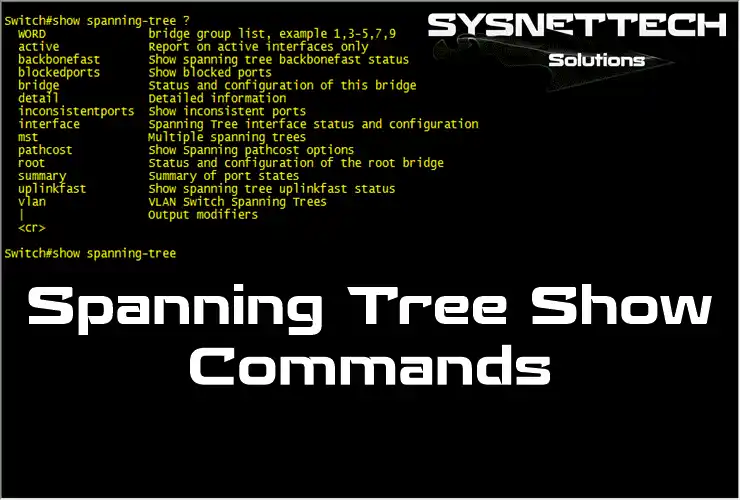
What are the Show Commands of the STP (Spanning Tree Protocol) We Use in Cisco Switches?
After configuring STP, you should use the CLI show commands. First, I recommend checking which switch is the Root Bridge.
You can also see which port is blocked. Check the PortFast feature with these commands. Also, check the UplinkFast commands and BackboneFast settings.
First, choose either the GNS3 or Cisco Packet Tracer app. Then, create a redundant network. This will allow you to set up a test environment for Spanning Tree show commands.
Next, enter Privileged Mode on your switch. Try the STP show commands below. These commands will display detailed operations on the Cisco Switch.
All STP CLI Show Commands
1. Spanning-Tree ? Command
This command shows the show commands of the ST protocol supported on the Switch. You can check its outputs by selecting the feature you want to use from the commands listed with the command.
Switch#show spanning-tree ?
  WORD               bridge group list, example 1,3-5,7,9
  active             Report on active interfaces only
  backbonefast       Show spanning tree backbonefast status
  blockedports       Show blocked ports
  bridge             Status and configuration of this bridge
  detail             Detailed information
  inconsistentports  Show inconsistent ports
  interface          Spanning Tree interface status and configuration
  mst                Multiple spanning trees
  pathcost           Show Spanning pathcost options
  root               Status and configuration of the root bridge
  summary            Summary of port states
  uplinkfast         Show spanning tree uplinkfast status
  vlan               VLAN Switch Spanning Trees
  |                  Output modifiers


Switch#show spanning-tree
2. Spanning-Tree Command
With this command, you can view general information about the ST protocol on the Switch. You can view the Root ID, Root Bridge, and Interface ports of the Switch and view the port states of the Switch’s interfaces.
Also, if Root Bridge is configured manually, you can examine the Switch’s Priority value using this command.
Switch#show spanning-tree

VLAN0001
  Spanning tree enabled protocol ieee
  Root ID    Priority    32769
             Address     0012.6620.0800
             This bridge is the root
             Hello Time   2 sec  Max Age 20 sec  Forward Delay 15 sec

  Bridge ID  Priority    32769  (priority 32768 sys-id-ext 1)
             Address     0012.6620.0800
             Hello Time   2 sec  Max Age 20 sec  Forward Delay 15 sec
             Aging Time  300 sec

Interface           Role Sts Cost      Prio.Nbr Type
------------------- ---- --- --------- -------- --------------------------------
Gi0/0               Desg FWD 4         128.1    Shr
Gi0/1               Desg FWD 4         128.2    Shr
Gi0/2               Desg FWD 4         128.3    Shr
Gi0/3               Desg FWD 4         128.4    Shr


Switch#
3. Summary Command
With this command, you can view the connection status of VLANs created on Cisco Switch. You can also view the features enabled by the Standard STP (PVST) protocol with this command. If you have performed the BackboneFast configuration, you can view the information about the BackboneFast feature with this command.
It displays the connection status for VLANs created on the Cisco Switch. You can also view the activated properties of the PVST with this command. If you have performed the configuration steps, you can view the BackboneFast feature information with this command.
Switch#show spanning-tree summary
Switch is in pvst mode
Root bridge for: VLAN0001
Extended system ID           is enabled
Portfast Default             is disabled
PortFast BPDU Guard Default  is disabled
Portfast BPDU Filter Default is disabled
Loopguard Default            is disabled
EtherChannel misconfig guard is enabled
Configured Pathcost method used is short
UplinkFast                   is disabled
BackboneFast                 is disabled

Name                   Blocking Listening Learning Forwarding STP Active
---------------------- -------- --------- -------- ---------- ----------
VLAN0001                     0         0        0          4          4
---------------------- -------- --------- -------- ---------- ----------
1 vlan                       0         0        0          4          4
Switch#
4. Root Command
You can view Root Bridge information with this command. For example, when you apply this command on a Switch that is not Root Bridge, you can see the Root Bridge ID and Address (0012.66b3.c800).
Switch#show spanning-tree root

                                        Root    Hello Max Fwd
Vlan                   Root ID          Cost    Time  Age Dly  Root Port
---------------- -------------------- --------- ----- --- ---  ------------
VLAN0001         32769 0012.6620.0800         0    2   20  15
Switch#
5. Detail Command
With this command, you can see detailed information on all ports of the Switch. You can view the Priority and Root Bridge information of the Cisco Switch interfaces, Hello Time, Max Age Timer, and Forward Delay times, as well as the number of BPDU packets sent and received.
Switch#show spanning-tree detail

 VLAN0001 is executing the ieee compatible Spanning Tree protocol
  Bridge Identifier has priority 32768, sysid 1, address 0012.6620.0800
  Configured hello time 2, max age 20, forward delay 15
  We are the root of the spanning tree
  Topology change flag not set, detected flag not set
  Number of topology changes 1 last change occurred 00:25:15 ago
          from GigabitEthernet0/0
  Times:  hold 1, topology change 35, notification 2
          hello 2, max age 20, forward delay 15
  Timers: hello 1, topology change 0, notification 0, aging 300

 Port 1 (GigabitEthernet0/0) of VLAN0001 is designated forwarding
   Port path cost 4, Port priority 128, Port Identifier 128.1.
   Designated root has priority 32769, address 0012.6620.0800
   Designated bridge has priority 32769, address 0012.6620.0800
   Designated port id is 128.1, designated path cost 0
   Timers: message age 0, forward delay 0, hold 0
   Number of transitions to forwarding state: 1
   Link type is shared by default
   BPDU: sent 773, received 3

 Port 2 (GigabitEthernet0/1) of VLAN0001 is designated forwarding
   Port path cost 4, Port priority 128, Port Identifier 128.2.
   Designated root has priority 32769, address 0012.6620.0800
   Designated bridge has priority 32769, address 0012.6620.0800
   Designated port id is 128.2, designated path cost 0
   Timers: message age 0, forward delay 0, hold 0
   Number of transitions to forwarding state: 1
   Link type is shared by default
   BPDU: sent 771, received 0

 Port 3 (GigabitEthernet0/2) of VLAN0001 is designated forwarding
   Port path cost 4, Port priority 128, Port Identifier 128.3.
   Designated root has priority 32769, address 0012.6620.0800
   Designated bridge has priority 32769, address 0012.6620.0800
   Designated port id is 128.3, designated path cost 0
   Timers: message age 0, forward delay 0, hold 0
   Number of transitions to forwarding state: 1
   Link type is shared by default
   BPDU: sent 771, received 0

 Port 4 (GigabitEthernet0/3) of VLAN0001 is designated forwarding
   Port path cost 4, Port priority 128, Port Identifier 128.4.
   Designated root has priority 32769, address 0012.6620.0800
   Designated bridge has priority 32769, address 0012.6620.0800
   Designated port id is 128.4, designated path cost 0
   Timers: message age 0, forward delay 0, hold 0
   Number of transitions to forwarding state: 1
   Link type is shared by default
   BPDU: sent 773, received 3

Switch#
6. Show Spanning-Tree Interface Command
It is used to examine the interfaces on the device with this command.
The interfaces you want to select are displayed in the following command output. After selecting the interface you wish to view, you can see the interface states as the output below.
Switch#show spanning-tree interface ?
  GigabitEthernet  GigabitEthernet IEEE 802.3z
  Multilink        Multilink-group interface
  Port-channel     Ethernet Channel of interfaces
  Vlan             Catalyst Vlans

Switch#show spanning-tree interface gigabitethernet 0/0

Vlan                Role Sts Cost      Prio.Nbr Type
------------------- ---- --- --------- -------- --------------------------------
VLAN0001            Desg FWD 4         128.1    Shr
Switch#show spanning-tree interface gigabitethernet 0/1

Vlan                Role Sts Cost      Prio.Nbr Type
------------------- ---- --- --------- -------- --------------------------------
VLAN0001            Desg FWD 4         128.2    Shr
Switch#
7. Show Spanning-Tree Blocked
With this command, you can see the interfaces that are put into Blocked Mode. In short, it shows the ports blocked by STP.
Switch#show spanning-tree blockedports

Name                 Blocked Interfaces List
-------------------- ------------------------------------

Number of blocked ports (segments) in the system : 0

Switch#
8. Show Spanning-Tree Active
This command shows only the interfaces that are active on the Cisco Switch. For example, if the idle-free interfaces are closed by the system administrator, you will be able to view only the functional interfaces with this command.
Switch#show spanning-tree active

VLAN0001
  Spanning tree enabled protocol ieee
  Root ID    Priority    32769
             Address     0012.6620.0800
             This bridge is the root
             Hello Time   2 sec  Max Age 20 sec  Forward Delay 15 sec

  Bridge ID  Priority    32769  (priority 32768 sys-id-ext 1)
             Address     0012.6620.0800
             Hello Time   2 sec  Max Age 20 sec  Forward Delay 15 sec
             Aging Time  300 sec

Interface           Role Sts Cost      Prio.Nbr Type
------------------- ---- --- --------- -------- --------------------------------
Gi0/0               Desg FWD 4         128.1    Shr
Gi0/1               Desg FWD 4         128.2    Shr
Gi0/2               Desg FWD 4         128.3    Shr
Gi0/3               Desg FWD 4         128.4    Shr


Switch#
9. Spanning-Tree Bridge
This command shows the Bridge ID information of the Cisco Switch.
Switch#show spanning-tree bridge

                                                   Hello  Max  Fwd
Vlan                         Bridge ID              Time  Age  Dly  Protocol
---------------- --------------------------------- -----  ---  ---  --------
VLAN0001         32769 (32768,   1) 0012.6620.0800    2    20   15  ieee
Switch#
10. Spanning-Tree Inconsistentports
This command displays ports that are not configured correctly in the configuration. For example, if one port Trunk between two interconnected Switches is configured as an Access port, the STP protocol will name this port inconsistently.
Switch#show spanning-tree inconsistentports

Name                 Interface                Inconsistency
-------------------- ------------------------ ------------------

Number of inconsistent ports (segments) in the system : 0

Switch#
11. BackboneFast Command
This command shows whether the BackboneFast feature is enabled on the Switch.
Switch#show spanning-tree backbonefast
BackboneFast is disabled
Switch#
12. UplinkFast Command
This command shows whether the UplinkFast feature is enabled on the Switch.
Switch#show spanning-tree uplinkfast
UplinkFast is disabled
Switch#
13. Vlan Command
Finally, you can view STP details such as Root ID, Root Bridge, and Priority according to the VLAN number selected with this command.
Switch#sh spanning-tree vlan 1

VLAN0001
  Spanning tree enabled protocol ieee
  Root ID    Priority    32769
             Address     0012.6620.0800
             This bridge is the root
             Hello Time   2 sec  Max Age 20 sec  Forward Delay 15 sec

  Bridge ID  Priority    32769  (priority 32768 sys-id-ext 1)
             Address     0012.6620.0800
             Hello Time   2 sec  Max Age 20 sec  Forward Delay 15 sec
             Aging Time  300 sec

Interface           Role Sts Cost      Prio.Nbr Type
------------------- ---- --- --------- -------- --------------------------------
Gi0/0               Desg FWD 4         128.1    Shr
Gi0/1               Desg FWD 4         128.2    Shr
Gi0/2               Desg FWD 4         128.3    Shr
Gi0/3               Desg FWD 4         128.4    Shr

Switch#
FAQ About STP Show Commands
Which subcommands does the spanning-tree ? command list for me?
Which command do I use to quickly find the root bridge?
What does the detail command offer that is different from the ordinary output?
How do I find out why a port is blocked by STP?
What does the summary command tell about the overall health of the network?
How do I verify that BackboneFast or UplinkFast is turned on?
Conclusion
For troubleshooting in Cisco Switch or Routers, we need to know and understand the commands in detail. In this article, we have examined the basic commands of the ST protocol.

3 People Shared Their Experience
Thank you. That really helped!!
You’re welcome! Thanks for your comment!
That helped alot, thank you so much!